TABLE OF CONTENTS


Overview

This guide explains how to create a Membership Category in Core. Membership Categories help organize and group similar memberships, making it easier to manage and identify different membership types within the Wellyx.
Step 1: Navigate to Membership Categories

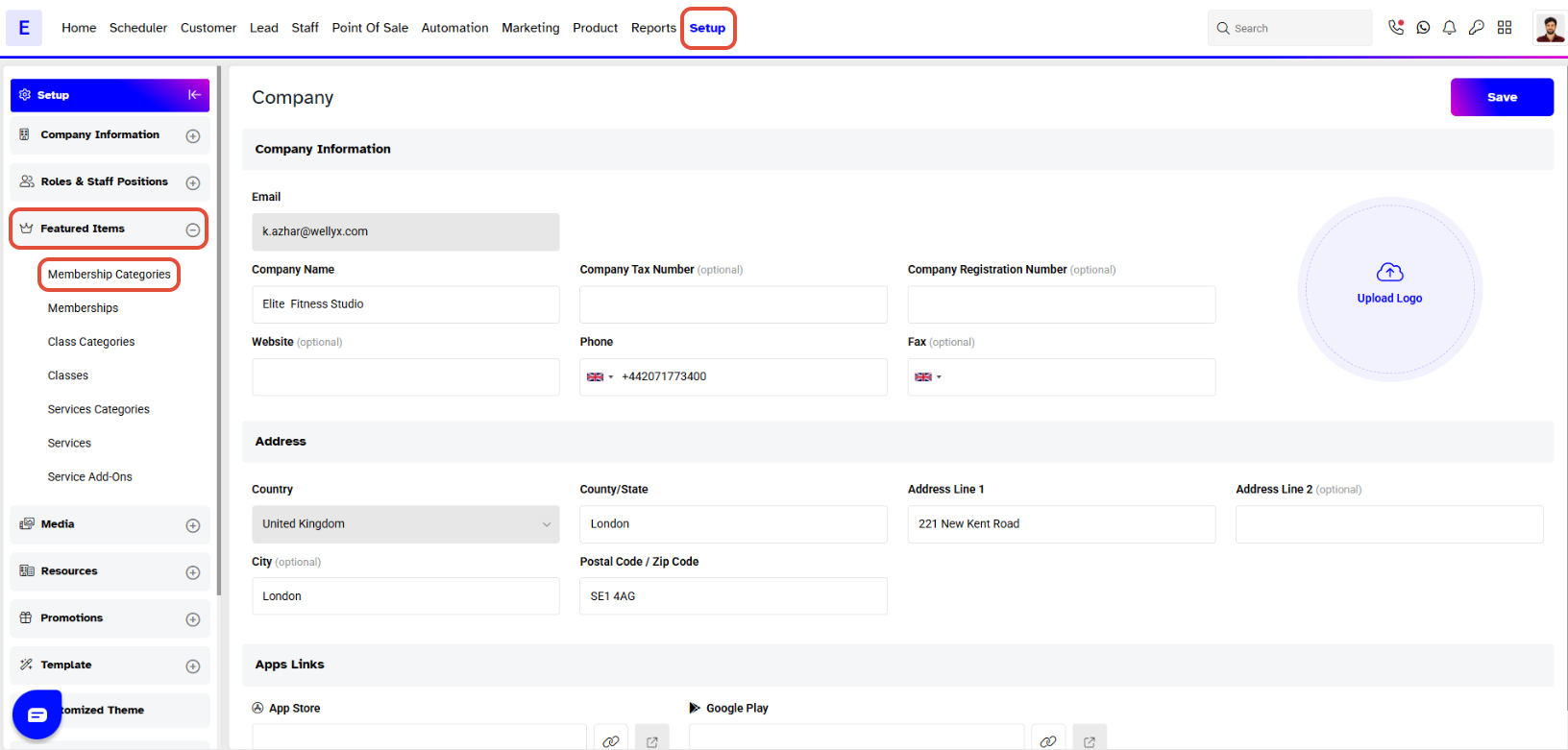
  • Go to the Setup module in Core.

  • Click on the Feature Items tab.

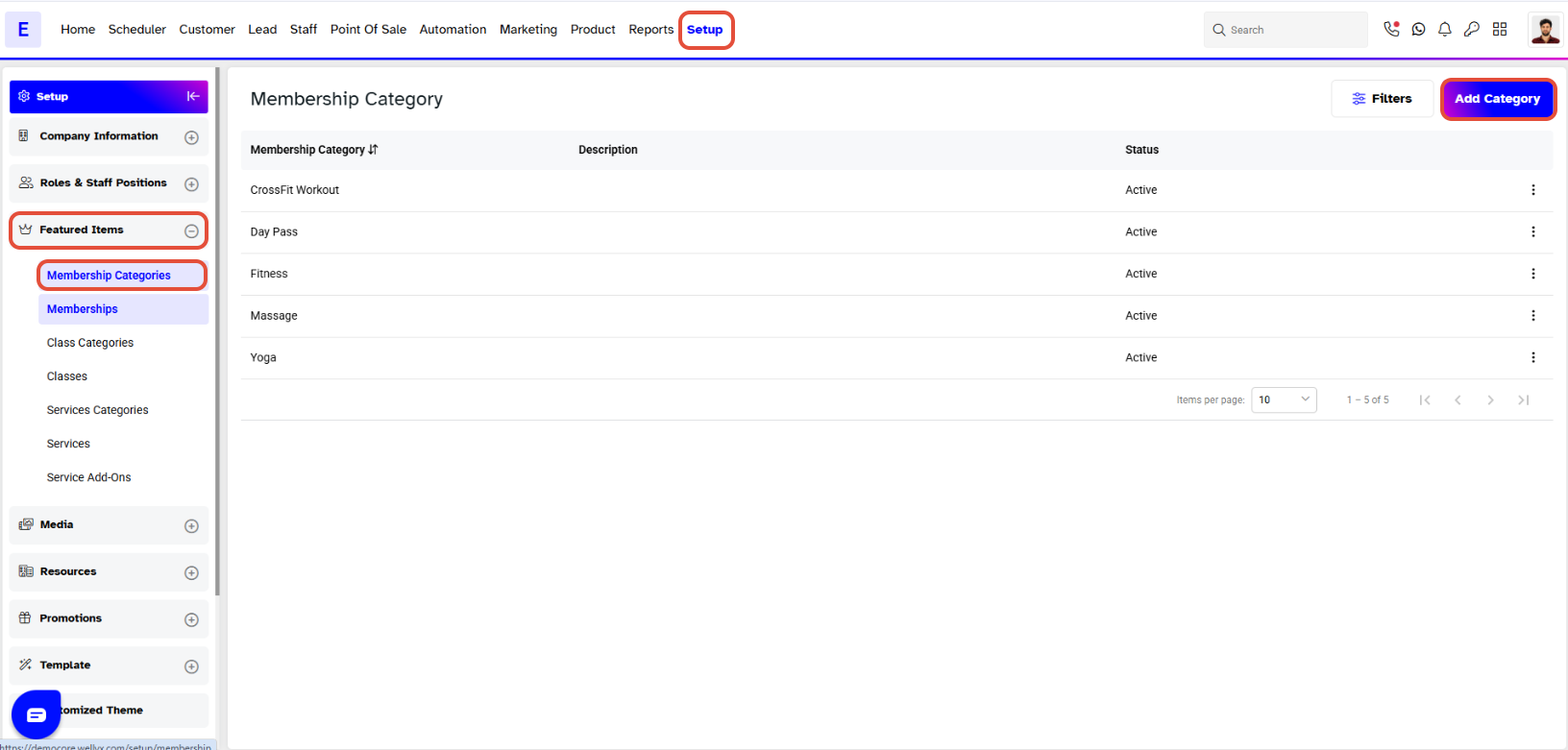
  • Select Membership Categories from the Feature Items tab.


Step 2: Add a New Category

  • Click on the Add Category button.

  • A pop-up window will appear.

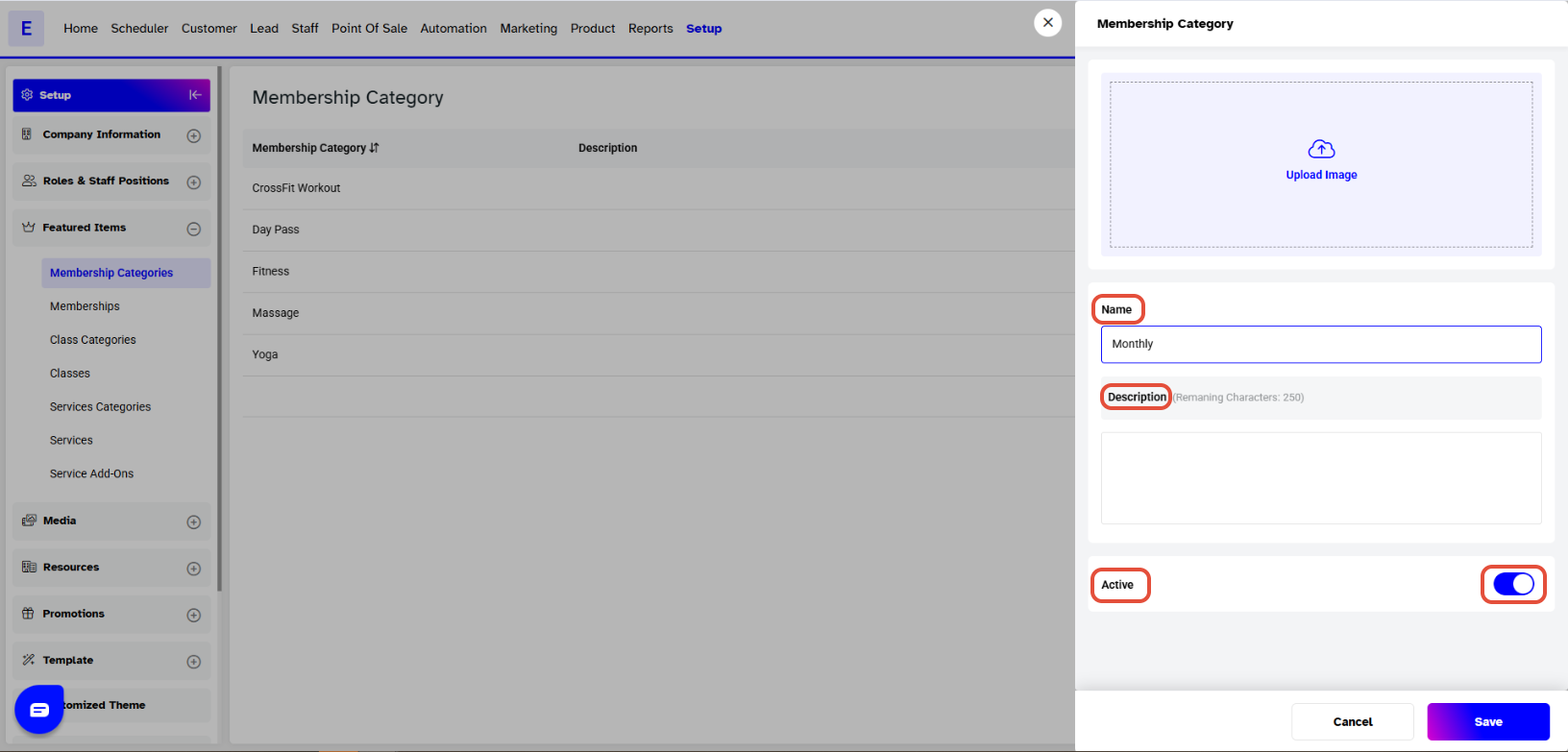
Step 3: Enter Category Details

  • Add the Image of the Membership Category.

  • Enter the Name of the Membership Category.

  • Add a Description to define the purpose of the category.

  • Toggle Activate or Deactivate the Category as needed.


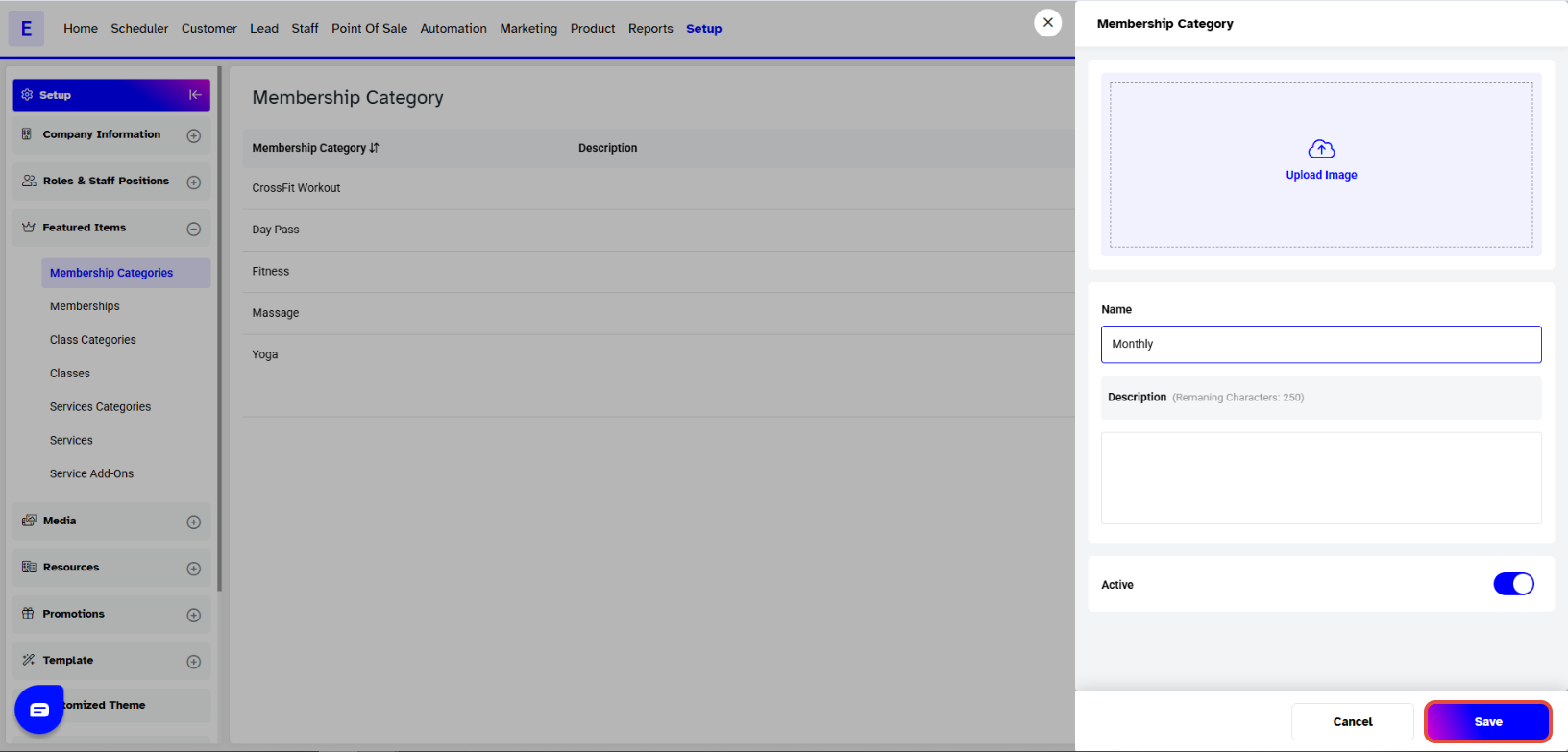
Step 4: Save the Category

  • Once all details are added, click on the Save button to confirm.


The newly created Membership Category will now be visible under the Categories List and can be used while creating or editing memberships in Core.