TABLE OF CONTENTS
To duplicate a Membership, follow the below steps:
How to Enable the Allow Duplicate Option for a Membership
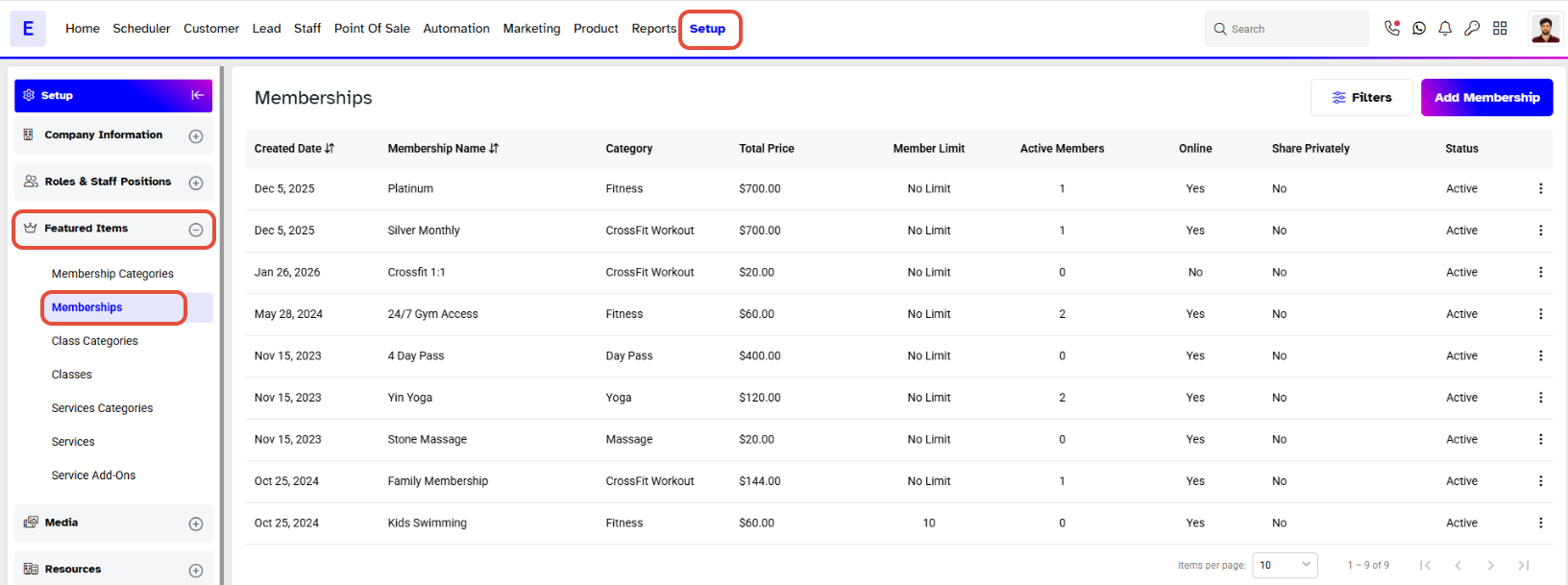
Go to the Setup Module
Click on the Featured Items and Memberships Tab.
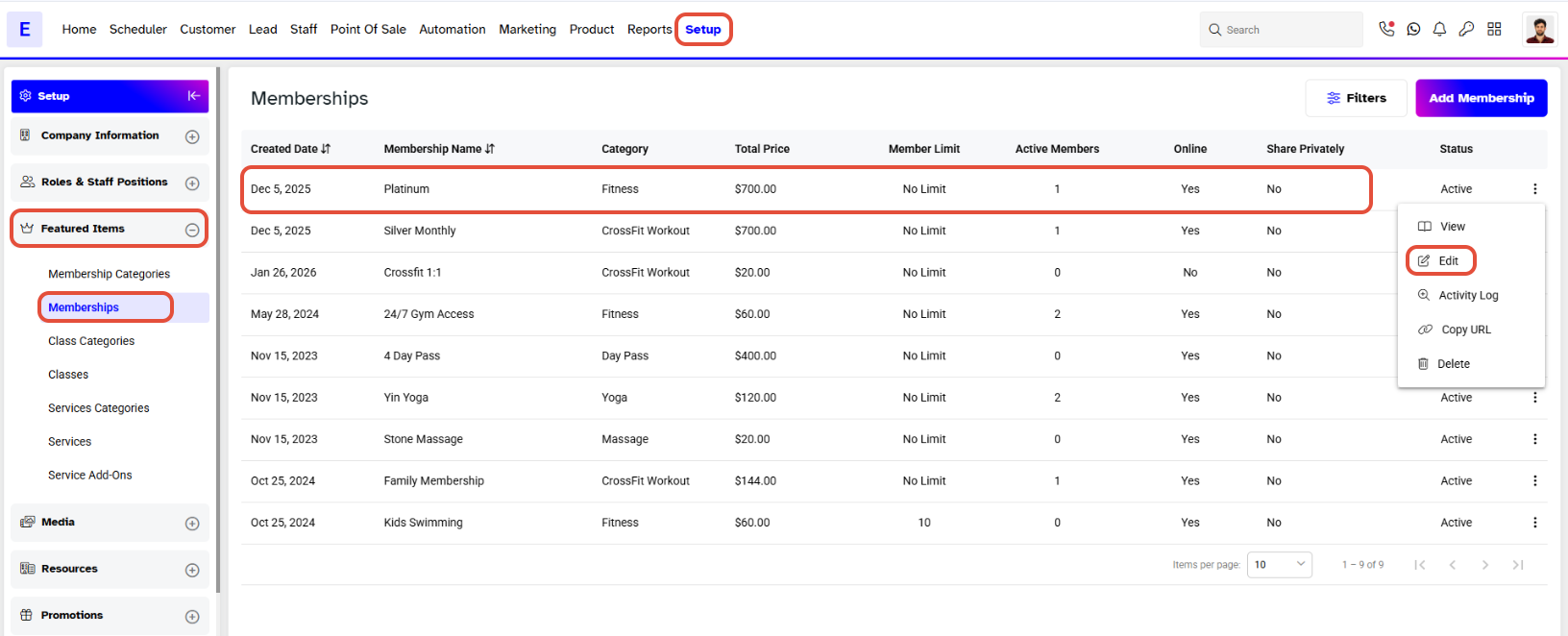
Click on the Edit Icon under the Actions Tab against the Membership.
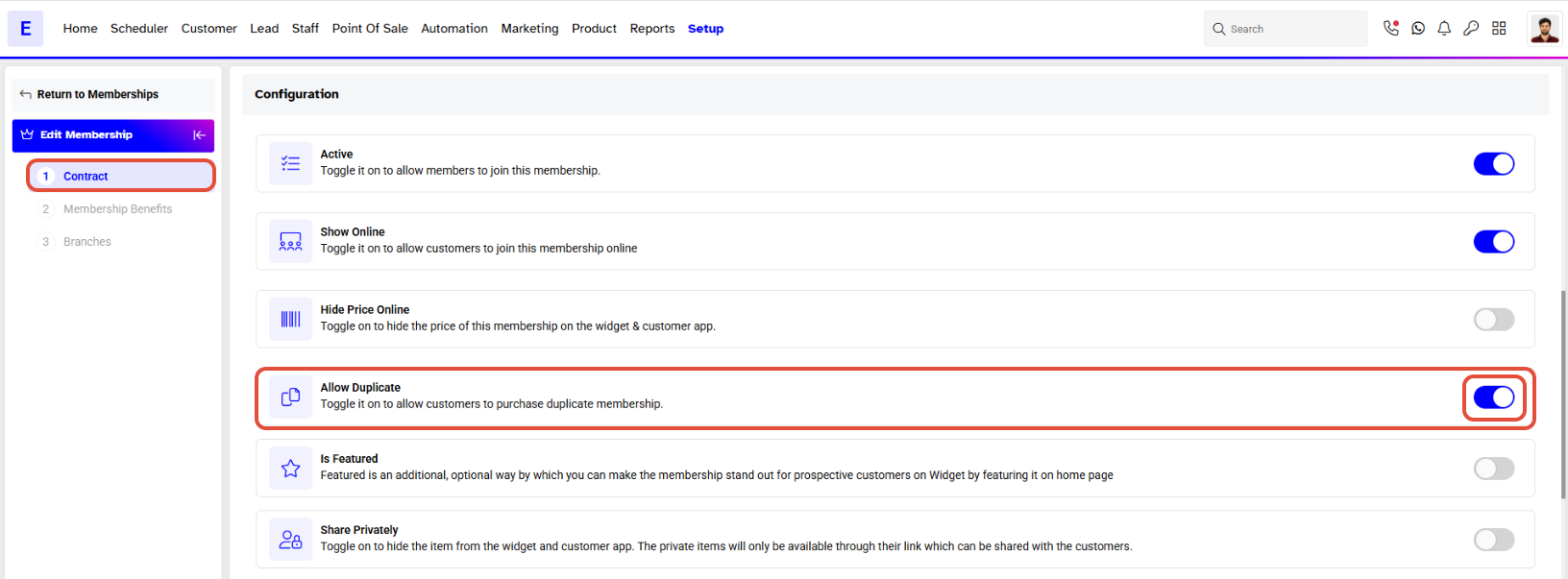
Once on the Membership Details Page, Toggle On the Allow Duplicate option.
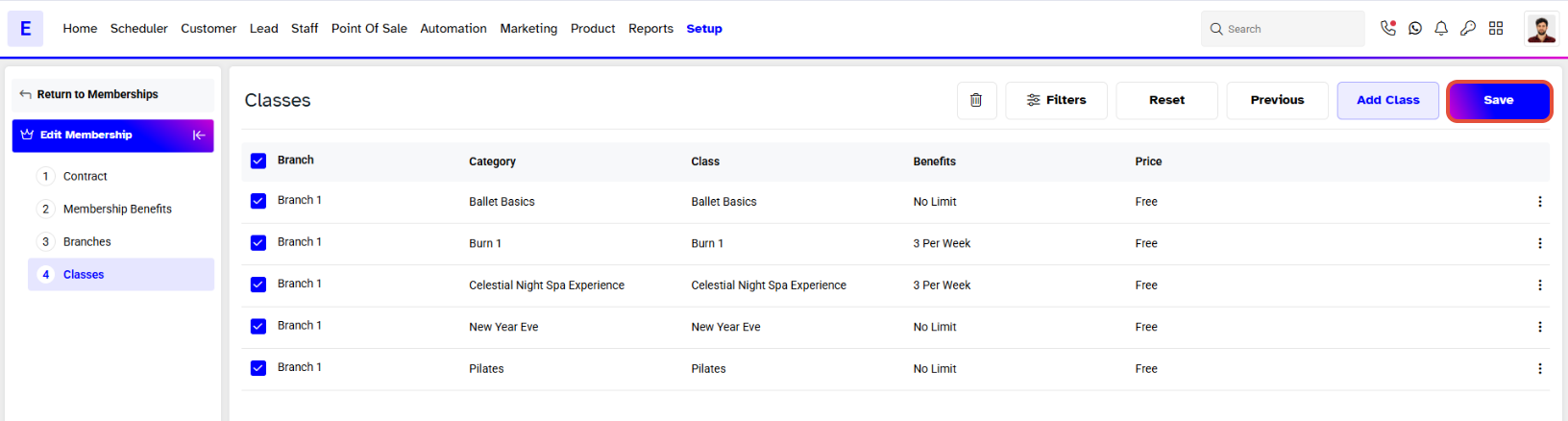
When the Allow Duplicate option has been Toggled On, click on the Continue Button to get to the End of the Membership Page. Click on the Save Button to Confirm all Changes.