


TABLE OF CONTENTS
To Edit the Price of a Membership, follow the steps below.
Edit Price Of A Membership
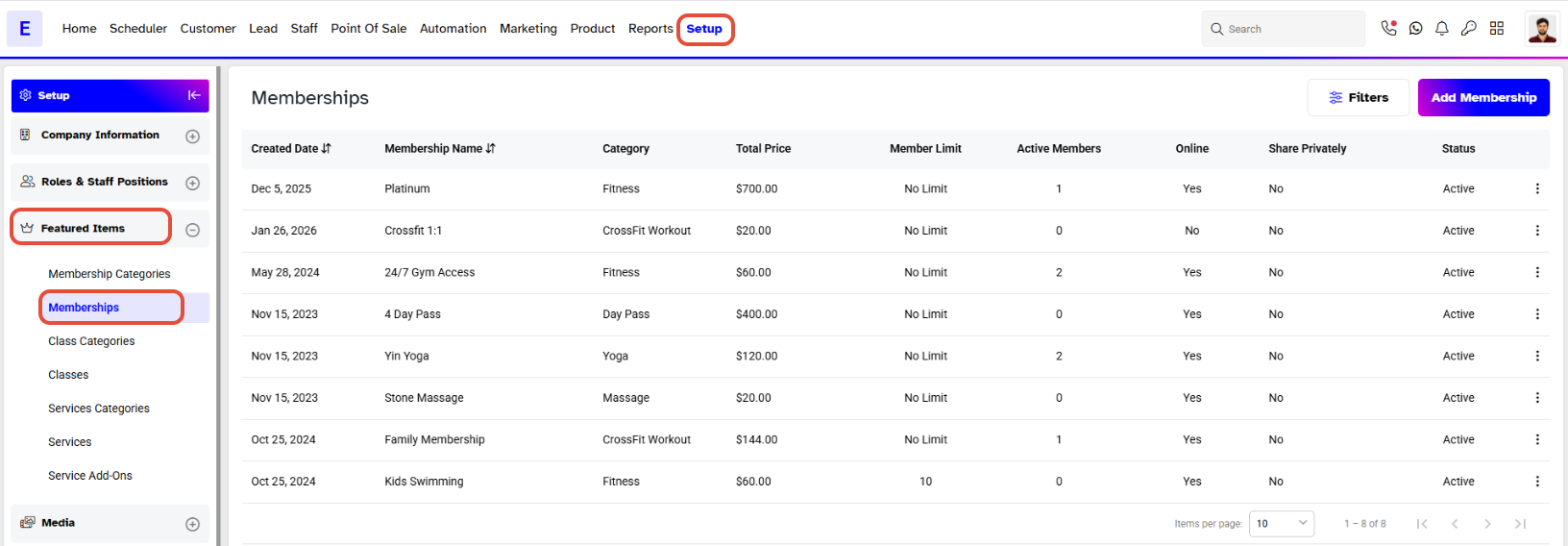
Go to the Setup Module.
Click on the Featured Tab and select the Memberships.
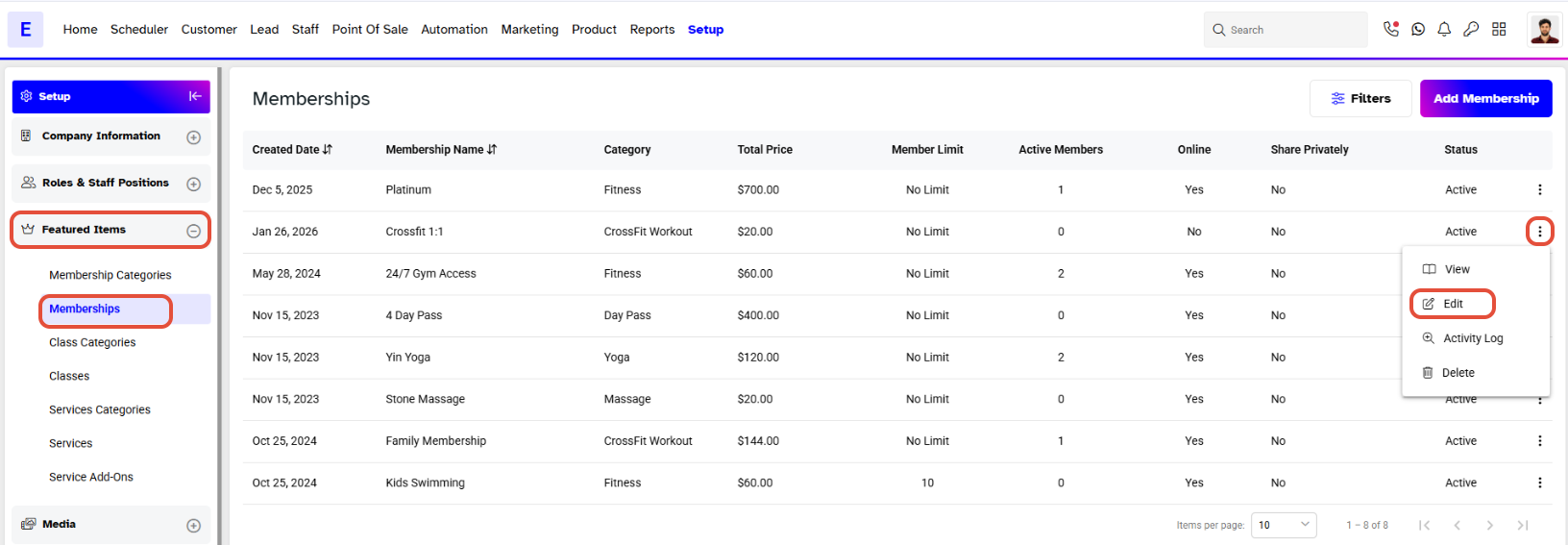
Click on the Edit Icon under Actions against a Membership Name.
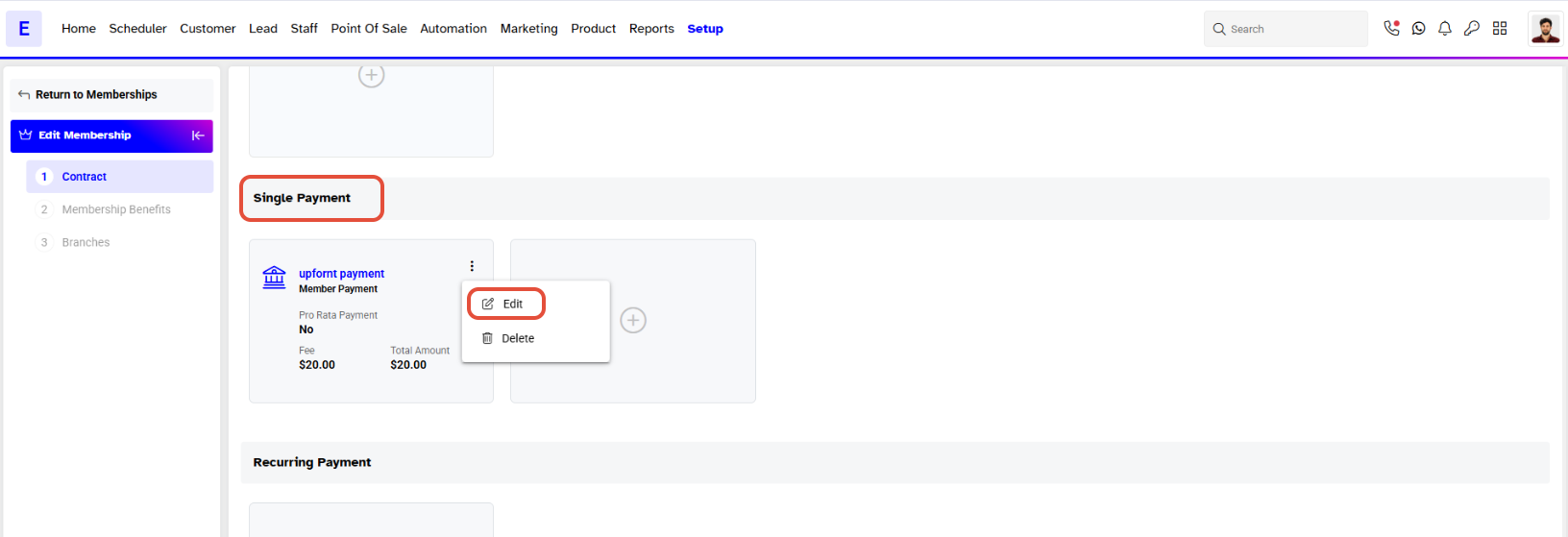
Enter the new Price for the Membership.
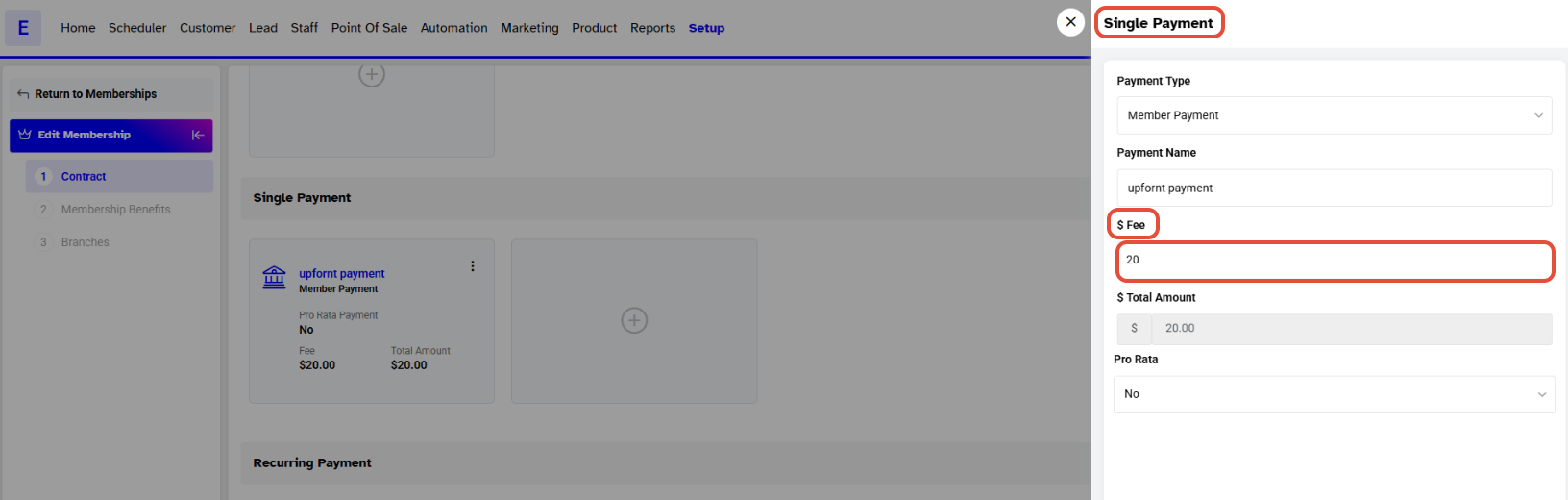
Click on the Save Button to confirm the changes.
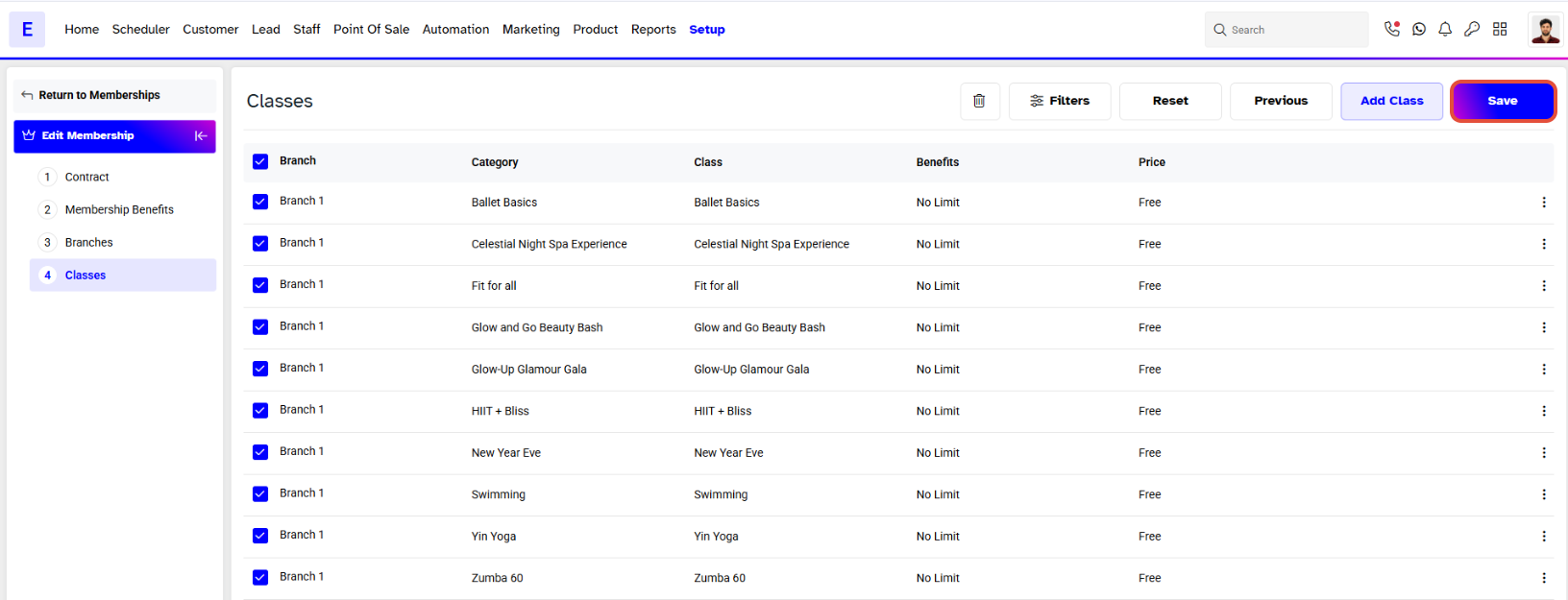
The Price of the Membership will be changed.
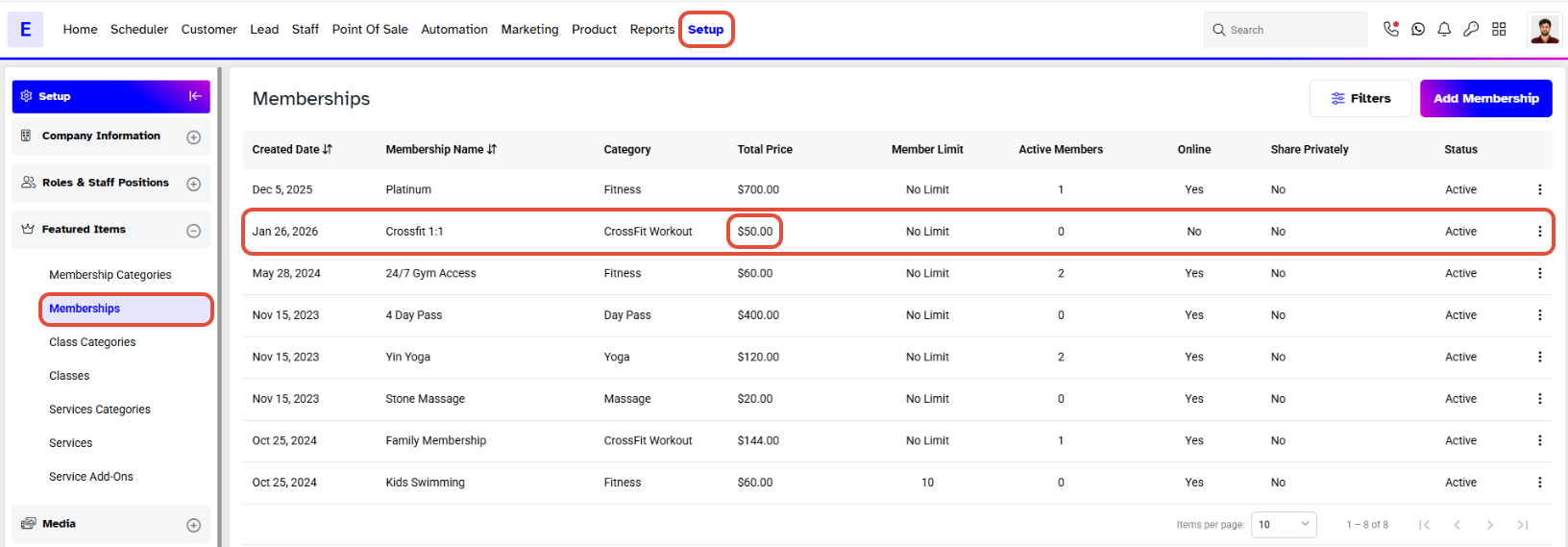
The Payment Plan of the Existing Members of this Membership will remain the same. However, the new Members will join the Membership according to the new Price.




