


TABLE OF CONTENTS
To view the changes in the Membership setup, follow the steps below:
How To View the Membership Activity Log in Core
Go to the Setup Module in Core.
Click on the Memberships Tab from Feature Item.
Click on the Activity Log icon next to the Membership Name for which you want to view changes.
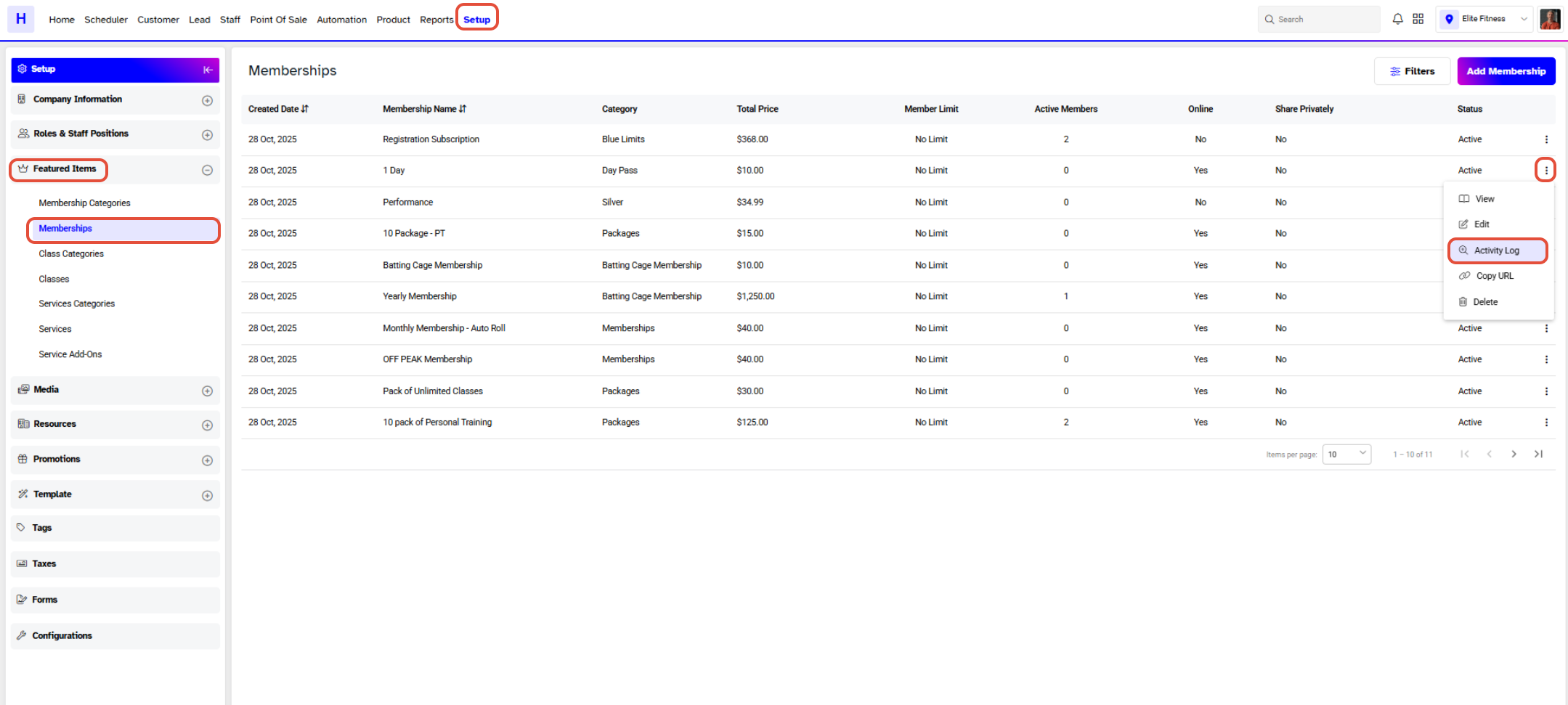
The Activity Log will only appear for Memberships that have been edited. If the Merchant edits a Membership and no changes are made to any fields or toggle, the Activity Log will not be generated.
Once clicked on the Activity Log Icon a Membership Activity Popup Box will open and display all changes.
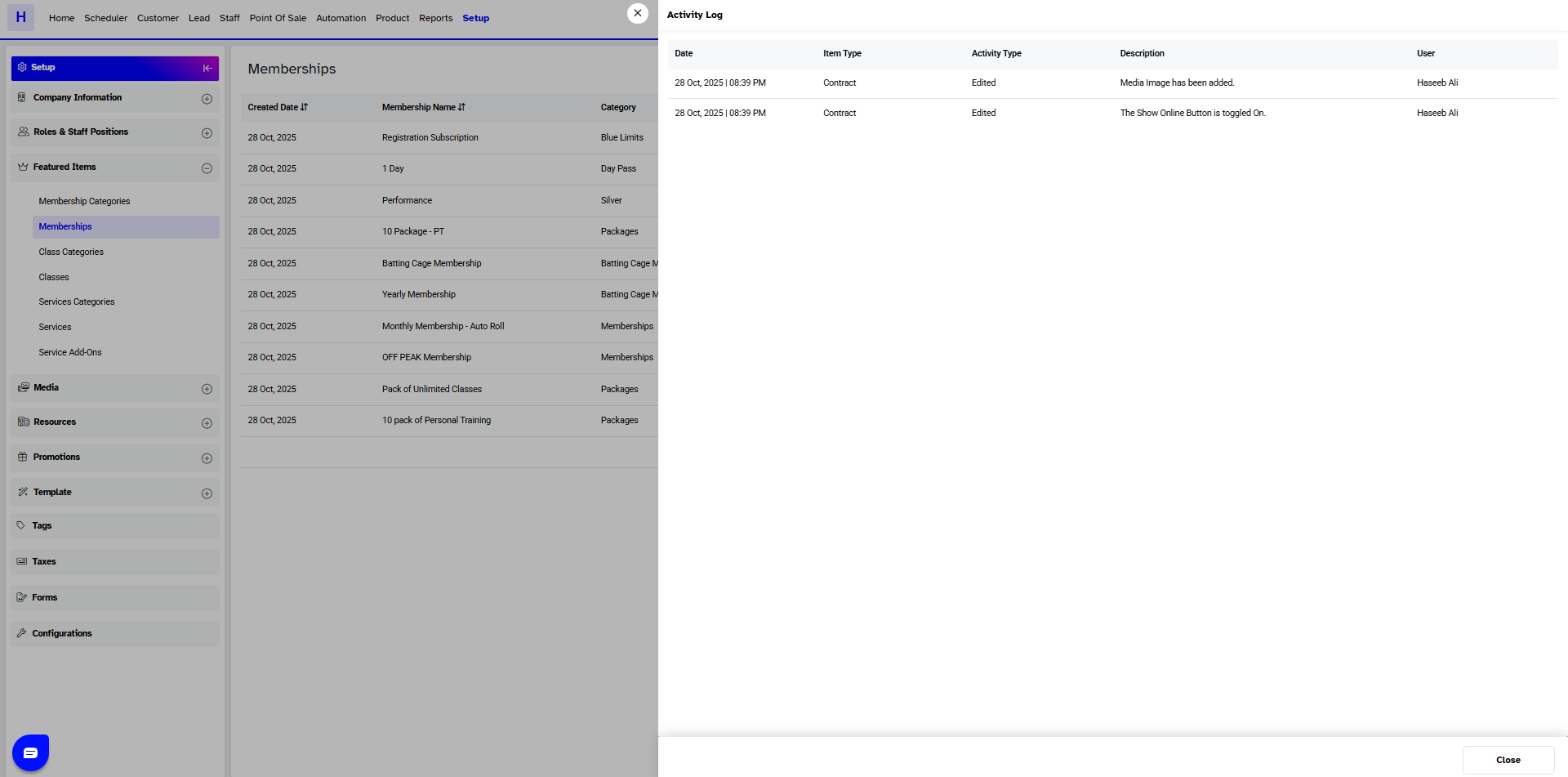
The Activity Log Popup will display the date, time, item type, activity type, activity description, and the name of the user who made the Membership changes.




