


TABLE OF CONTENTS
To Disable a Membership from Showing Online, follow the steps below.
How To Disable A Membership From Showing Online
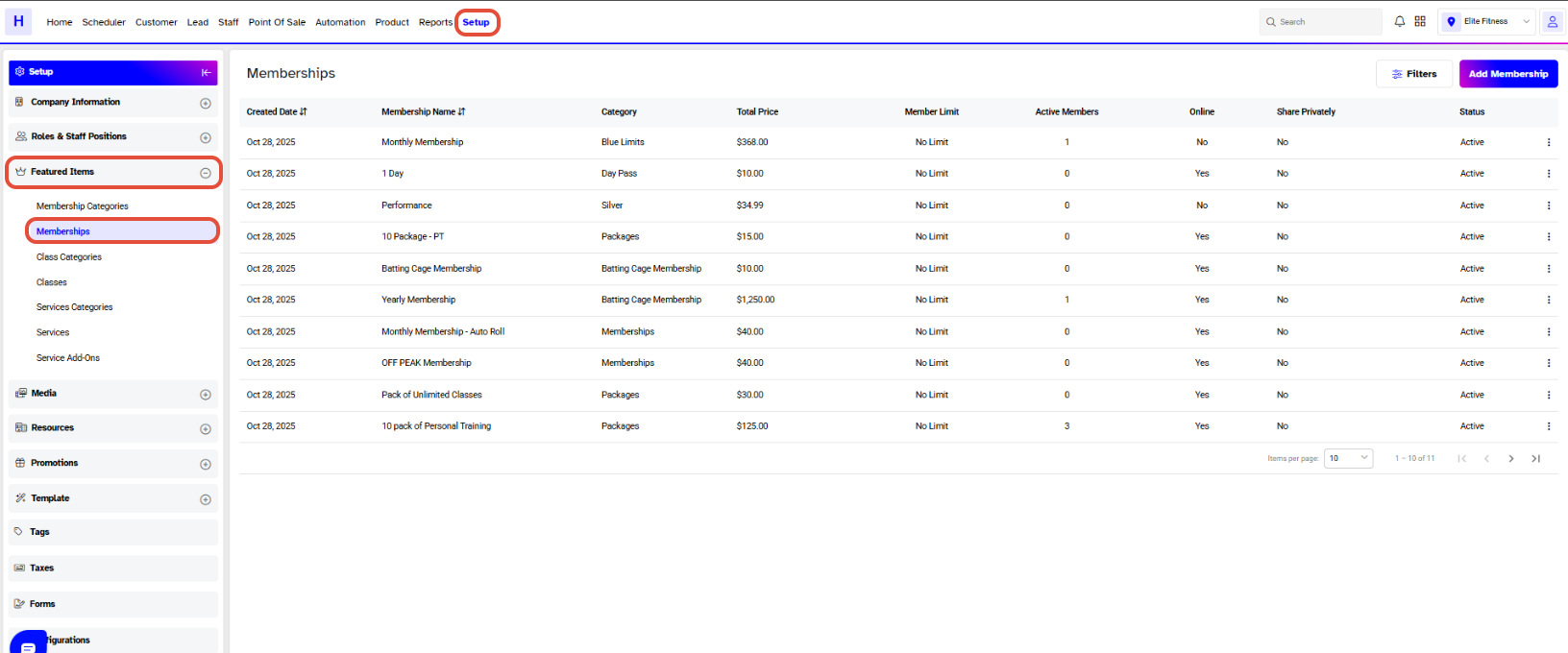
Go to the Setup Module.
Click on the Featured Tab and select the Membership.
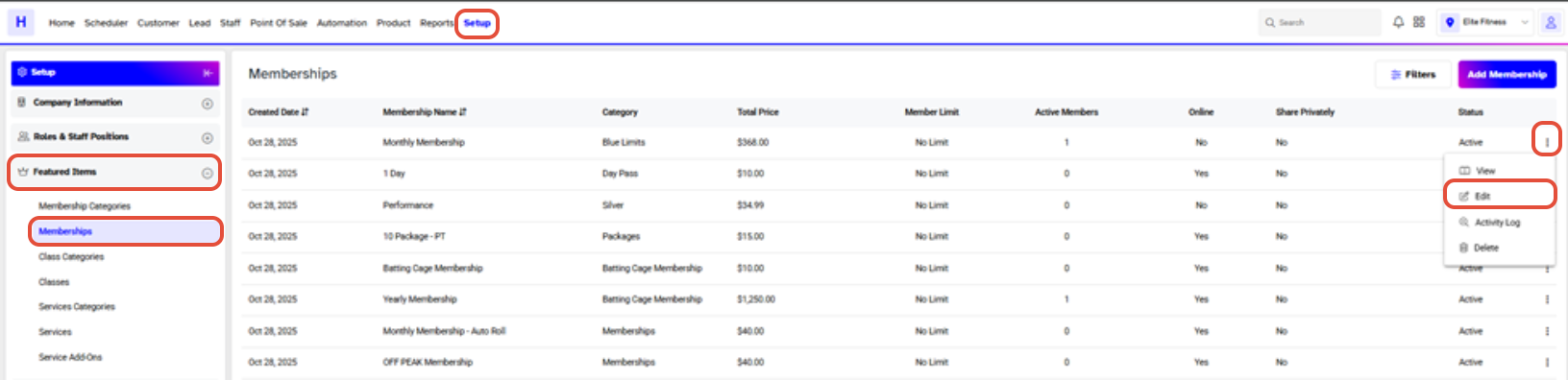
Click on the Edit Icon under Actions against a Membership.
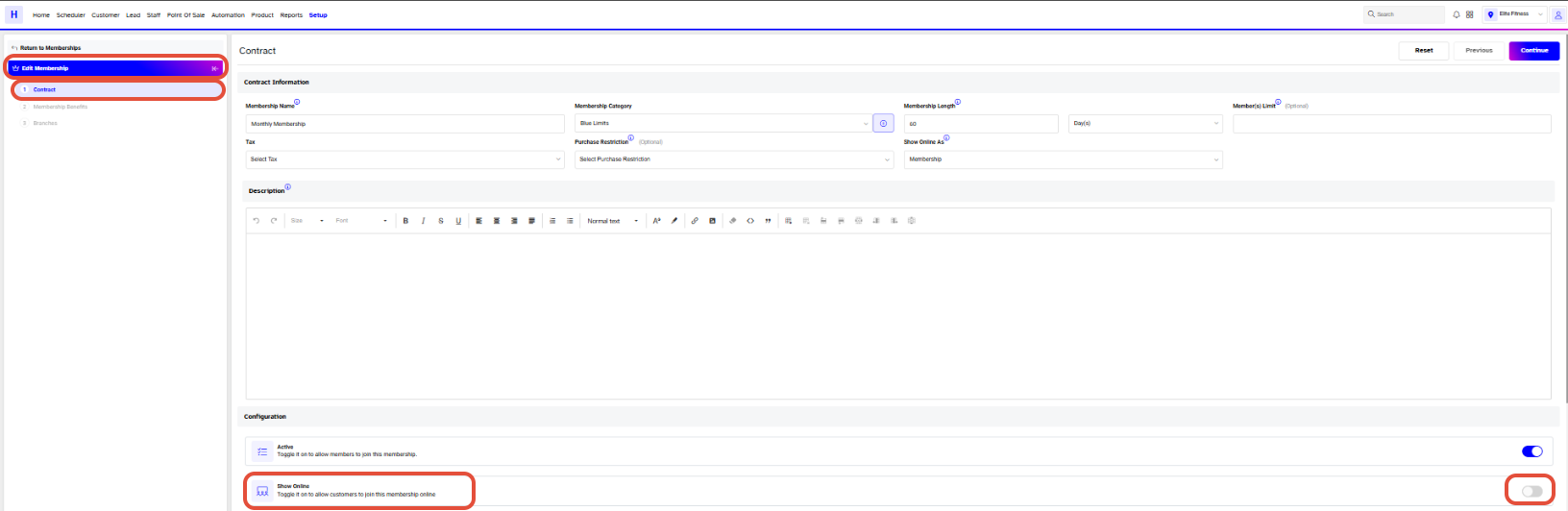
Toggle Off the Show Online Button and then click on the Continue Button.
Now, click on the Save Button to confirm the changes.

When Show Online Button is toggled off, the Customers would not be able to see the Membership on the Widget and Customer App.




