


TABLE OF CONTENTS
Overview
This guide explains how to suspend the Customer's Welcome on Board Email in Core. By following this guide, merchants can manage automated email communications for their customers and leads
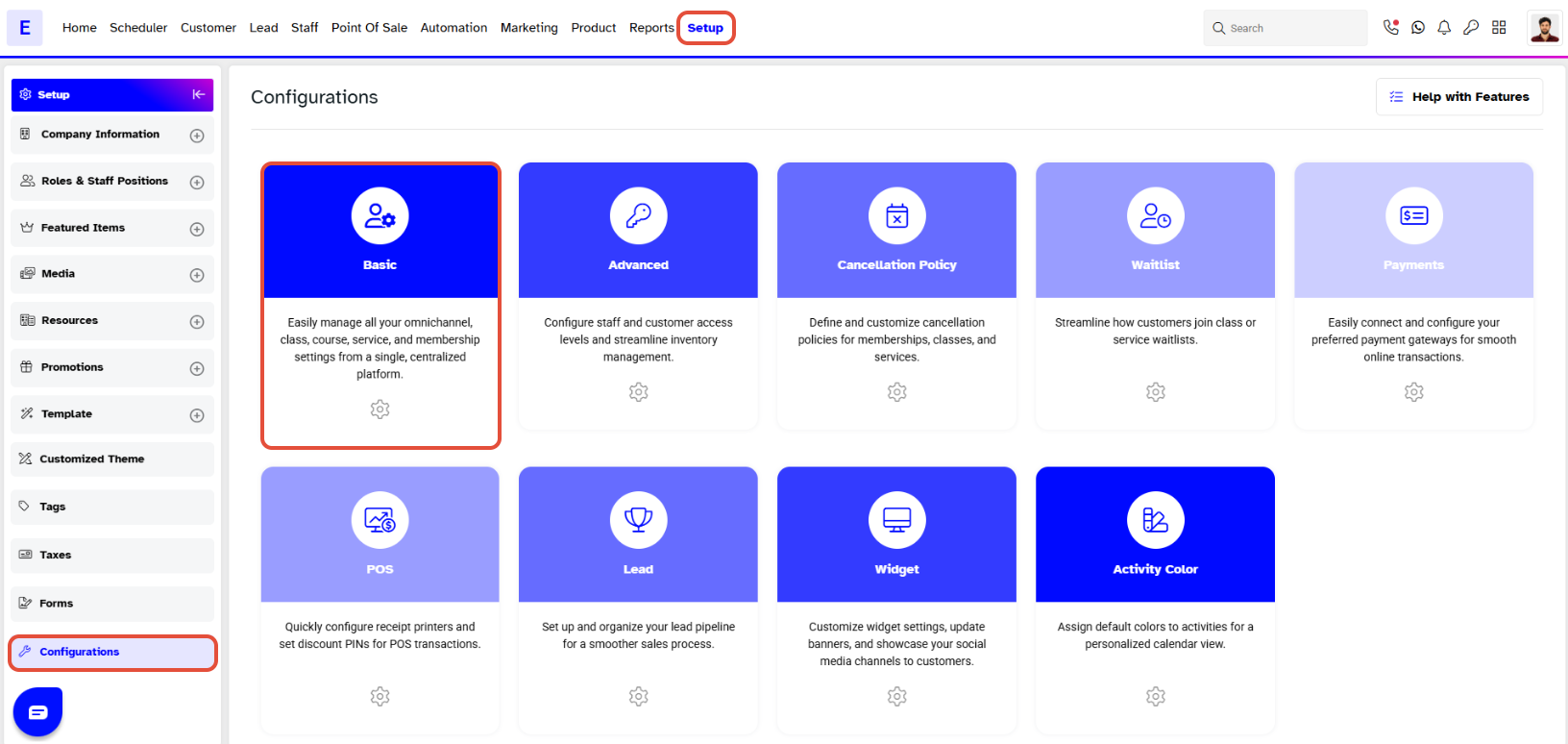
Step 1: Navigate to Configurations
- Go to the Setup module in Core.
- Click on the Configurations tab.
Step 2: Suspend Customer Welcome Email
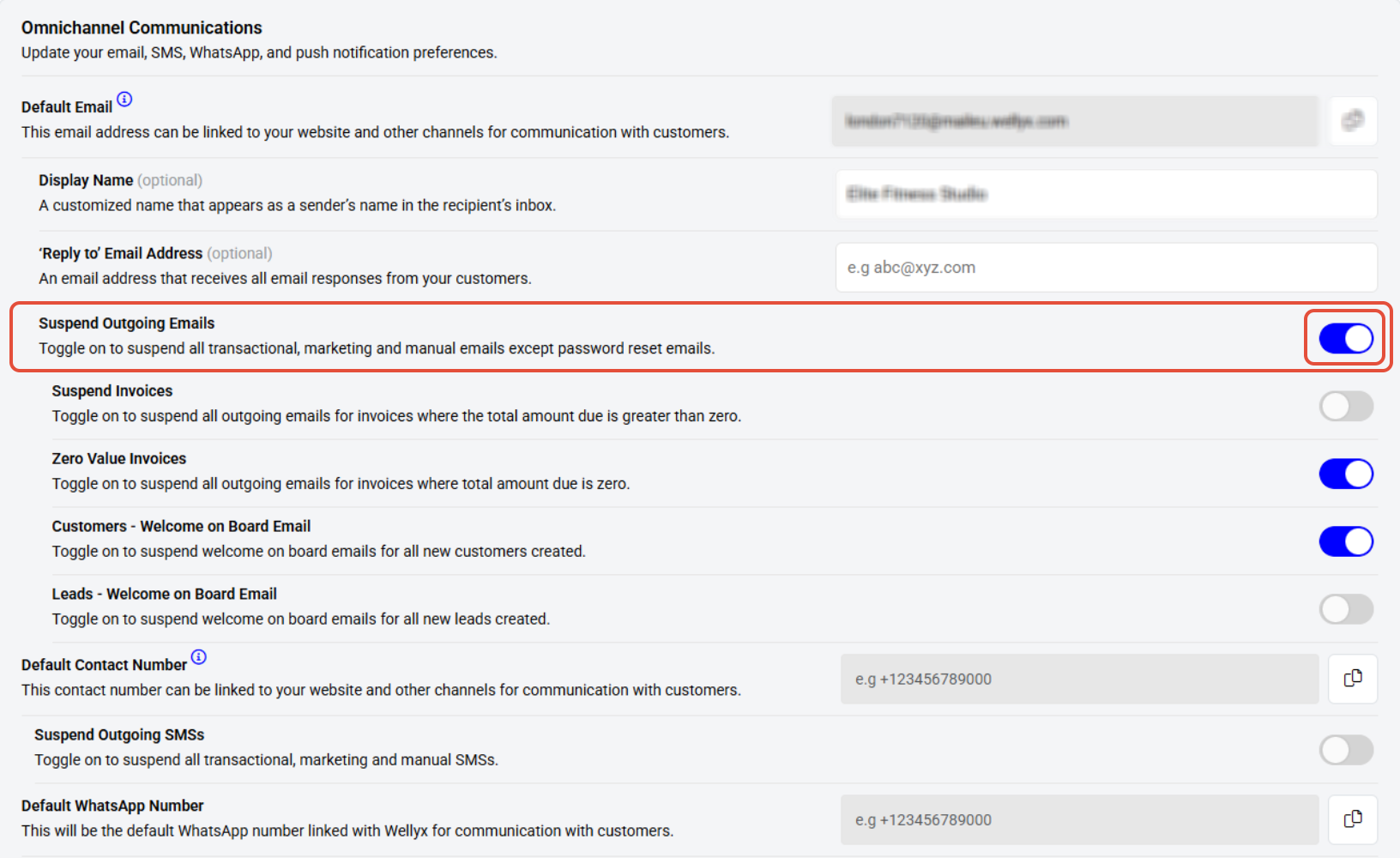
- Under the Basic section, locate the setting called Customers – Welcome on Board Email.
- Toggle it ON to suspend the Customer Welcome Email.
Step 3: Save Changes
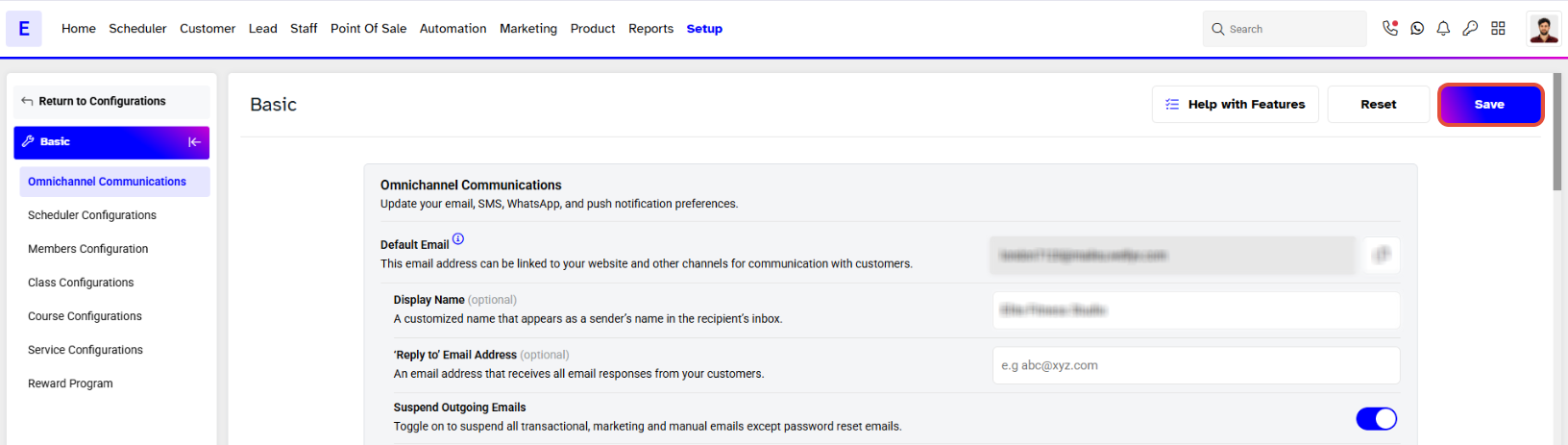
- Once done, click on the Save button to confirm the changes.
If you also wish to suspend the Welcome Email for Leads, simply toggle on the setting called Leads – Welcome on Board Email located in the same section or click here.




