


TABLE OF CONTENTS
Overview
This guide explains how to configure the Guest Checkout option in Core. By enabling this feature, merchants allow customers to checkout without providing an email address, with guests automatically created as clients using a system-generated email address.Step 1: Navigate to Payments
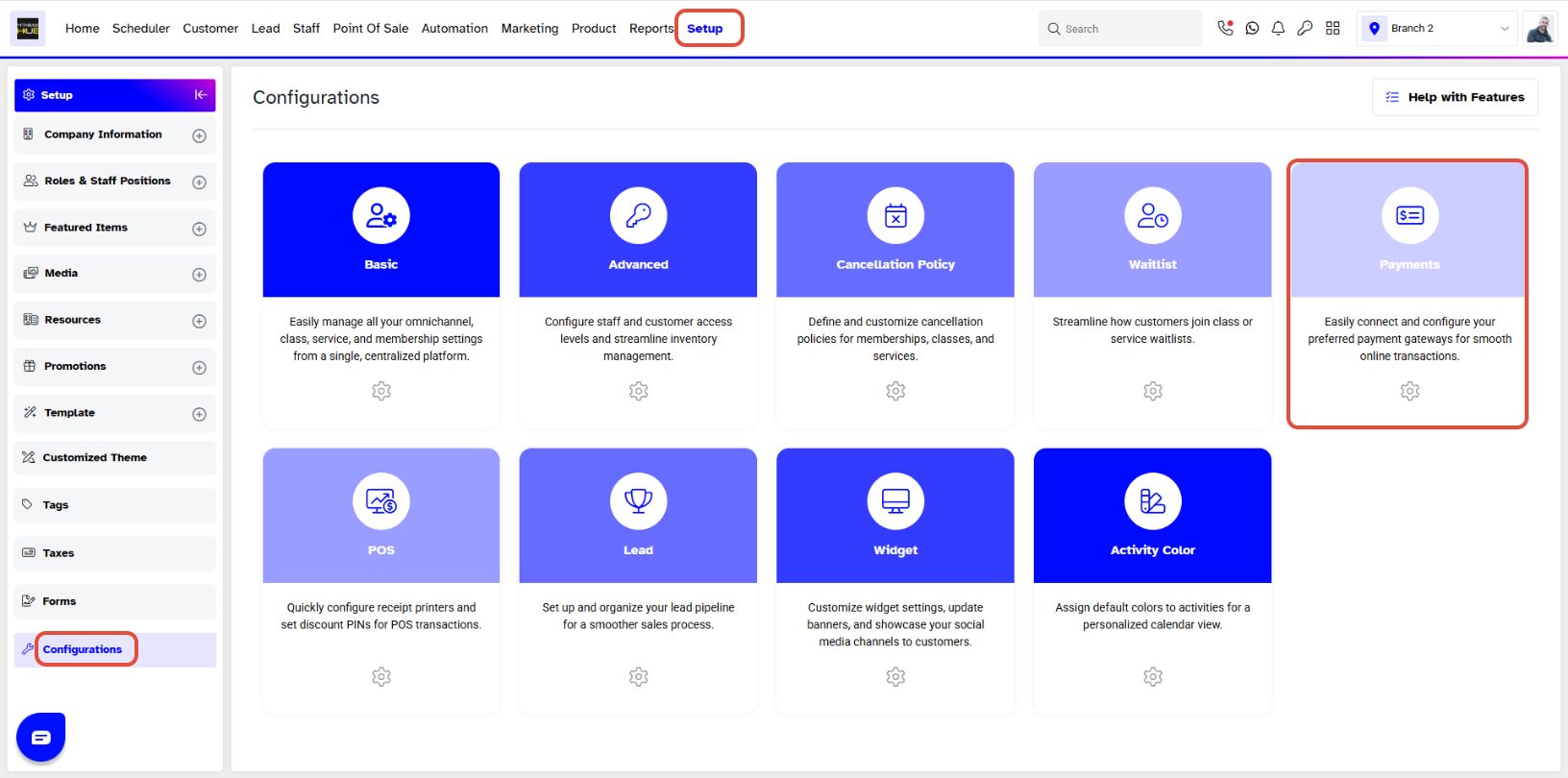
- Go to the Setup module in Core.
- Click on the Configurations tab.
- Select the Payments section.
Step 2: Enable Guest Checkout
- Locate the Guest Checkout option, which is toggled off by default.
- Toggle ON the Guest Checkout option to enable it for customers.
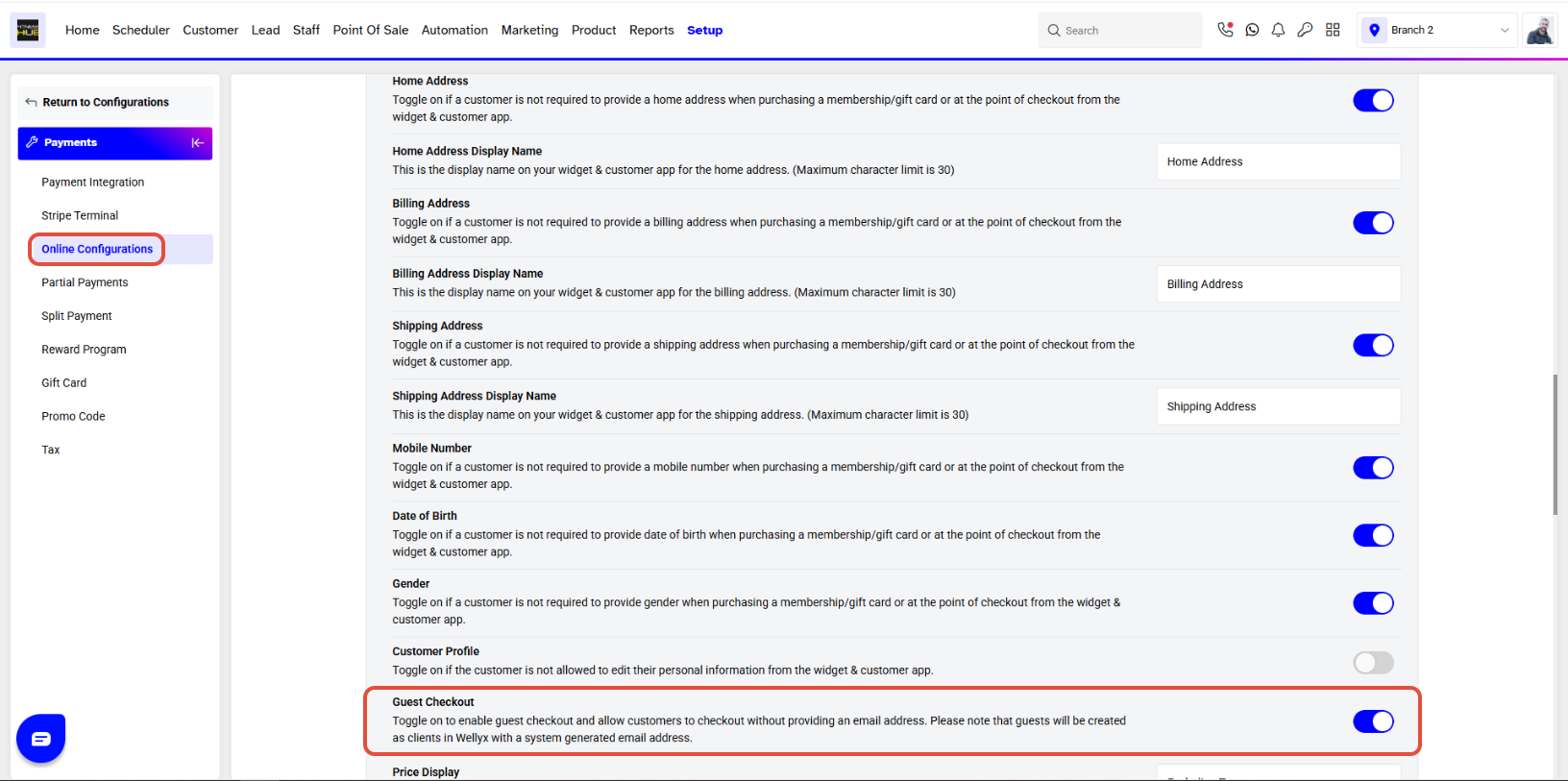
By Toggling On Guest Checkout, you will allow Customers to Checkout without providing an Email Address, and the Guests will be created as Clients with a System Generated Email Address.
Step 3: Save Changes
- Click on the Save button to confirm and apply all changes.





