


TABLE OF CONTENTS
- Step 1: Navigate to Service Configurations
- Step 2: Enable Customer Check-In
- Step 3: Define Check-In Timeframes
Overview
This guide explains how to configure early and late check-in settings for services in Core. By following this guide, merchants can allow customers to check in for services via the widget or app and define the specific time windows allowed before or after a service starts.
Step 1: Navigate to Service Configurations
- Go to the Setup module in Core.
- Click on the Configurations tab.
- Select Service Configurations from the Basic section.
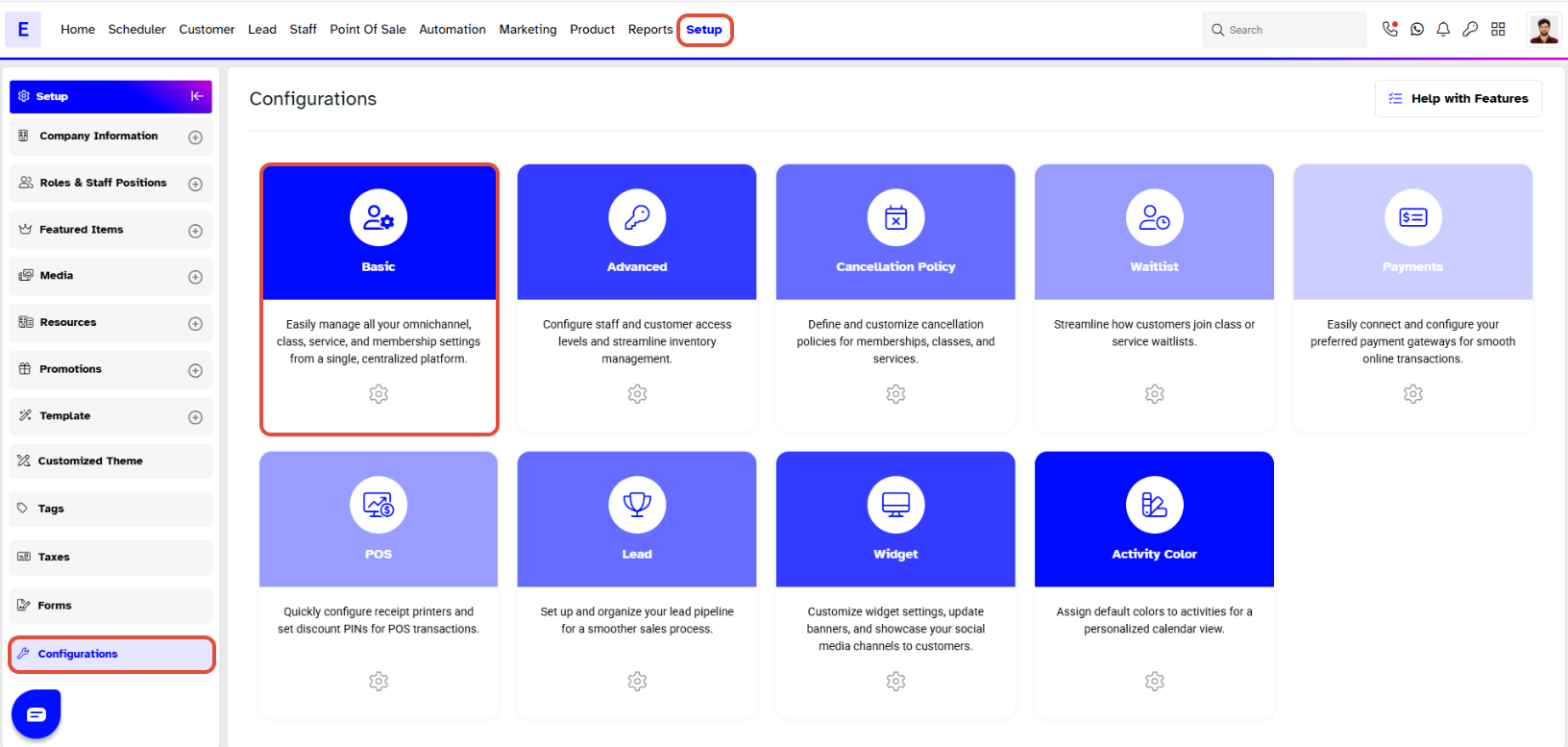
Step 2: Enable Customer Check-In
- Locate the Customer Check-In option.
- Toggle ON the Customer Check-In option to allow customers to check in for services through the widget or app.
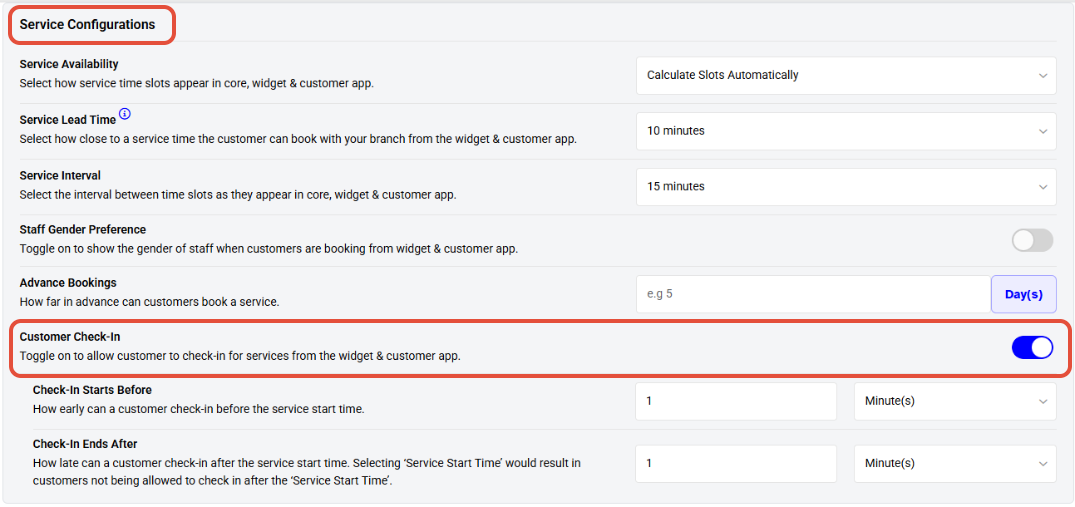
Customer Check-In - Toggle On to allow Customer's to Check-In for Services from the Widget & App.
Step 3: Define Check-In Timeframes
- Configure the following fields to set your check-in preferences.

Check-In Starts Before - How Early can a Customer Check-In Before the Service Start Time.
Check-In Ends After - How Late can a Customer Check-In After the Service Start Time.




