


TABLE OF CONTENTS
Overview
This guide explains how to set up the Date Filter for Classes on the Widget and App. By following this guide, merchants can configure the time range for which classes are displayed to customers.
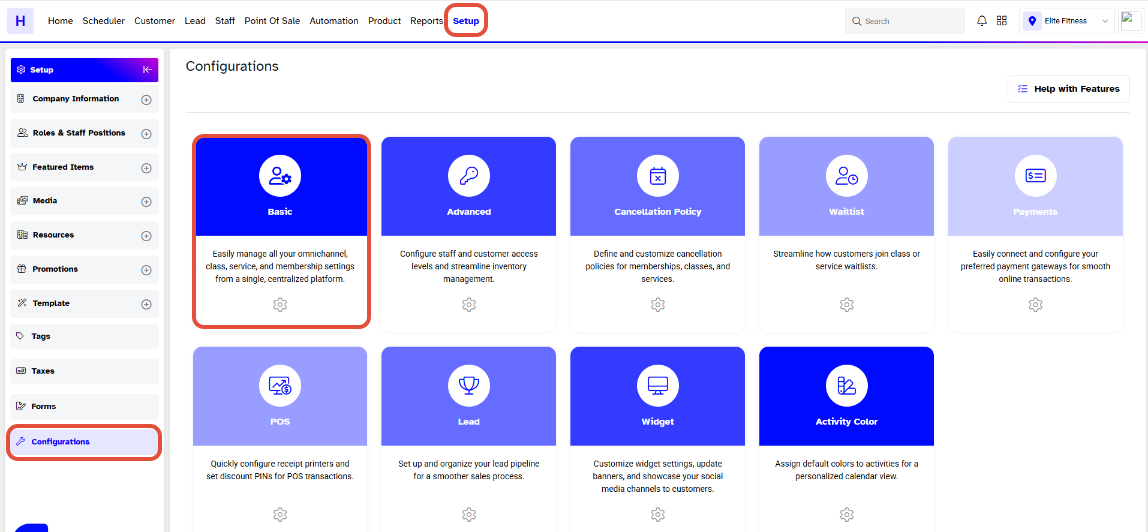
Step 1: Navigate to Configurations
- Go to the Setup module in Core.
- Click on the Configurations tab.
- Now click on the basic tab.
Step 2: Adjust the Date Filter
- In the Basic Tab of Configurations, move downwards to the Class Configurations section.
- Locate the Date Filter for Classes option and select your preference from the available options: 1 Week, 2 Weeks, 3 Weeks, or 4 Weeks.
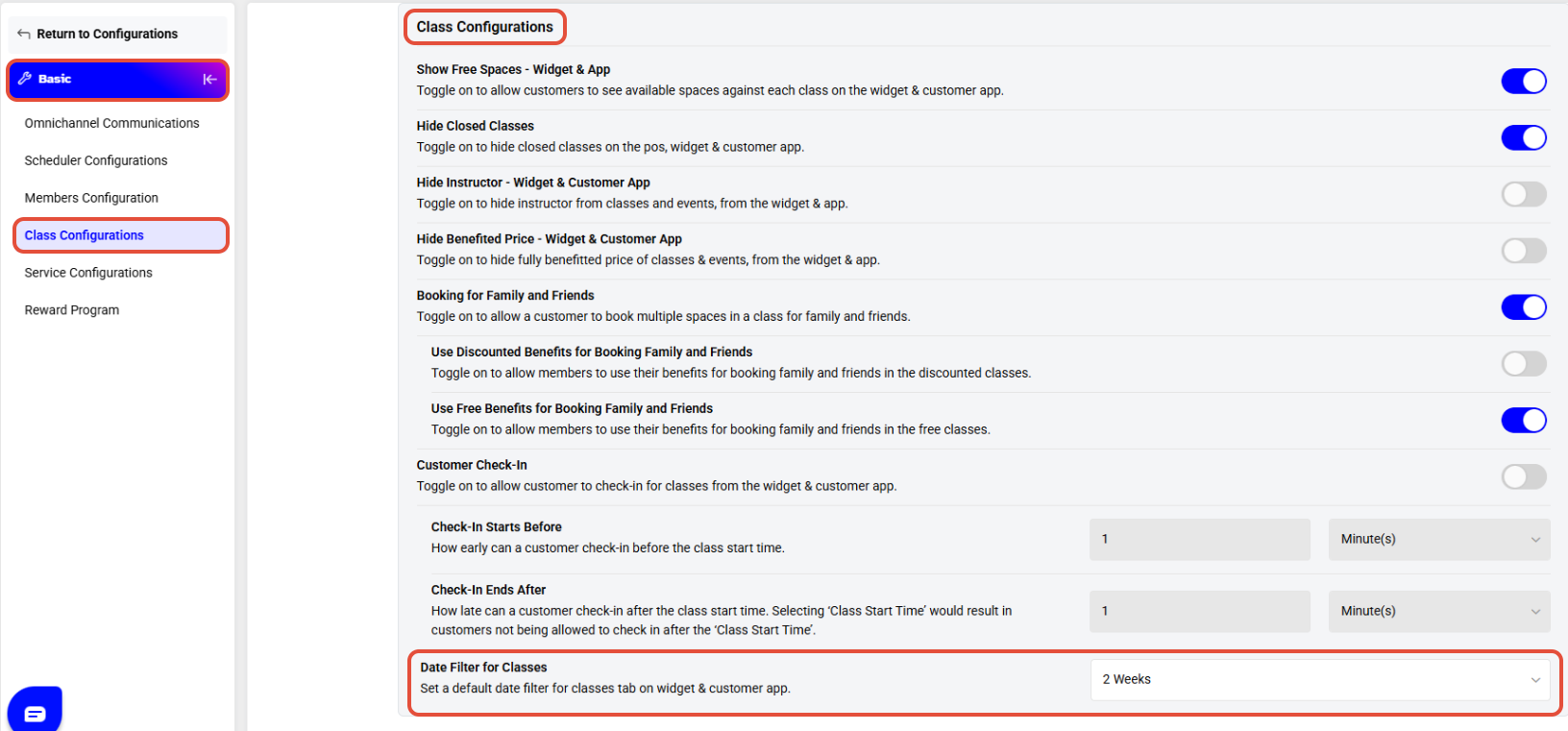
By Default, the Date Filter for Classes is set to 1 Week for the Widget and App.




