


TABLE OF CONTENTS
Overview
This guide explains how to configure the Split Payment option in Core. By following this guide, merchants can enable the use of multiple payment methods against a single invoice or transaction in the Core app, Staff app, and the Customer widget.
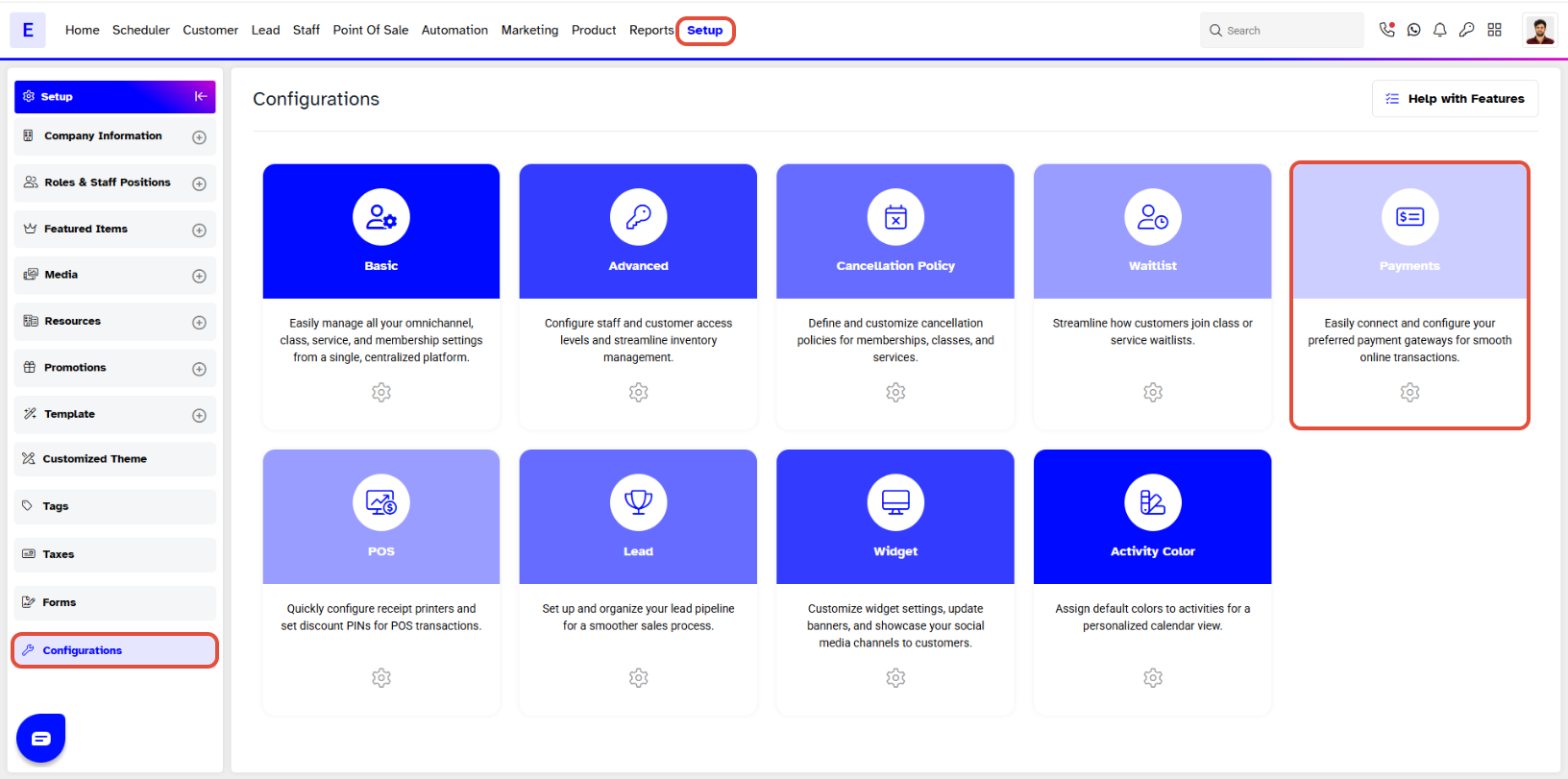
Step 1: Navigate to Configurations
- Go to the Setup module in Core.
- Click on the Configurations tab.
- Click on the Payments option.
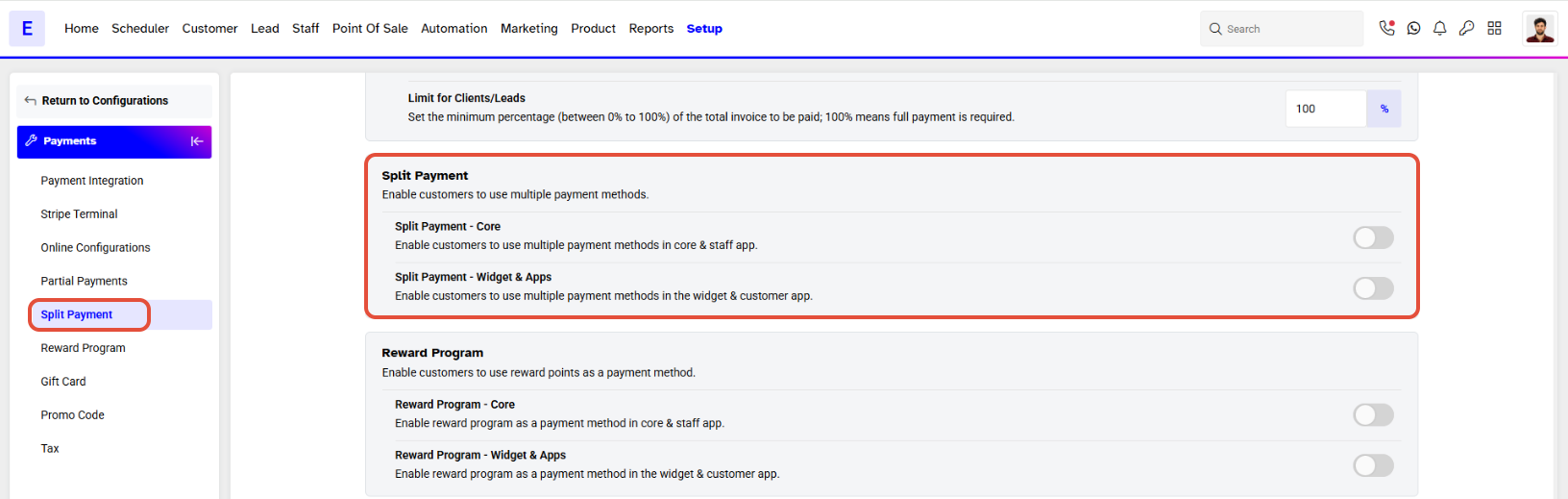
Step 2: Access Split Payments
- Locate the Split Payments section within the Configurations tab.
Step 3: Enable Split Payments
- Toggle the Split Payments option ON to activate the feature.
- By default, this option is toggled OFF, and the function is not operational for customers.
- Once enabled, this feature allows both merchants and customers to use multiple different payment methods for a single invoice or transaction across the Core app,Staff app, and Customer widget.
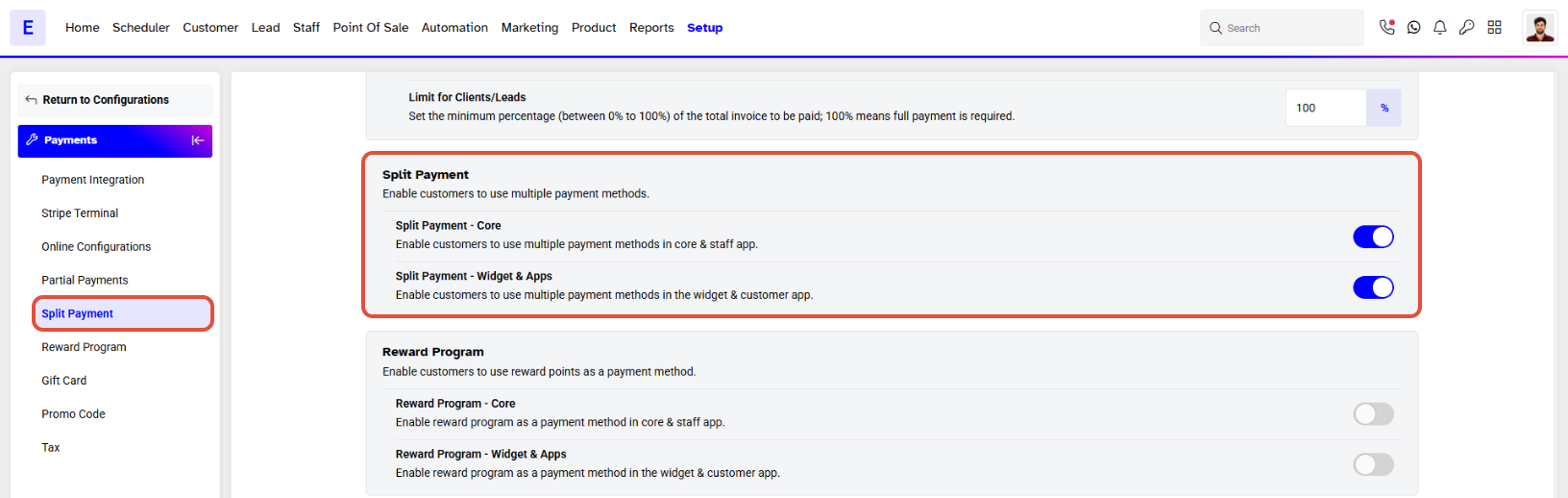
This Feature enables all Customers and Merchants to use Multiple Different Payment Methods against a Single Invoice/Transaction.




