TABLE OF CONTENTS
Overview
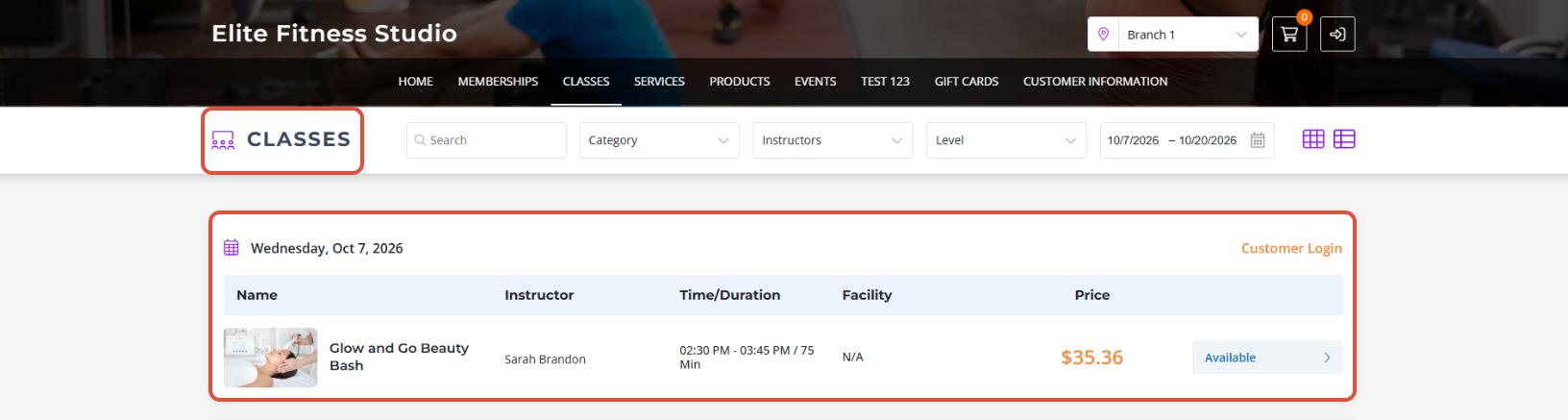
This guide explains how to stop displaying classes for the current day once their scheduled time has lapsed. By following this guide, merchants can automatically hide closed classes on both the Widget and the App.
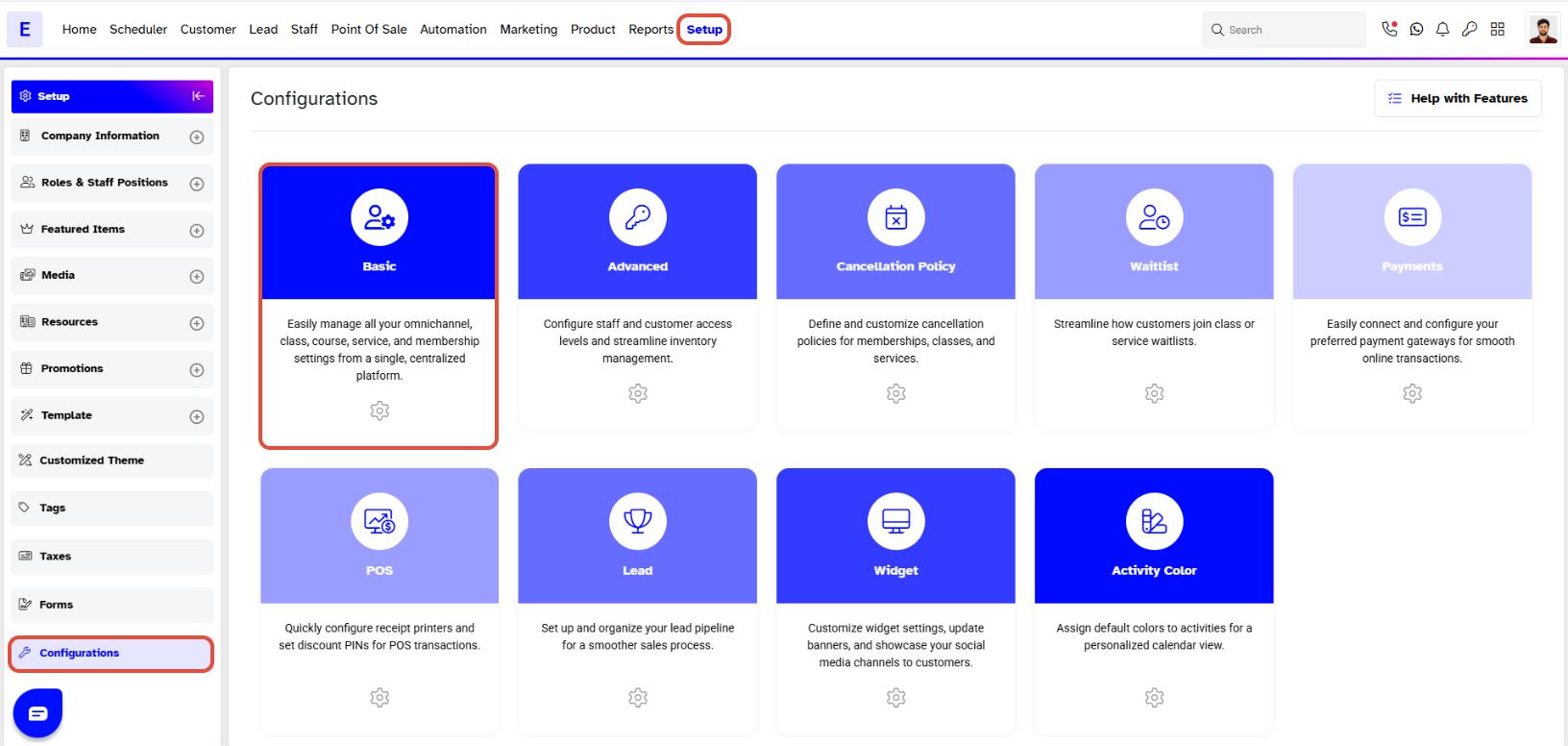
Step 1: Navigate to Configurations
- Go to the Setup module in Core.
- Click on the Configurations tab.
- By default, you will be in the Basic tab.
Step 2: Configure Class Settings
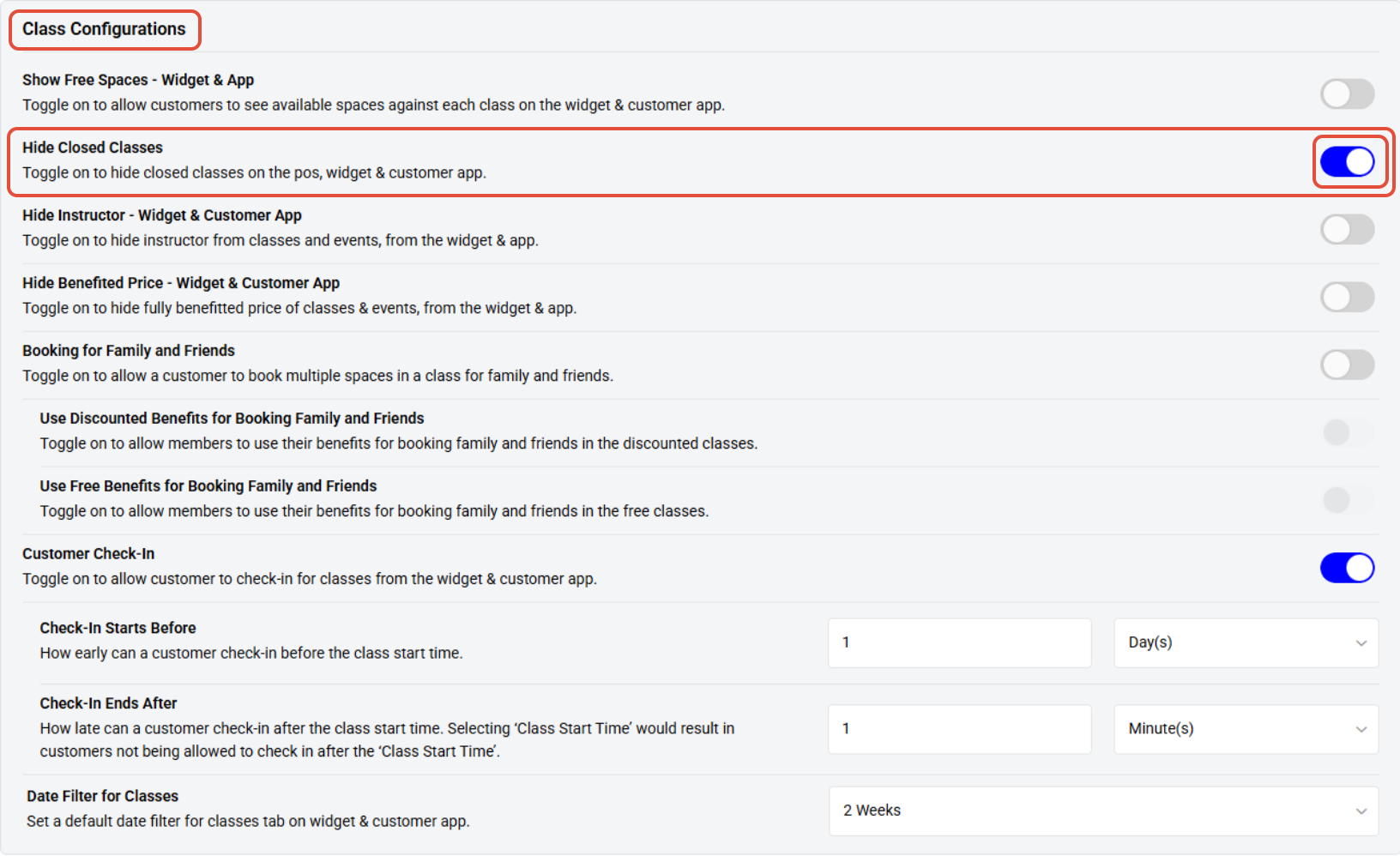
- Scroll down to the Class Configurations section.
- Toggle ON the option to hide closed classes on the Widget and App.
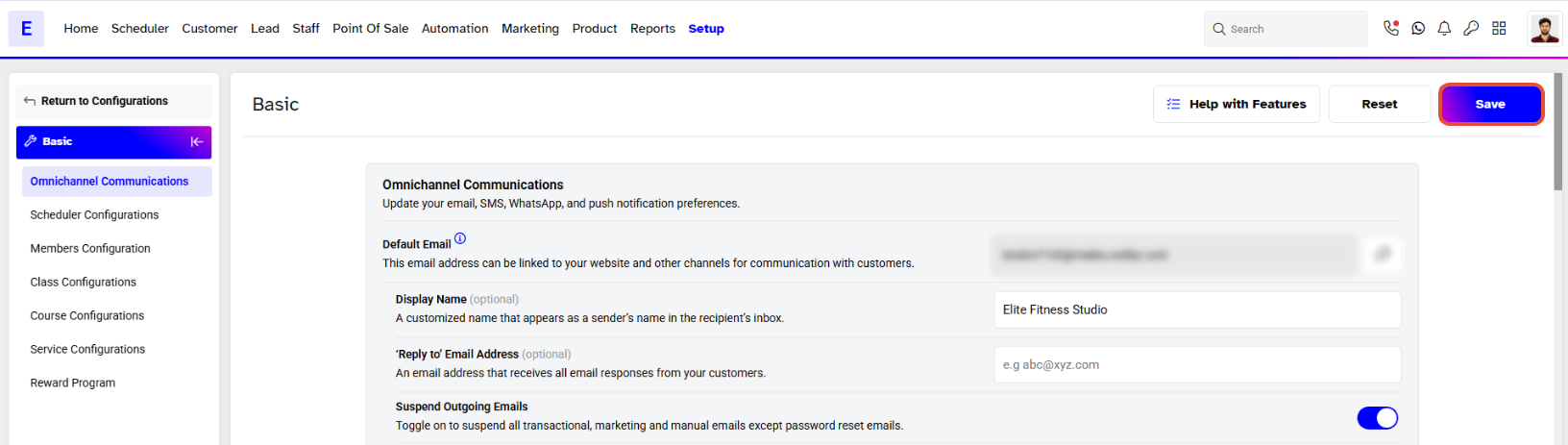
Step 3: Save the Settings
- Once you have updated the configuration, click on the Save button to save the new settings.
Hide Closed Classes Toggle Off
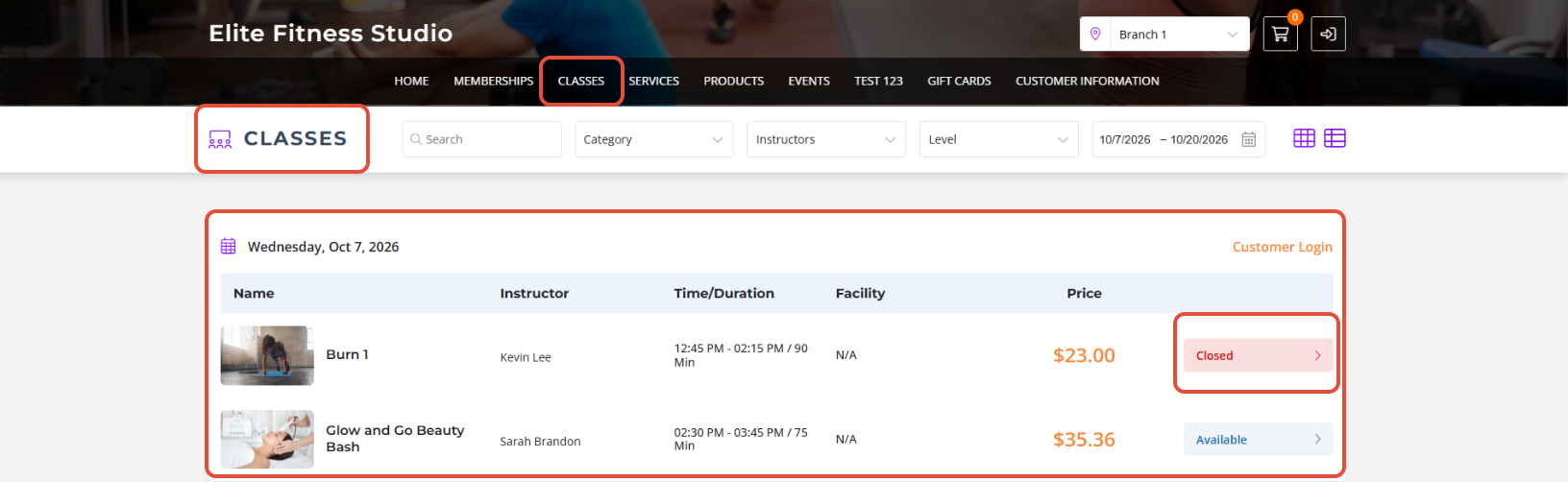
Hide Closed Classes Toggle On