TABLE OF CONTENTS
- Step 1: Navigate to Configurations
- Step 2: Locate Omnichannel Communications
- Step 3: Suspend the Email
- Step 4: Save Changes
Overview
This guide explains how to suspend the Leads Welcome on Board Email in Core. By following this guide, merchants can stop sending out account activation emails to Leads
Step 1: Navigate to Configurations
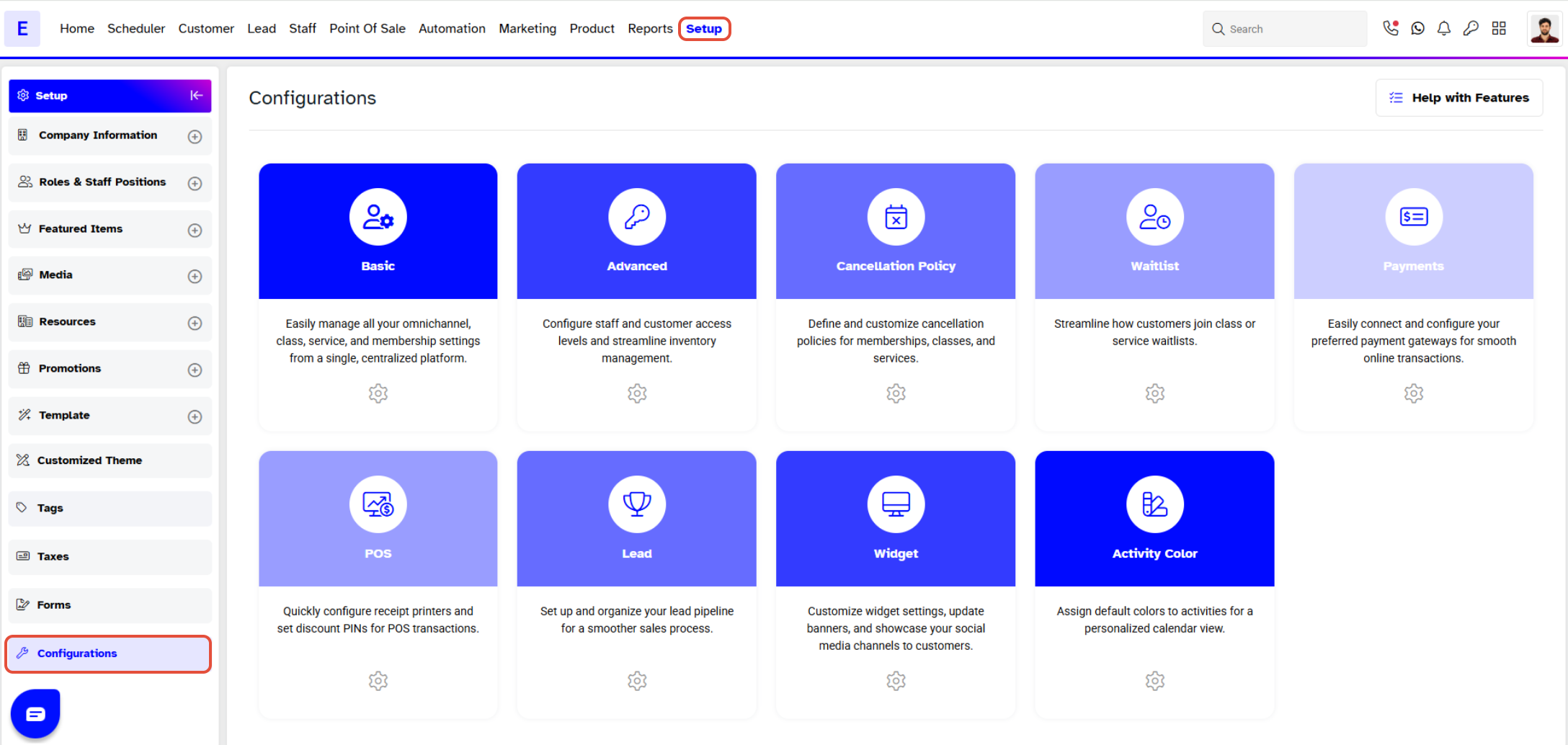
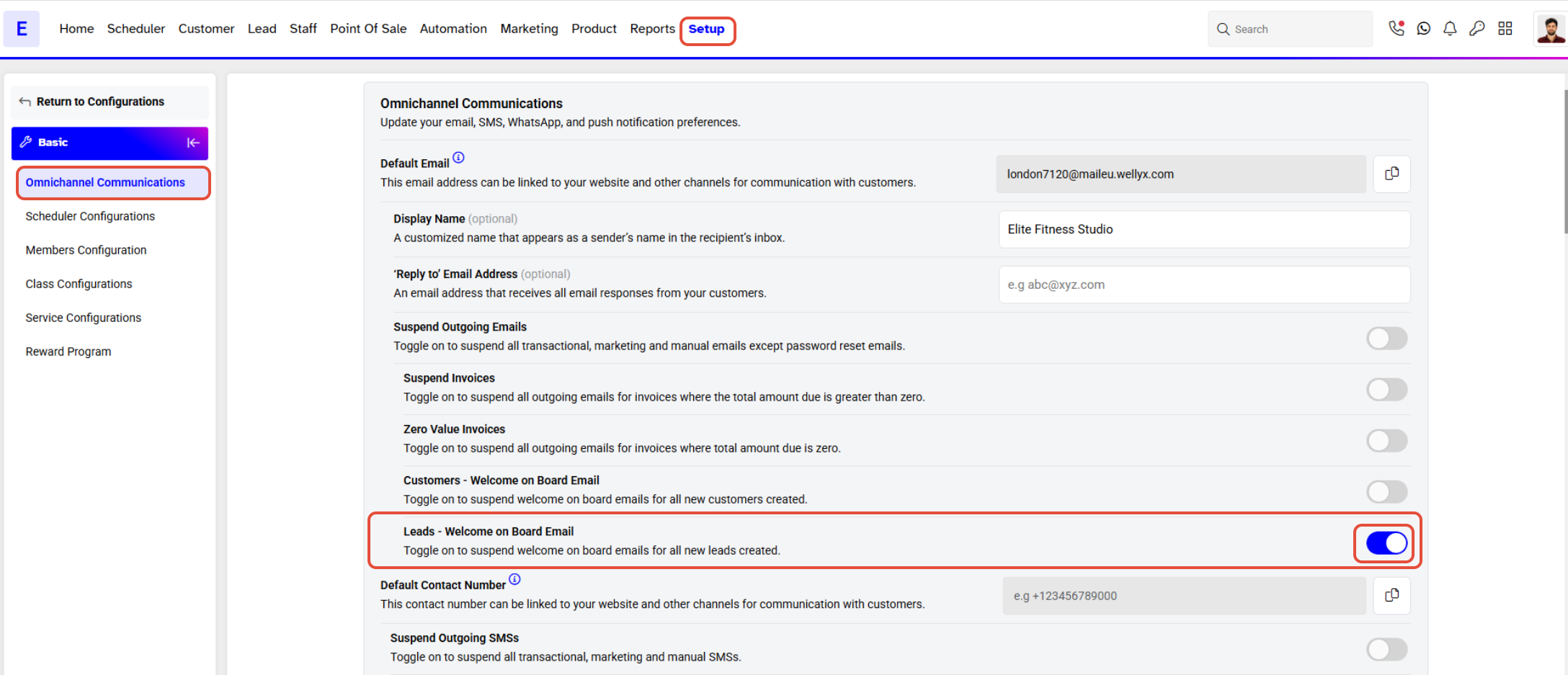
- Go to the Setup module in Core.
- Click on the Configurations tab.
Step 2: Locate Omnichannel Communications
- By default, the Basic tab will open.
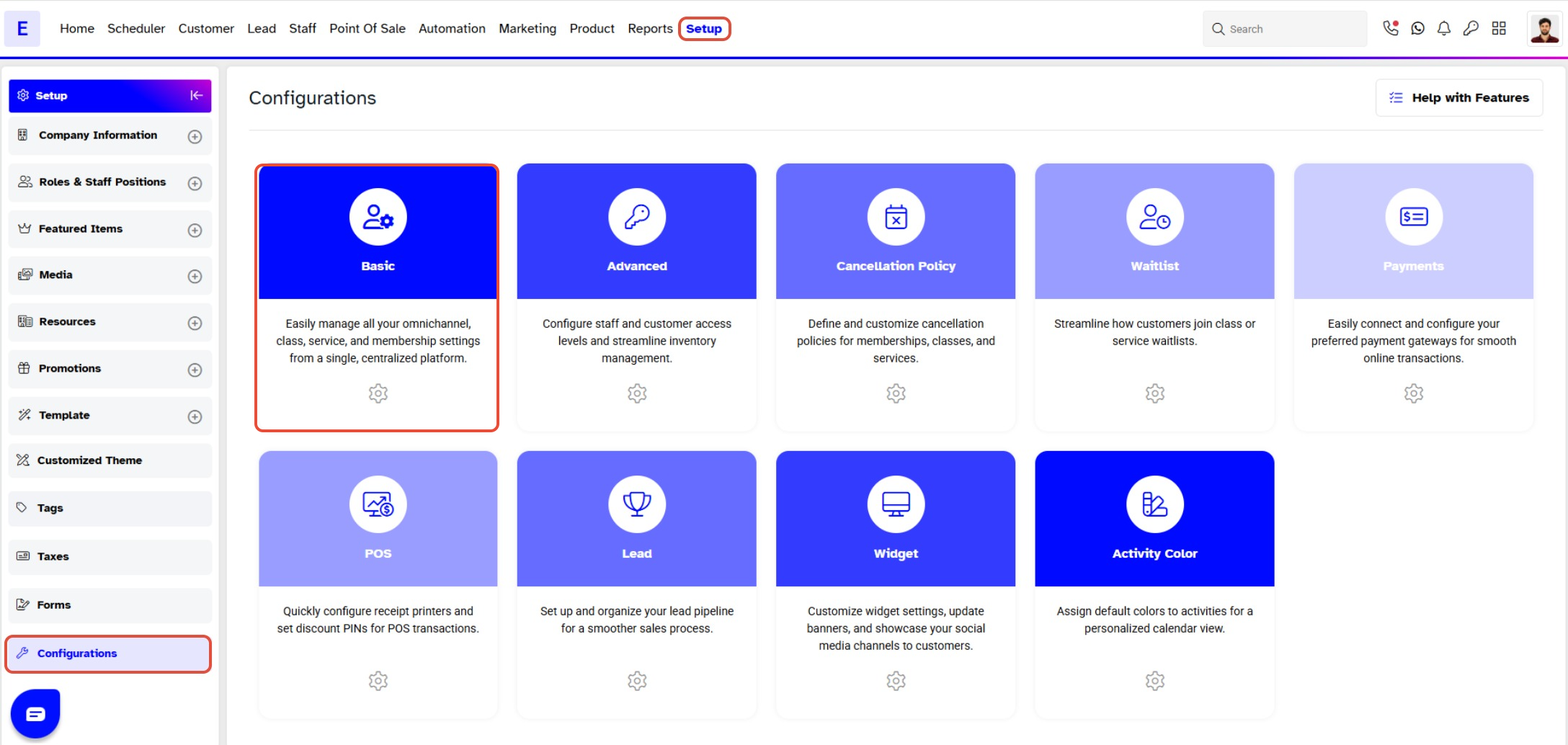
- Navigate to the Omnichannel Communications section.
Step 3: Suspend the Email
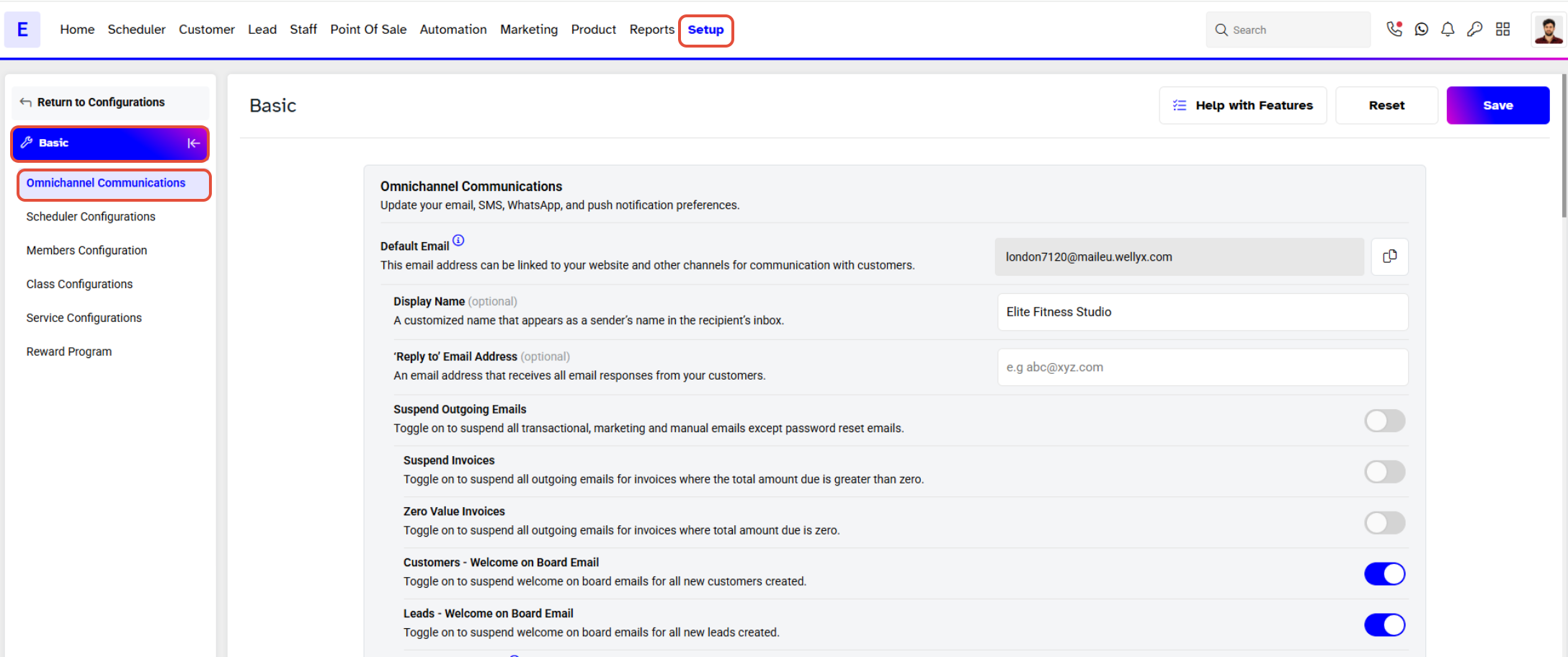
- To stop sending out account activation emails to Leads, toggle ON the Suspend Leads Welcome on Board Email button.
Step 4: Save Changes
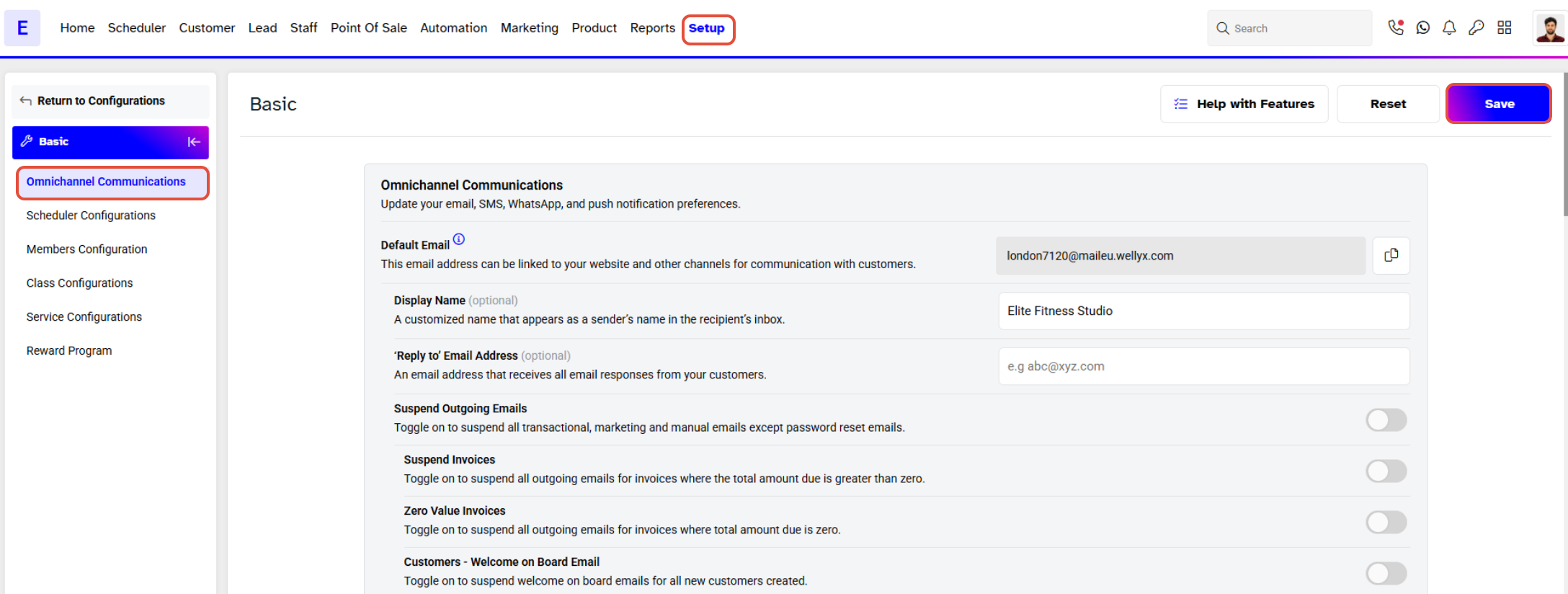
- Once done, click on the Save button to confirm.