
TABLE OF CONTENTS
- Step 1: Navigate to the Customer Profile
- Step 2: Access Payment Settings
- Step 3: Configure Freeze Details
- Step 4: Save the Changes
Overview
This guide explains how to freeze a membership payment for a customer in Core. It covers every step, from locating the member profile to configuring suspension dates, intervals, and fees. By following this guide, merchants can efficiently manage and pause customer membership payments as needed.
Step 1: Navigate to the Customer Profile
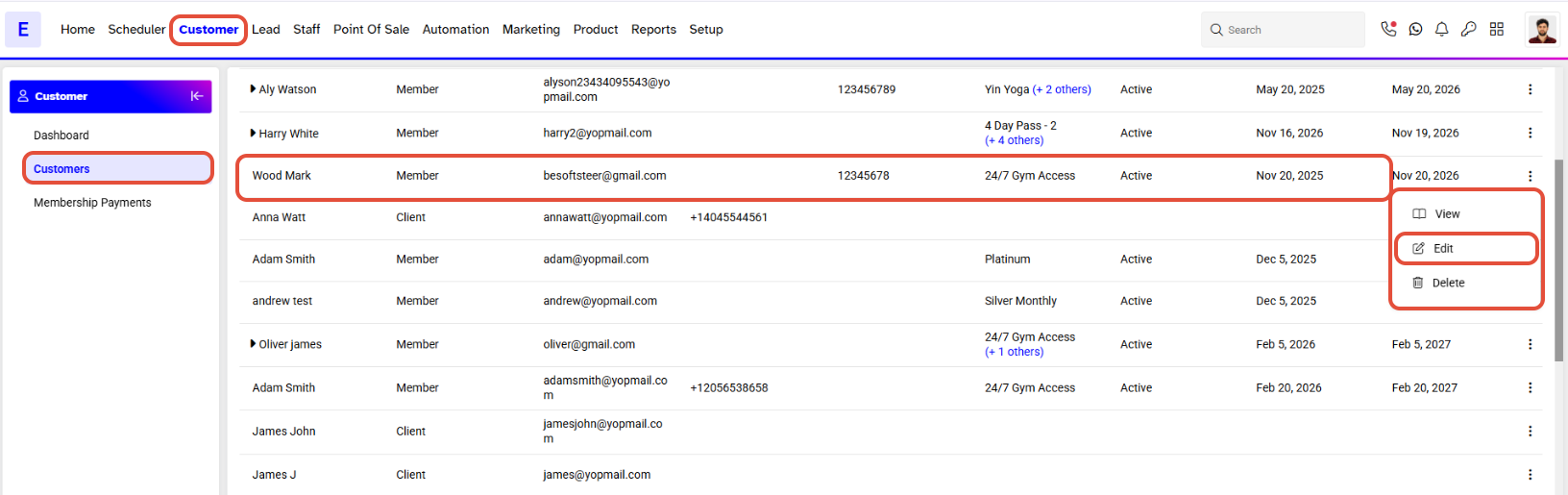
- Go to the Customer module in Core.
- Click on the Edit button located next to the member's name.
Step 2: Access Payment Settings
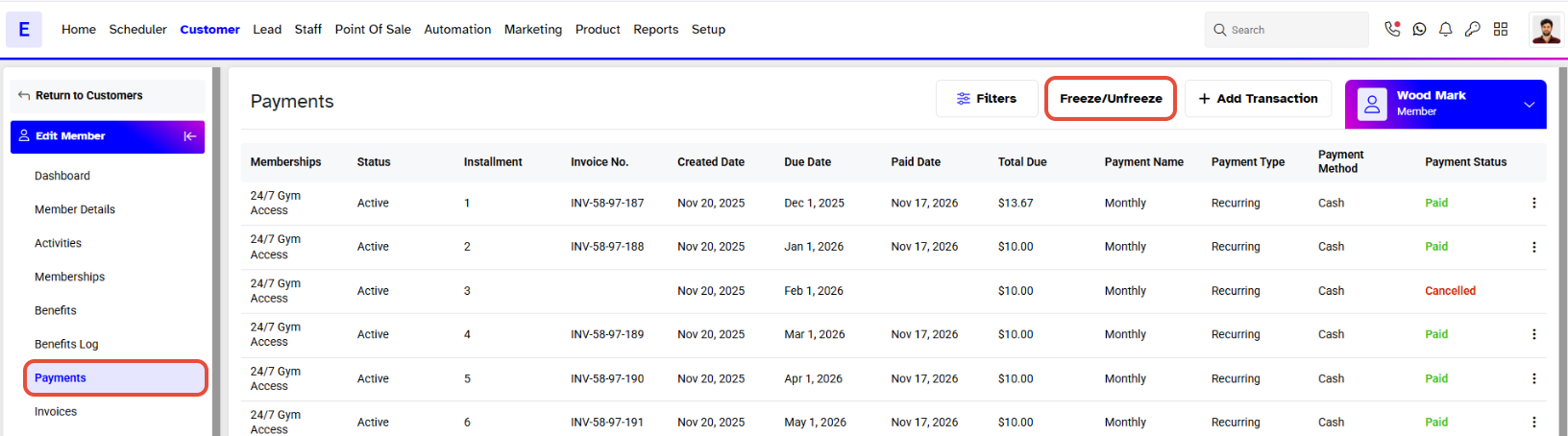
- Once the member profile opens, click on the Payments tab.
- In the Payments tab, click on the Freeze/Unfreeze button.
Step 3: Configure Freeze Details
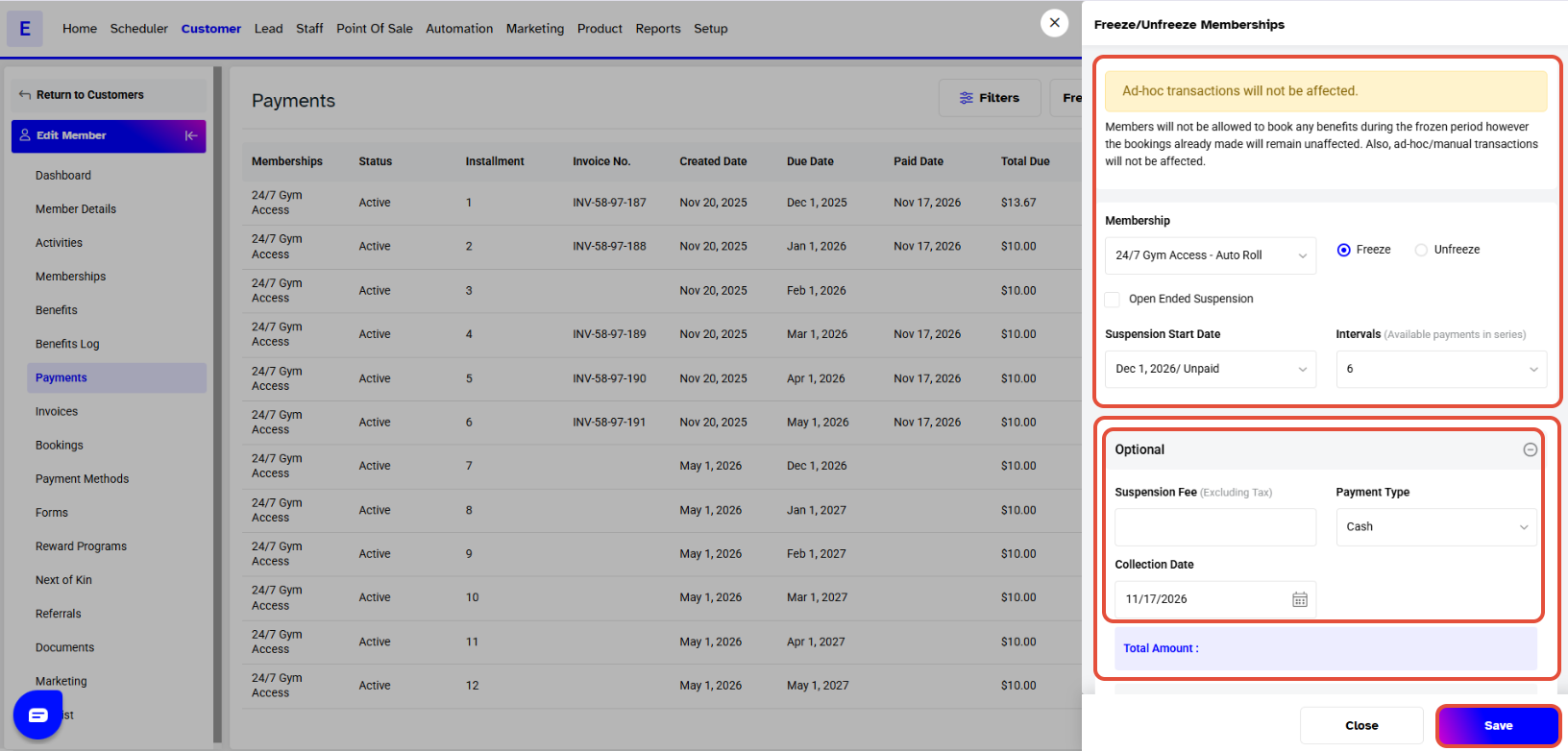
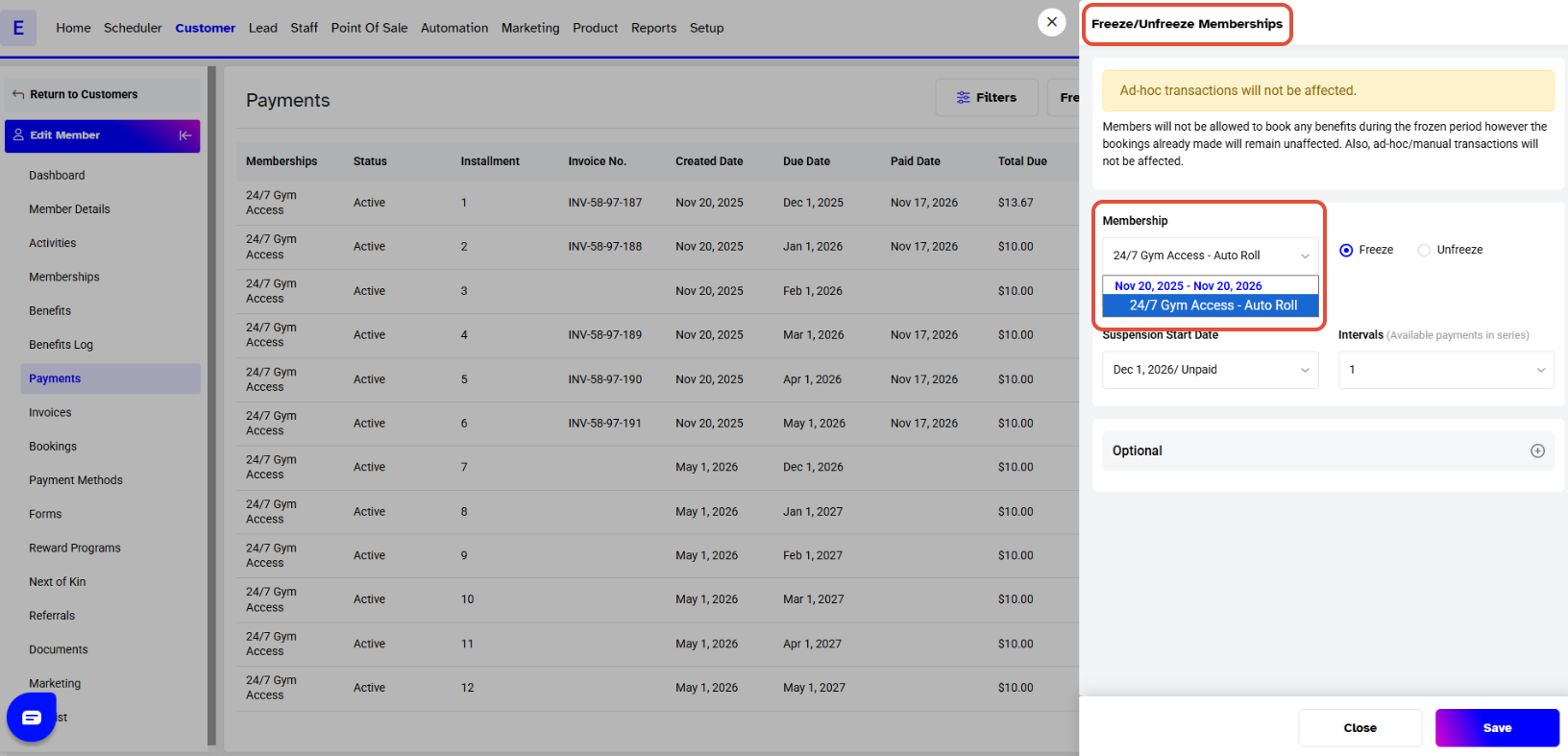
- The Freeze/Unfreeze Memberships popup will appear on the screen. Fill in the following details
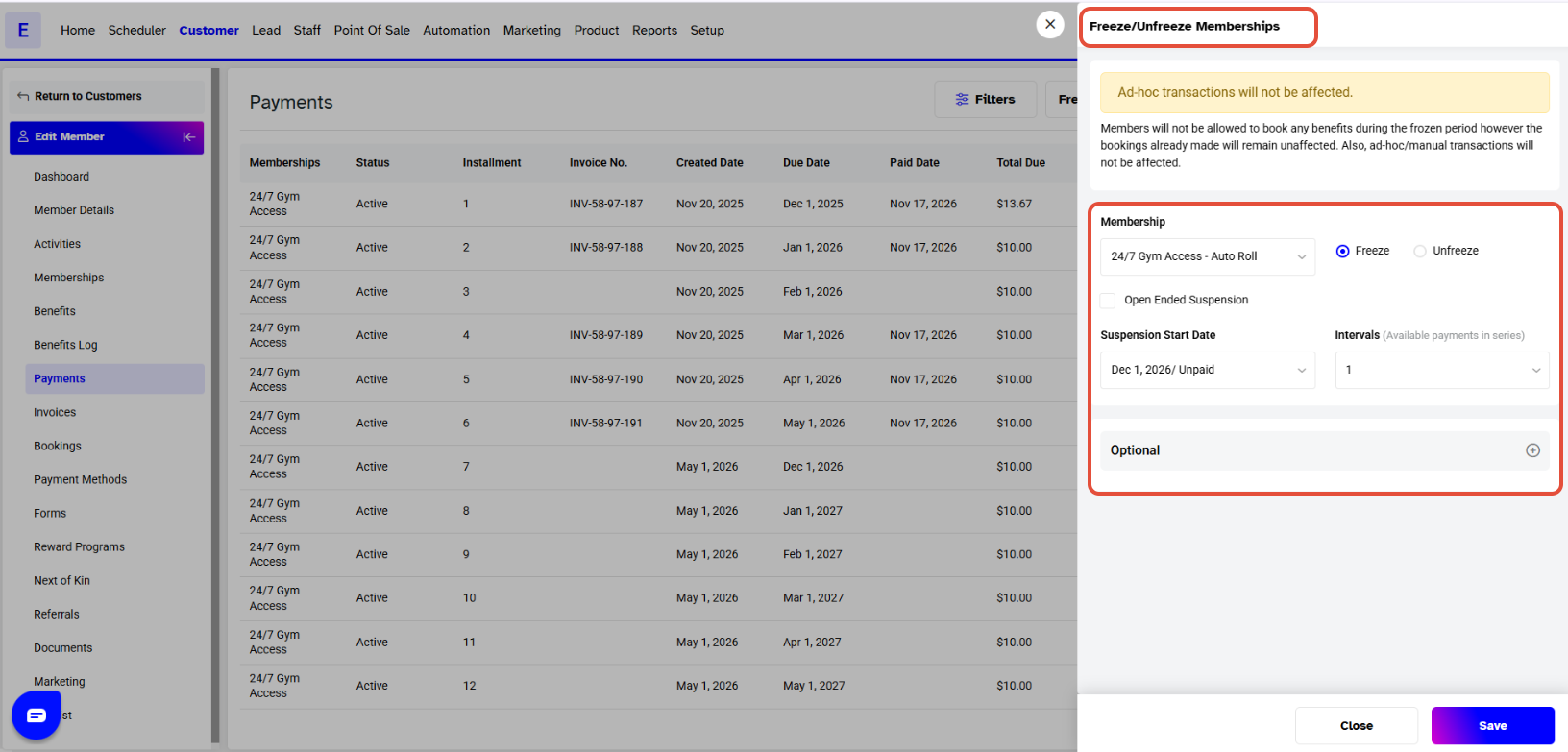
- Select the membership from the dropdown and checkmark the Freeze option.
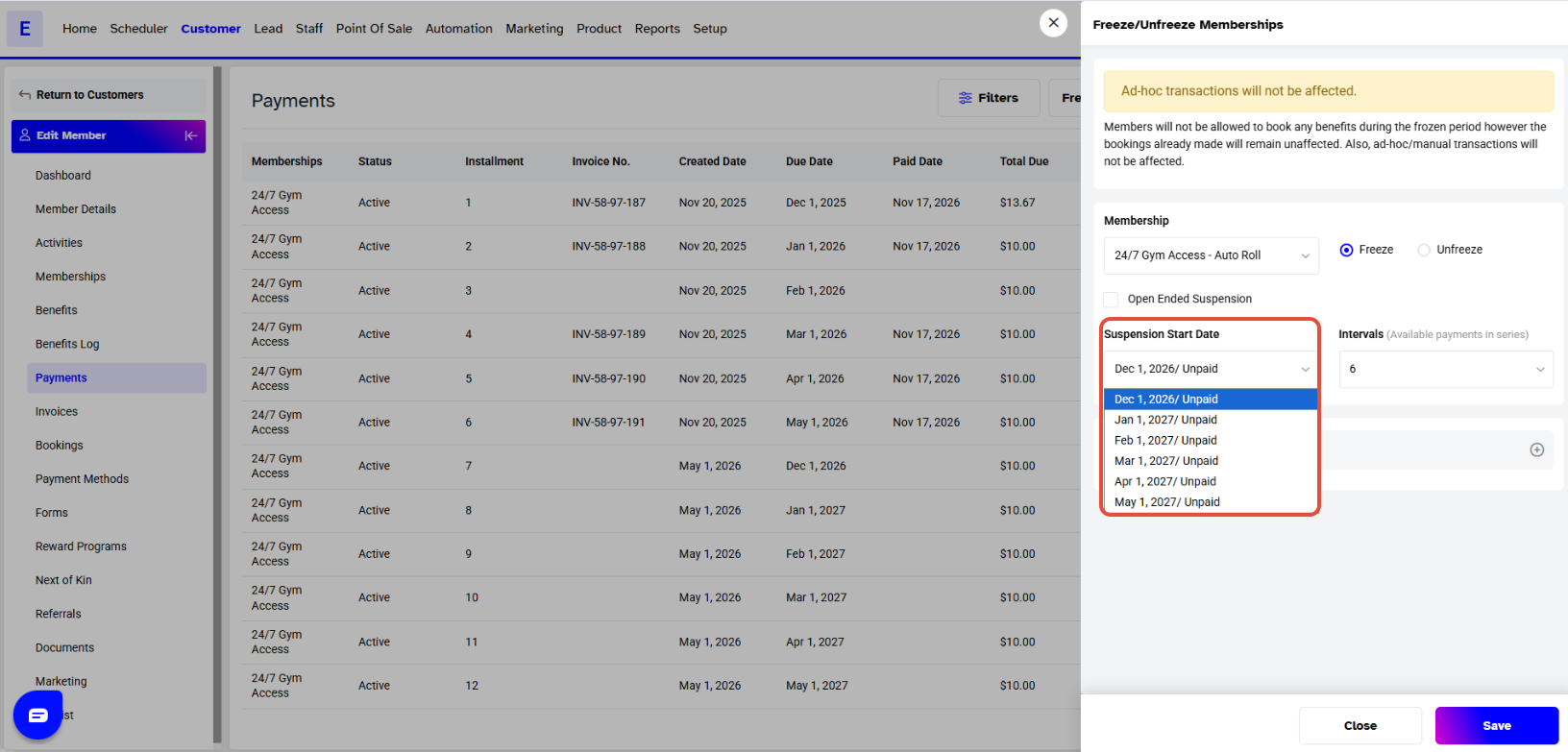
- Select the start date from the dropdown menu.
- Add any extra details if needed.
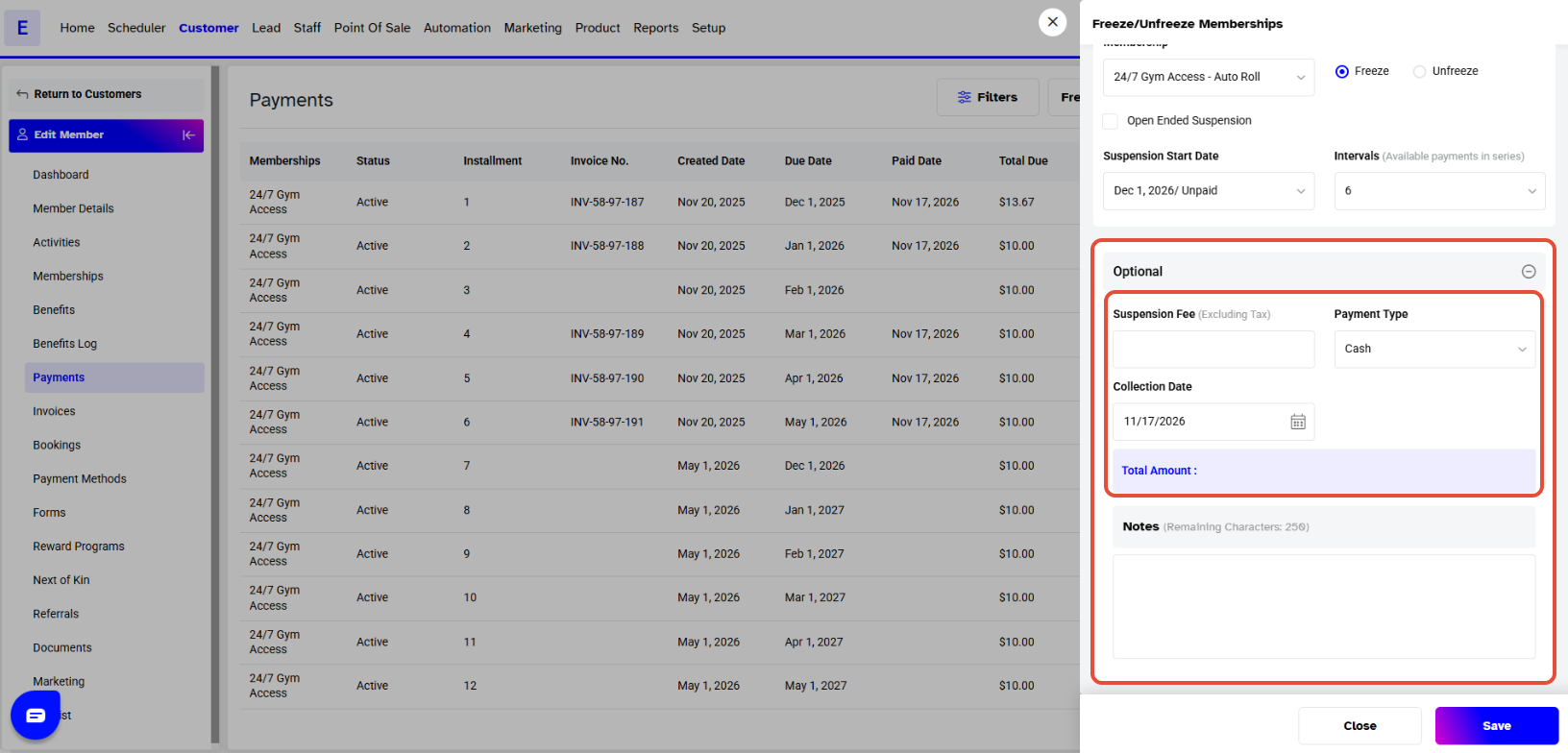
A Suspension Fee also can be added.
Step 4: Save the Changes
Once all details are added, click on the Save button to confirm. The payment will now be frozen.