


TABLE OF CONTENTS
- Step 1: Navigate to Memberships
- Step 2: Edit Membership Details
- Step 3: Update Online Status
- Step 4: Save the Changes
Overview
This guide explains how to make a Membership unavailable on the Widget and Customer App. By following this guide, merchants can prevent customers from joining specific memberships online.
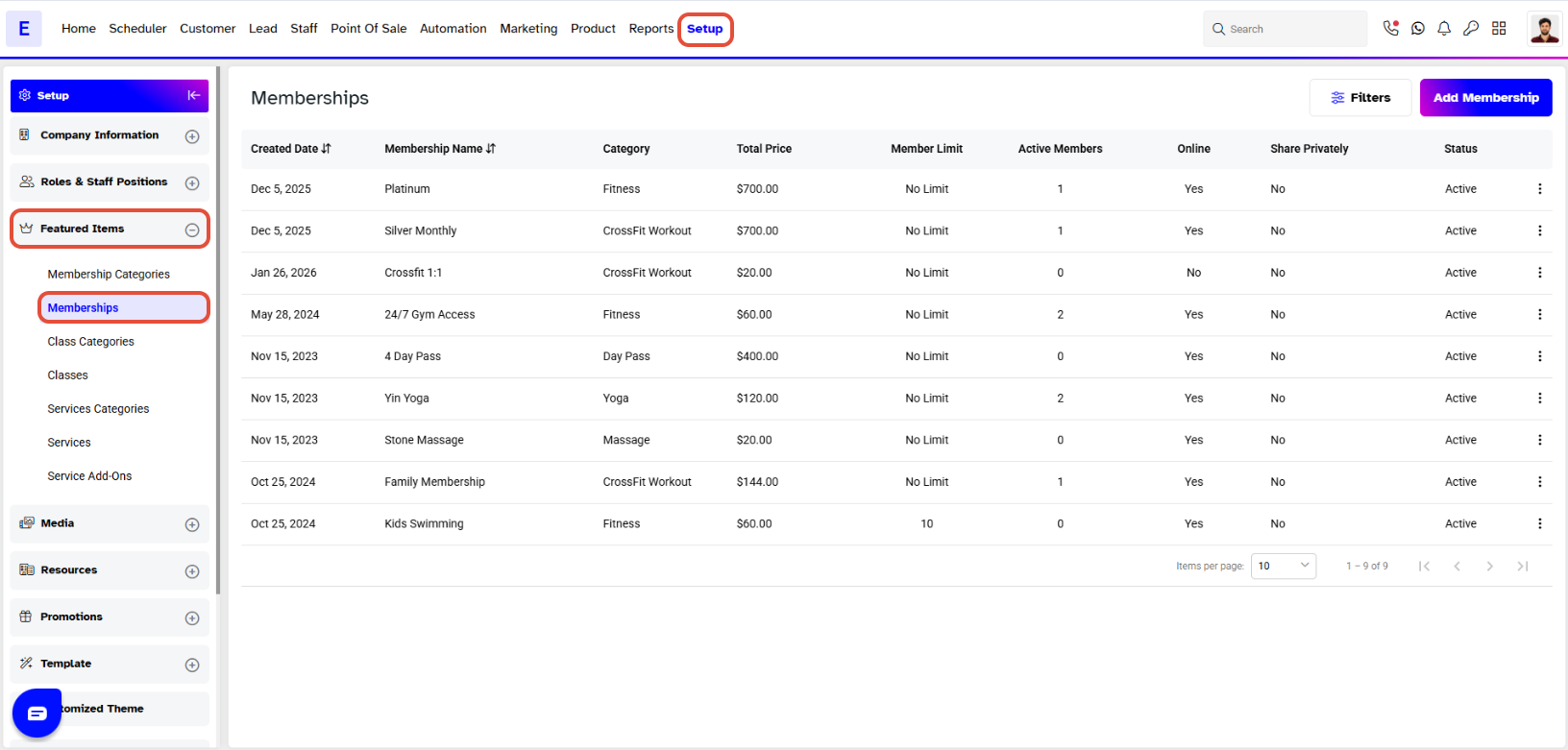
Step 1: Navigate to Memberships
- Go to the Setup module in Core.
- Click on the Memberships tab.
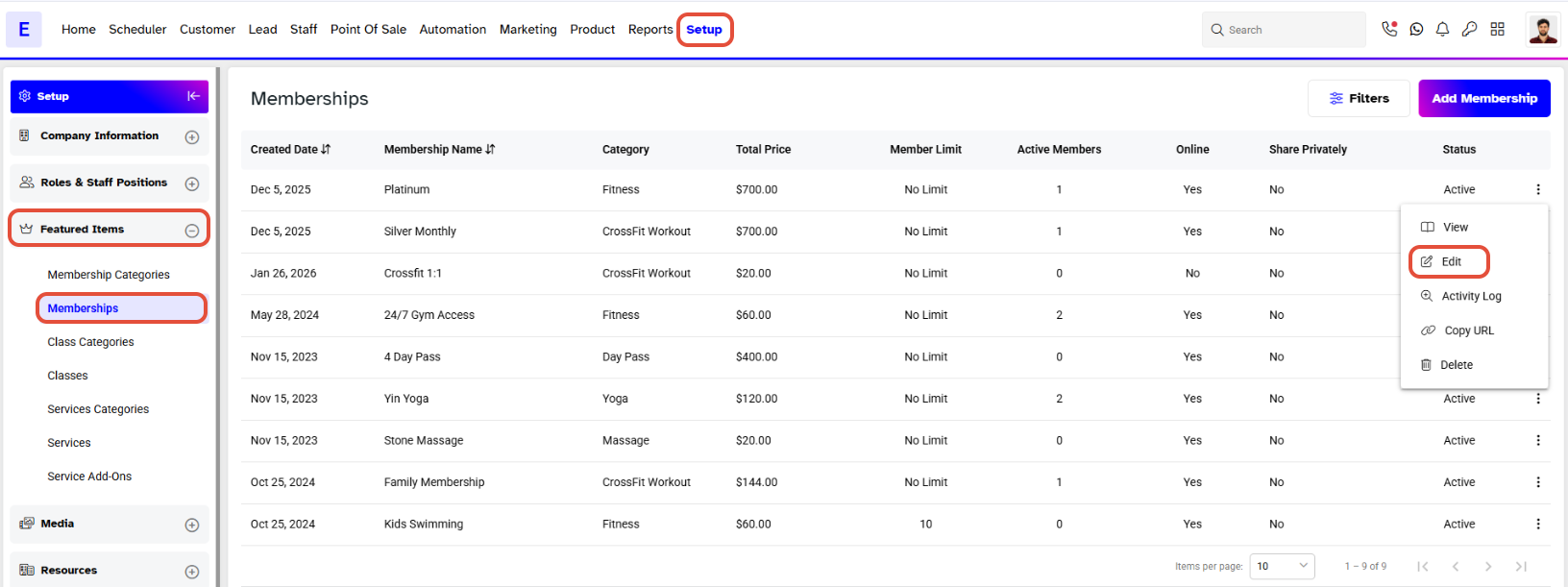
Step 2: Edit Membership Details
- Locate the specific Membership.
- Click on the Edit Icon under Actions.
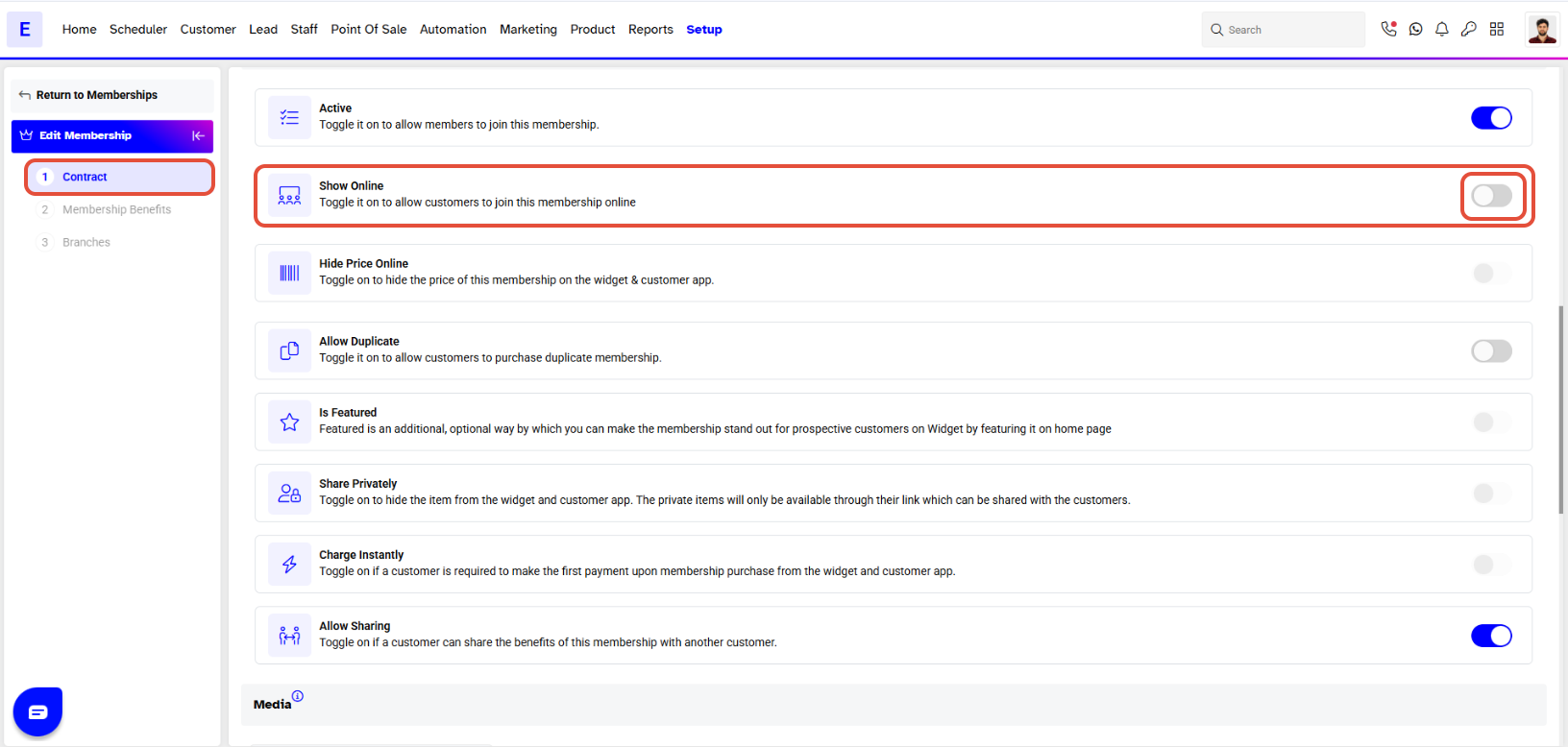
Step 3: Update Online Status
- Toggle off the Show Online button.
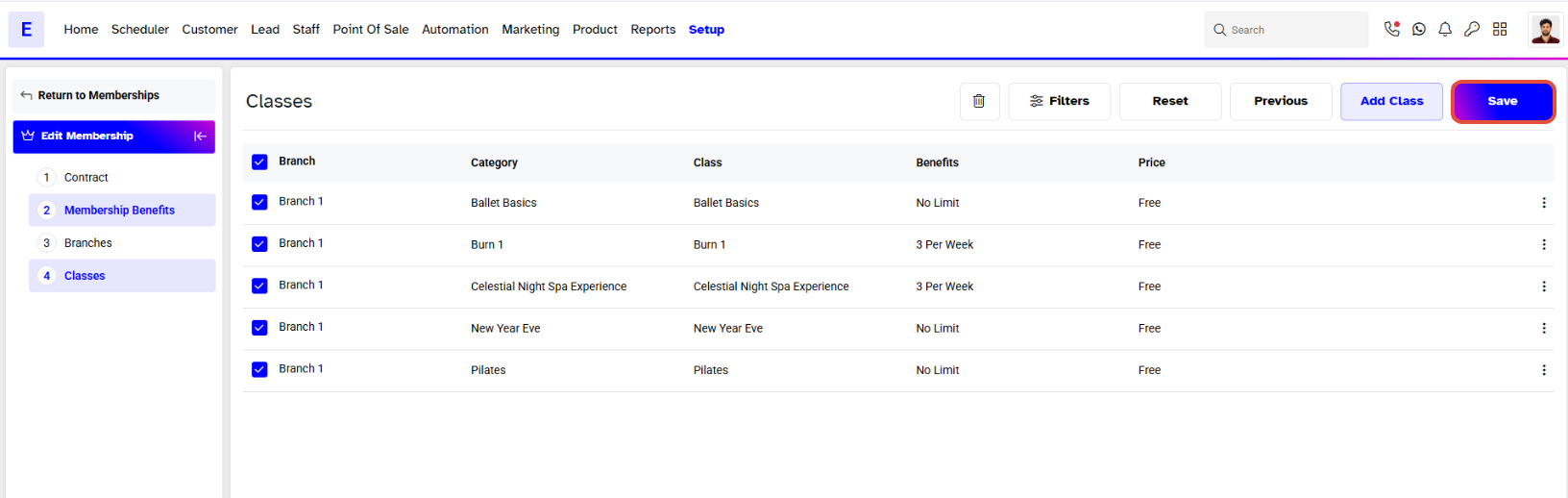
Step 4: Save the Changes
- Click on the Save button to confirm the changes.
Once a Membership has the Show Online Button toggled off, then it won't be available online to the Customers to join.


