
TABLE OF CONTENTS
- Step 1: Access Memberships
- Step 2: View Membership Details
- Step 3: Initiate Membership Purchase
- Step 4: Select Start Date
- Step 5: Review Payment Plan
- Step 6: Confirm Purchase
Overview
This guide explains how to join a Membership through the widget. It covers every step, from selecting a membership and setting a start date to reviewing details and confirming the purchase. By following this guide, customers can easily join memberships online.
Step 1: Access Memberships
- Go to the Memberships tab.

Step 2: View Membership Details
- Click on the View Details button on a membership.

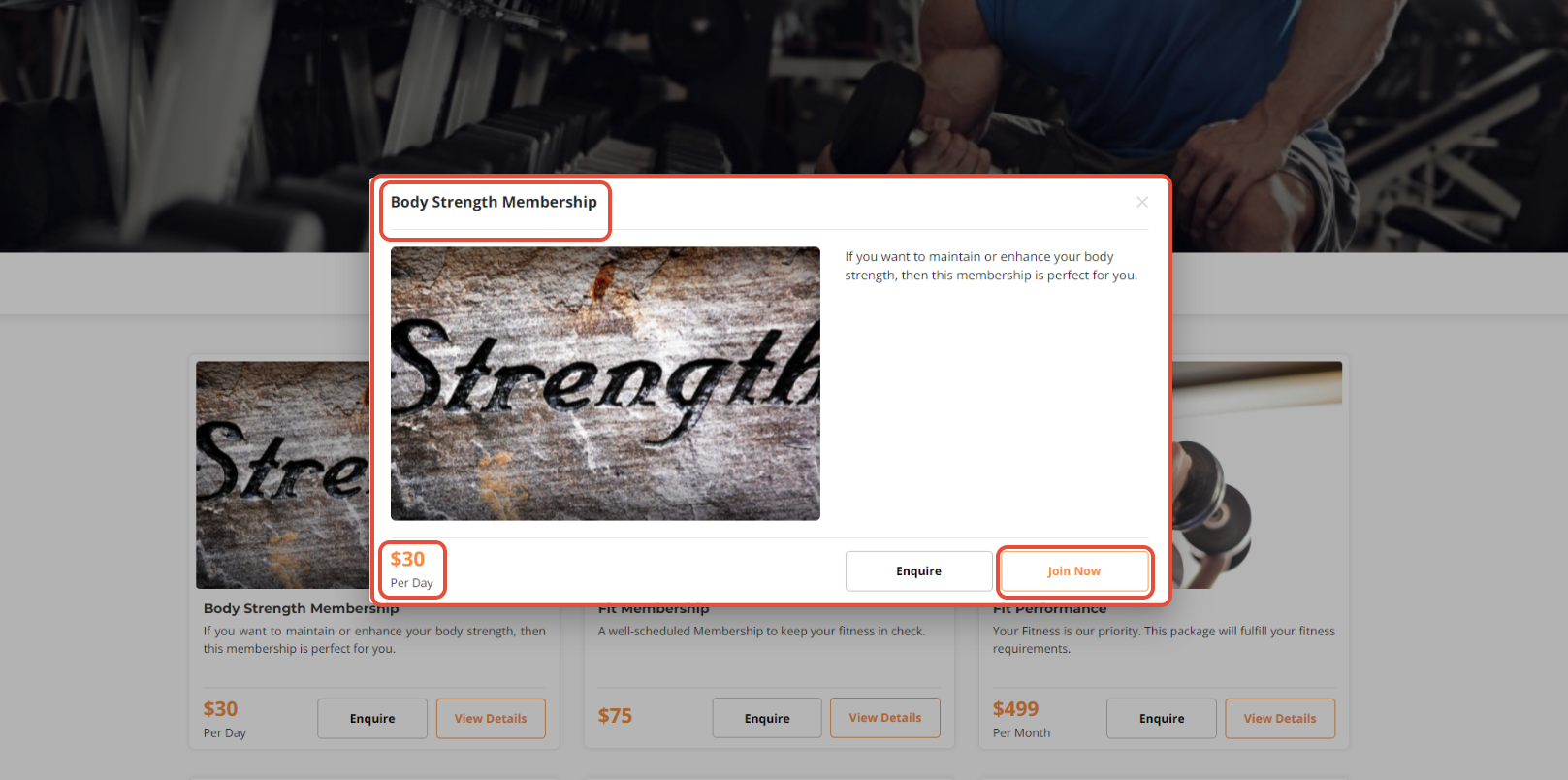
Step 3: Initiate Membership Purchase
- Once in the Membership Details screen, click on the Join Now button.
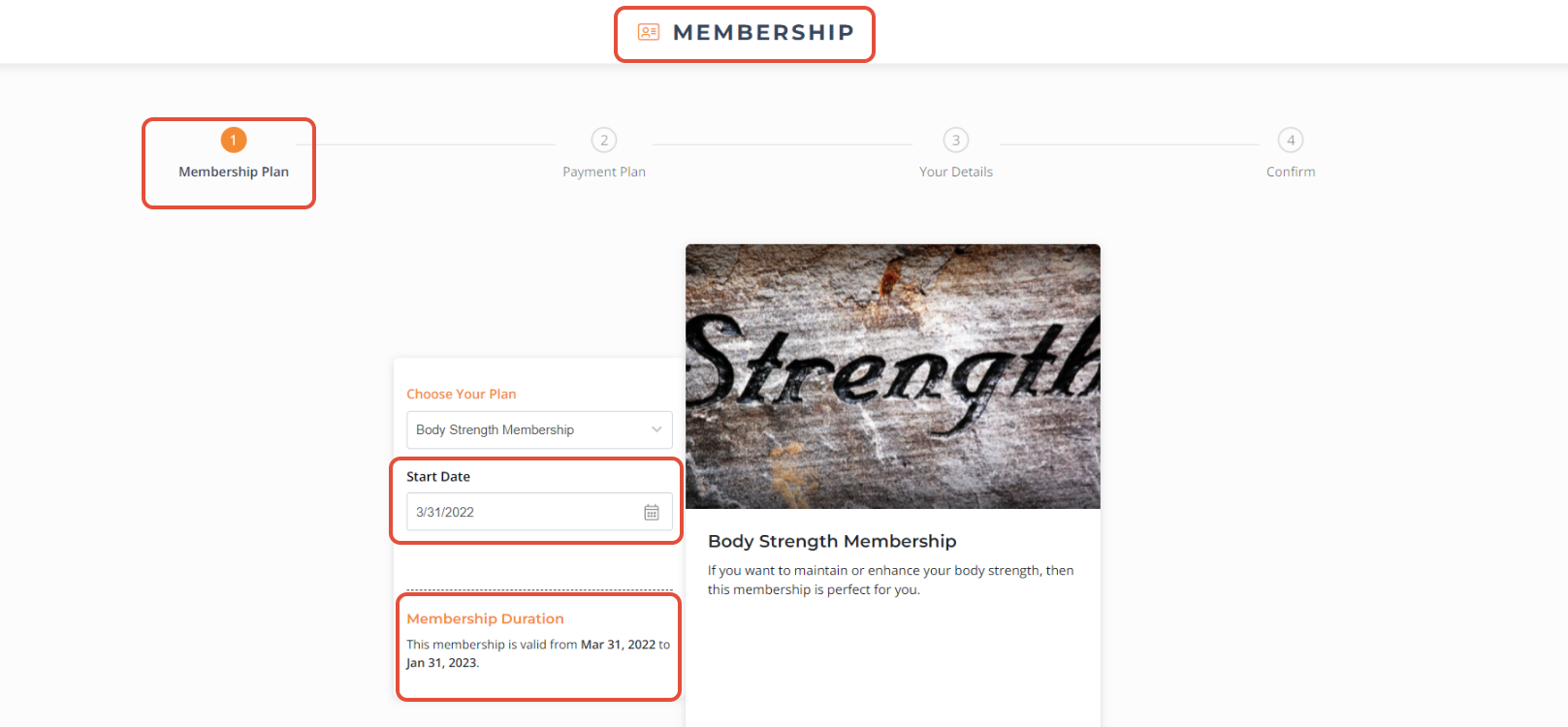
Step 4: Select Start Date
- Select the starting date for the membership.
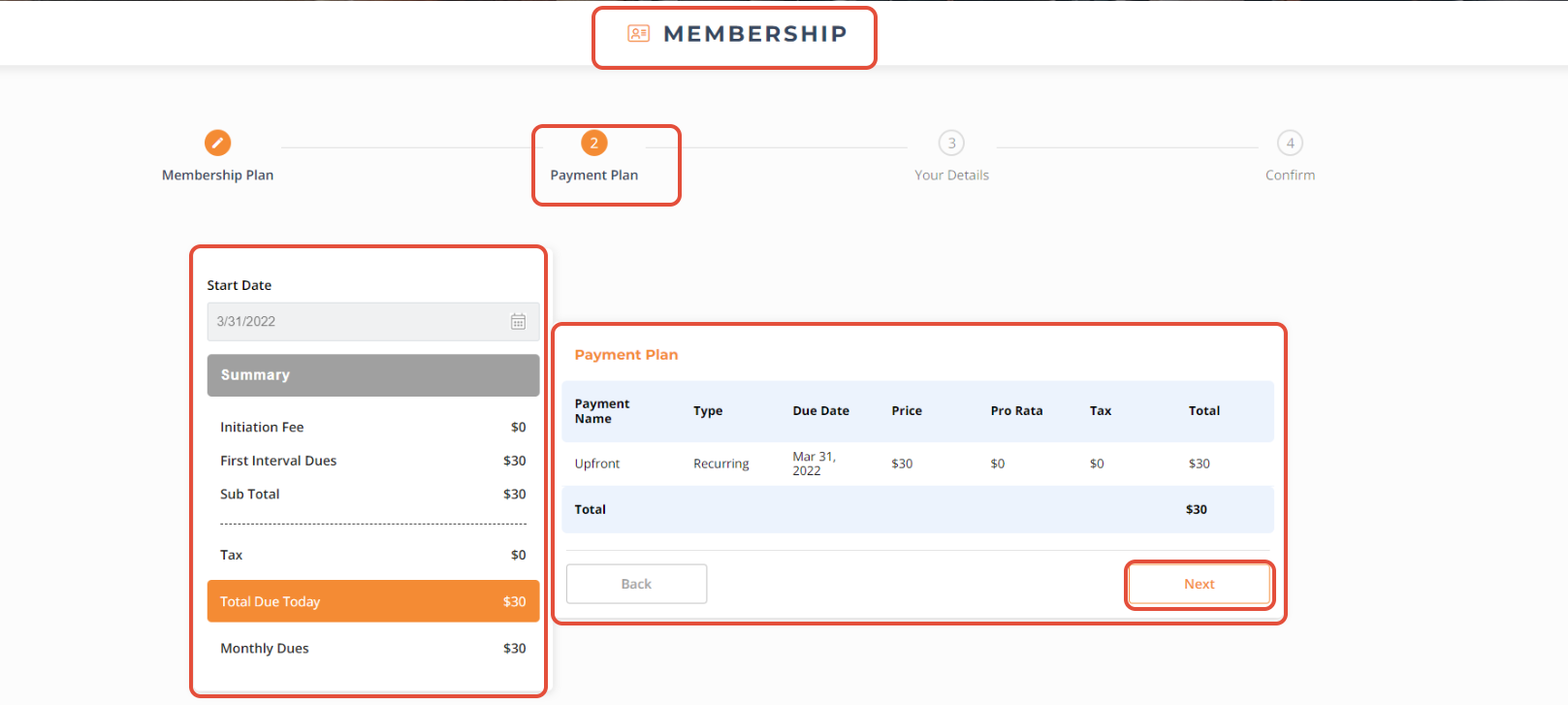
Step 5: Review Payment Plan
- Check the payment plan.
- Click on the Next button to proceed.
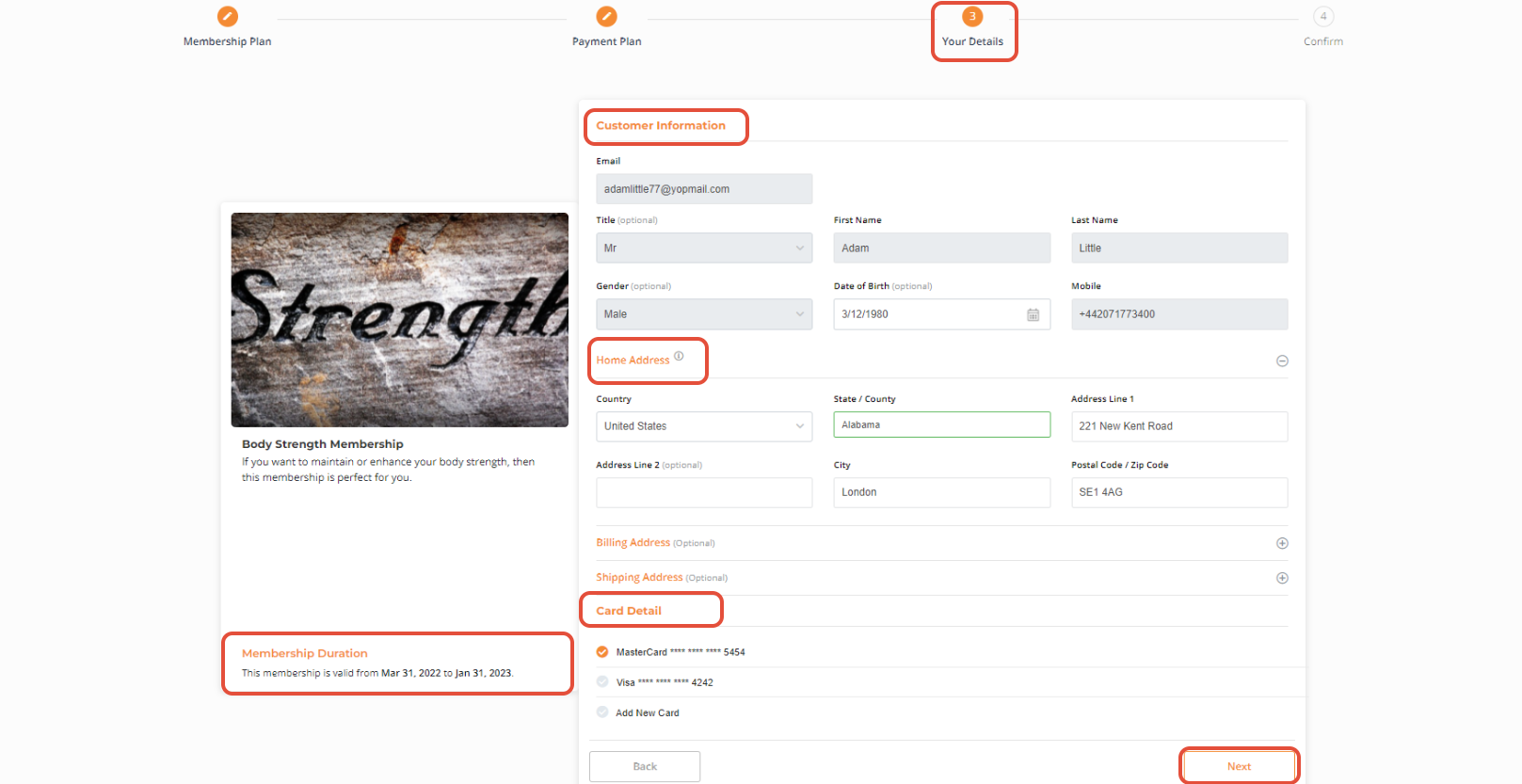
- Check customer details and card details.
- Click on the Next button to proceed.
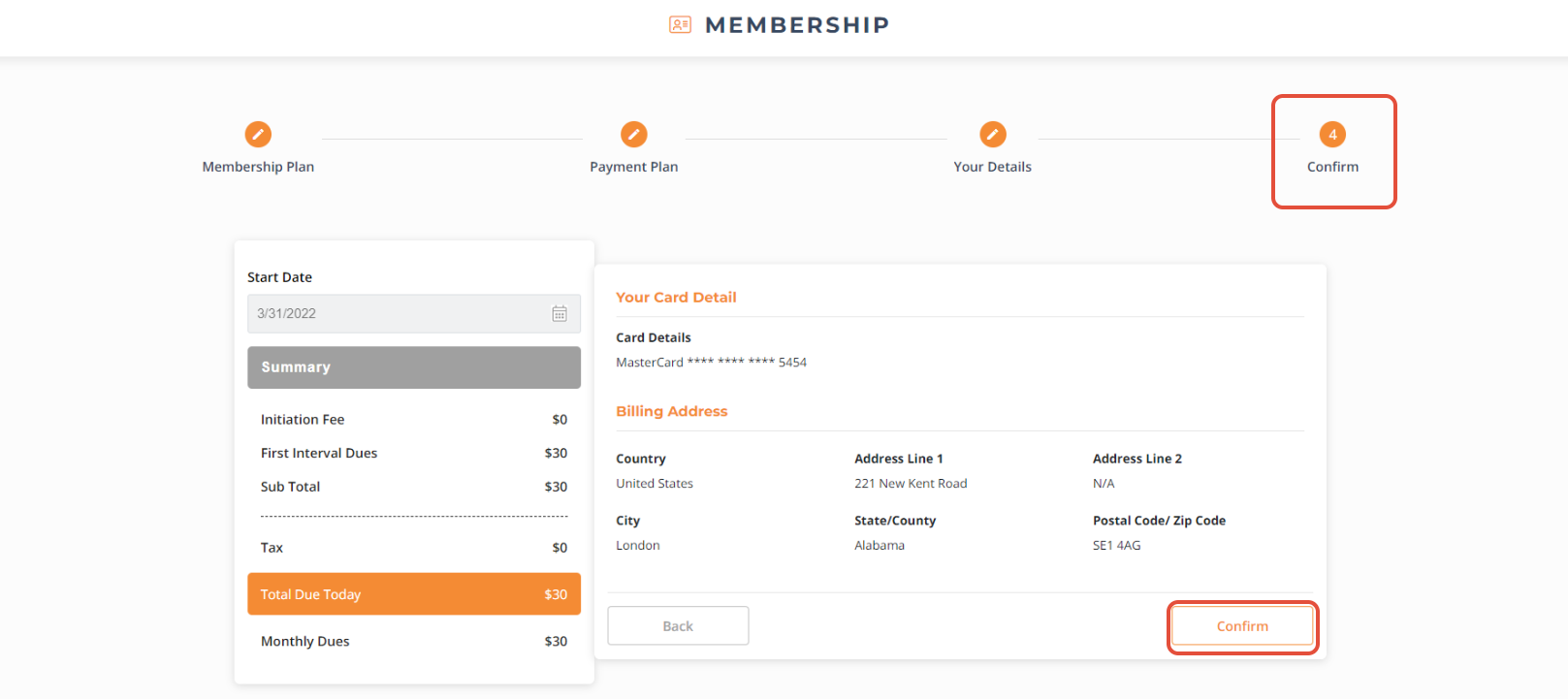
Step 6: Confirm Purchase
- Click on the Confirm button to complete the purchase.