TABLE OF CONTENTS
To Add Classes to an existing Membership, follow the steps below:
How To Add Classes To An Existing Membership
Go to the Setup Module in Core.

Click on the Memberships option under the Featured Items Tab.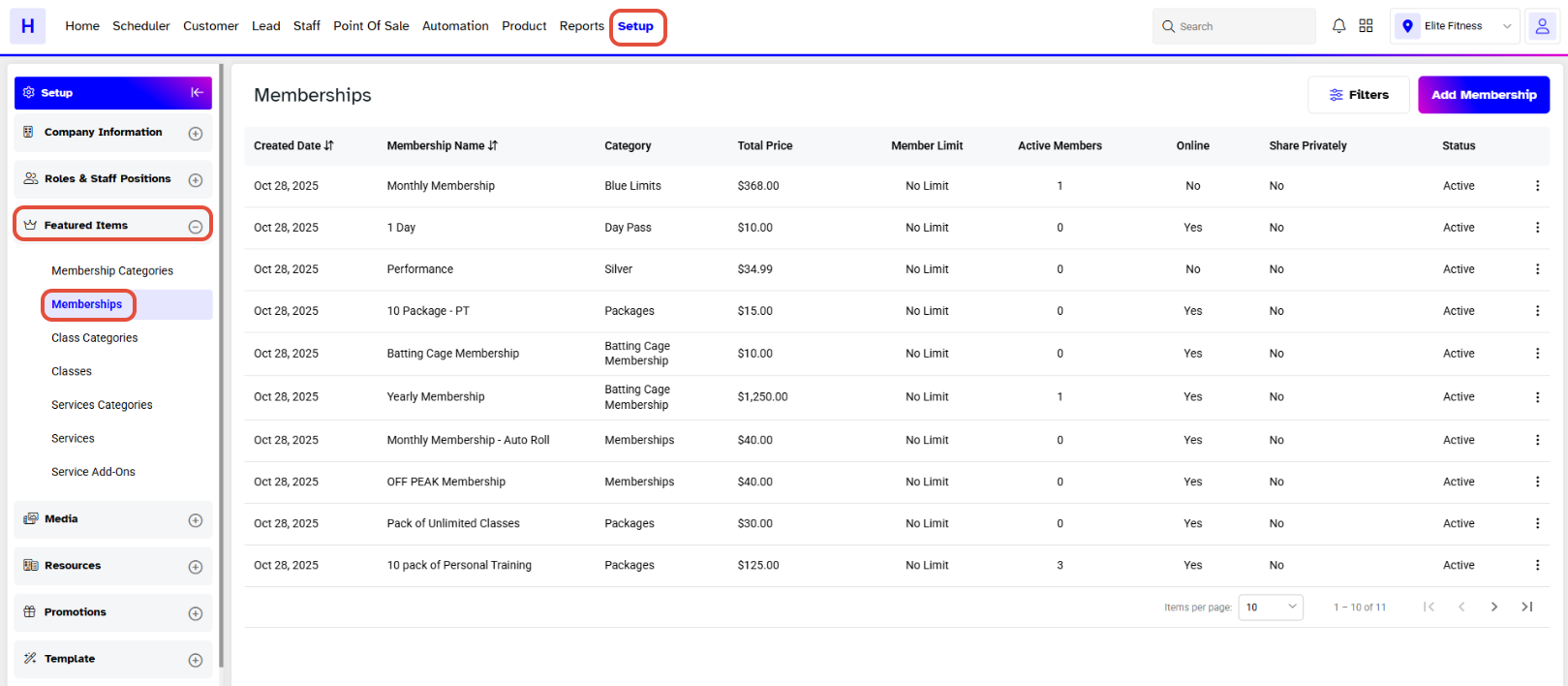
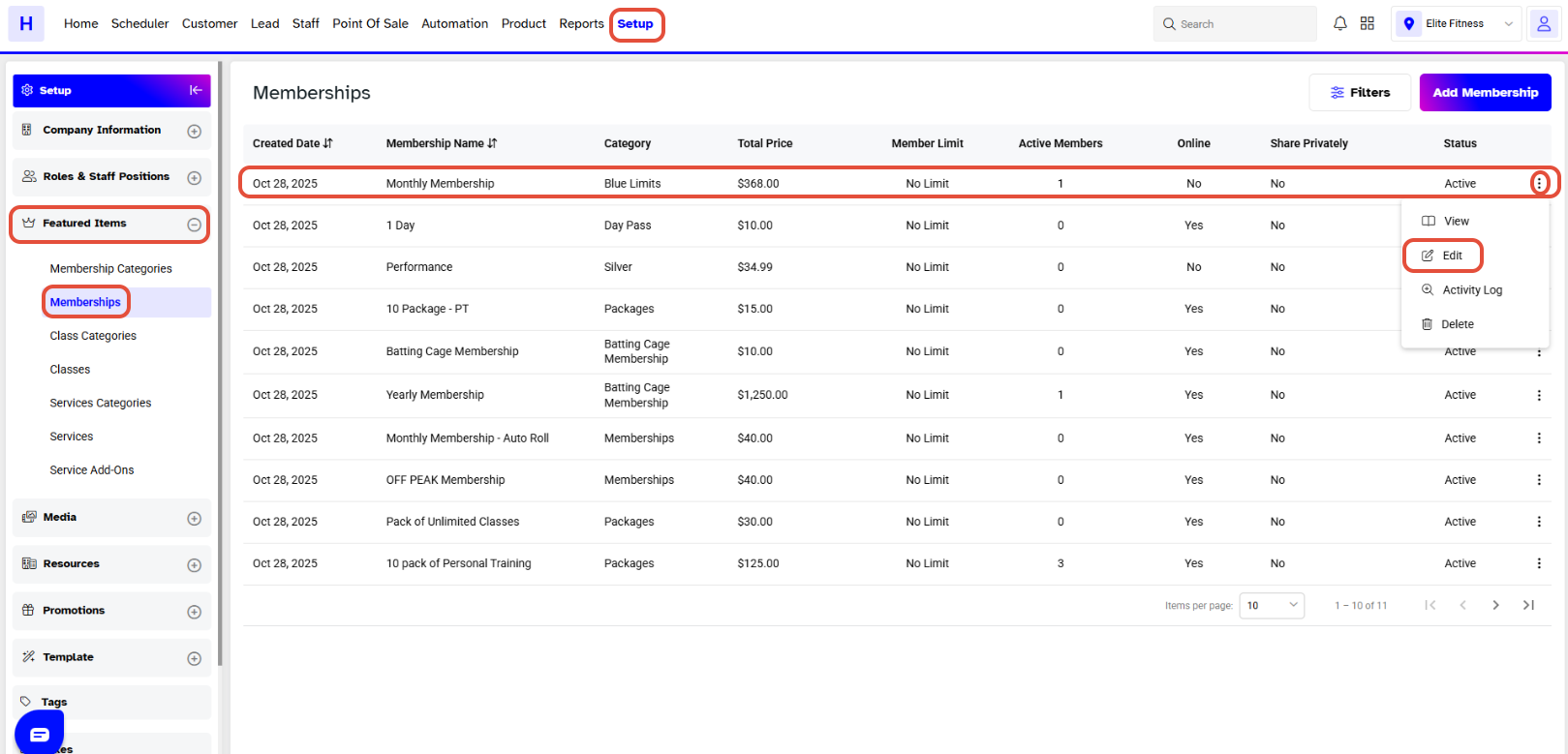
Now, click on the Edit Button against a Membership.
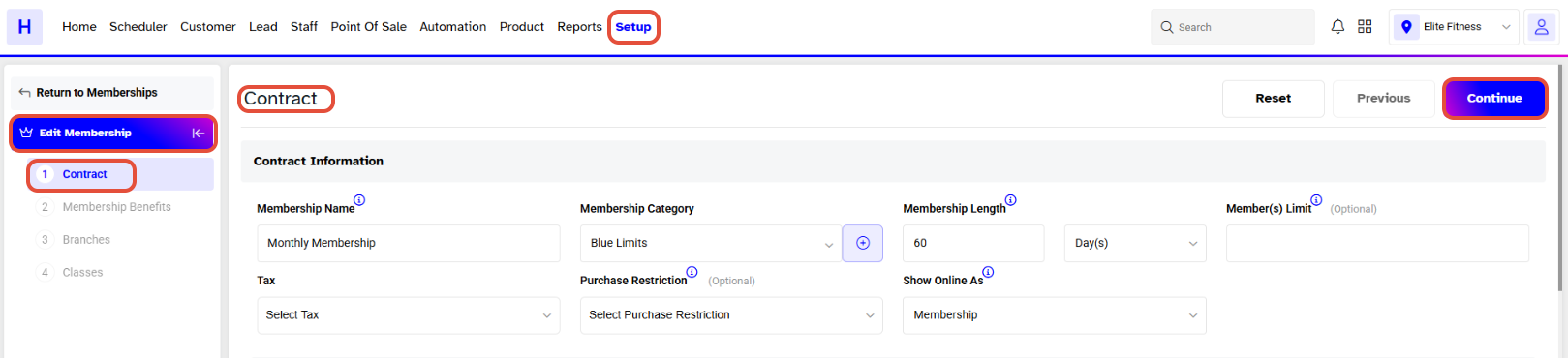
By default, the Membership Contract section will open. Now, click on the Continue Button to move toward the Membership Benefits.
Toggle on the Class Benefits and move toward the Branches section.
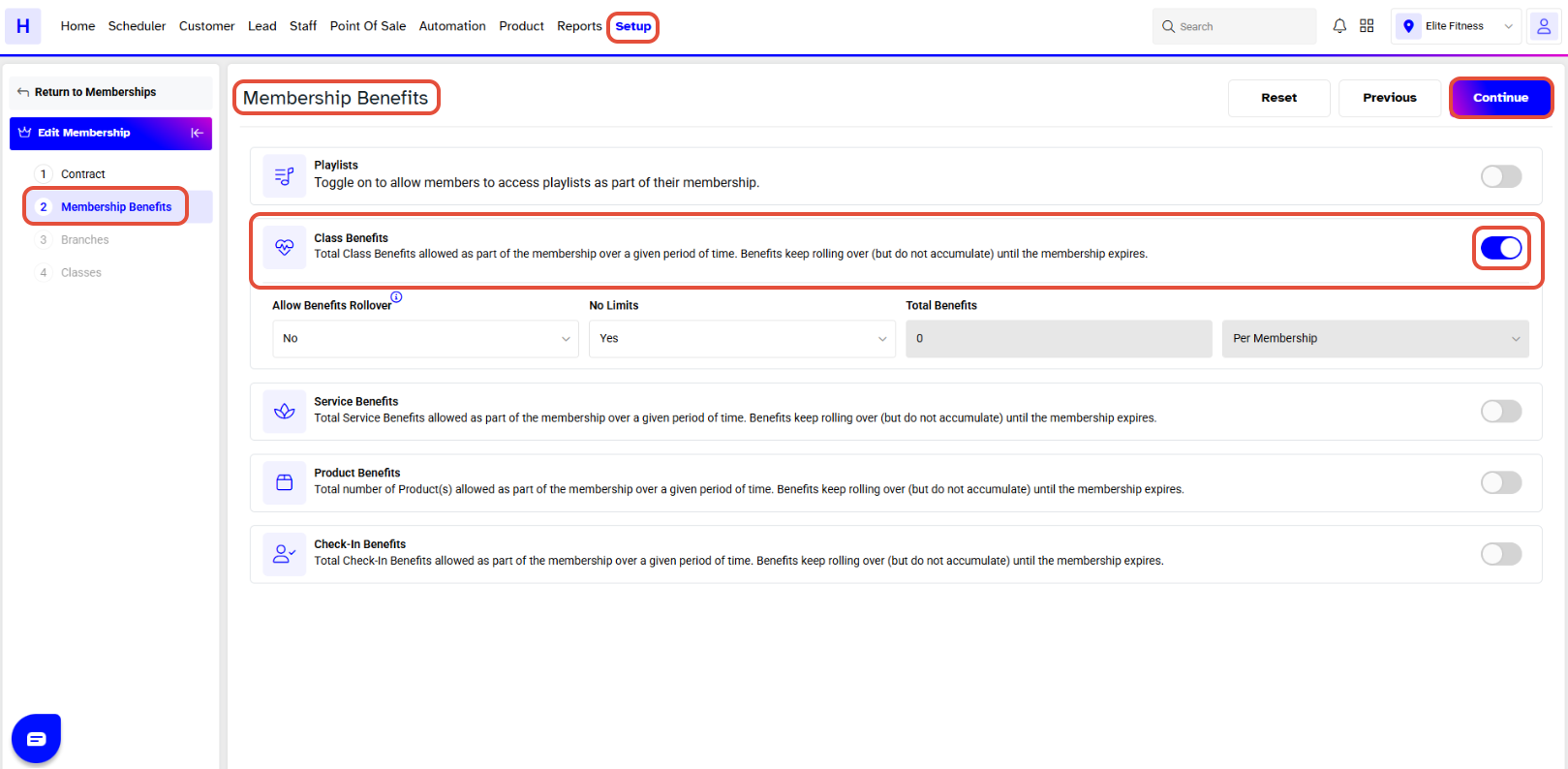
Now, again click on the Continue Button.
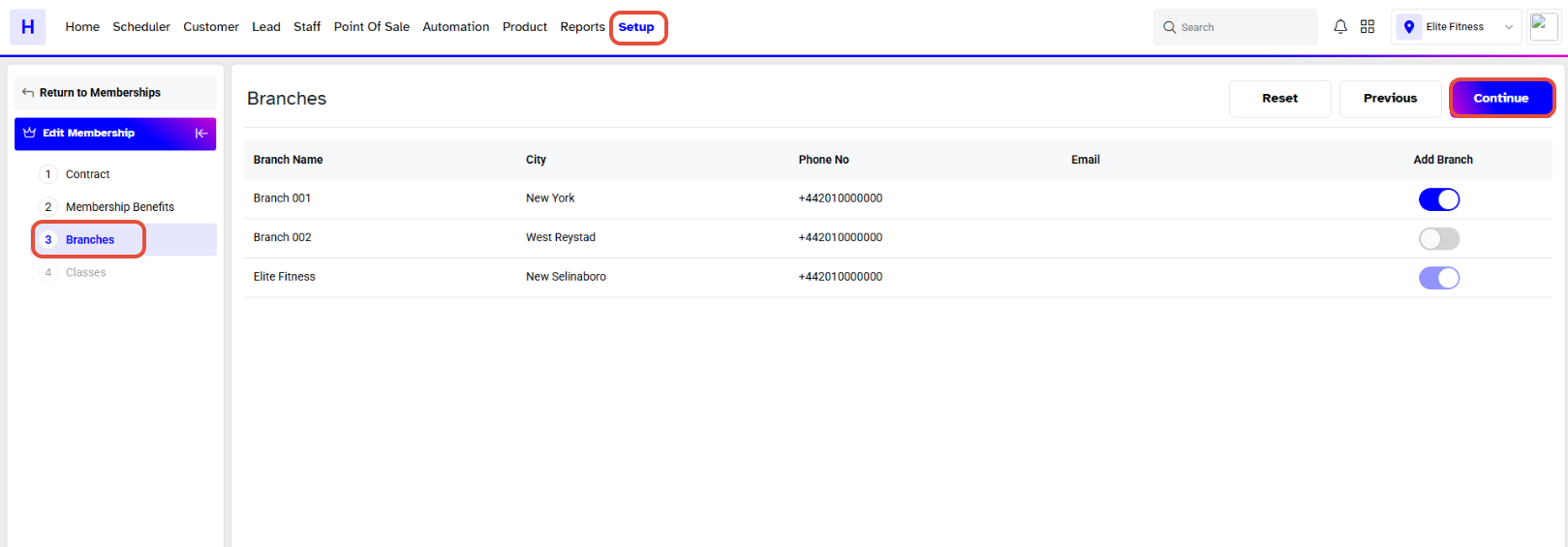
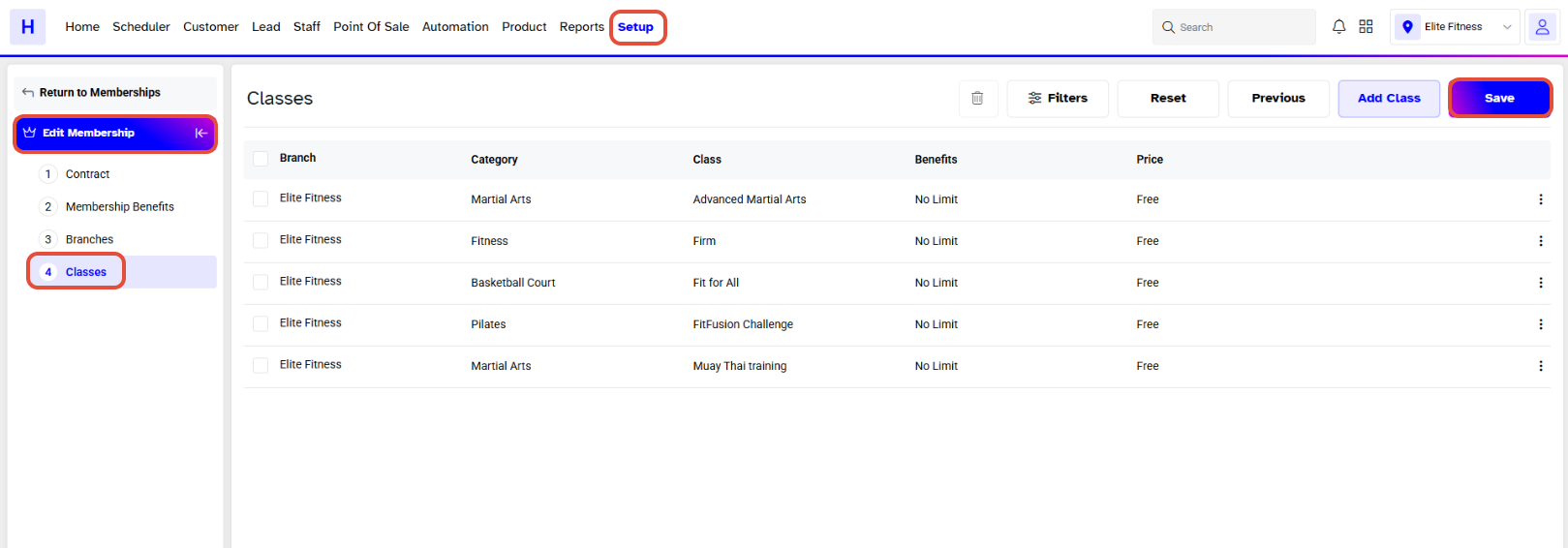
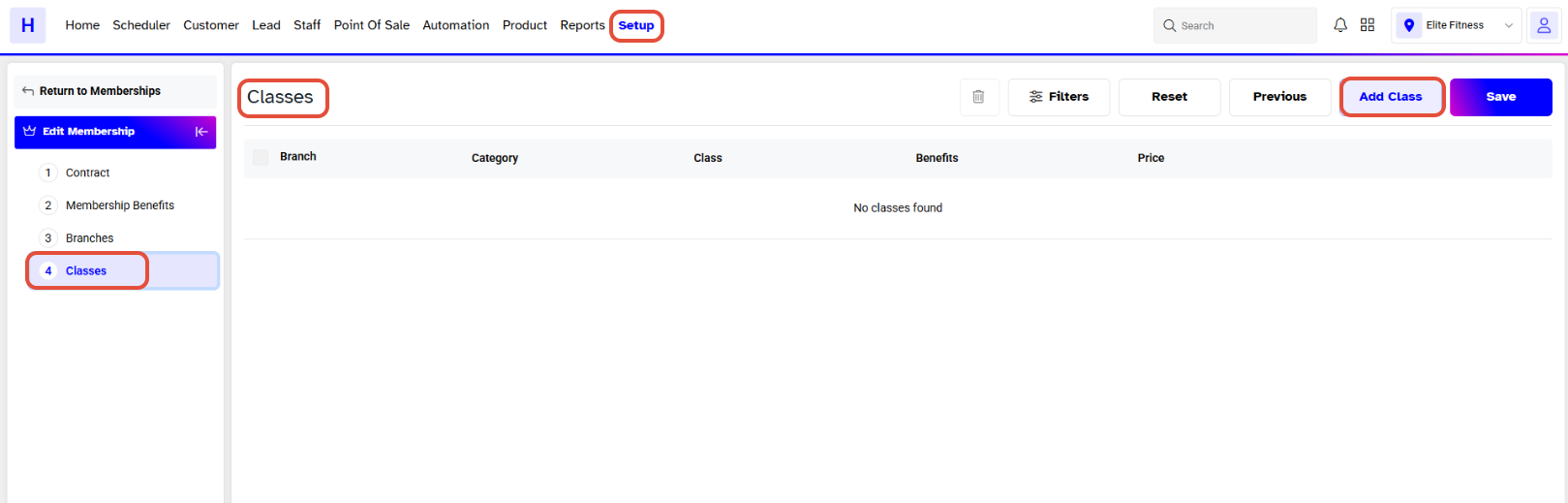
Whilst in the Classes section, click on the Add Class Button to add the Classes to the Membership.
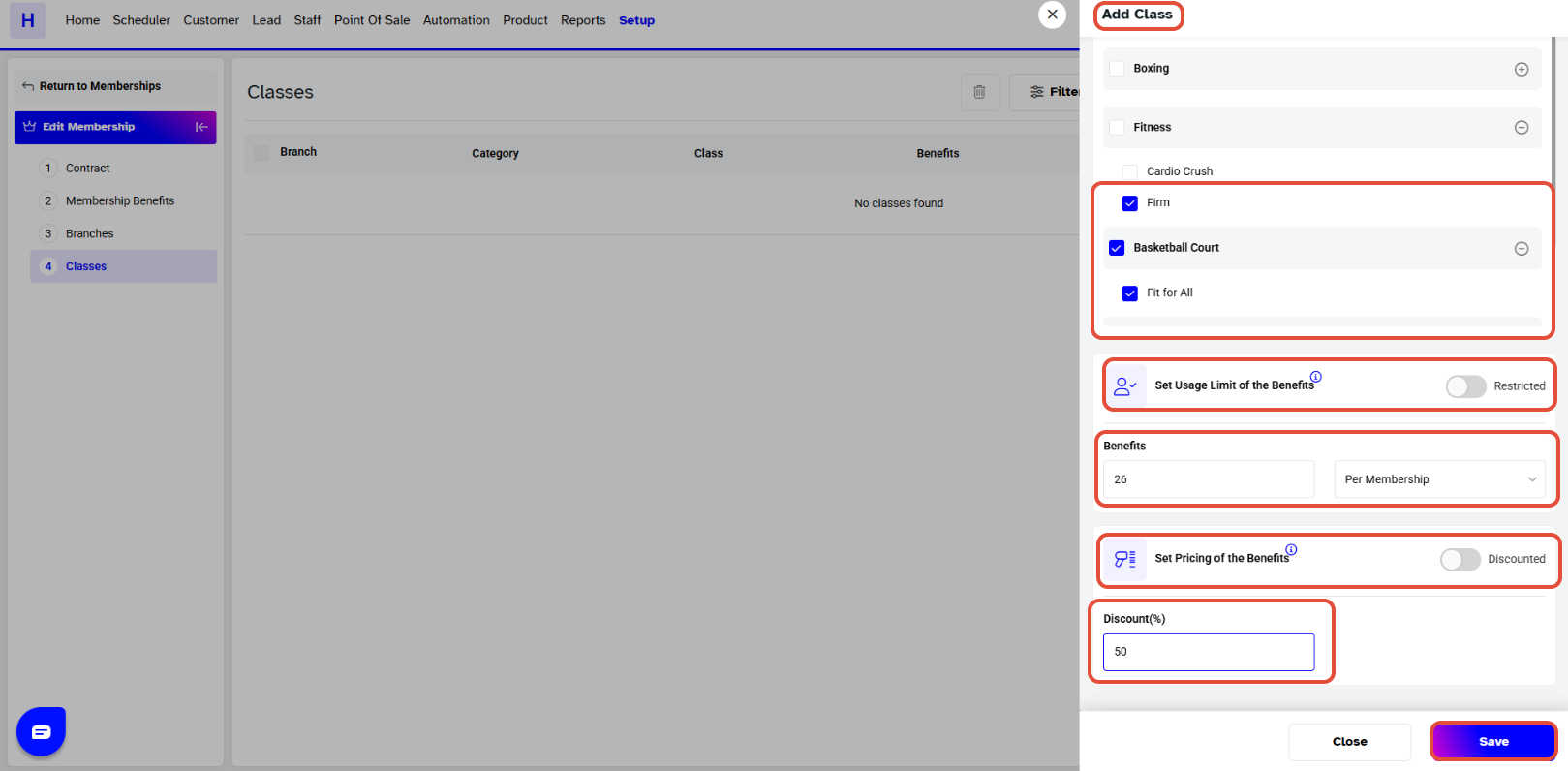
Select at least one Class from the Add Class Popup Box. Now click on the Save Button.
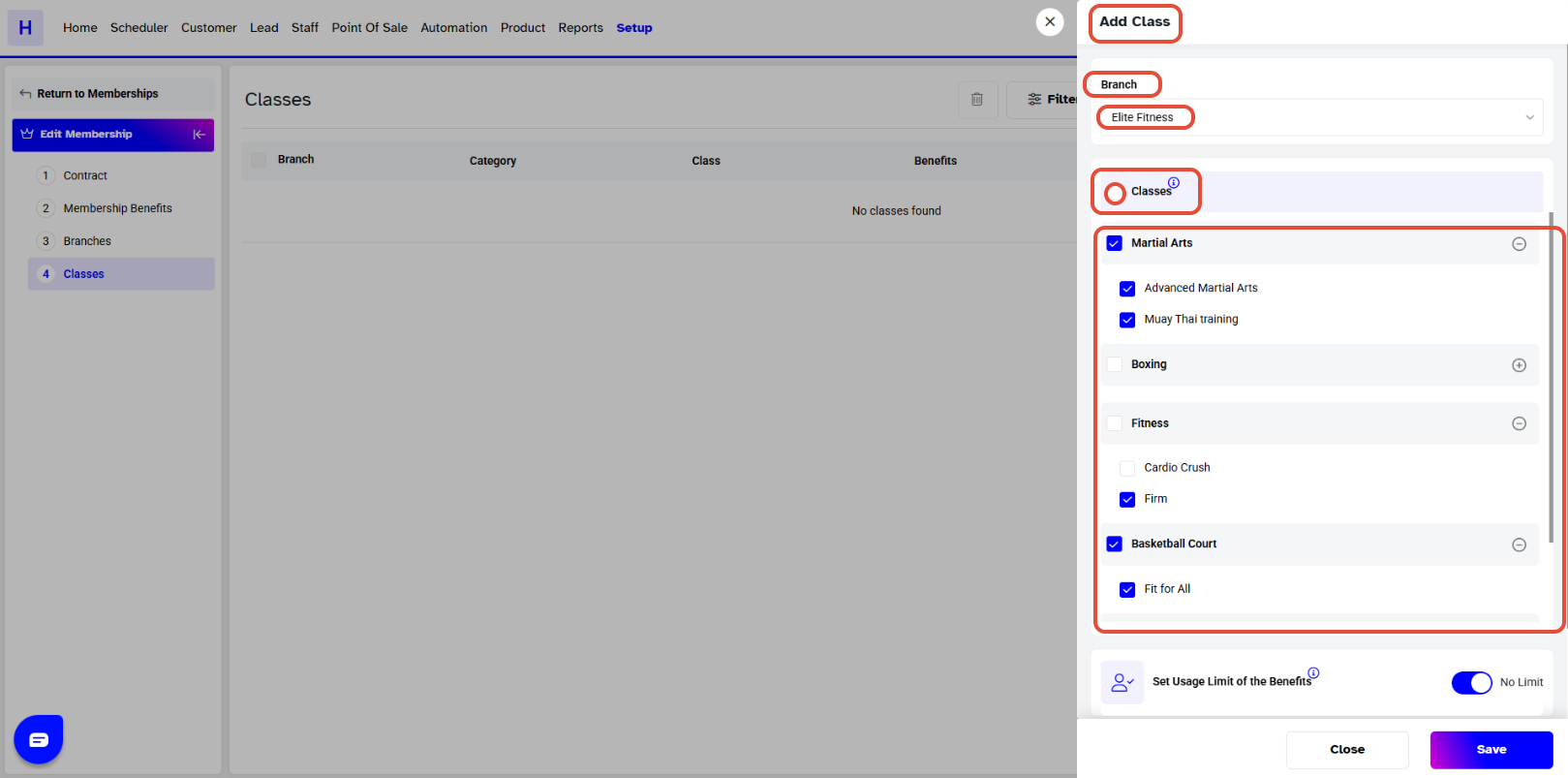
Set the Limit of Usage and Pricing of Benefits a Member can avail.
Now, the Classes have been successfully added in the Classes section.
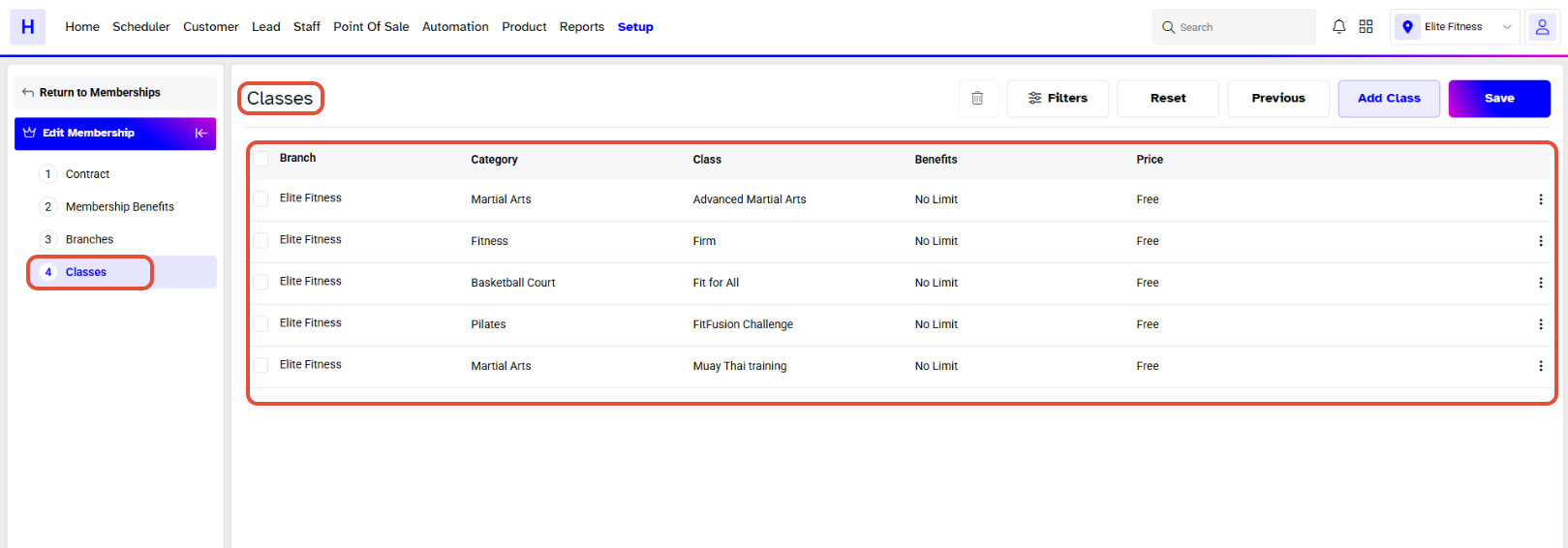
Once done, click on the Save Button.