TABLE OF CONTENTS
- Step 1: Navigate to Configurations
- Step 2: Enable the Suspend Invoices Toggle
- Step 3: Save the Configuration
Overview
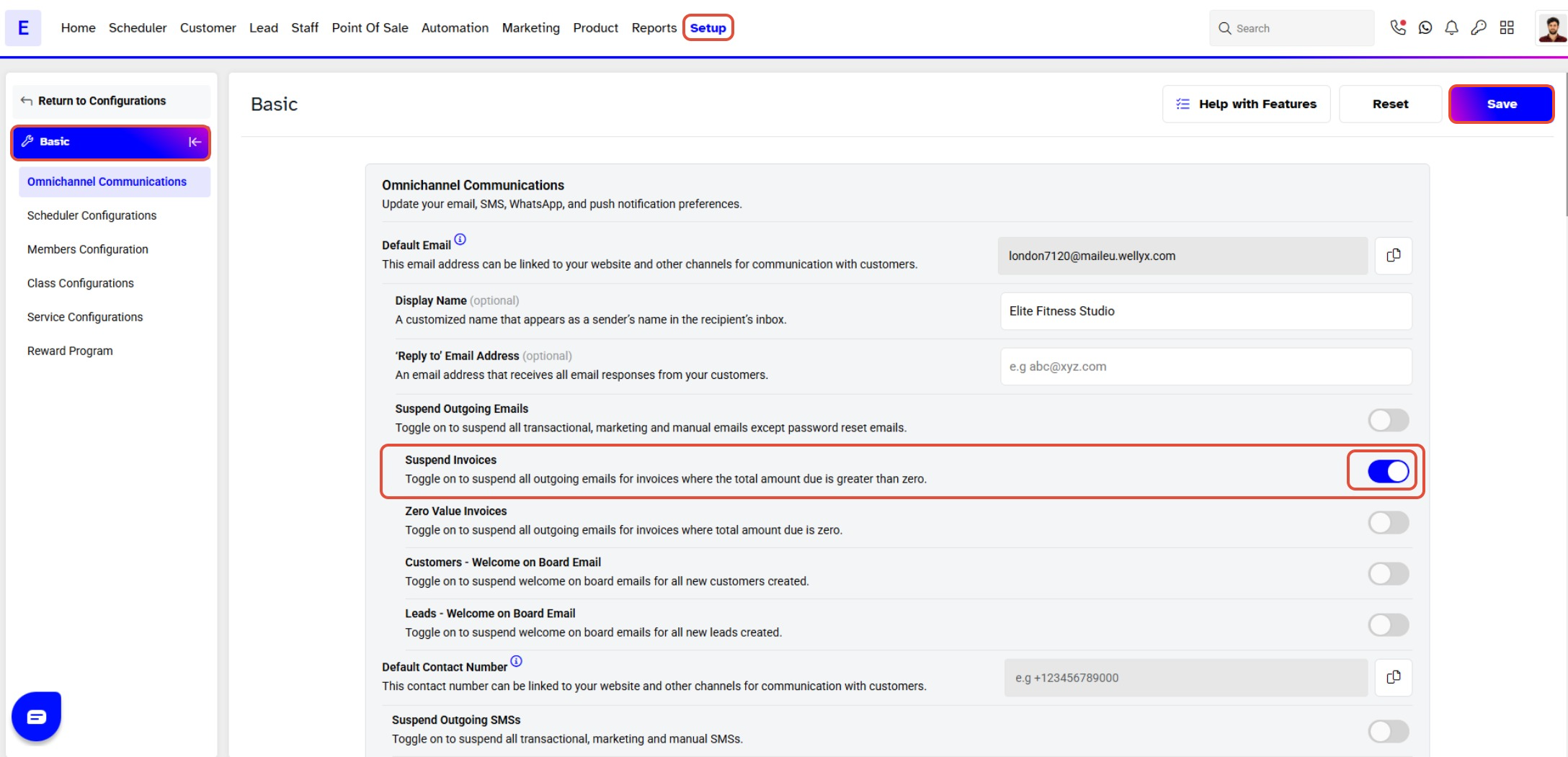
This guide explains how to enable the Suspend Invoices toggle in Core. By following this guide, merchants can suspend all outgoing emails for invoices where the total amount due is greater than zero.
Step 1: Navigate to Configurations
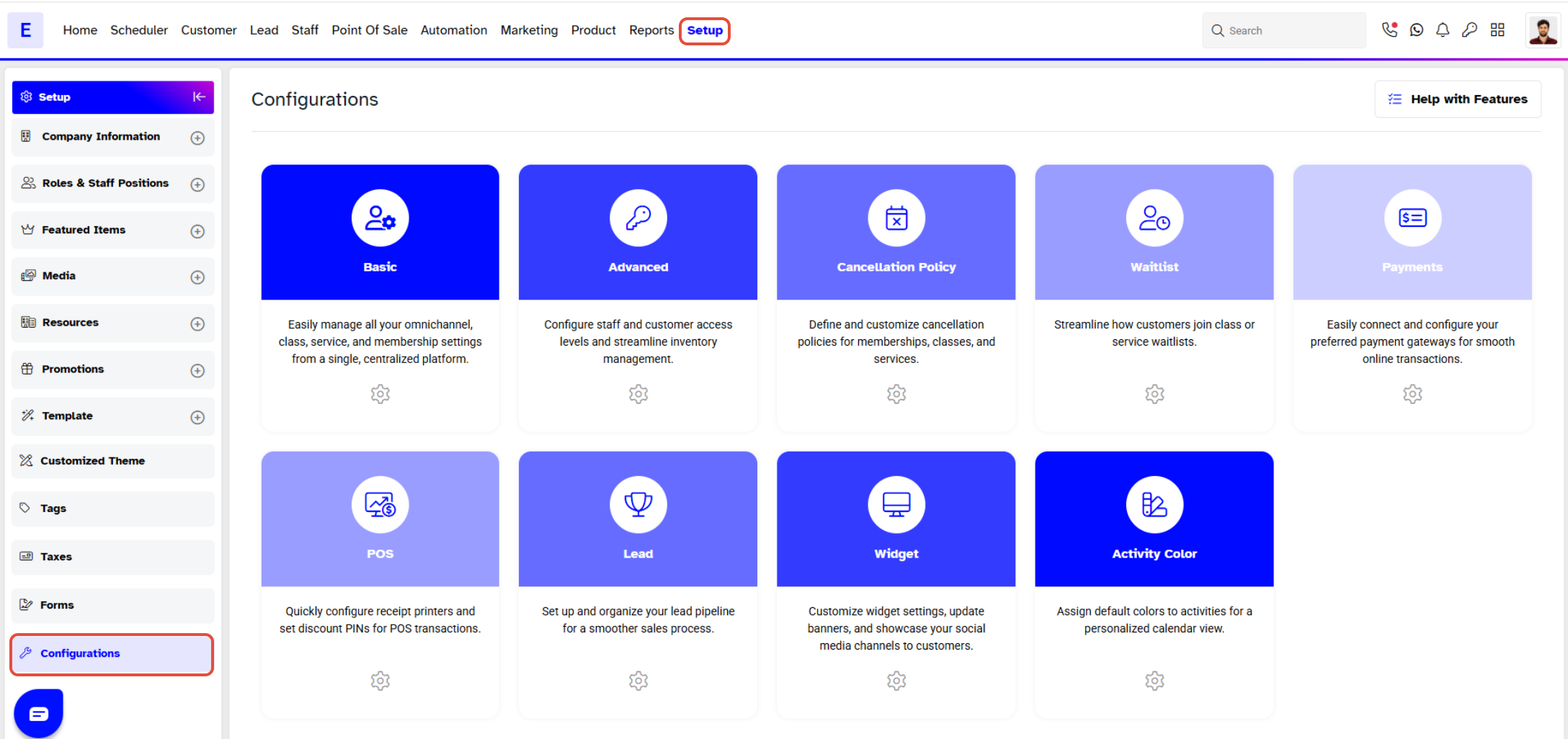
- Go to the Setup module in Core.
- Click on the Configurations tab.
Step 2: Enable the Suspend Invoices Toggle
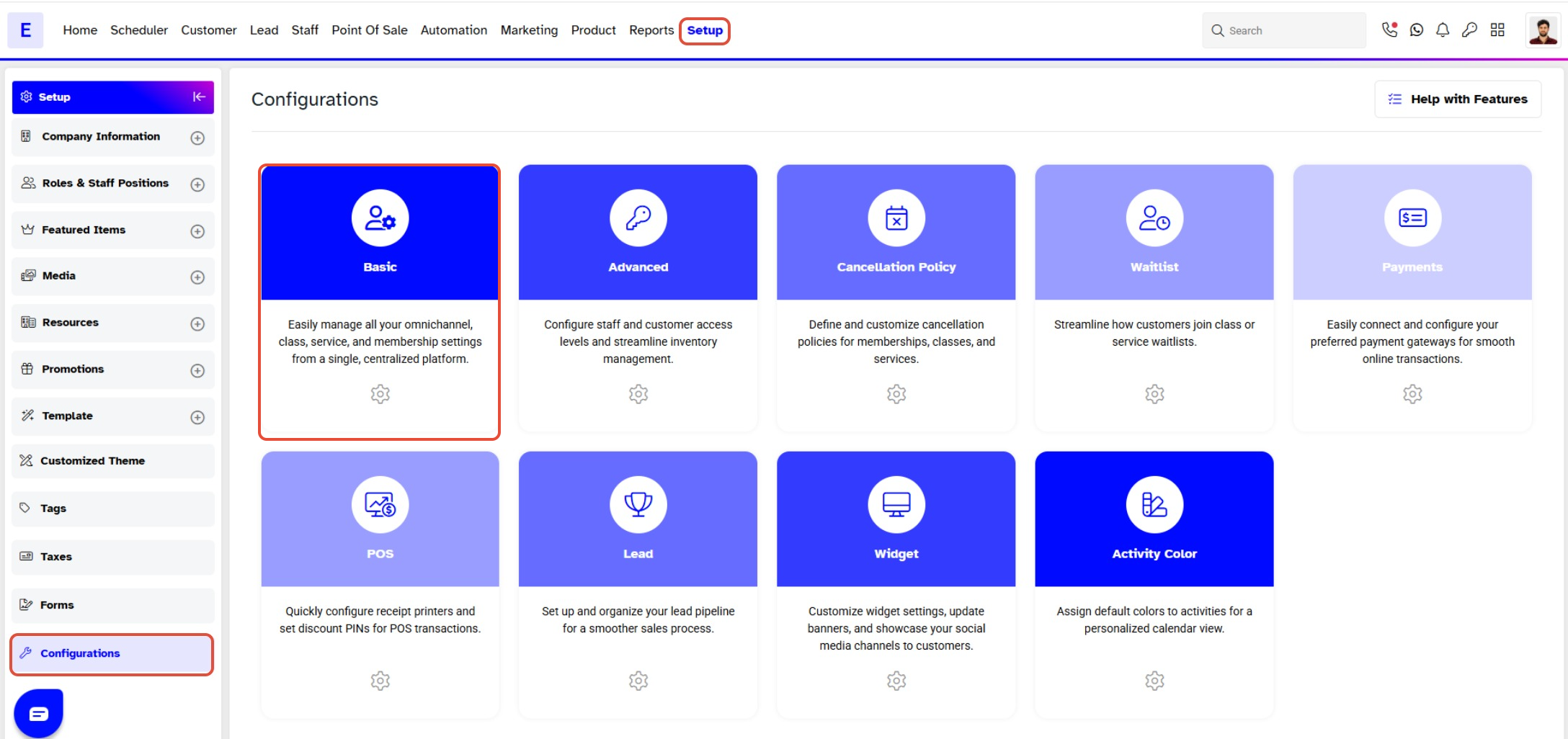
- In the Configurations section, the Basic tab will open by default.
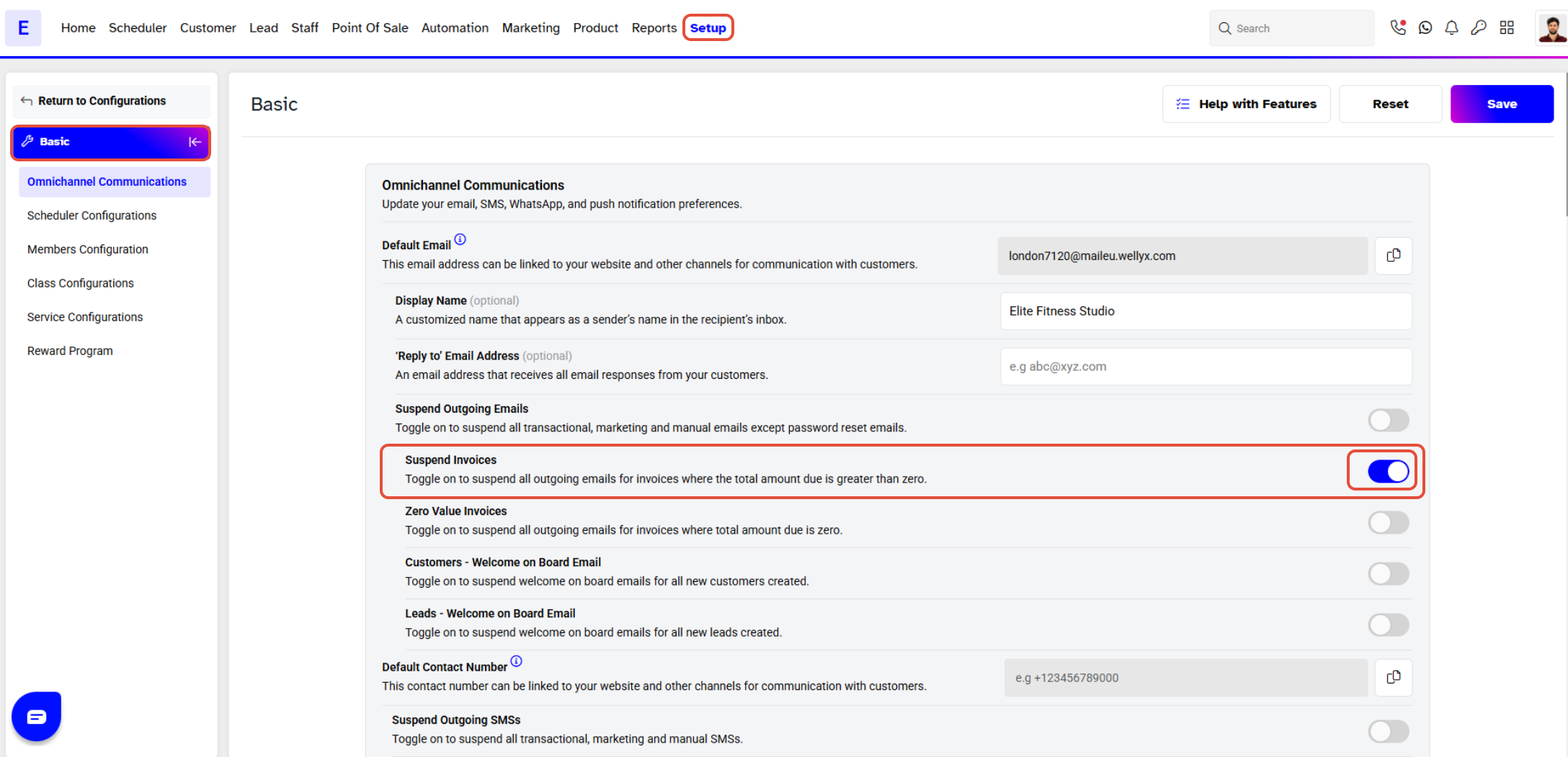
- Locate the Suspend Invoices option and toggle it ON to suspend all outgoing emails for invoices with a total amount due greater than zero.
Step 3: Save the Configuration
- Once the toggle is enabled, click on the Save button to confirm your changes.