


TABLE OF CONTENTS
Overview
This guide explains how to add a Routing URL in Core. By following this guide, merchants can link their website to their widgets, allowing customers to navigate to the designated URL.
Step 1: Navigate to the Widget Tab
- Go to the Setup module in Core.
- Click on the Configuration tab.
- Select Widget from the available options.
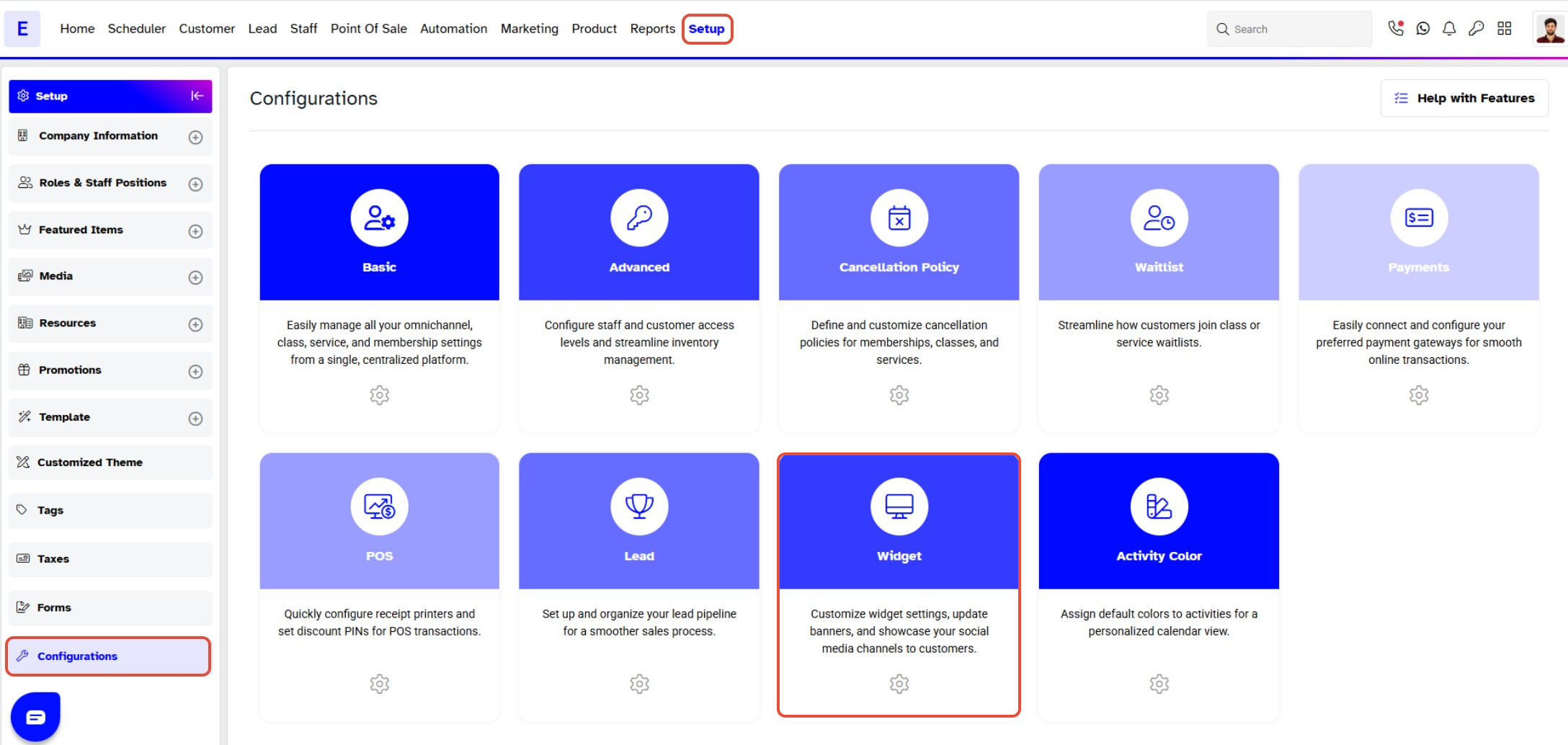
Step 2: Enter the Routing URL
- Locate the Widget URL section.
- Paste your website URL into the Routing URL field.
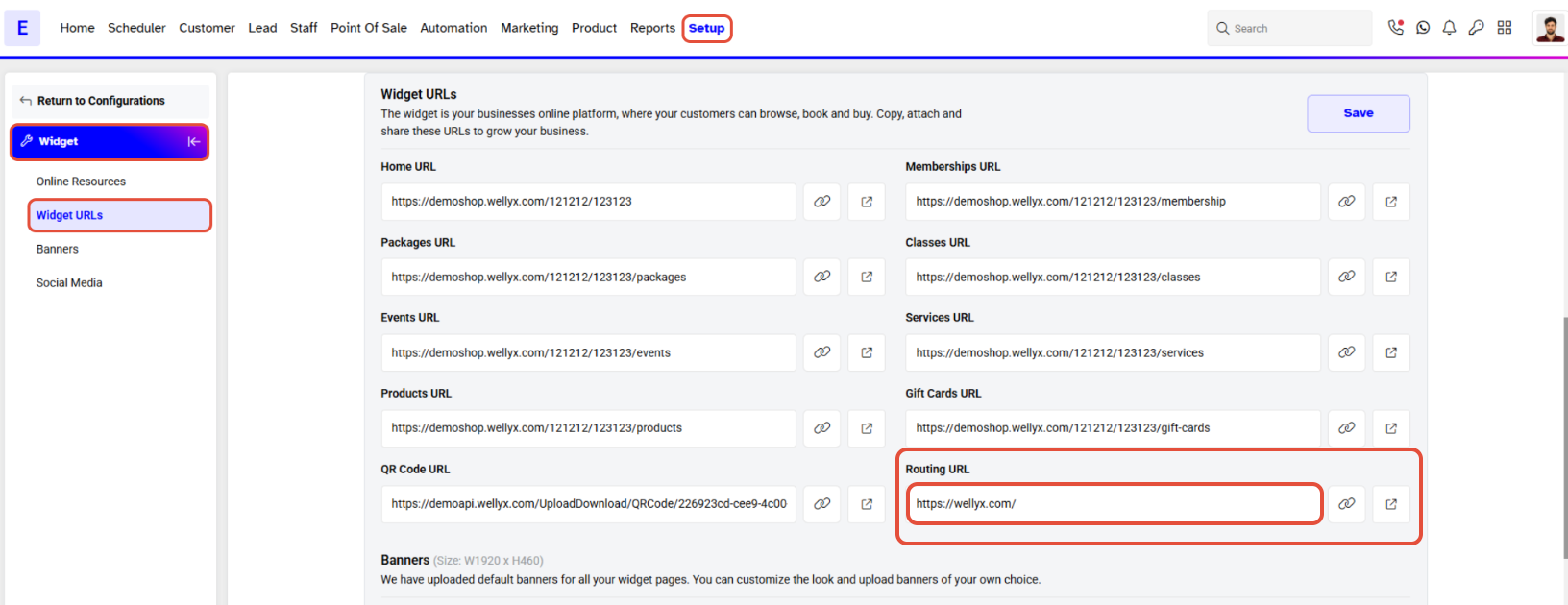
Step 3: Save the Routing URL
- Click on the Save button to confirm your changes.
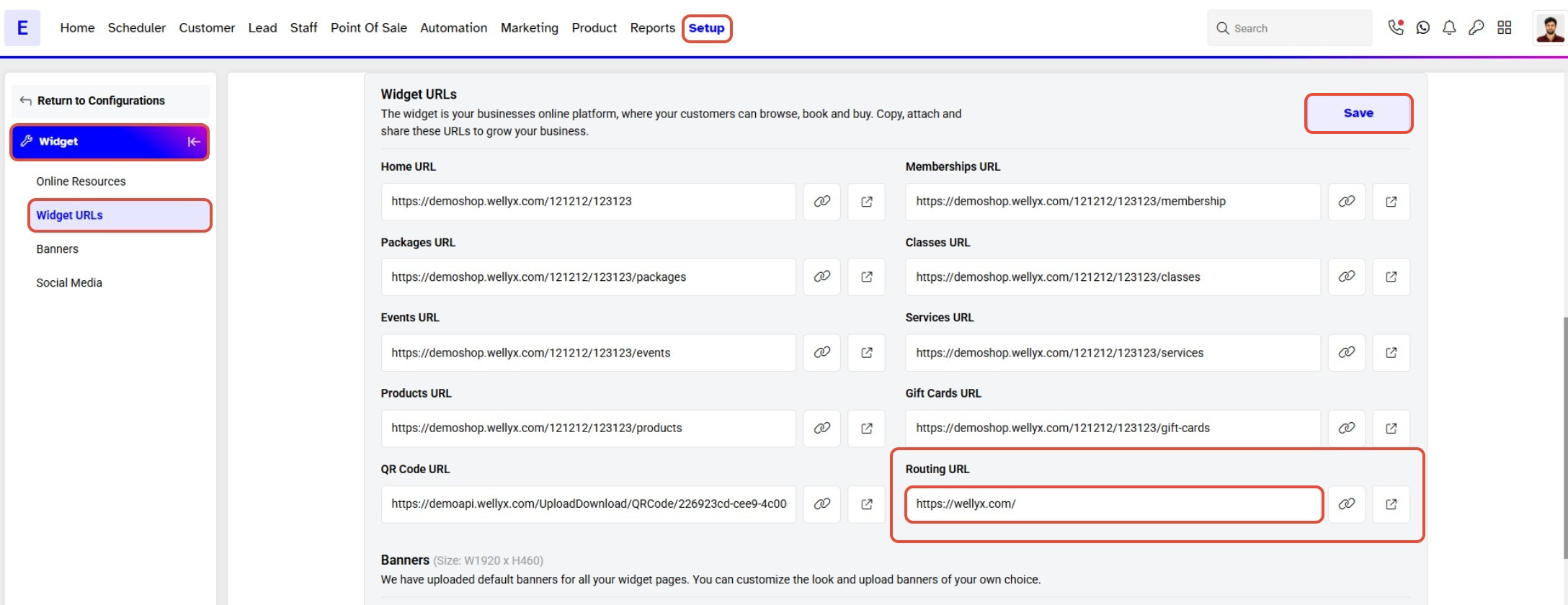
To learn how to View Linked Website through Routing URL on the Widget, click here.




