


TABLE OF CONTENTS
To Set the Total Capacity of Members Allowed and Visit Duration inside the Branch, follow the steps below:
How To Set The Total Capacity Of Members Allowed And Visit Duration Inside The Branch In Core
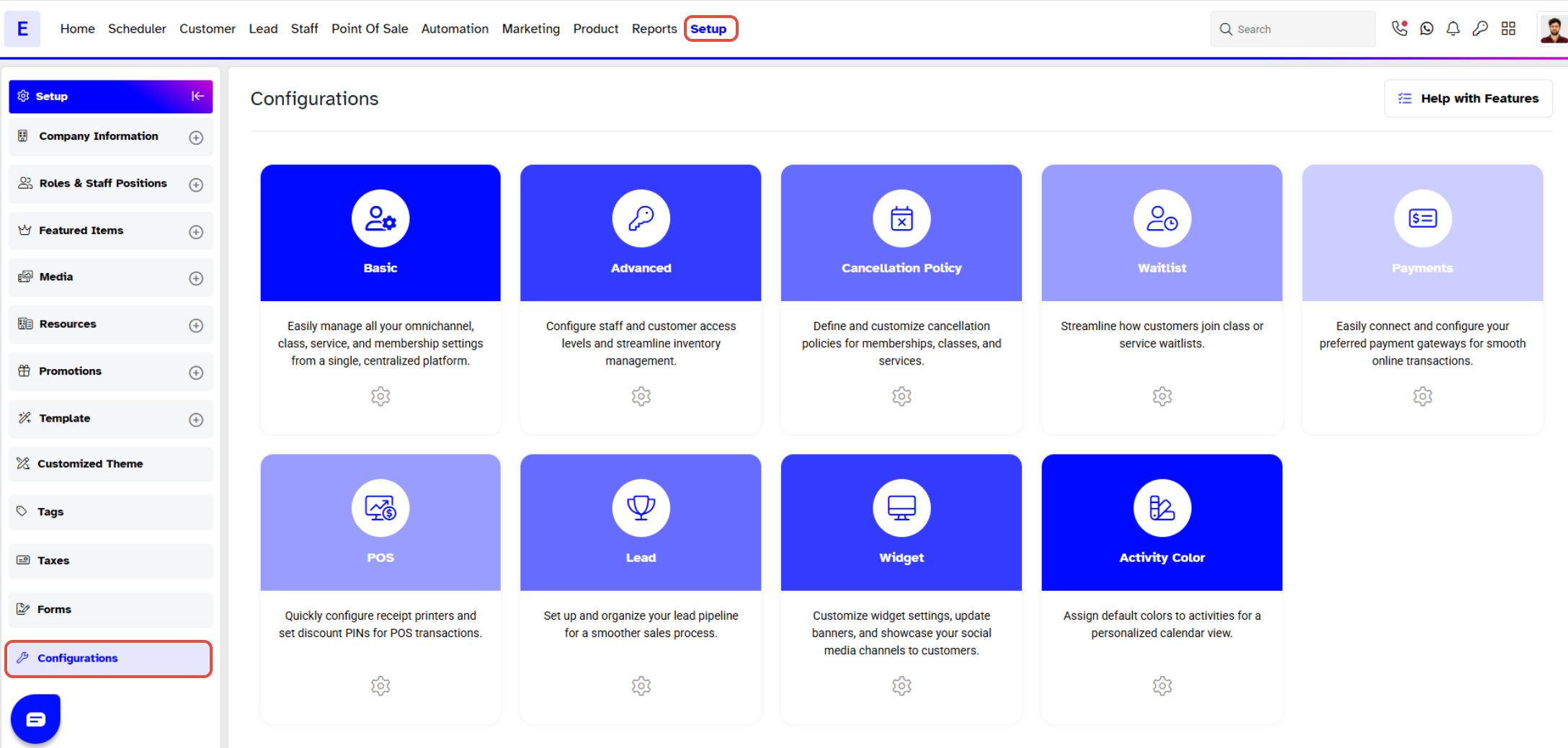
Go to the Setup Module.

In Setup Module, click on the Configuration Tab.
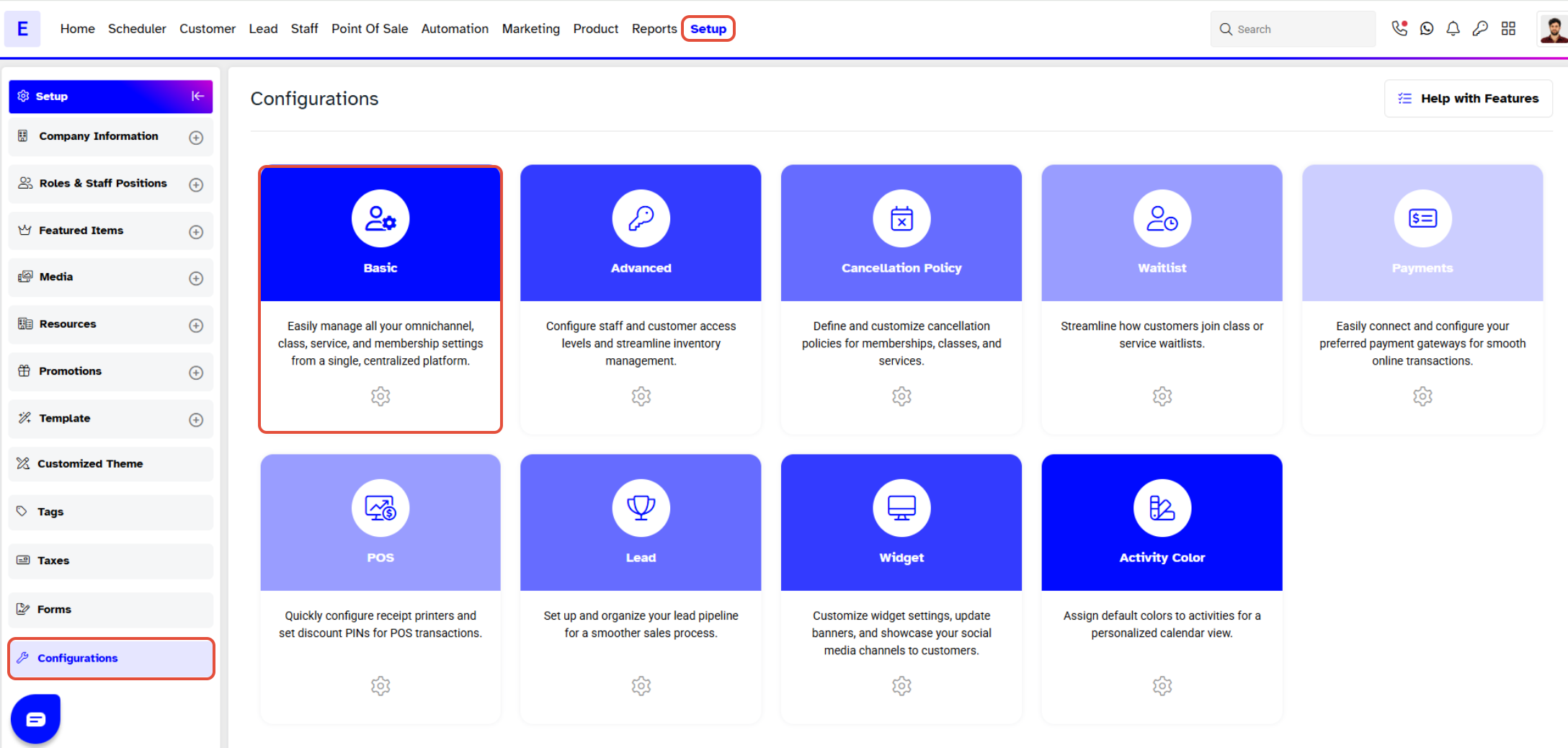
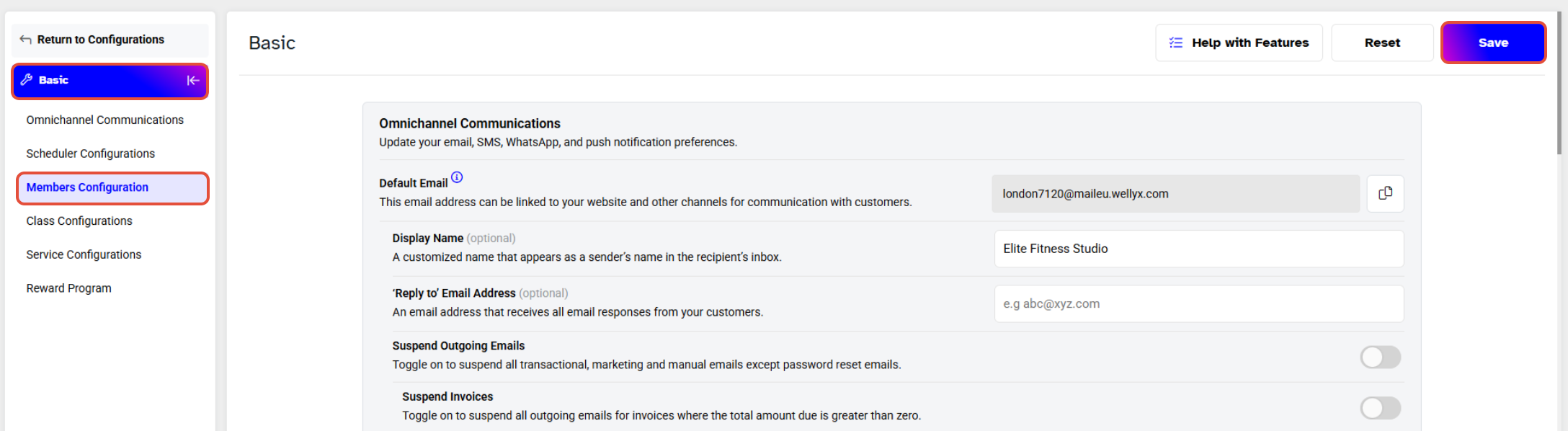
Once in Configurations, click on the Basic Tab.
Now move downward in Basic to the Members Configuration Section.
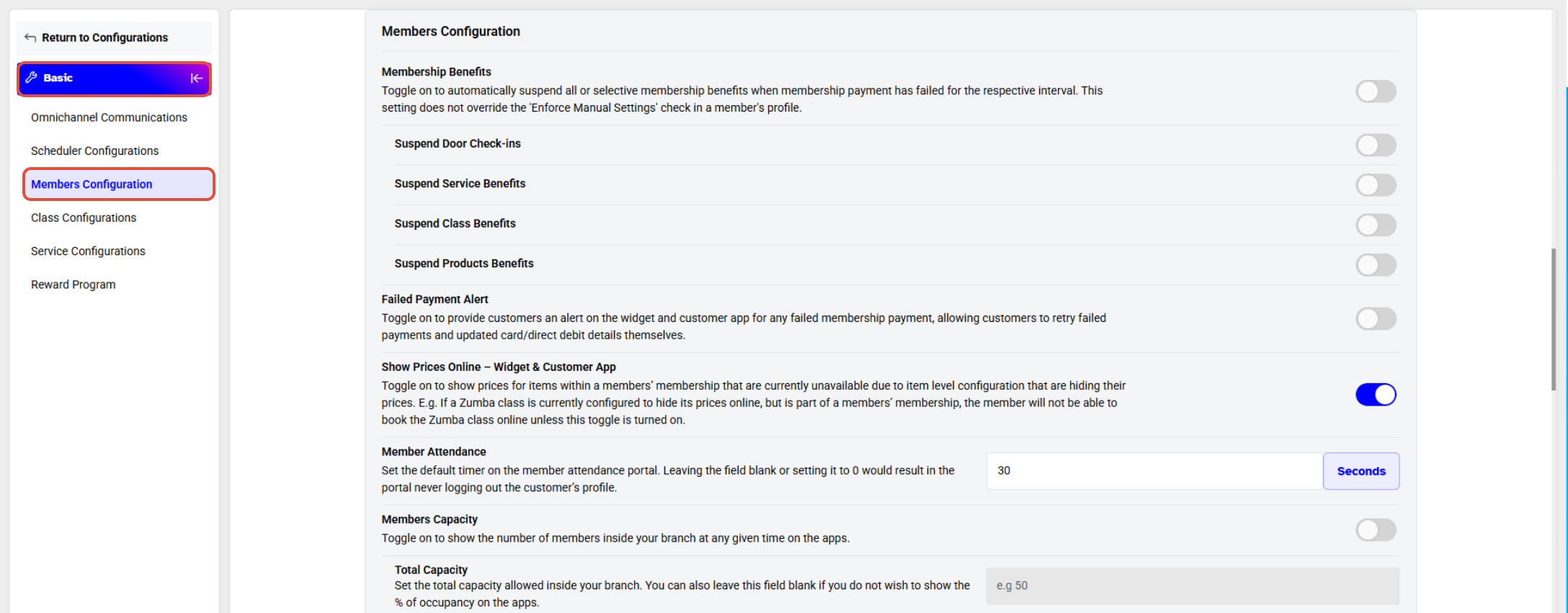
Before adding the Total Capacity, Member Capacity must be toggled on.
Now, set a value for the Total Capacity of Members and the Average Duration of each visit.
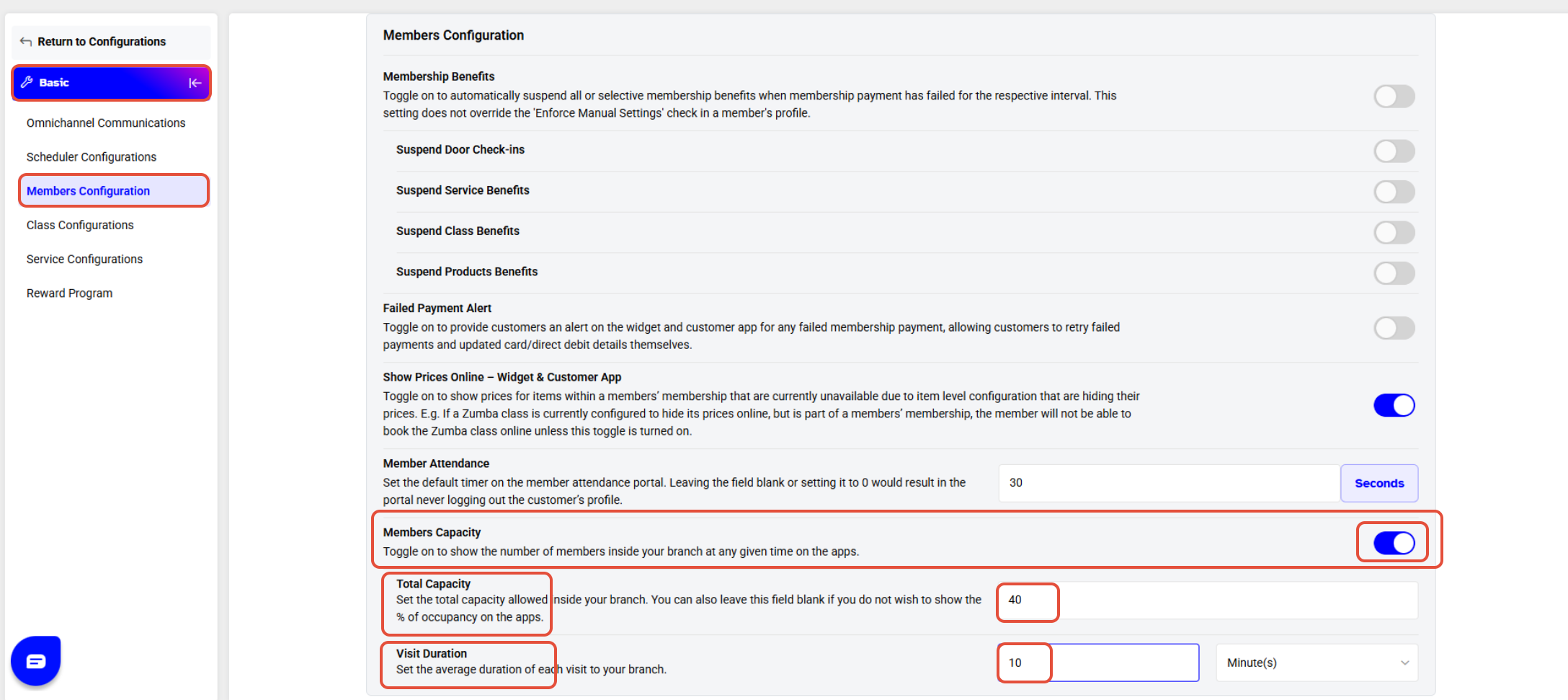
Once done with the changes, click on the Save Button.
To see how the Member Capacity is visible on the Customer App, click here.
To see how the Member Capacity is visible on the Staff App, click here.
w
T
o Set The Total Capacity Of Members Allowed Inside The Branch In Core w To Set The Total Capacity Of Members Allowed Inside The Branch In Core




