TABLE OF CONTENTS
- Step 1: Navigate to Configurations
- Step 2: Access Member Configuration
- Step 3: Enable Member Capacity
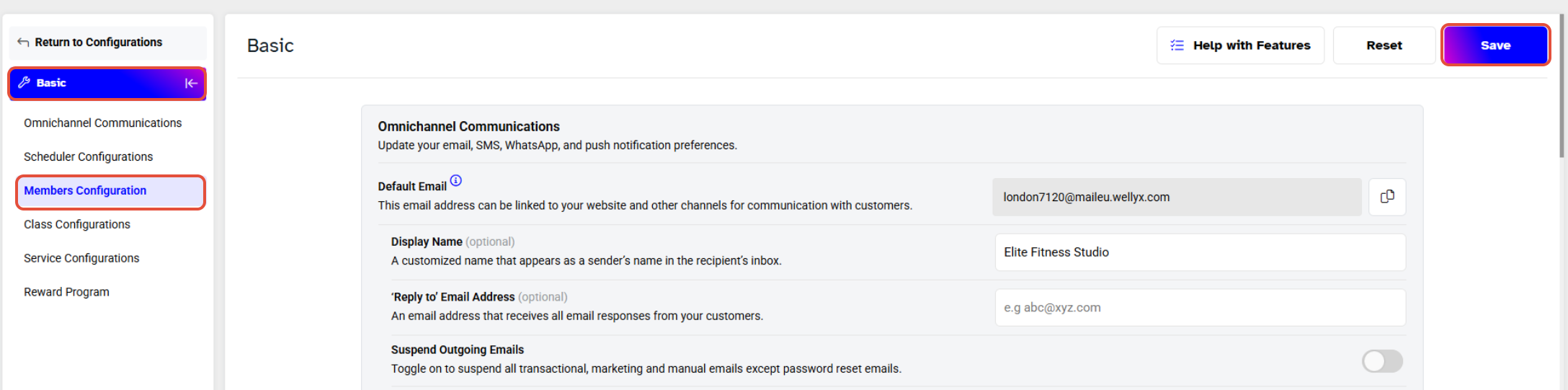
- Step 4: Save Changes
Overview
This guide explains how to configure the display of the number of members inside the branch at any given time on the app. By following this guide, merchants can enable real-time visibility for their customers.
Step 1: Navigate to Configurations
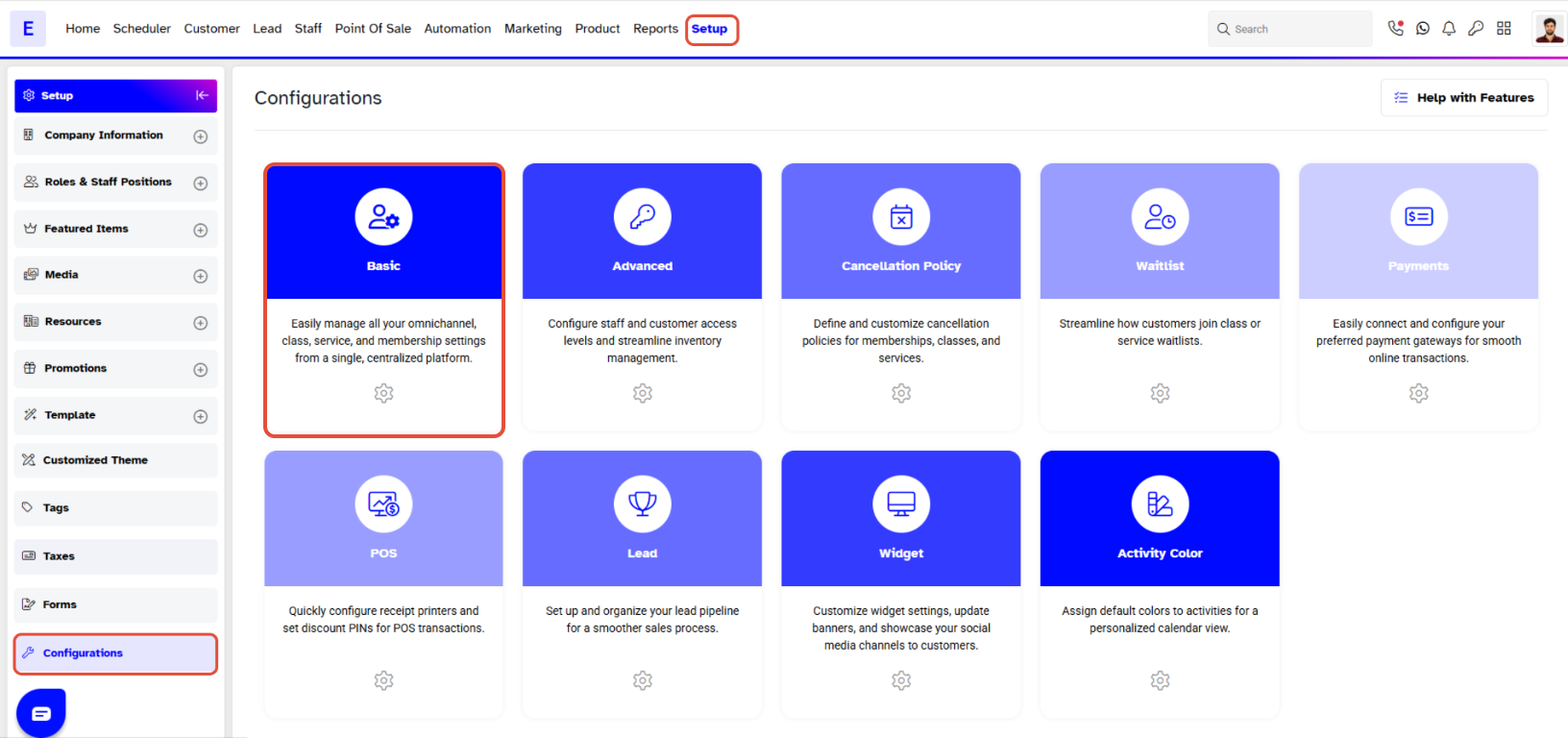
- Go to the Setup module in Core.
- Click on the Configurations tab.
- Click on the Basic tab.
Step 2: Access Member Configuration
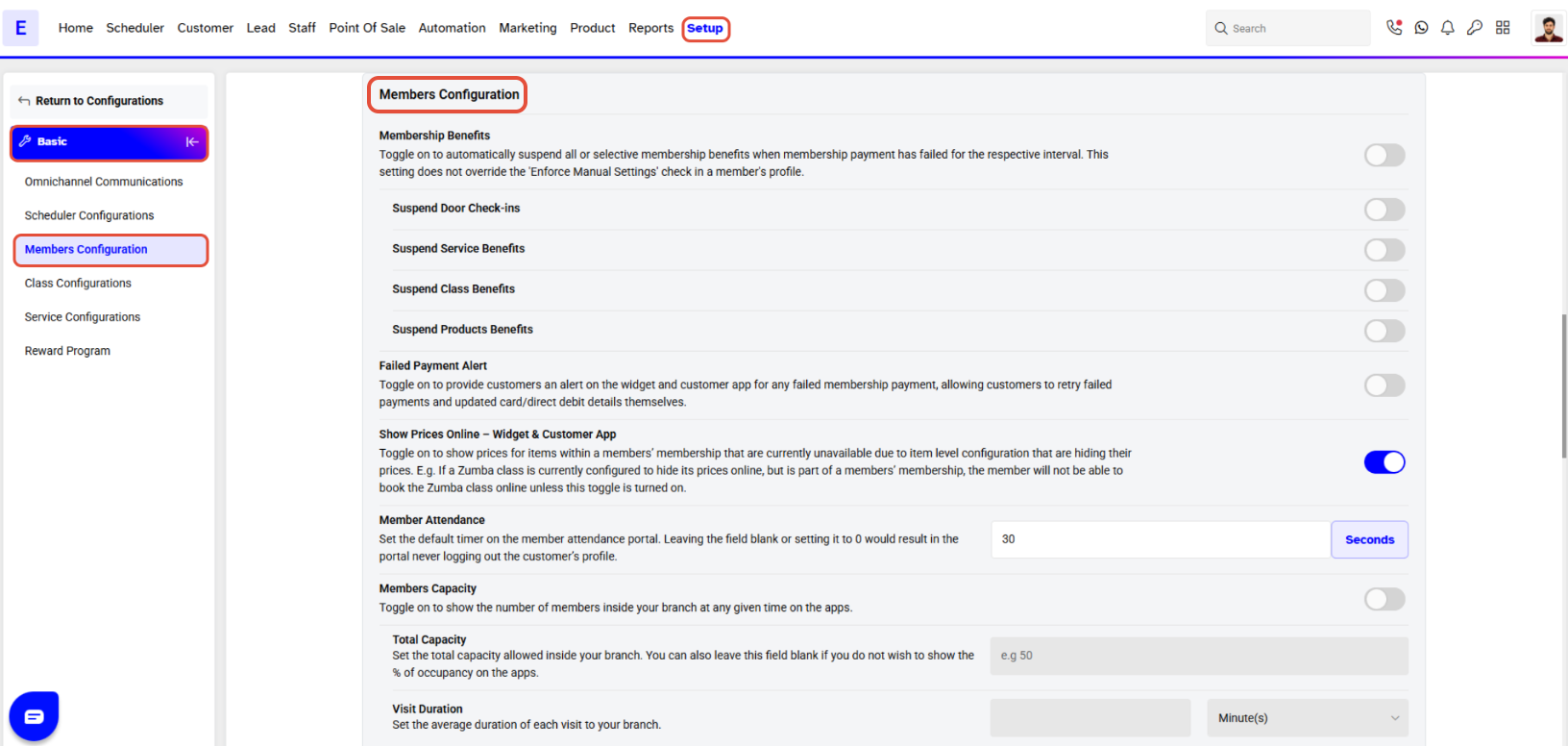
- Scroll down to the Member Configuration section.
Step 3: Enable Member Capacity
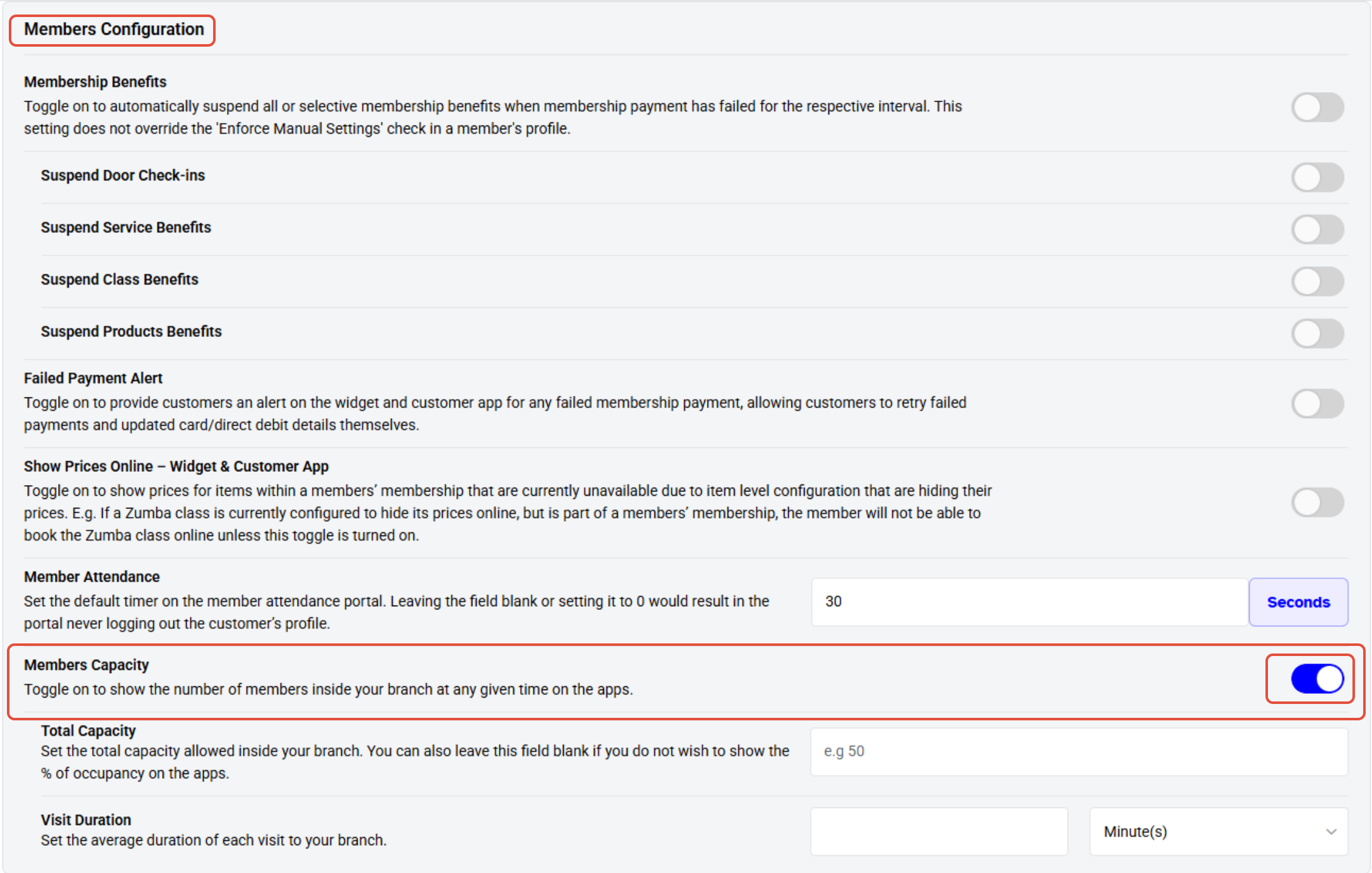
- Toggle ON the Member Capacity option to show the number of members inside the branch at any given time on the app.
Step 4: Save Changes
- Once the change is made, click on the Save button to confirm.