TABLE OF CONTENTS
- Step 1: Navigate to Configurations
- Step 2: Access Scheduler Configurations
- Step 3: Enable Branch Opening Hours
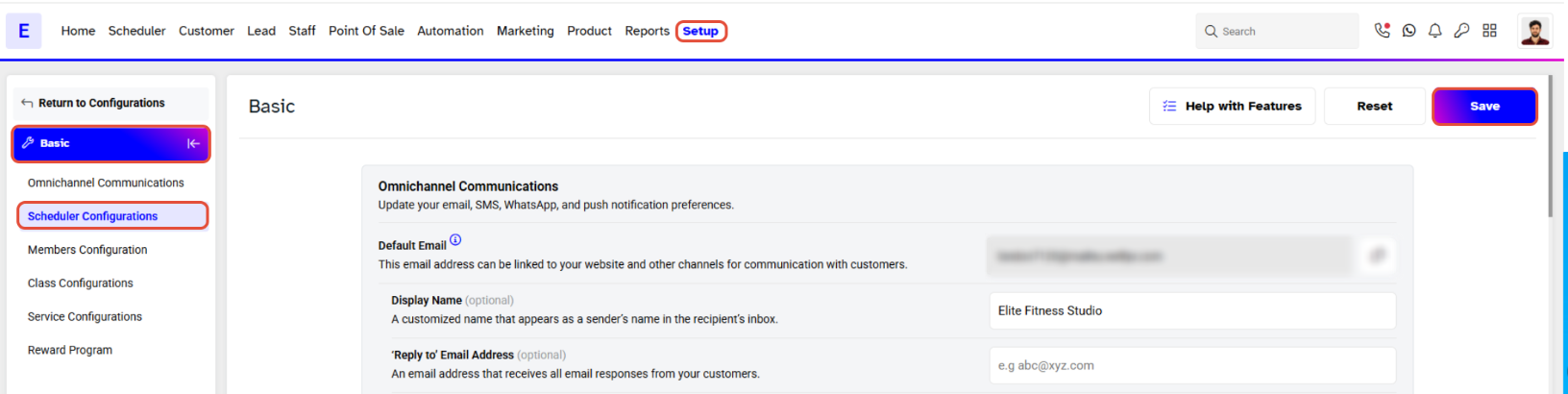
- Step 4: Save Changes
Overview
This guide explains how to display Branch Opening Hours on the Scheduler in Core. By following this guide, merchants can configure their settings to ensure branch hours are visible on the Day View of the scheduler.
Step 1: Navigate to Configurations
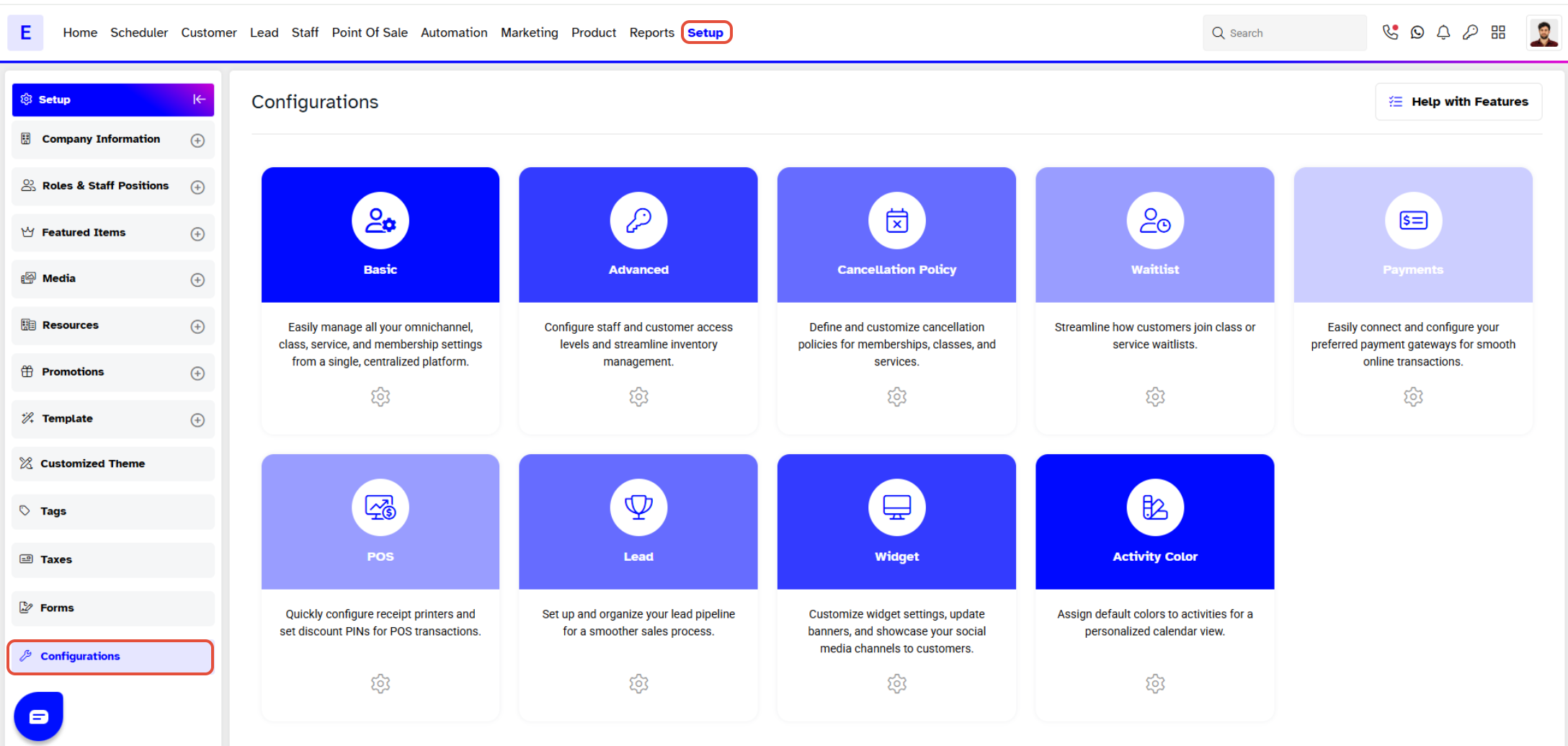
- Go to the Setup module in Core.
- Click on the Configurations tab.
Step 2: Access Scheduler Configurations
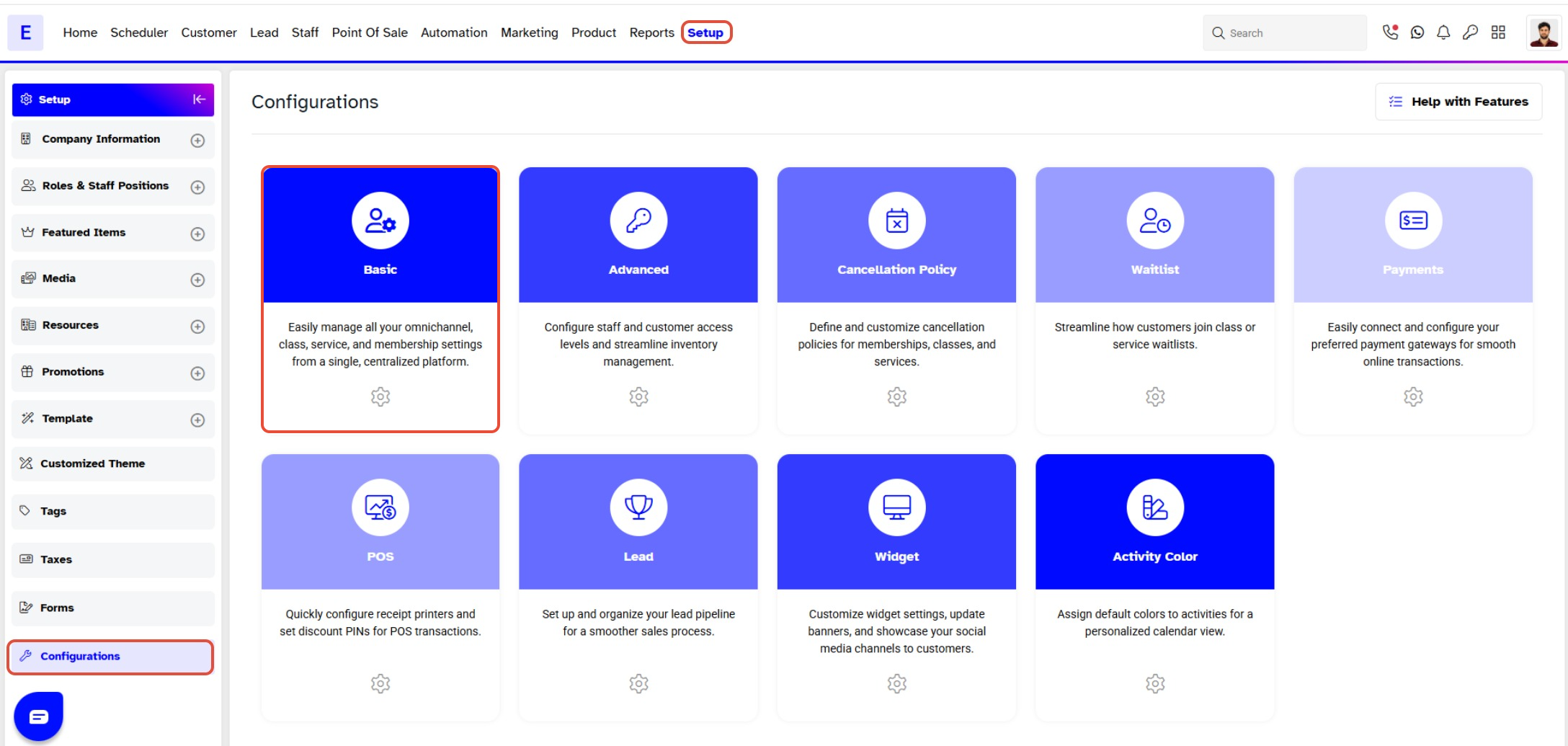
- In the Configurations menu, click on the Basic section.
Step 3: Enable Branch Opening Hours
- Locate the Scheduler Configurations section.
- Toggle the Branch Hours button to ON.
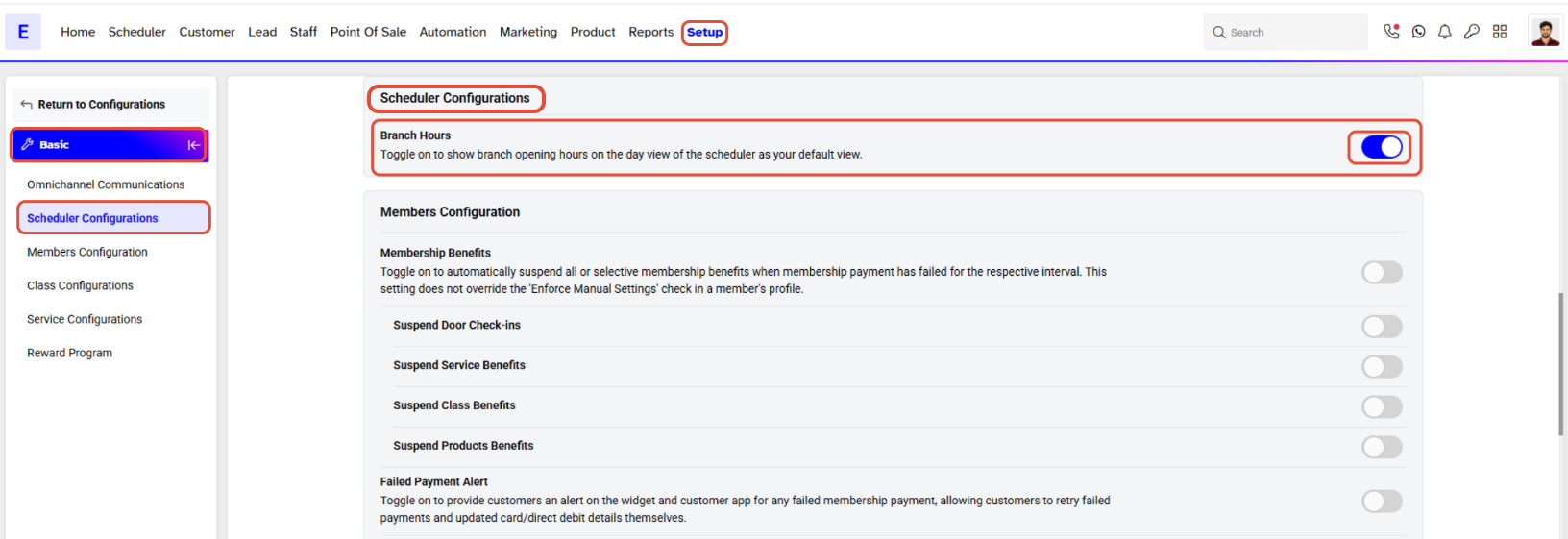
Branch Opening Hours show only on the Day View and not on the Weekly and Monthly View of the Scheduler.
Step 4: Save Changes
- Once you have updated the settings, click on the Save button to confirm.