TABLE OF CONTENTS
Overview
This guide explains how to display the current stock of products on the Widget and Customer App. By enabling this feature, merchants can provide customers with real-time visibility into product availability.
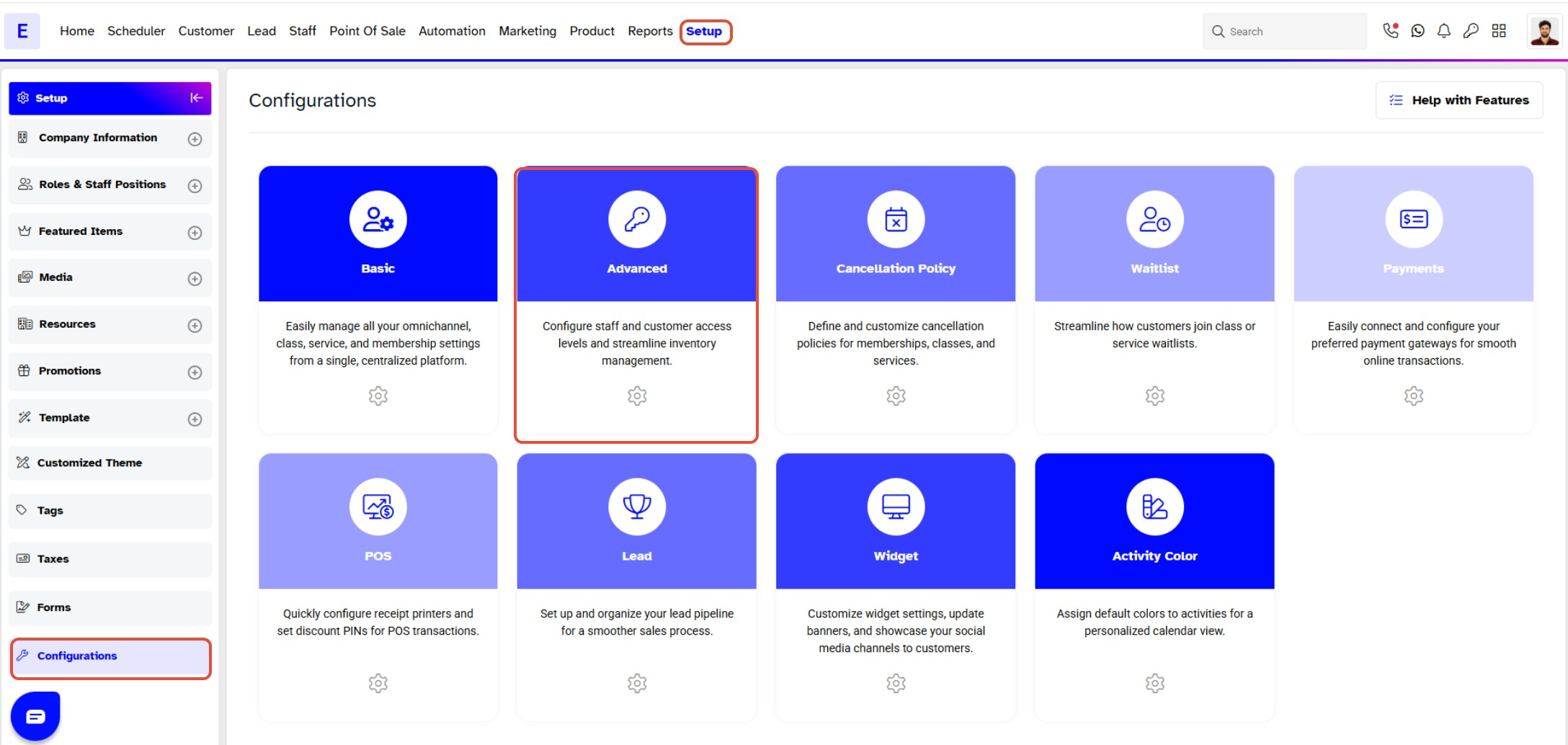
Step 1: Navigate to Configurations
- Go to the Setup module in Core.
- Click on the Configurations tab.
- Select the Advanced tab.
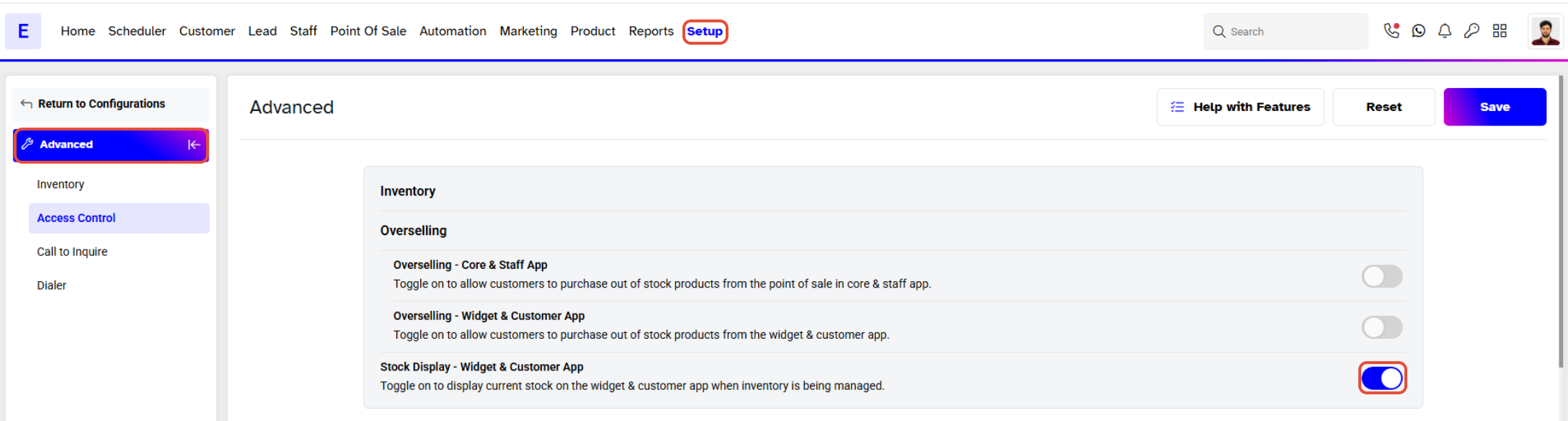
Step 2: Enable Display Stock
- Locate the Display Stock button within the Advanced tab.
- Toggle the Display Stock button to ON.
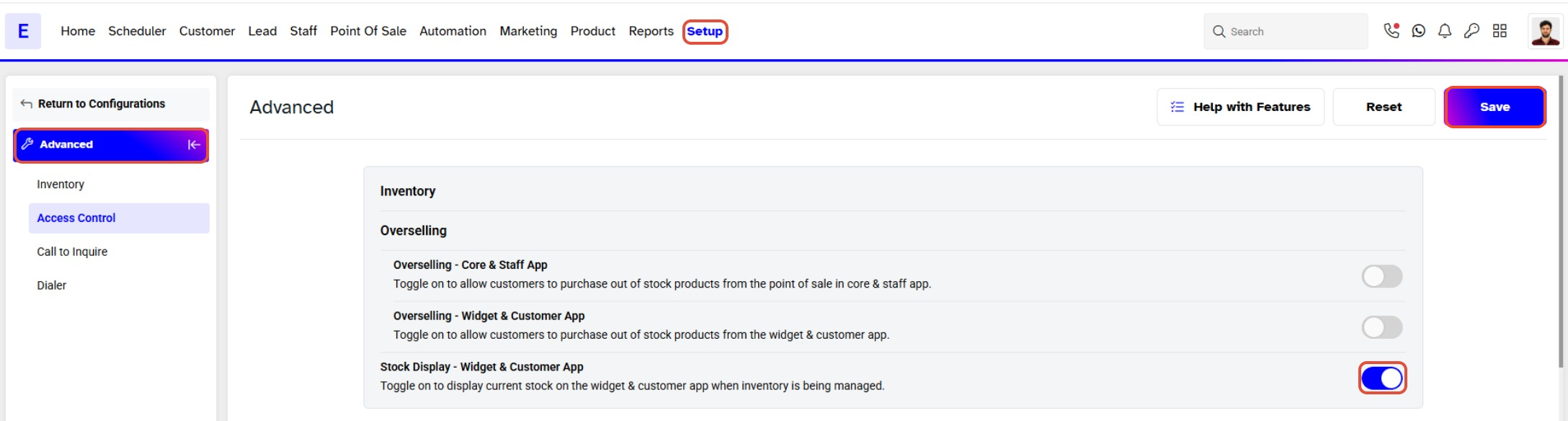
Step 3: Save Changes
- Click on the Save button to apply your changes.
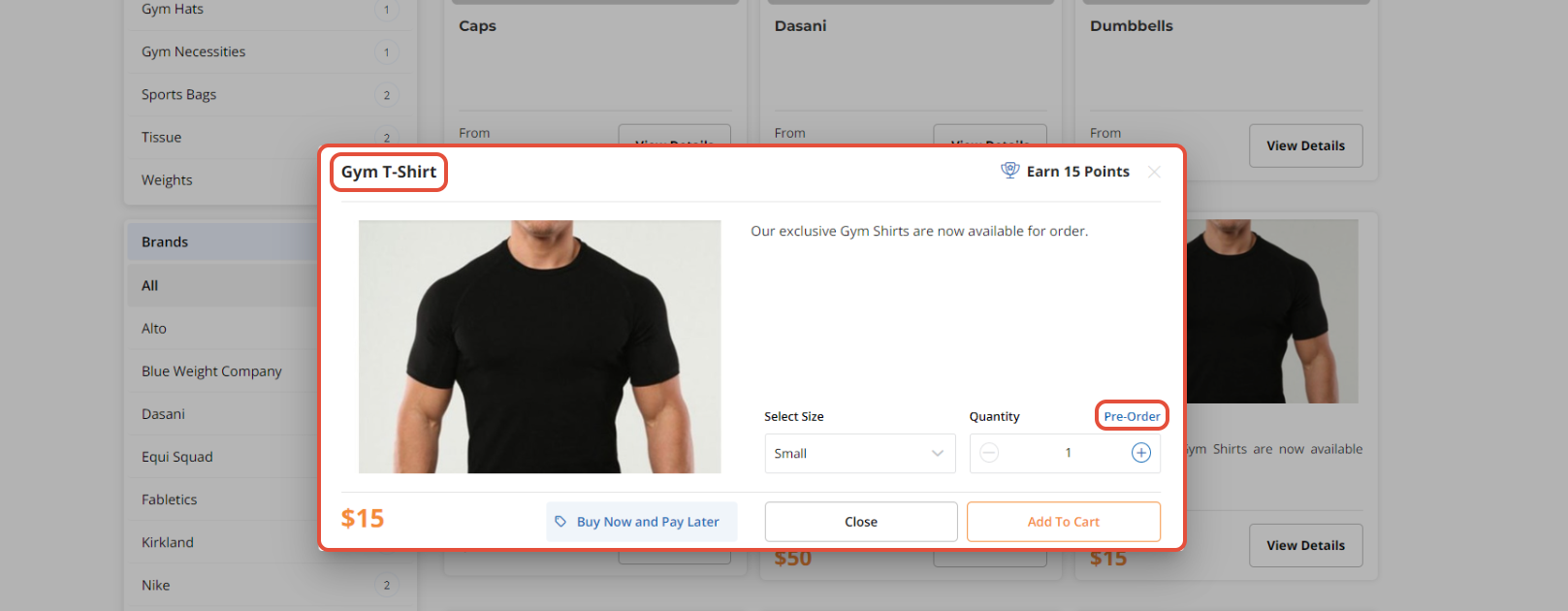
The Display Stock Feature shows the Current Stock of a Product on the Widget and Customer App.
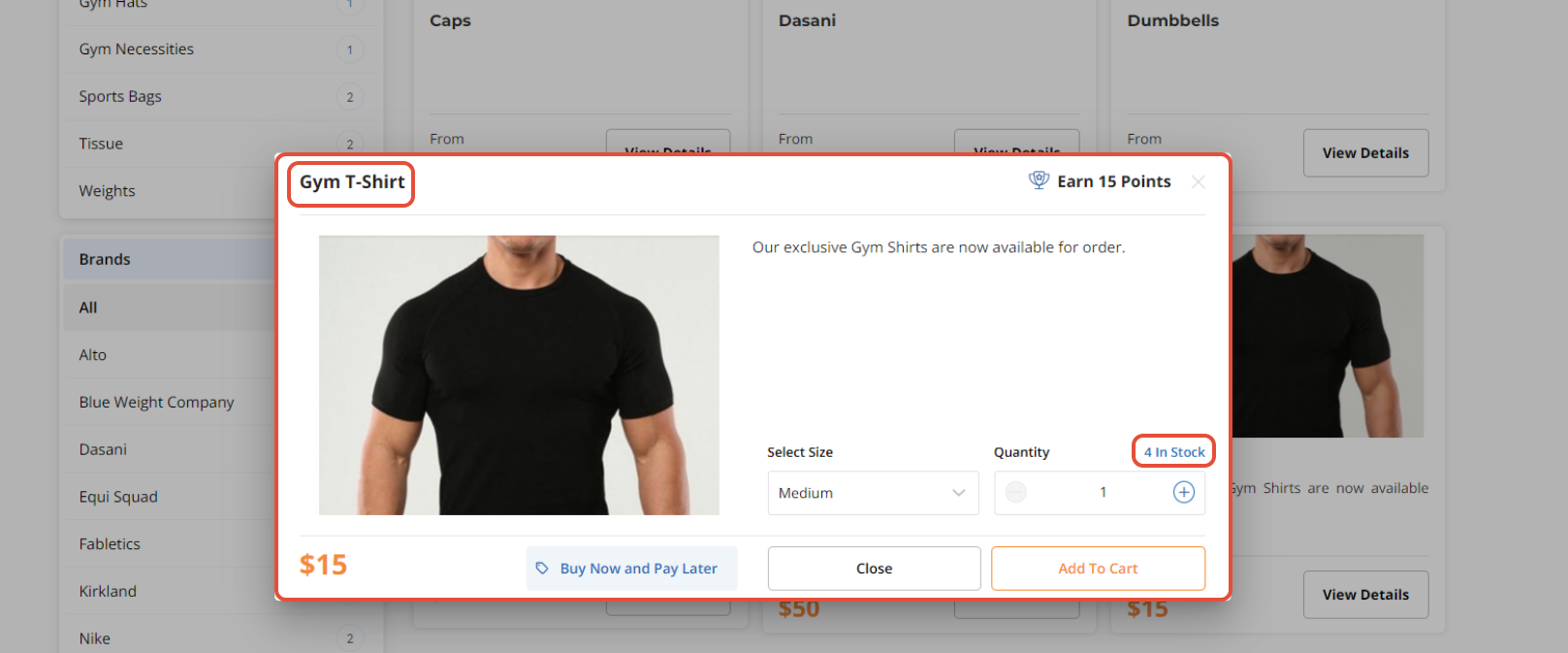
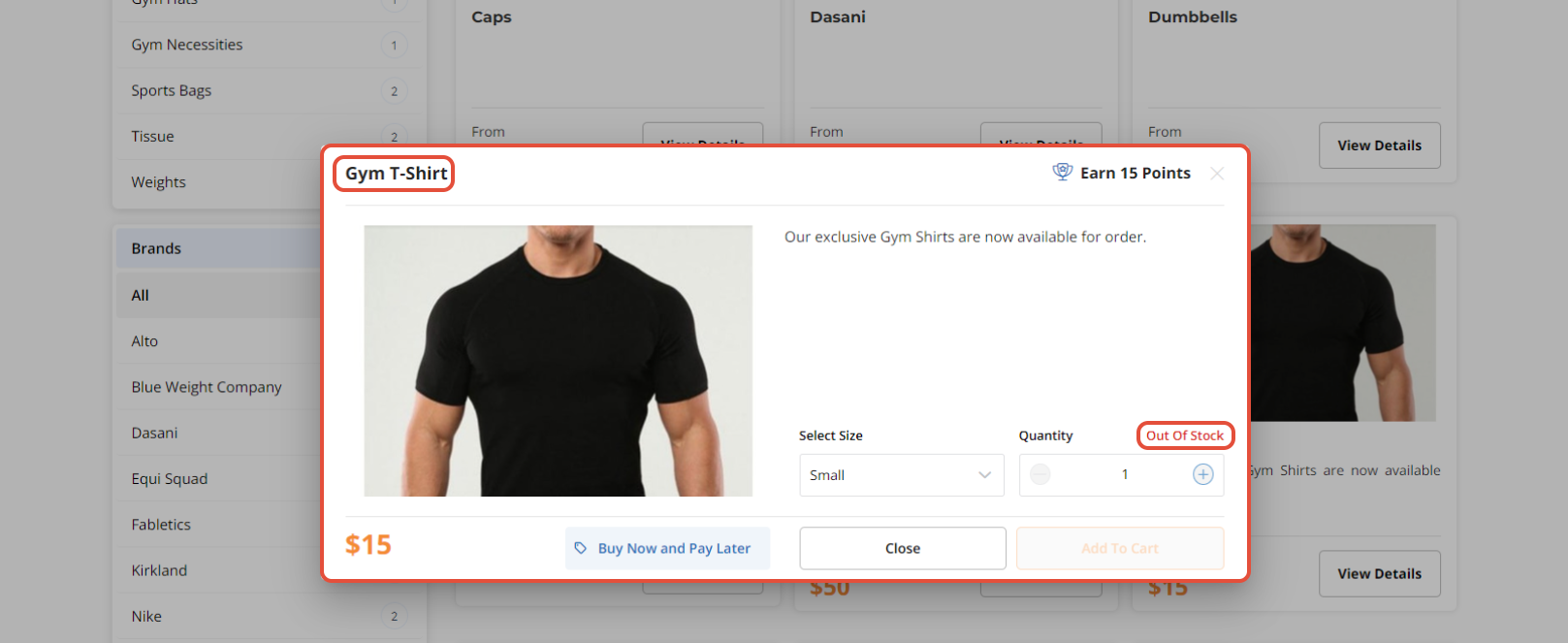
If the Current Stock of a Product is 0, then Out Of Stock will be displayed next to the Product.
If the Current Stock is 0 and Overselling is allowed, then Pre-Order will appear next to the Product.