
TABLE OF CONTENTS
Overview
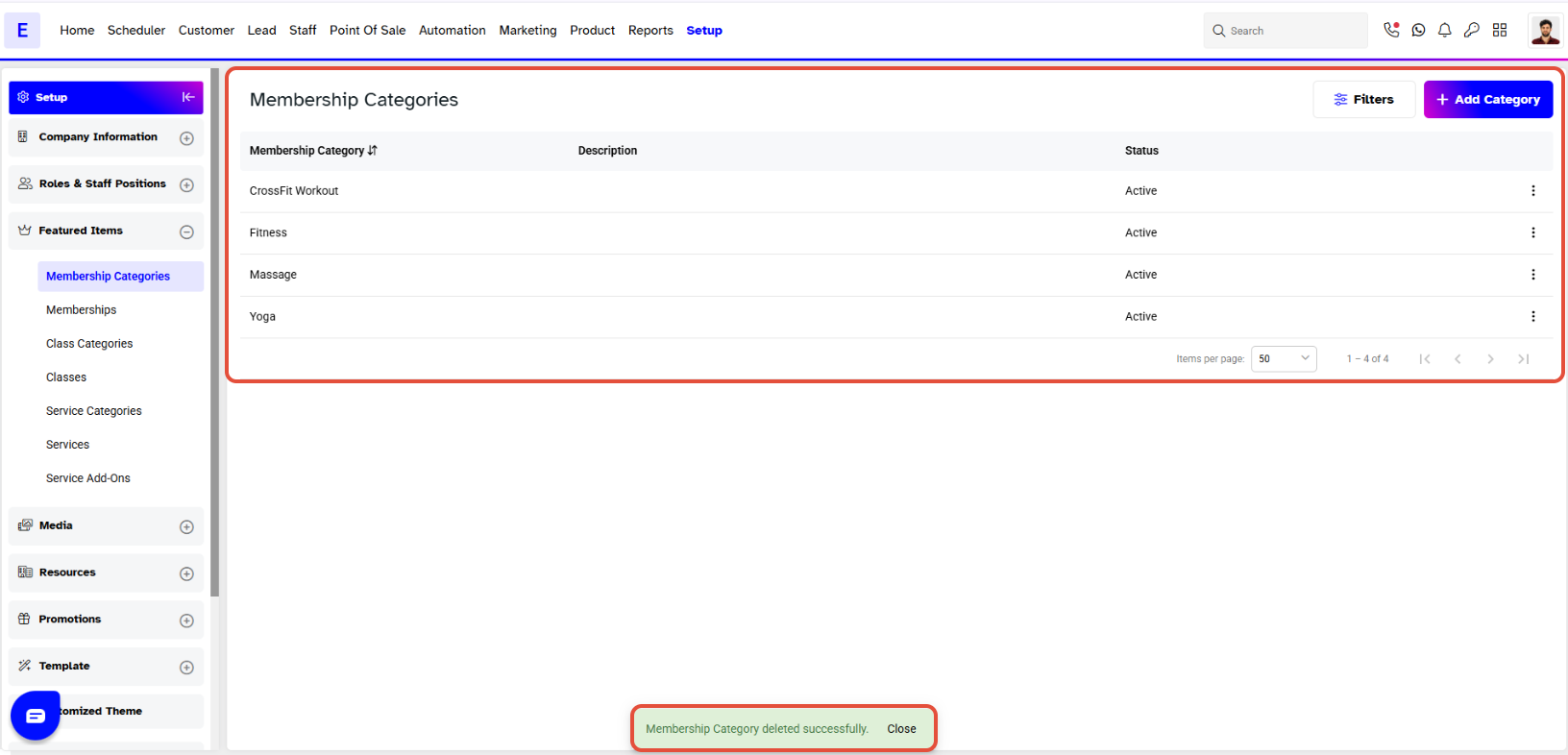
This guide explains how to delete a Membership Category in Core. By following these steps, merchants can remove unnecessary categories, ensuring they are no longer visible in the system.
Step 1: Navigate to Membership Categories
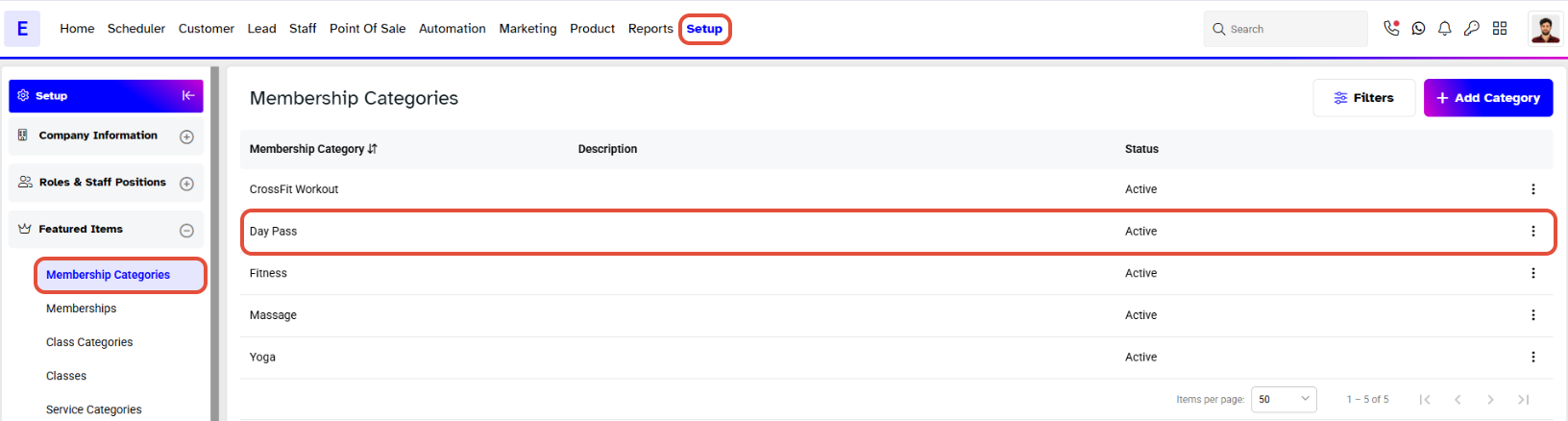
- Go to the Setup module in Core.
- Click on Memberships and select Categories from the dropdown box.
Step 2: Delete the Category
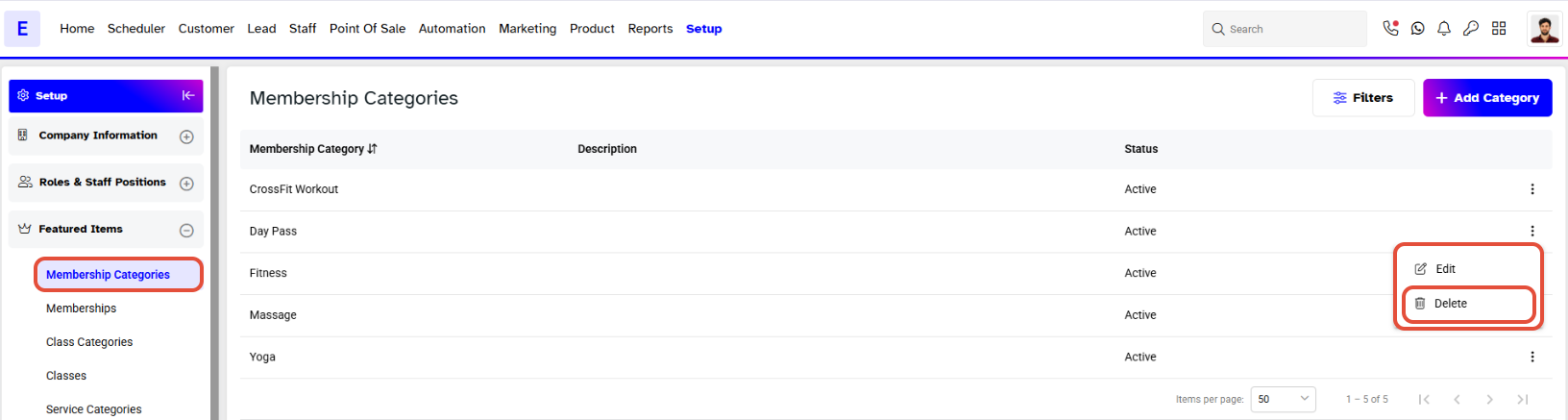
- Locate the Membership Category you wish to remove.
- Click on the Bin icon against that Membership Category.
Step 3: Confirm Deletion
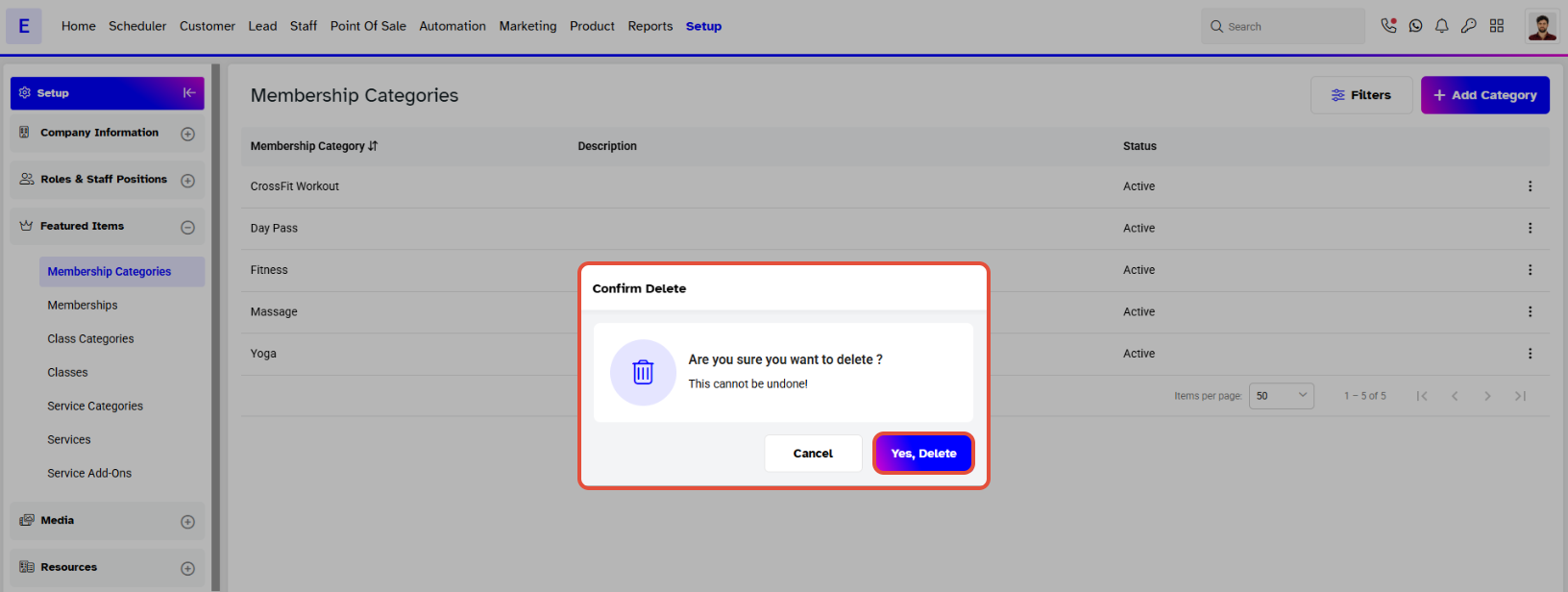
- A confirmation prompt will appear. Click on the Yes Delete button to confirm.
- Once confirmed, the Membership Category will be deleted and will no longer be visible.