
TABLE OF CONTENTS
- Step 1: Navigate to Memberships
- Step 2: Access Membership Settings
- Step 3: Modify Purchase Restrictions
- Step 4: Save Changes
Overview
This guide explains how to remove a purchase restriction from a membership in Core. By following this guide, merchants can update their membership settings to modify which customer types are restricted from purchasing specific memberships
Step 1: Navigate to Memberships
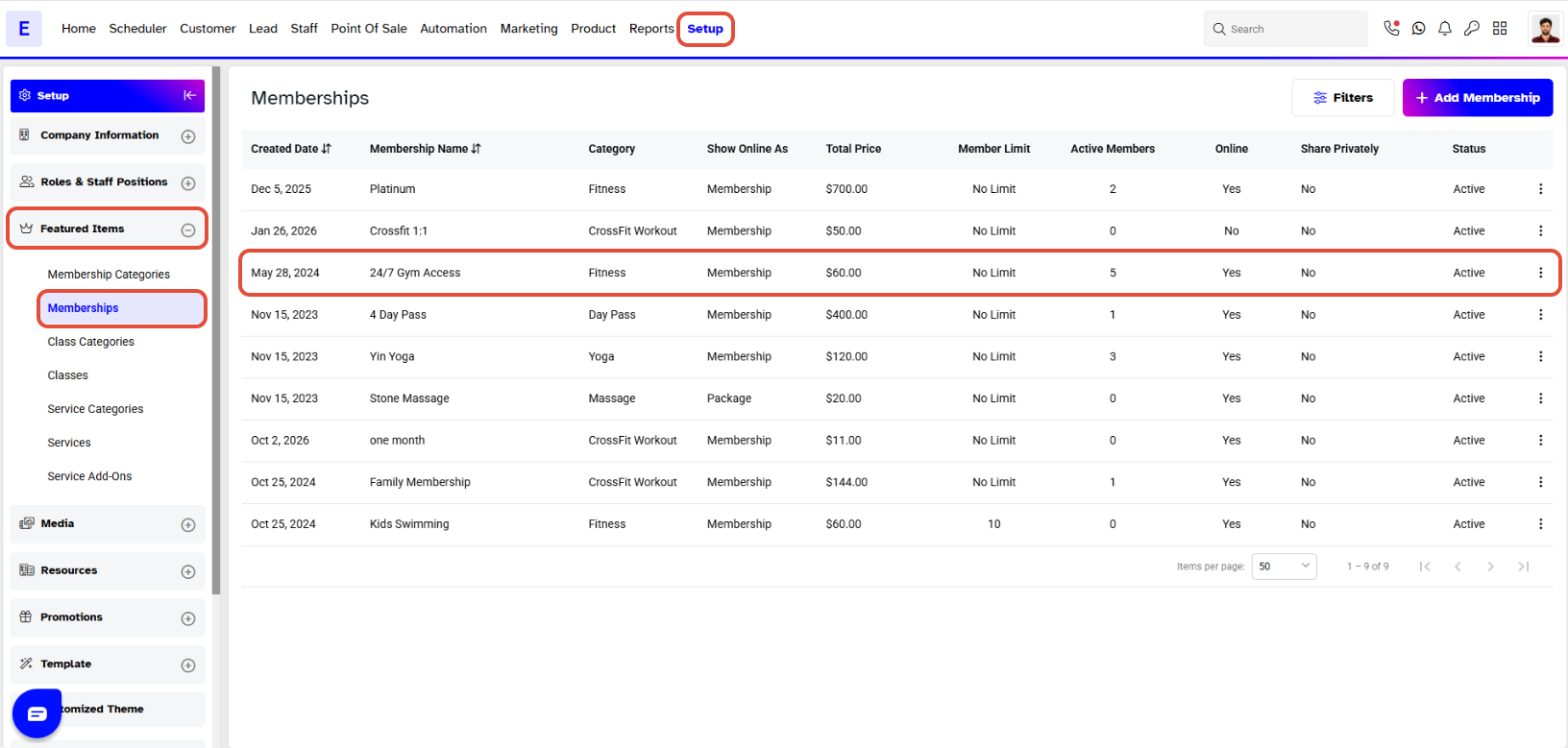
- Go to the Setup module in Core.
- Click on the Memberships tab.
- Select Memberships from the tab options.
Step 2: Access Membership Settings
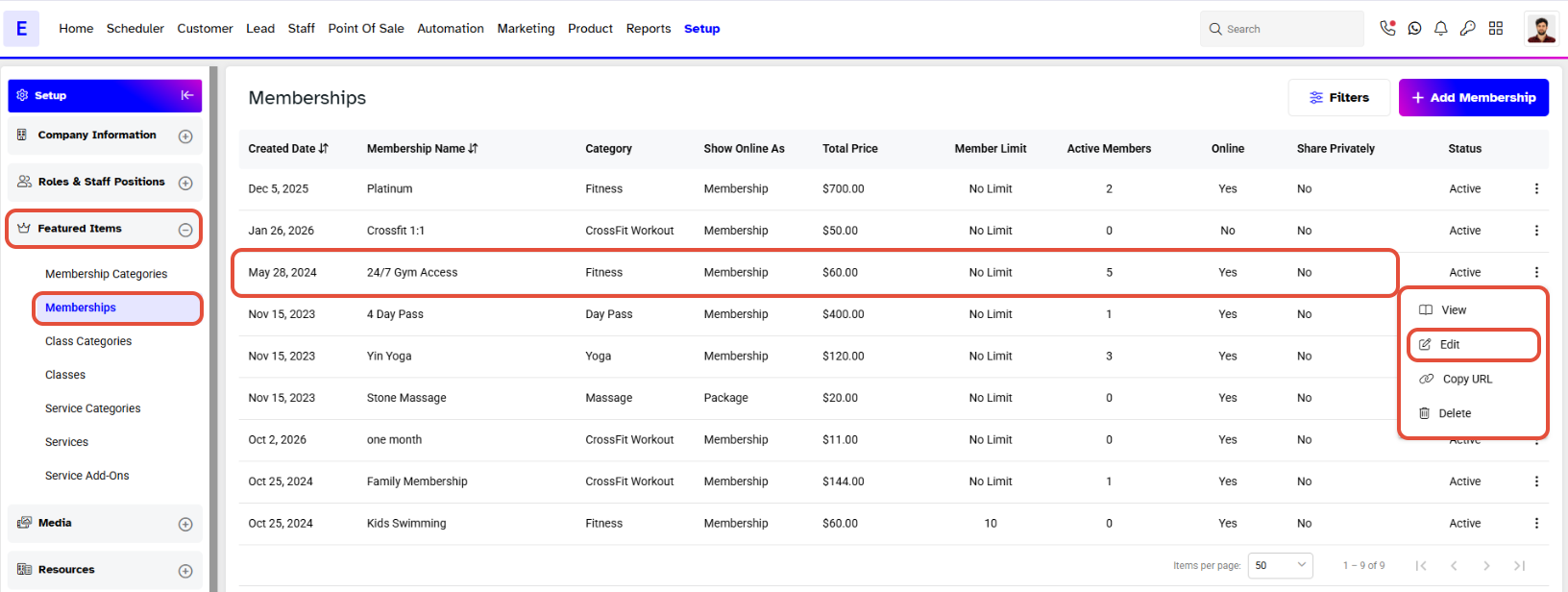
- Locate the specific membership with the active purchase restriction.
- Click on the Edit icon against that membership.
Step 3: Modify Purchase Restrictions
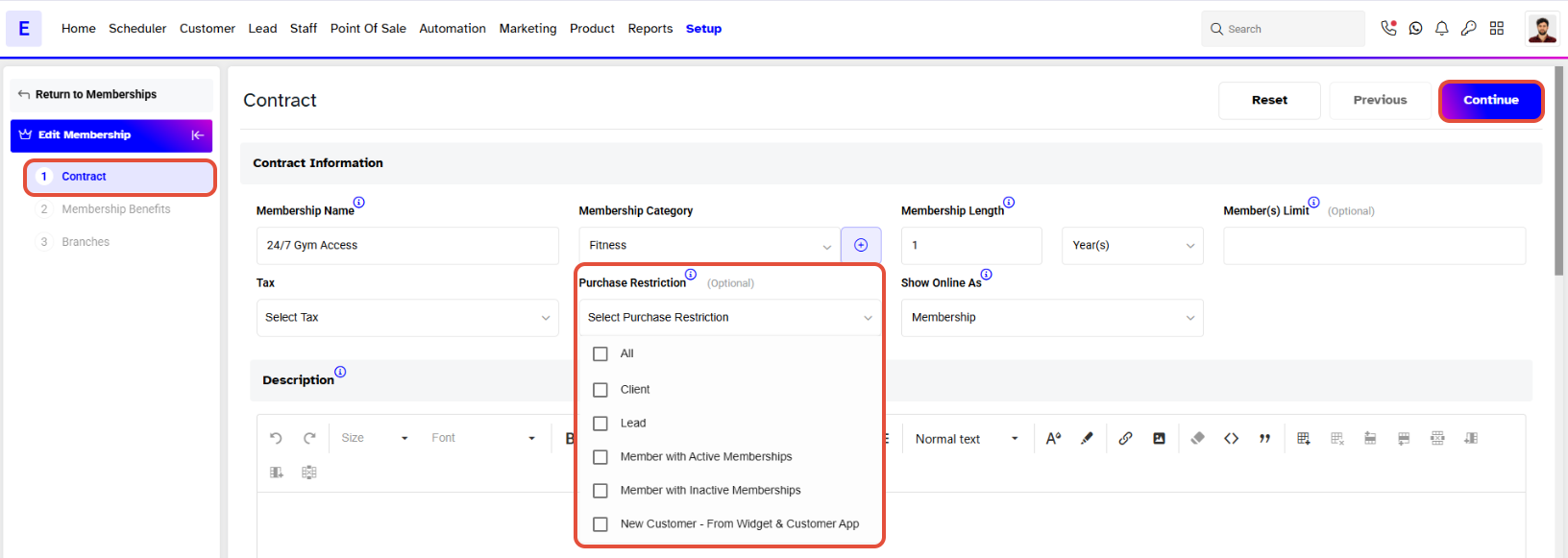
- Click on the Purchase Restriction dropdown menu.
- Uncheck the desired customer types from the list to remove them from the restriction.
Step 4: Save Changes
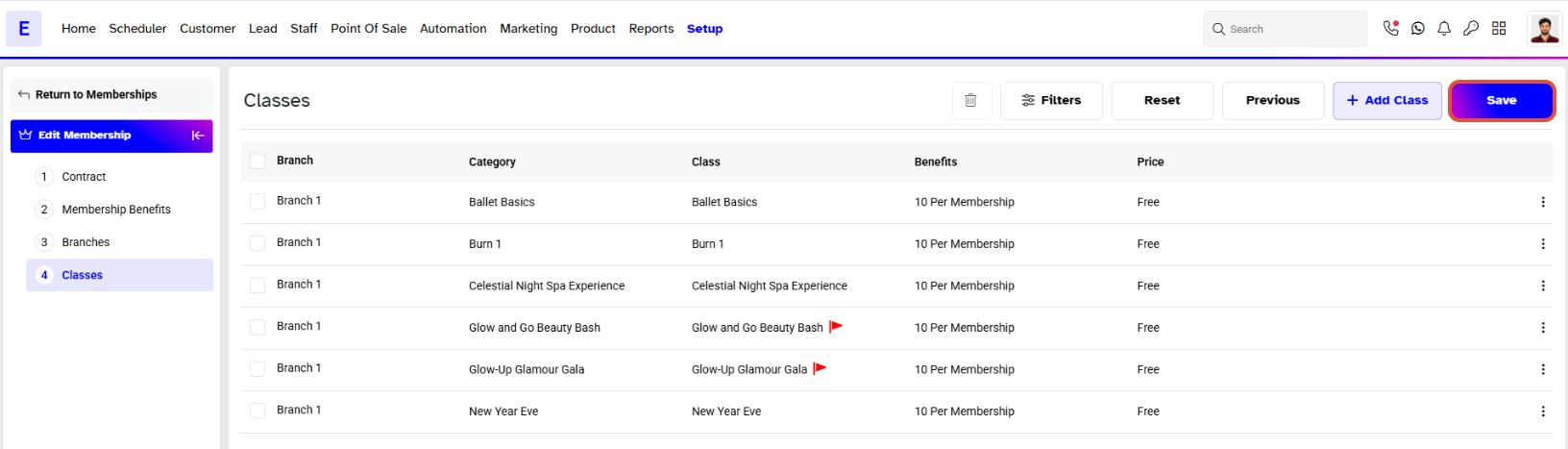
- Once the changes have been made, click on the Save button to confirm them.