TABLE OF CONTENTS
To Change the Collection Date of a Membership, follow the steps below:
Change The Collection Date When Processing a Membership
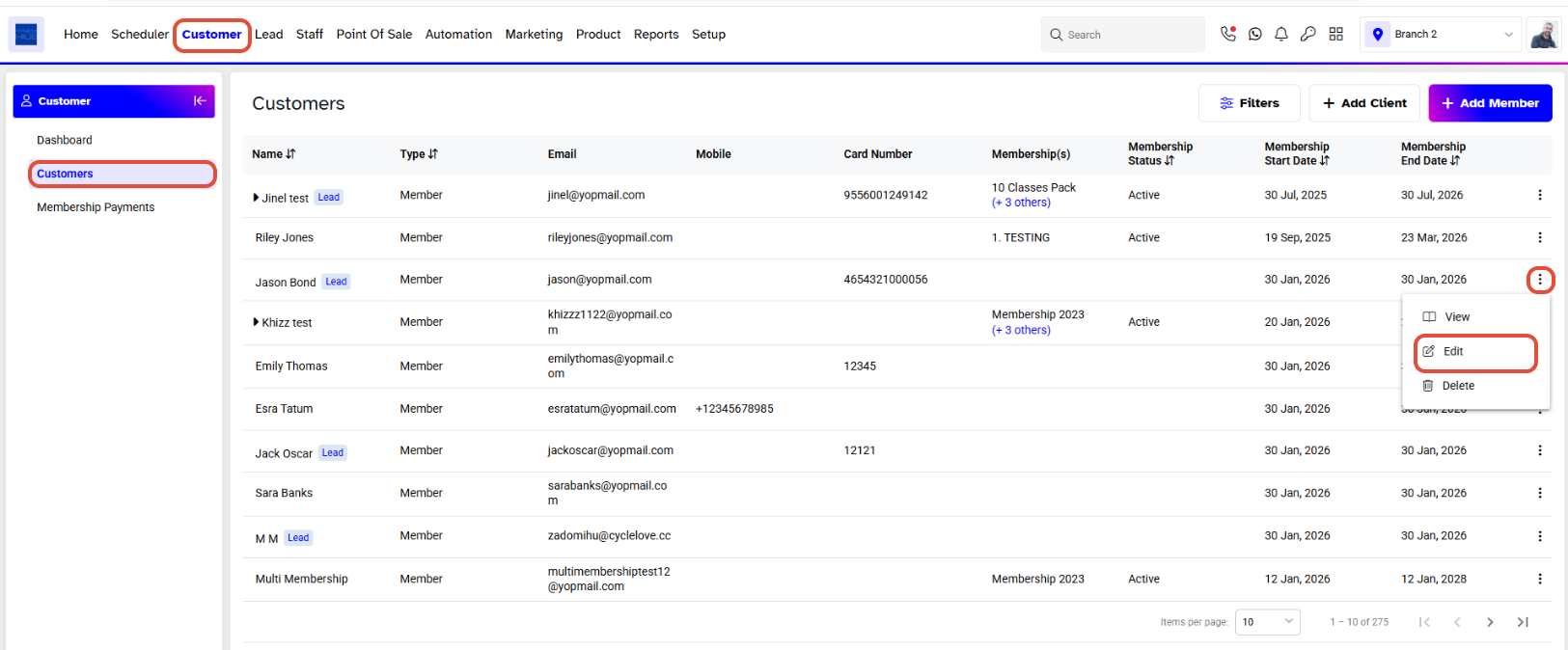
Go to the Customer Module and click on the Edit Icon against a Customer.
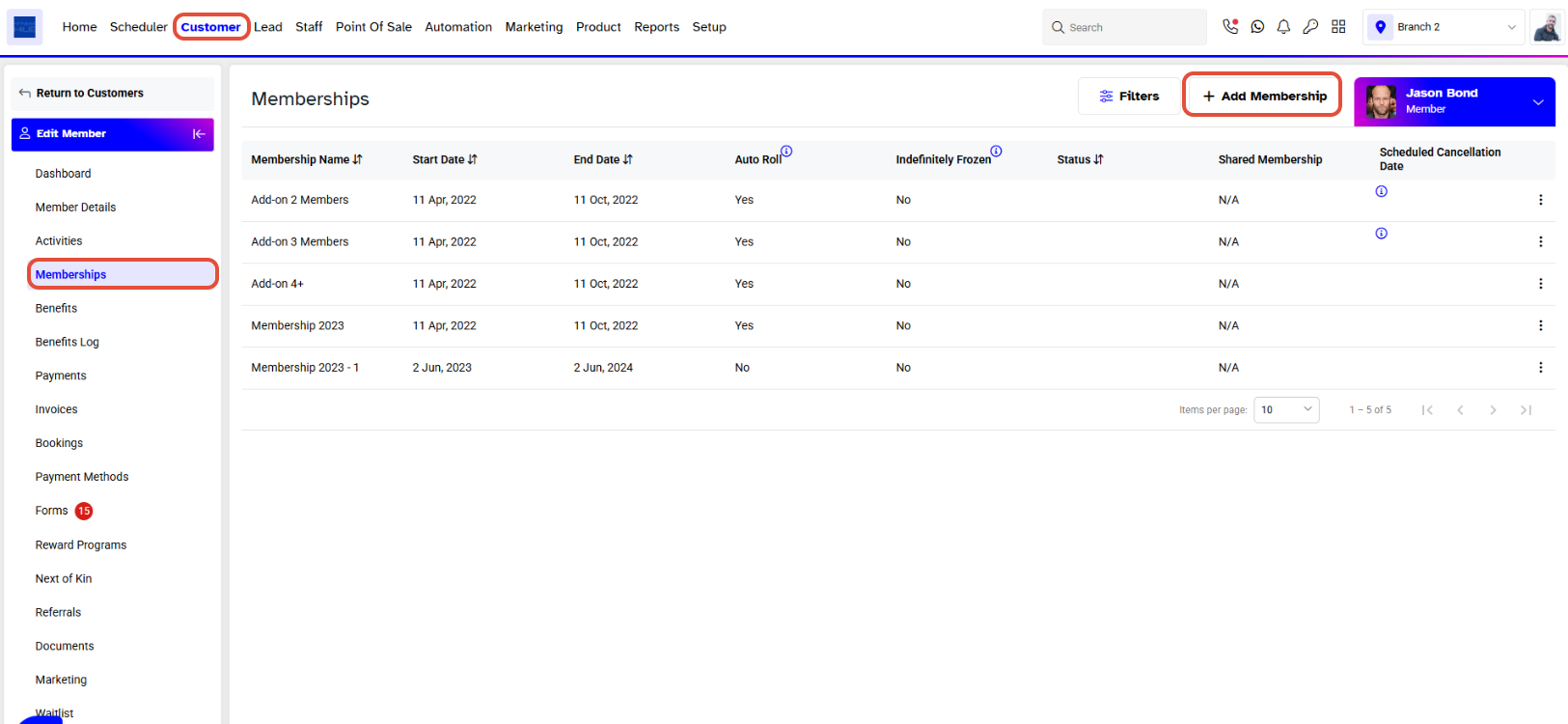
Click on the Add Membership Button under the Memberships Section.
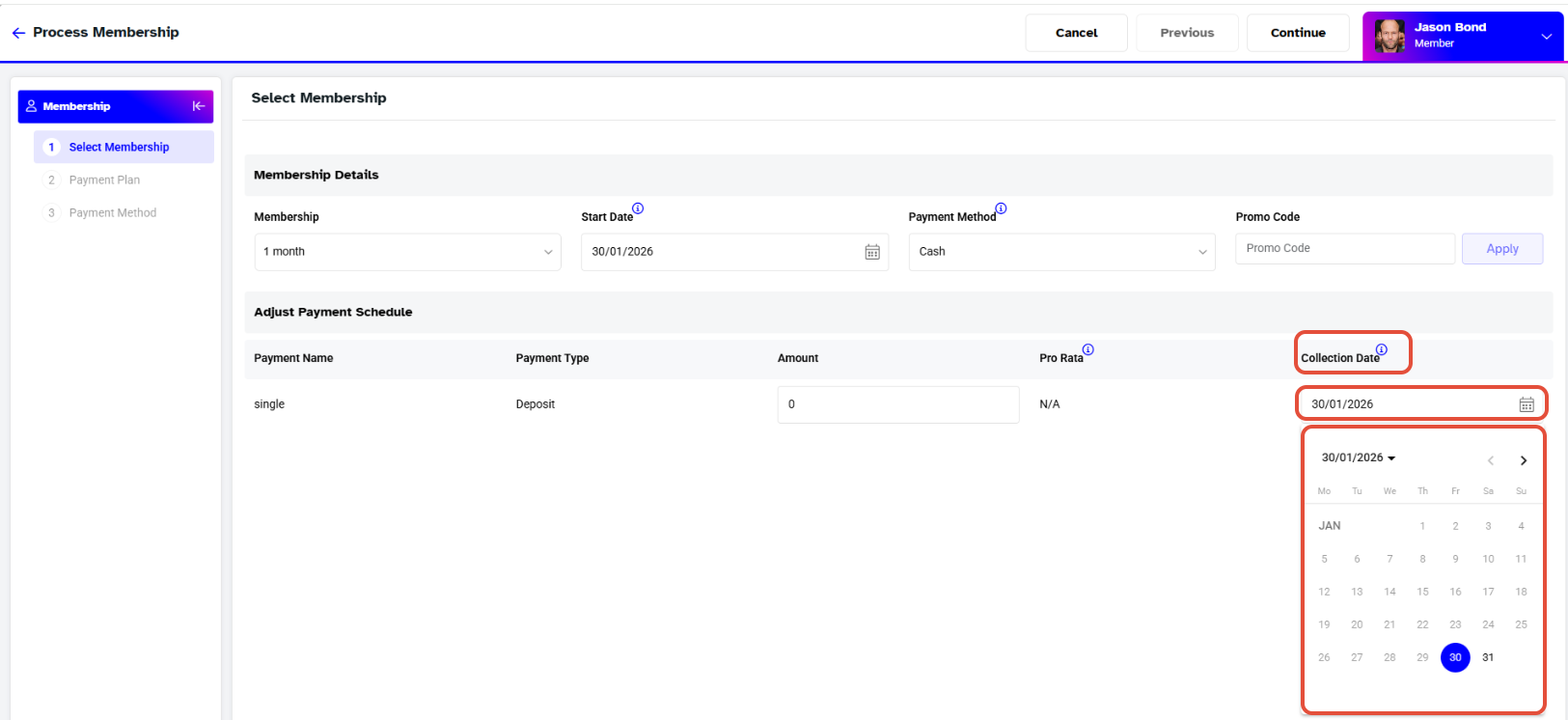
Select a Membership and click on the Collection Date to Change the Date Information.
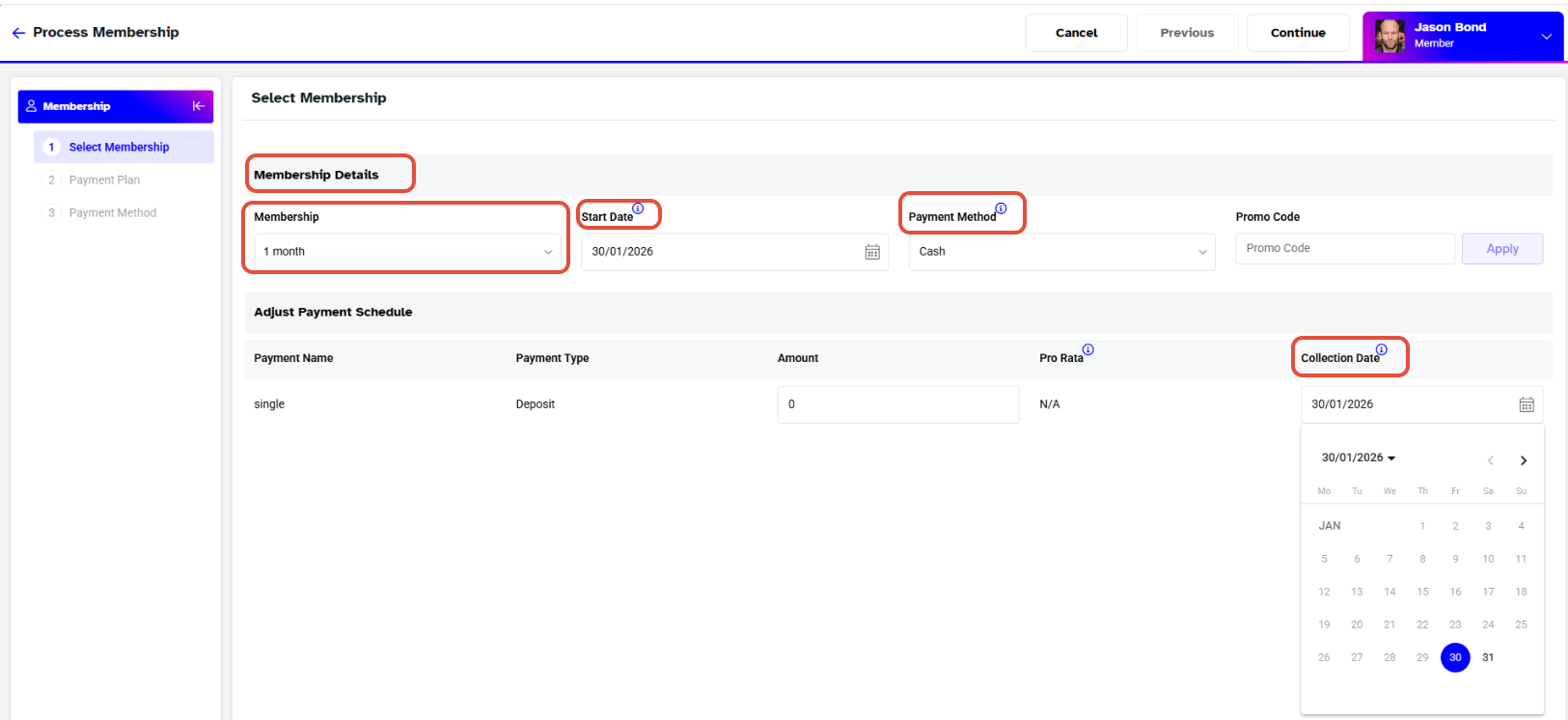
Change the Dates from the Date Pop-Up Box.
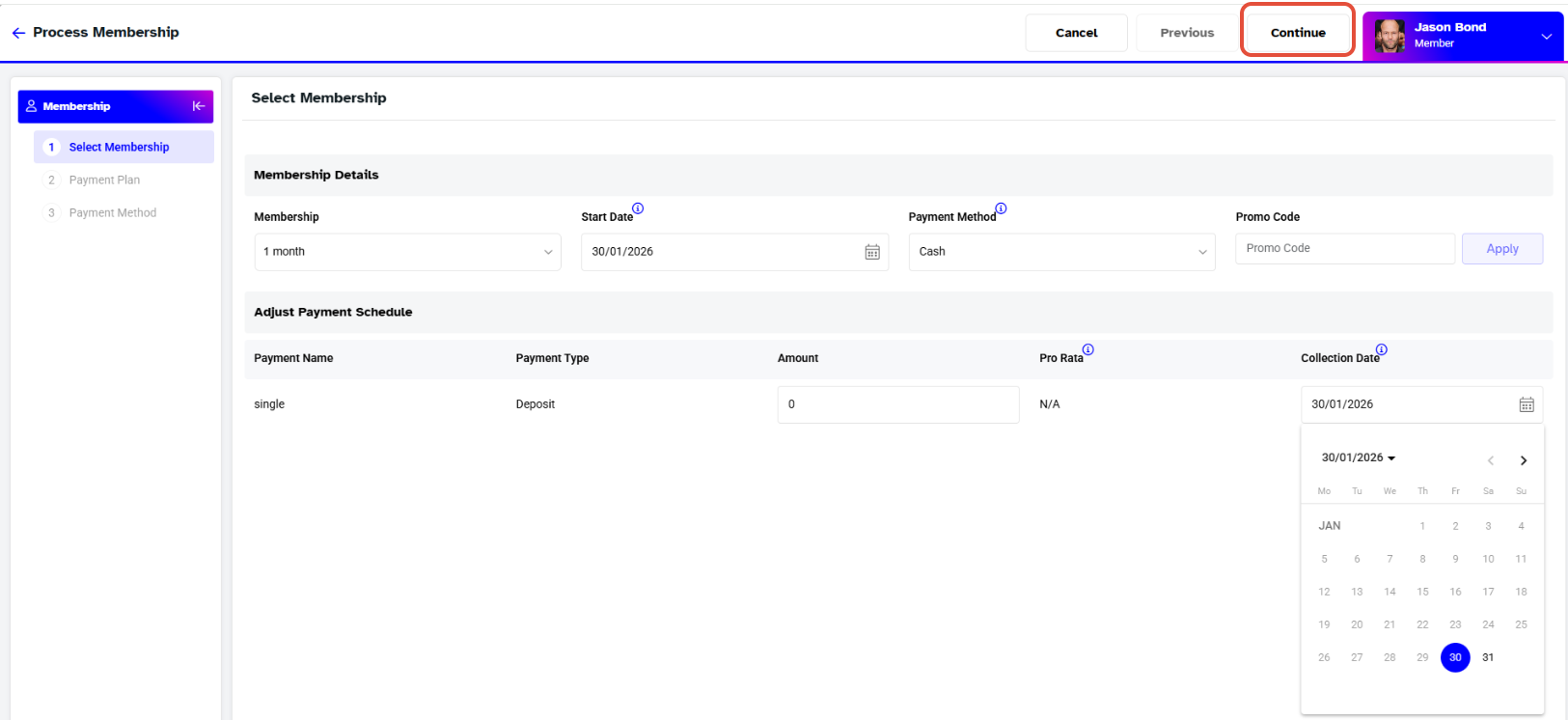
After the Collection Date has been Changed, click on the Continue Button.
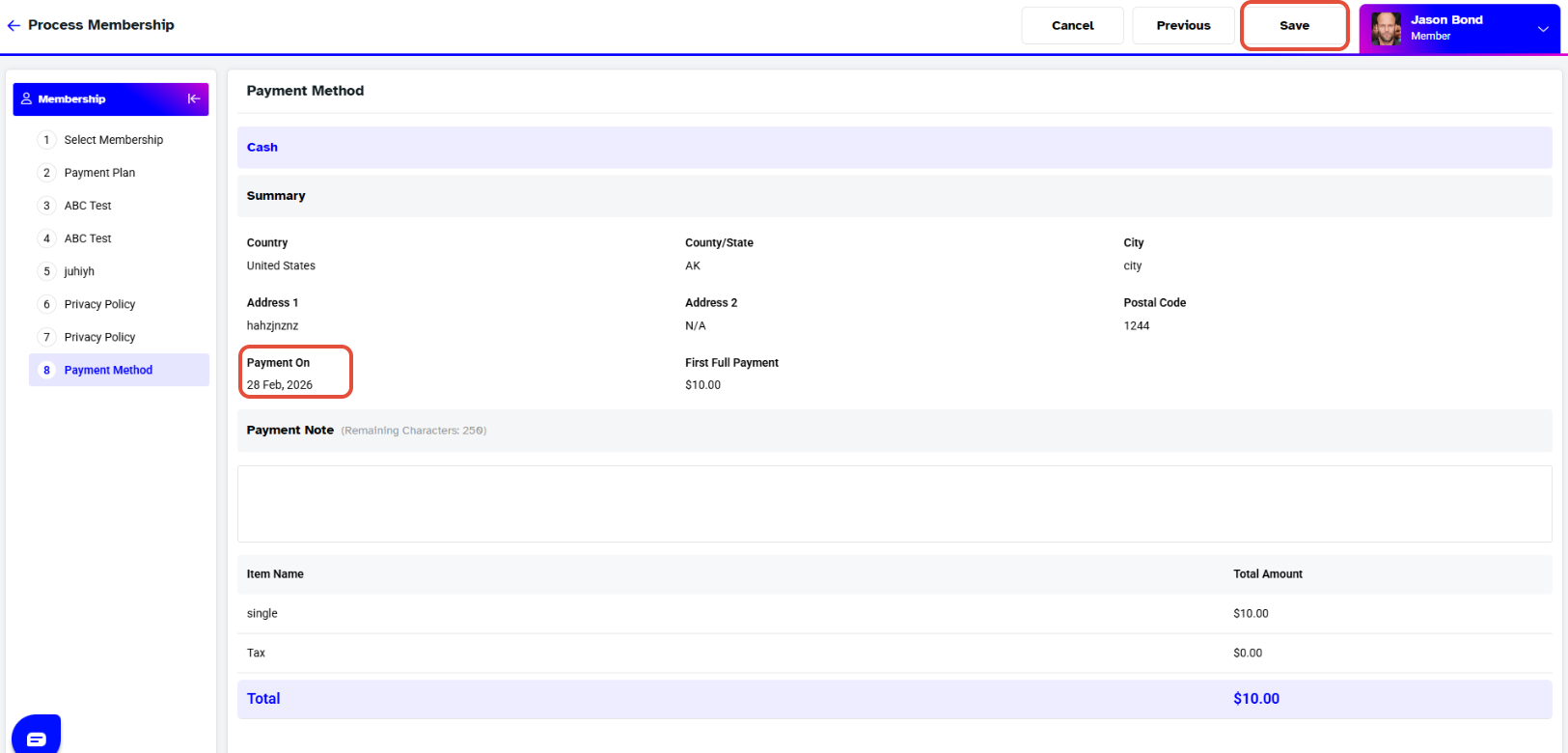
Click on the Save Button against the Membership.