
TABLE OF CONTENTS
- Step 1: Navigate to the Customer
- Step 2: Access Memberships
- Step 3: Select and Adjust Membership
- Step 4: Save the Membership
Overview
This guide explains how to process a membership free of cost against a customer in Core. It covers every step, from navigating to the customer's profile to finalizing the zero-cost membership transaction. By following this guide, merchants can efficiently assign memberships without any charges.
Step 1: Navigate to the Customer
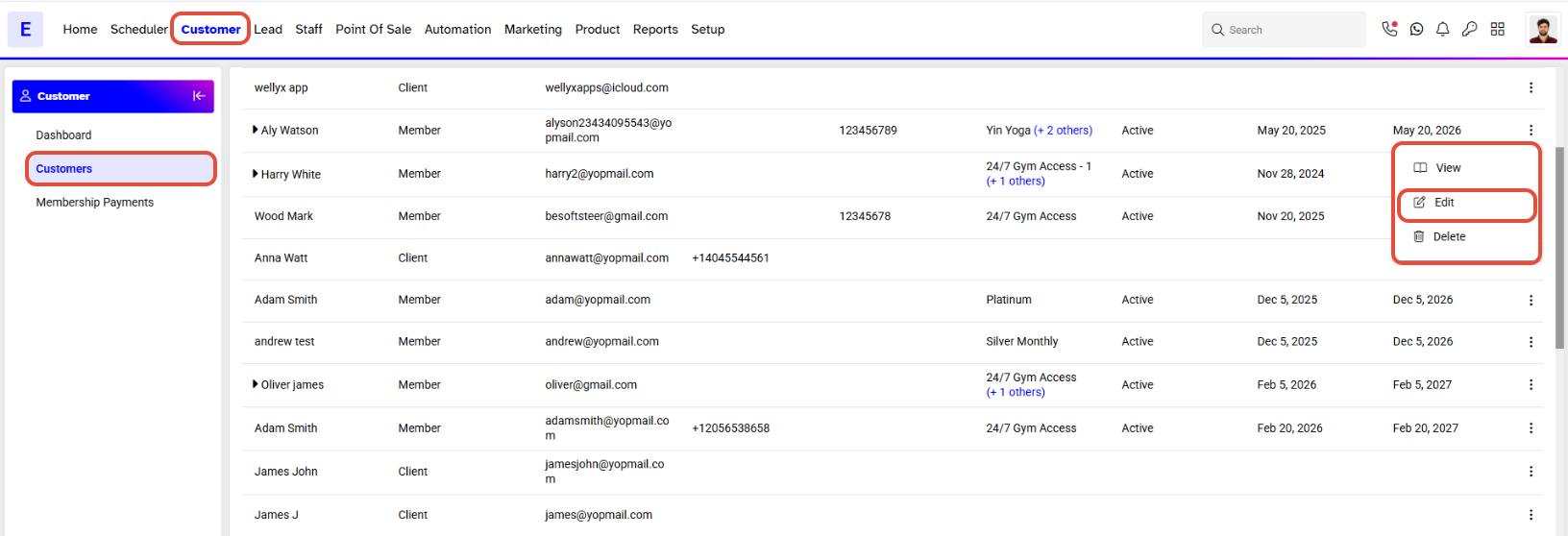
- Go to the Customer module in Core.
- Click on the Edit icon against the desired customer.
Step 2: Access Memberships
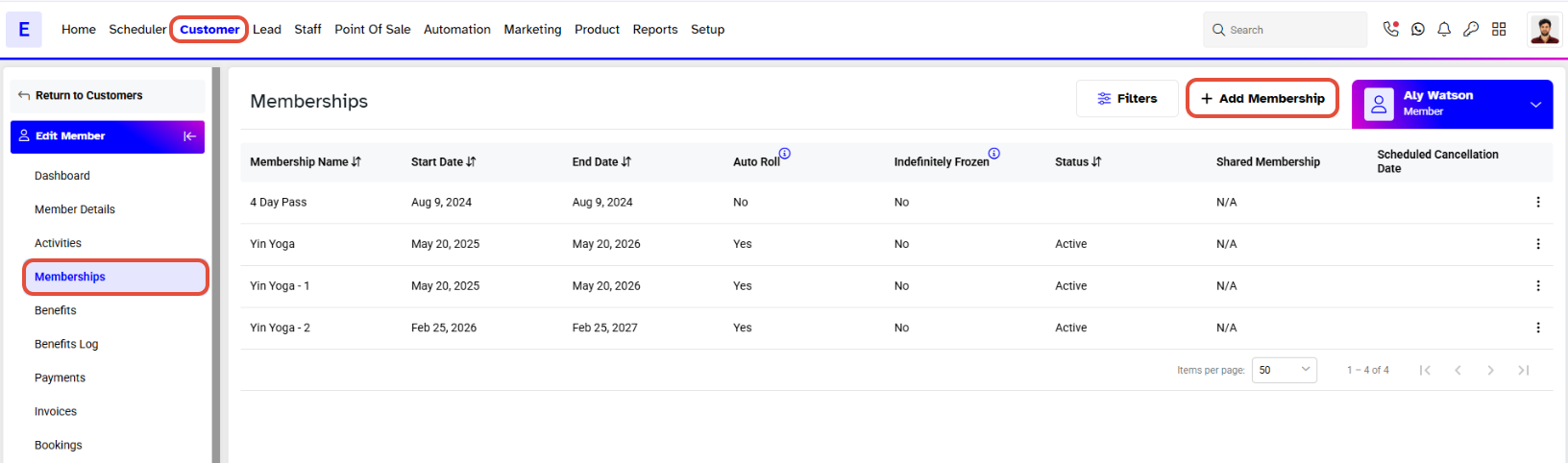
Go to the Memberships section.
Click on the Add Membership button.
Step 3: Select and Adjust Membership
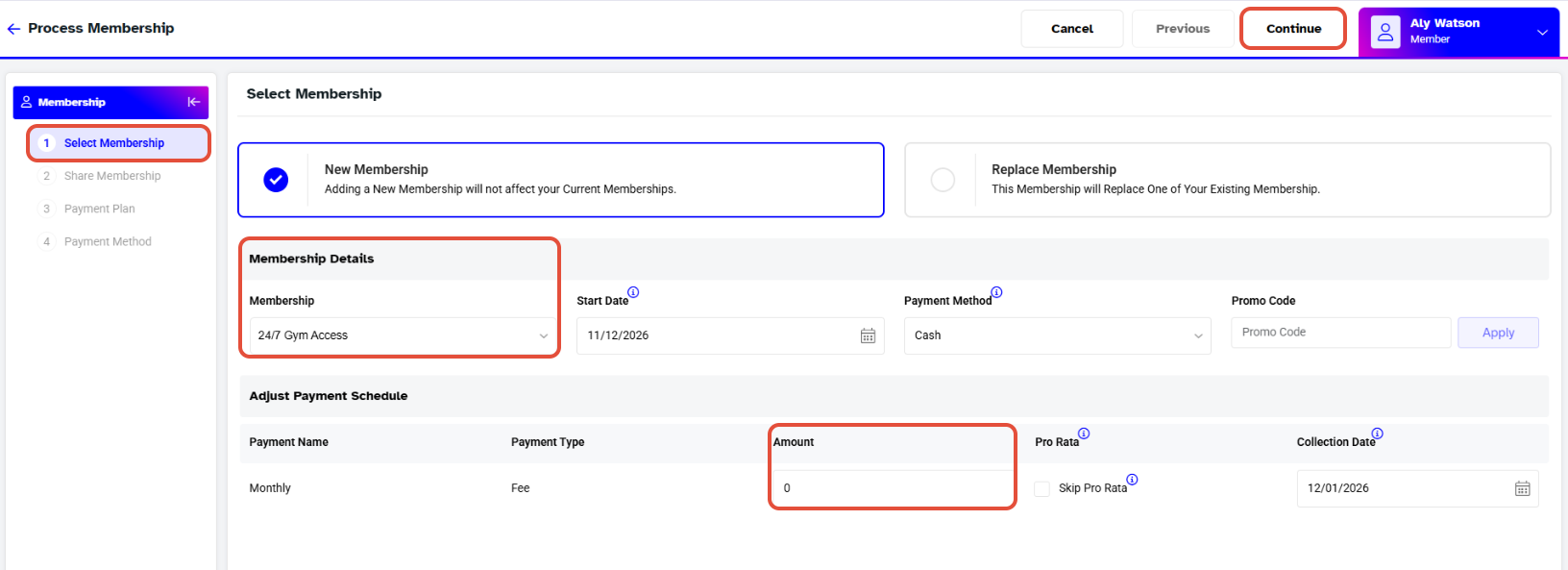
Select the required membership from the dropdown box.
Change the payment information to 0.
Click on the Continue button.
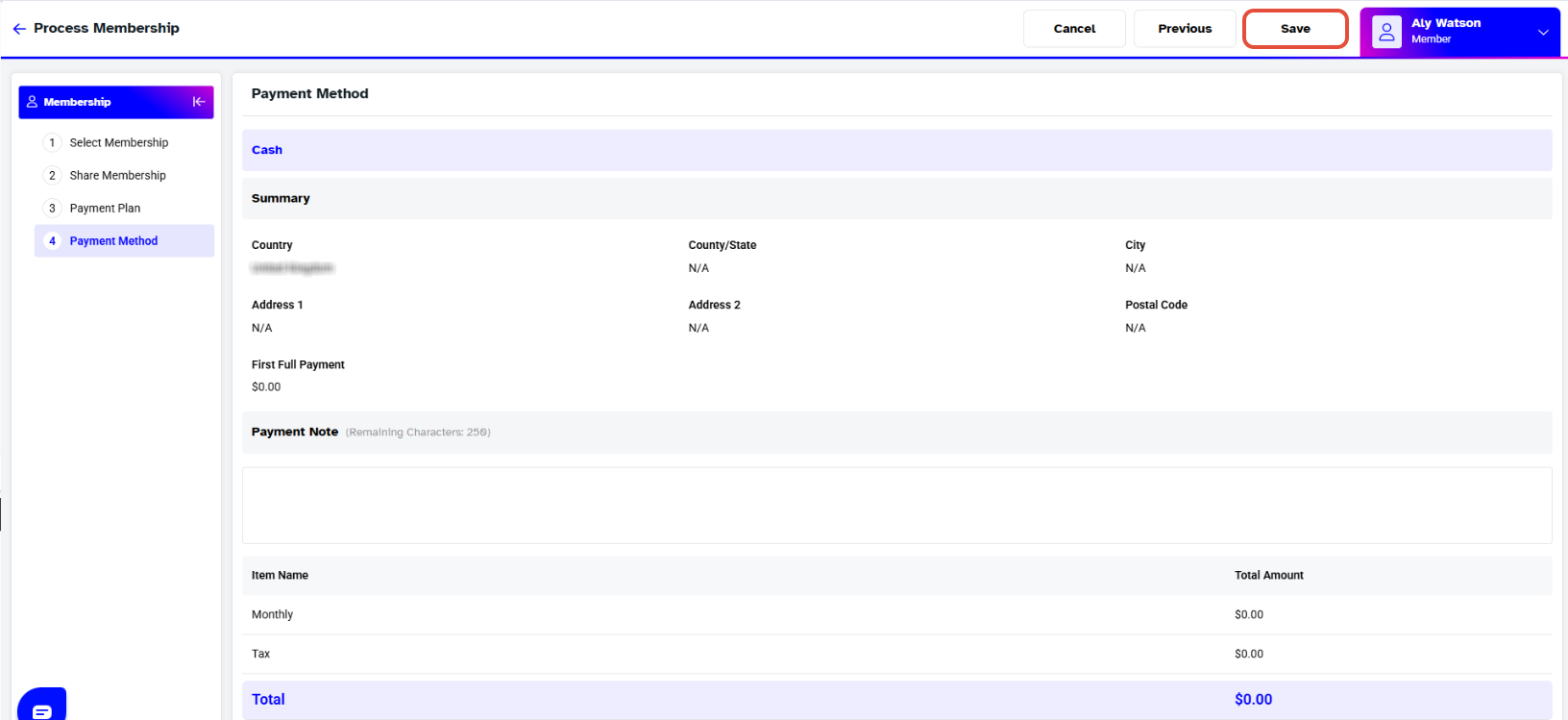
Step 4: Save the Membership
- Save the membership against the customer.