
TABLE OF CONTENTS
Overview
This guide explains how to turn off the "Join Now" option for memberships on widgets and apps. By following this guide, merchants can manage their membership display settings effectively.
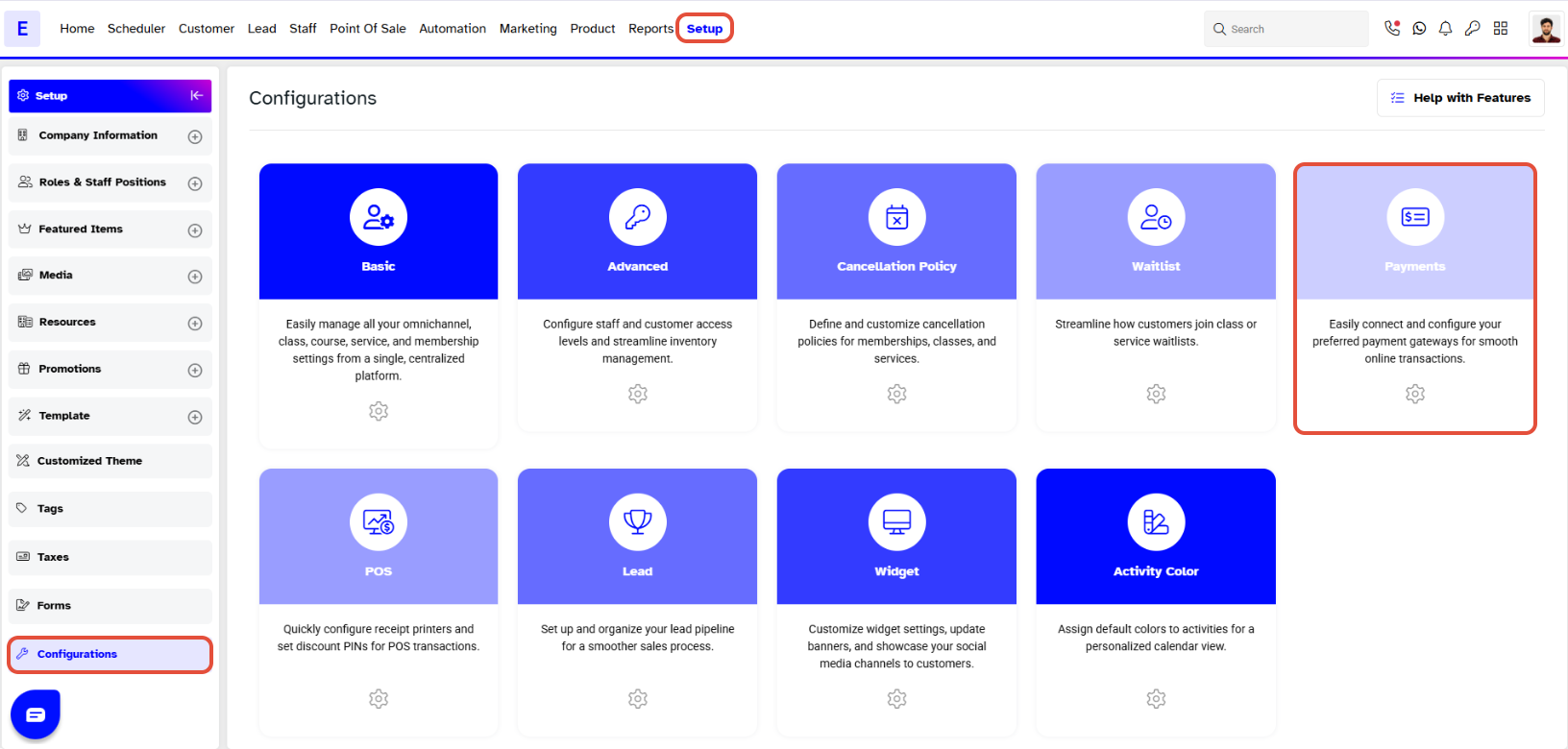
Step 1: Navigate to Configurations
- Go to the Setup module.
- Click on Configurations.
- Click on Payments tab.
Step 2: Configure Membership Payment Settings
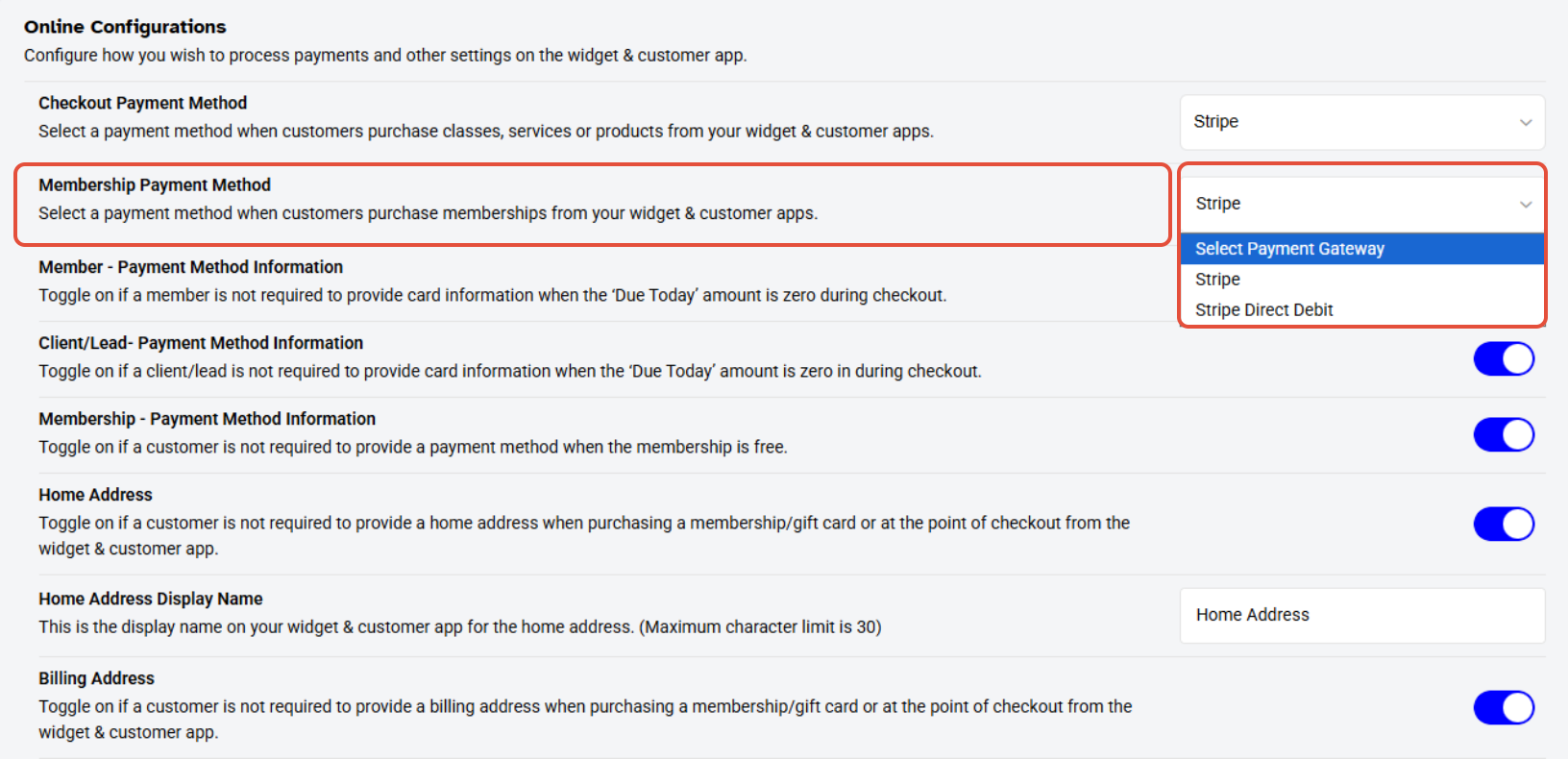
- Go to the Online Payment Configurations section.
- Click on the Membership Payment Method Dropdown Box.
- Click on the Select Payment Gateway option.
Step 3: Save Changes
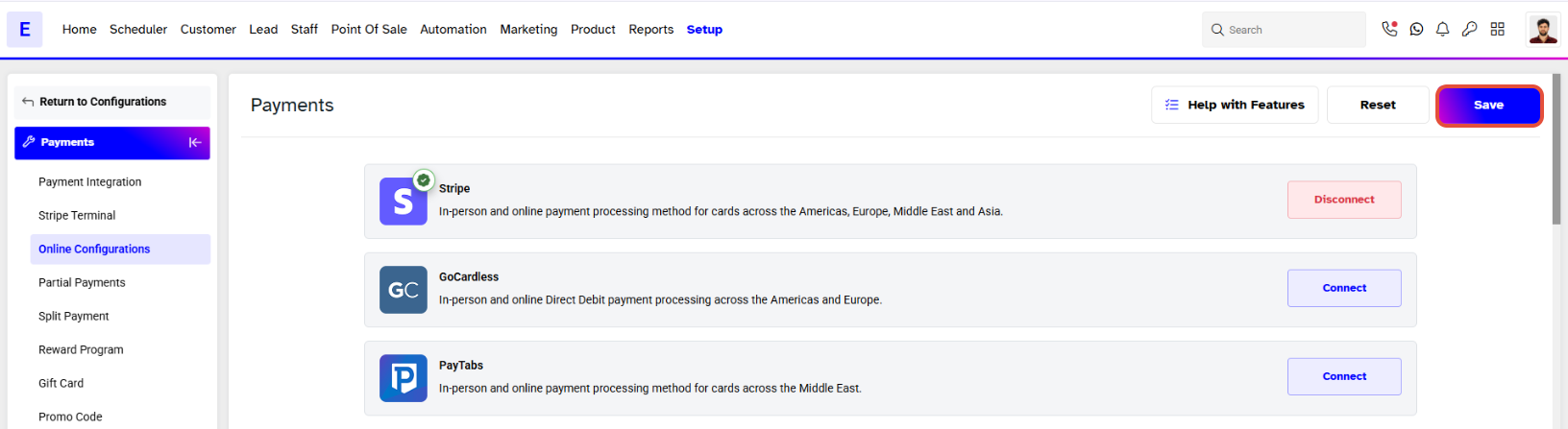
- Once the selection is made, go to the top of the screen.
- Click on the Save button to confirm the changes made.