
TABLE OF CONTENTS
Overview
This guide explains how to make a Membership inactive in Core. It covers every step, from navigating to the Membership settings to saving the changes. By following this guide, merchants can manage their membership status effectively.
Step 1: Navigate to Memberships
- Go to the Setup module in Core.
- Click on the Memberships tab.
- Locate the desired membership and click on the Edit icon against it.
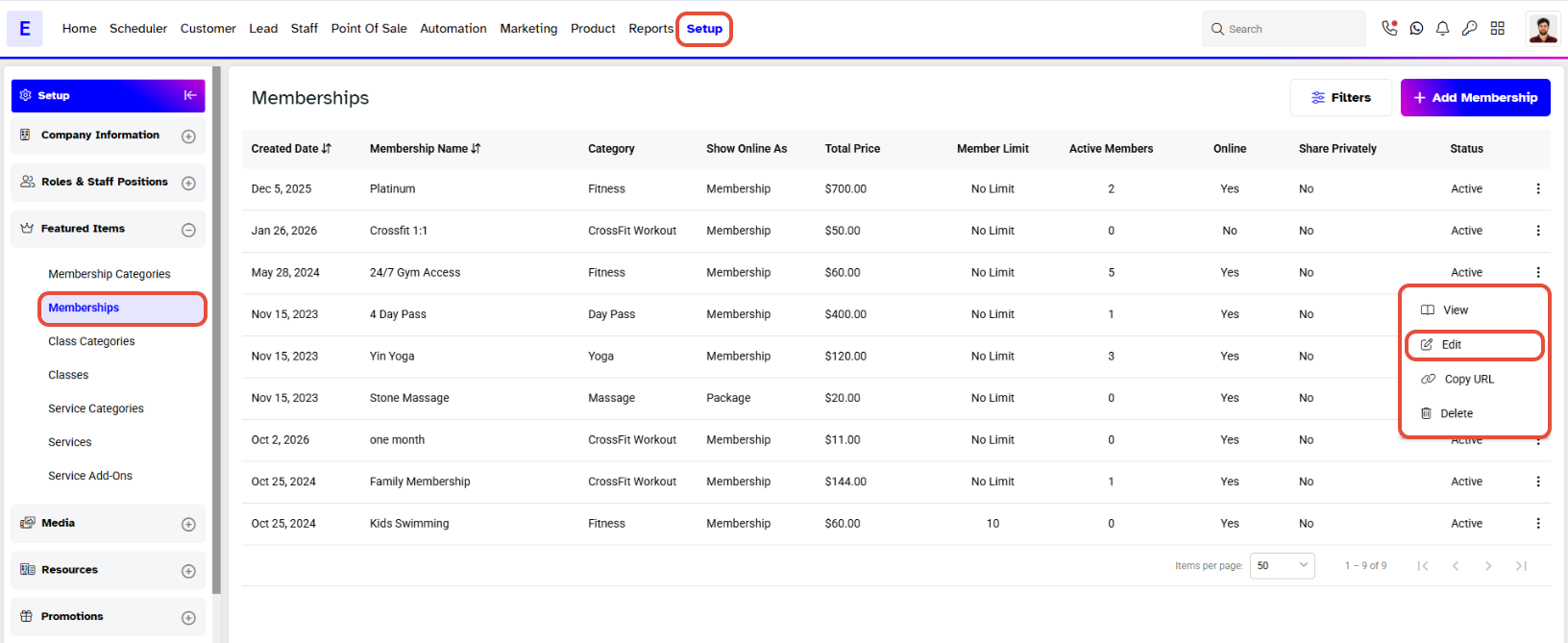
A Membership can only be Inactive if there are No Members Assigned to that Membership.
Step 2: Deactivate the Membership
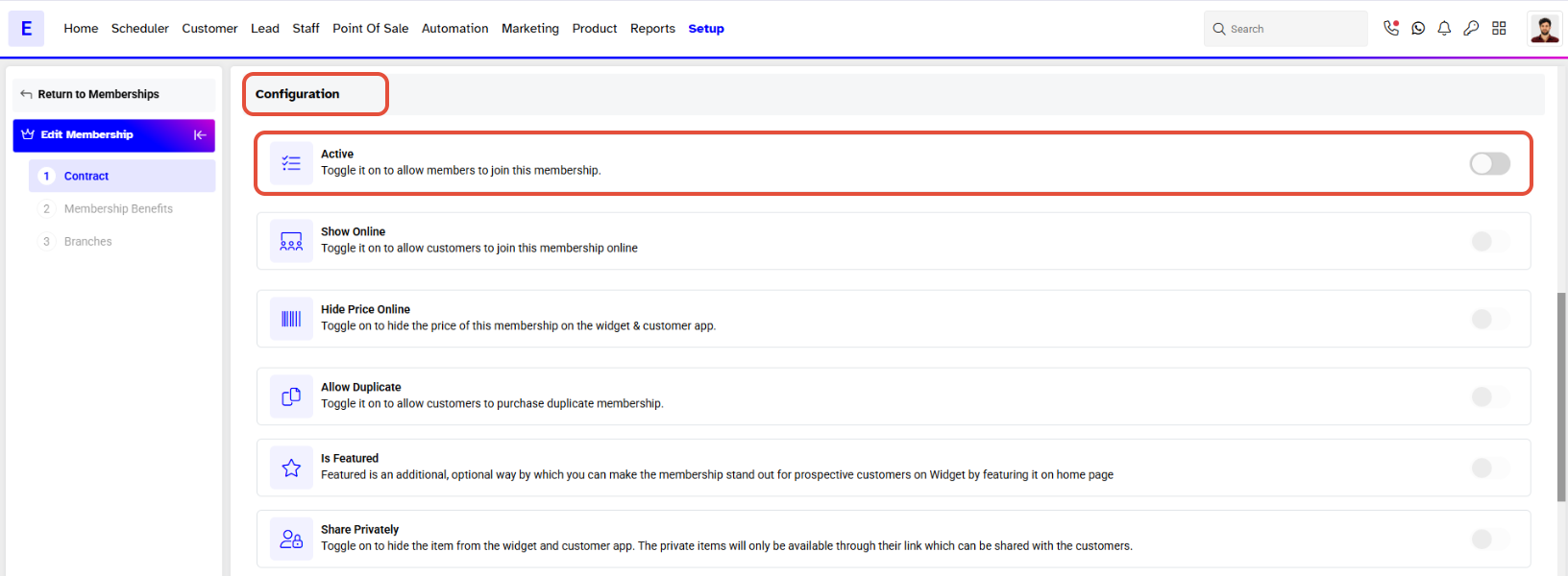
- Click on the Active Toggle to set the status to Inactive.
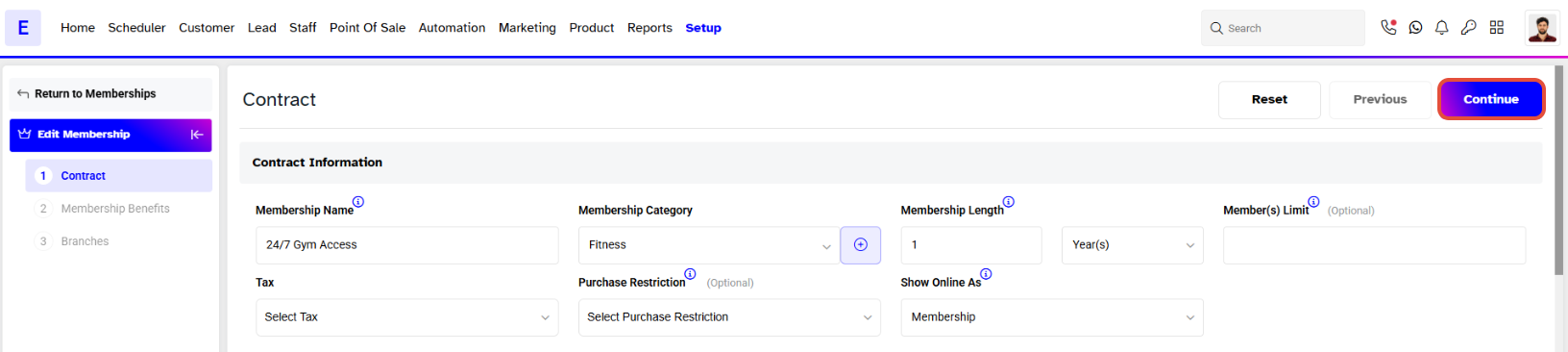
- Once the status is changed to inactive, click on the Continue button.
Step 3: Confirm Changes
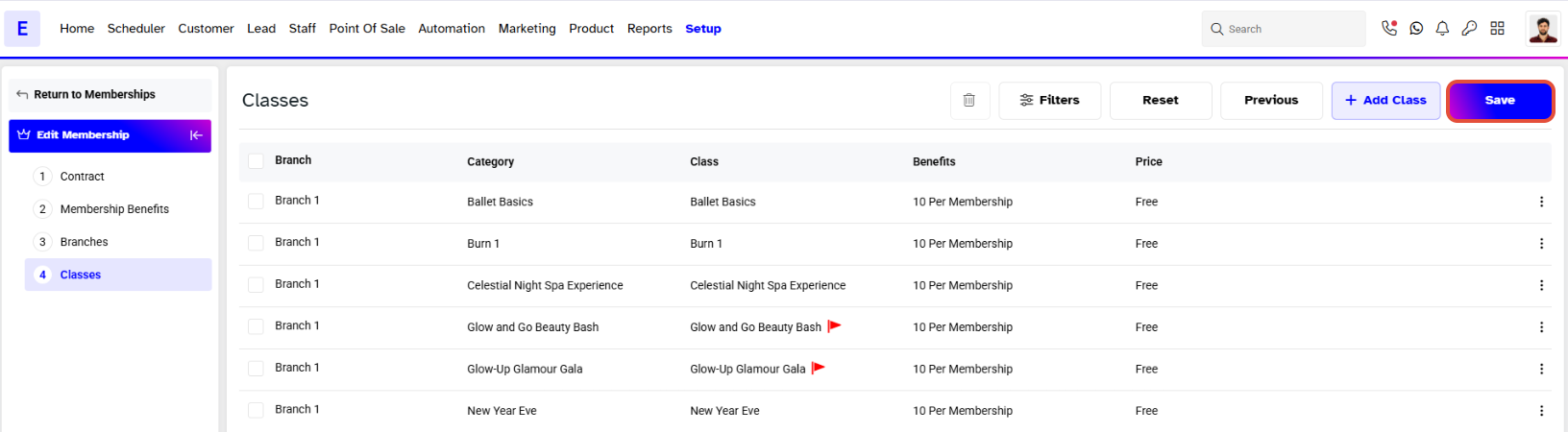
- Click on the Save button to confirm all changes made.