


TABLE OF CONTENTS
To enable the Is Featured option for Memberships, follow the below steps:
Enabling the Is Featured Option for Memberships
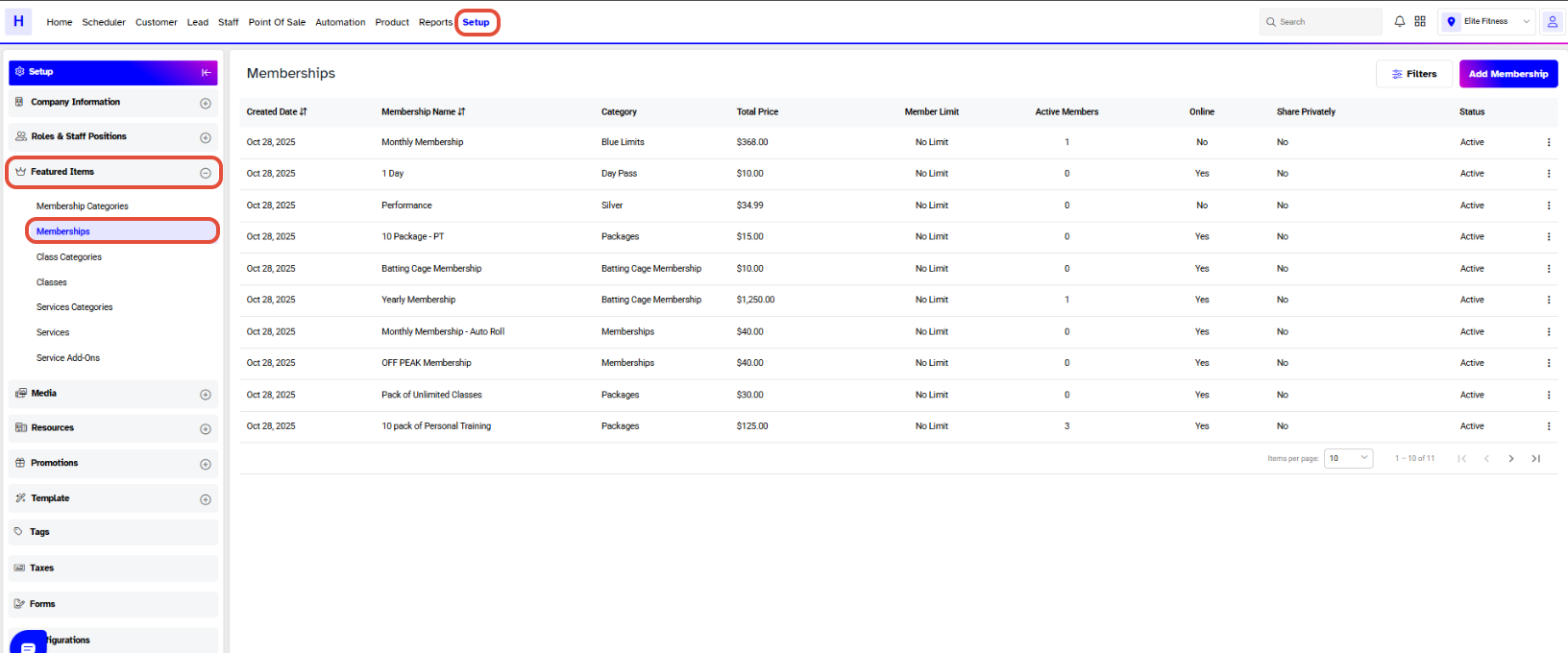
Go to the Setup Module.
Click on the Featured Tab and select the Memberships option.
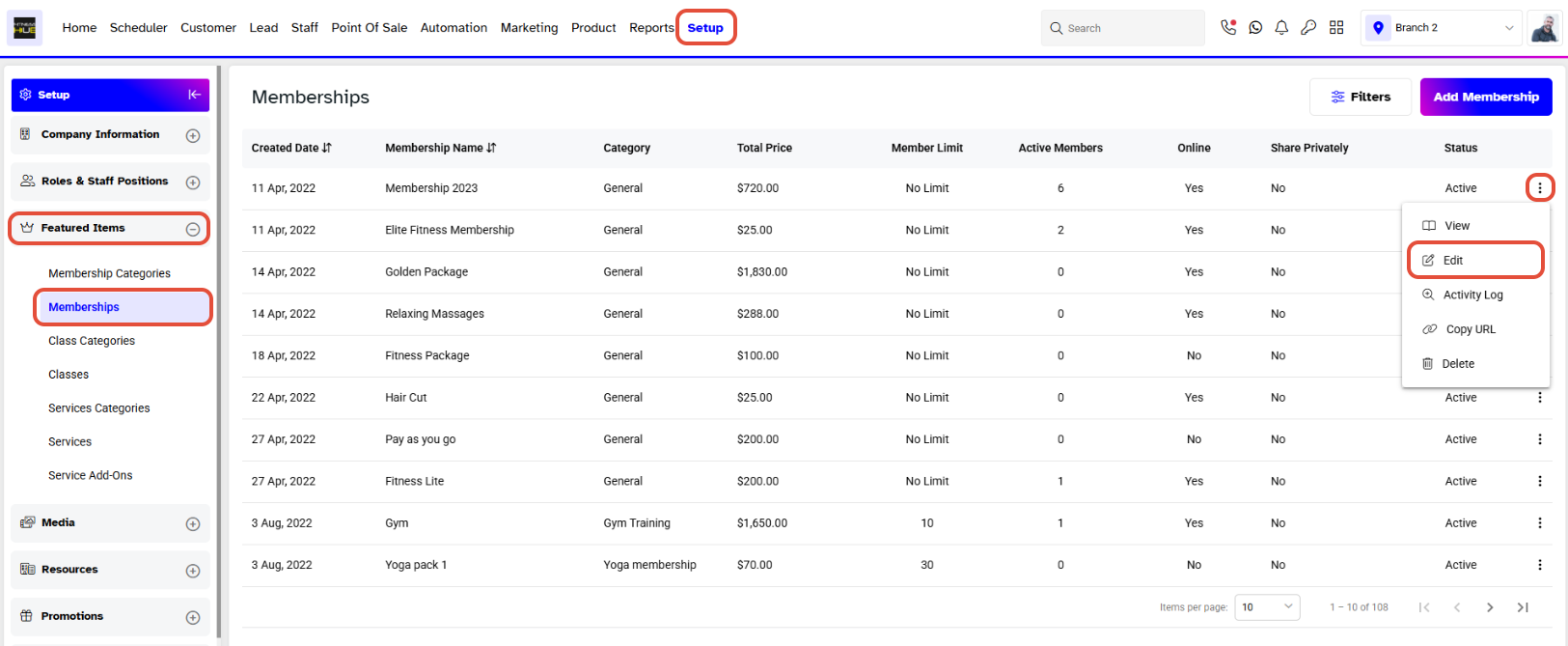
Click on the Edit Icon against the Membership.
Toggle On the Is Featured option for the Membership.
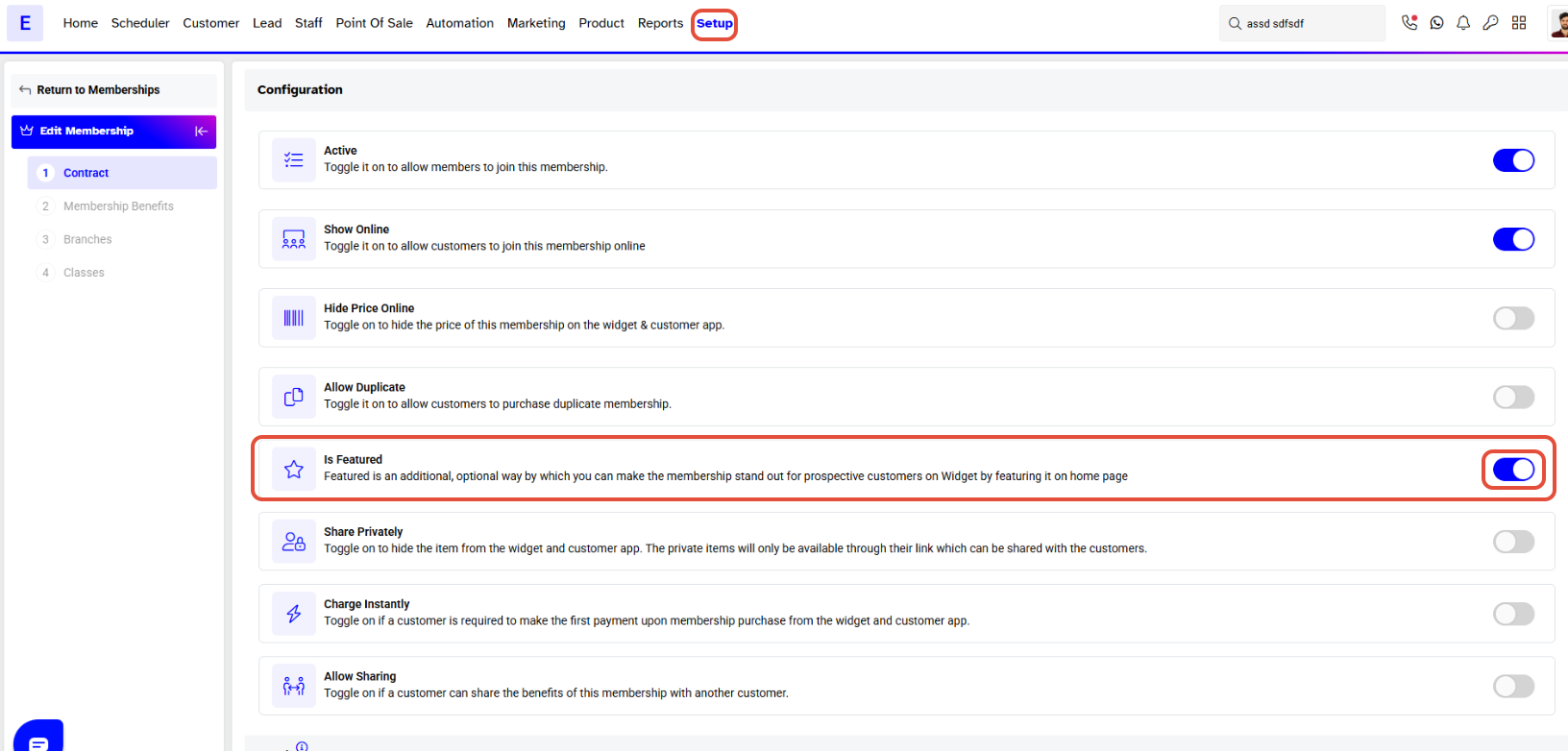
Before enabling the Is Feature Toggle, make sure that Show Online button is Toggled On.
The Is Featured option allows the Membership to be Shown on the Homepage of the Widget. Thus bringing the Membership to Prominence.
Once Toggled On, click on the Continue Button.
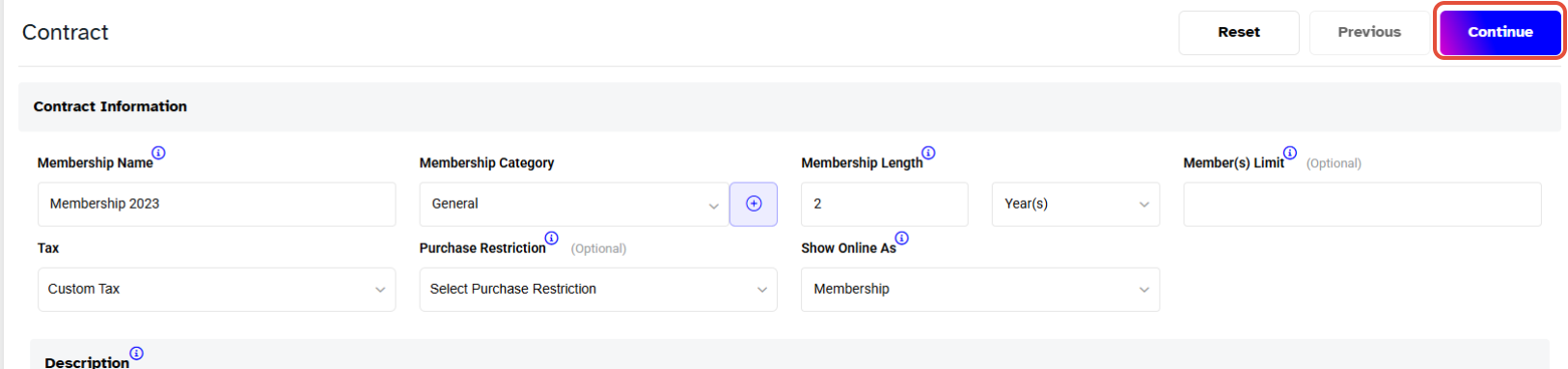
Once on the Last Step of the Membership, click on the Save Button to confirm all changes made.





