


Go to the Key Icon at the Top Menu Bar.

The Access Control Pop-up Box will appear on the screen.
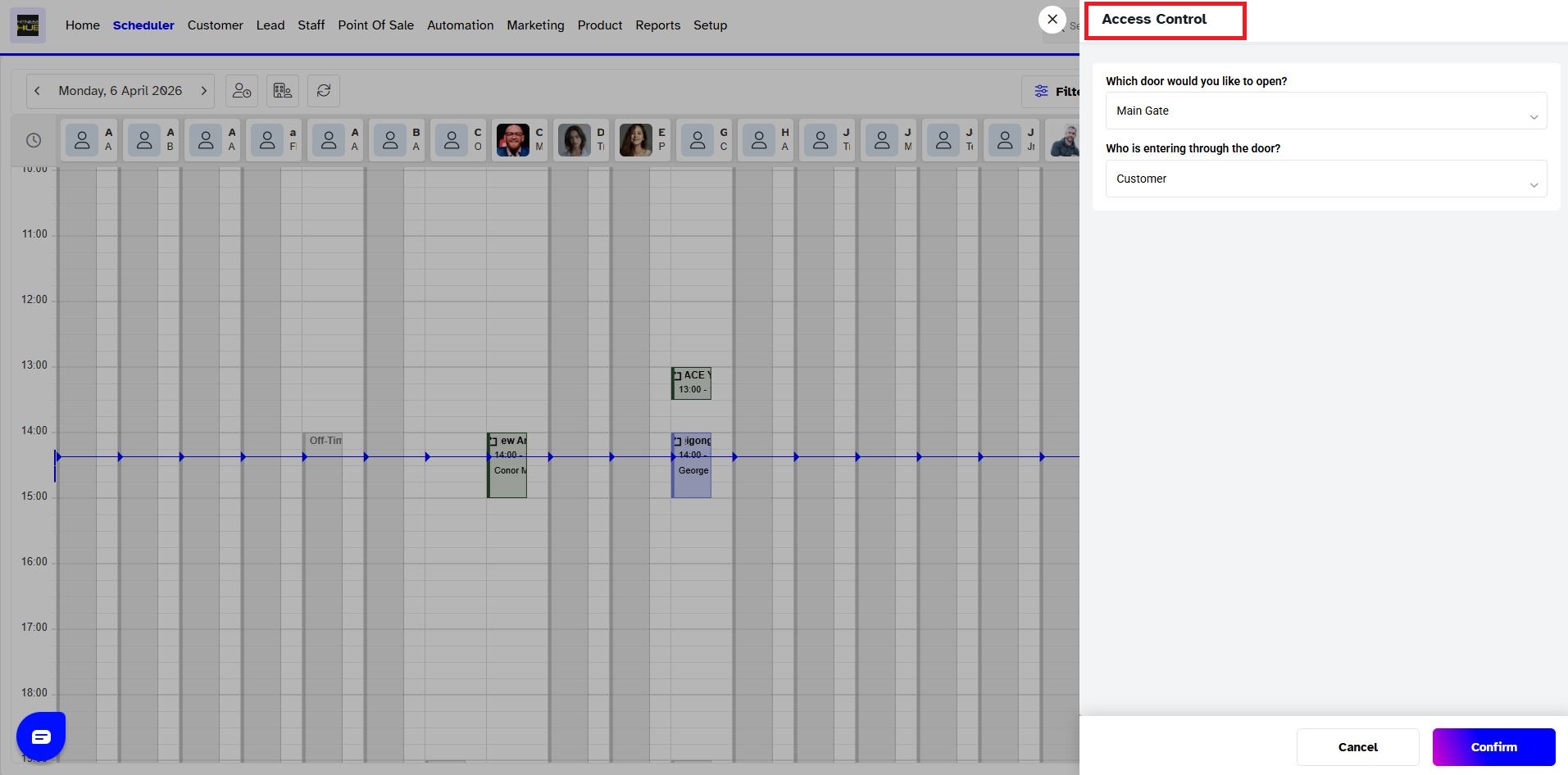
Select the Door which you want to open.
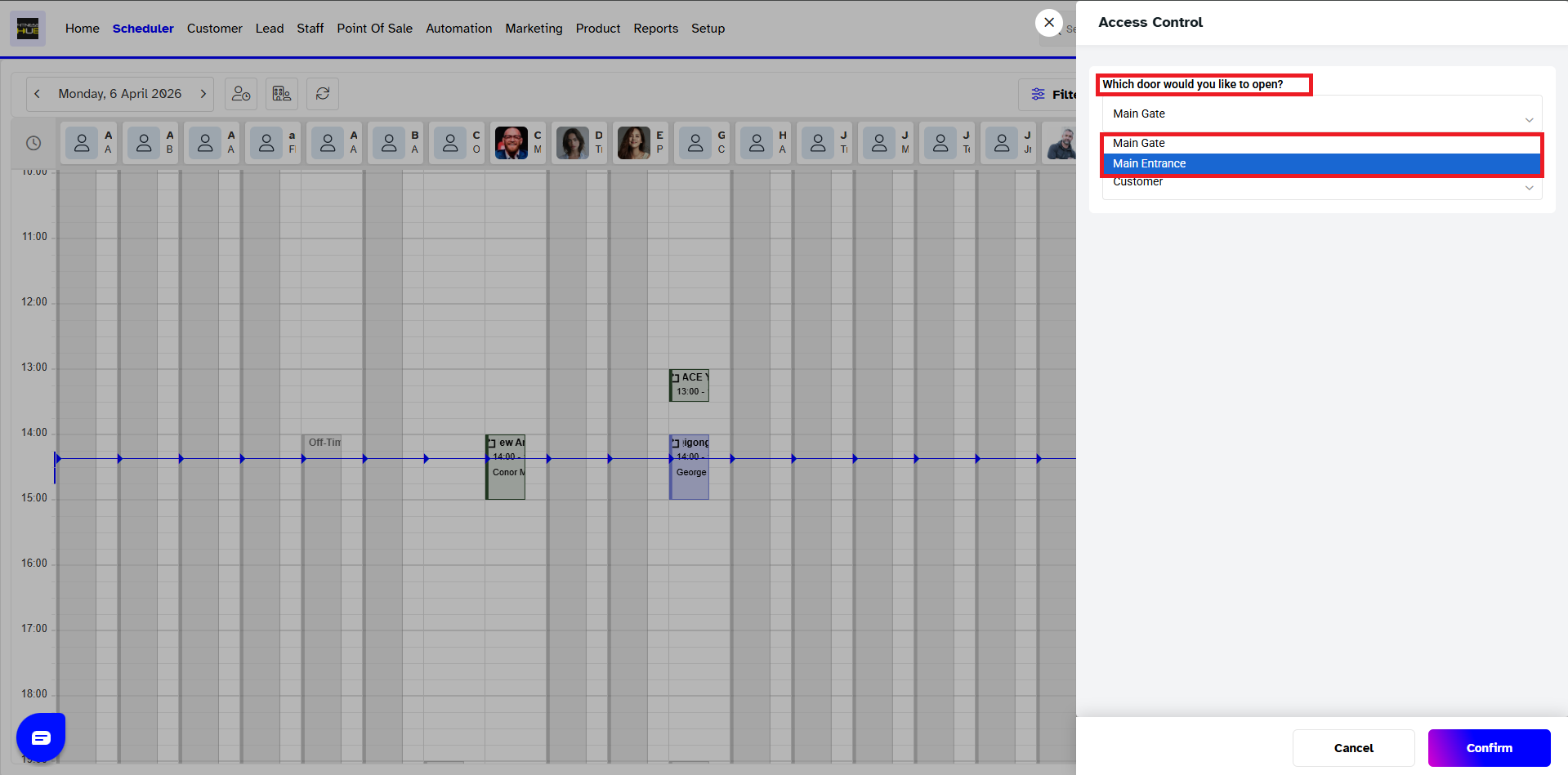
Now, select Who is entering through the door from the drop-down menu.
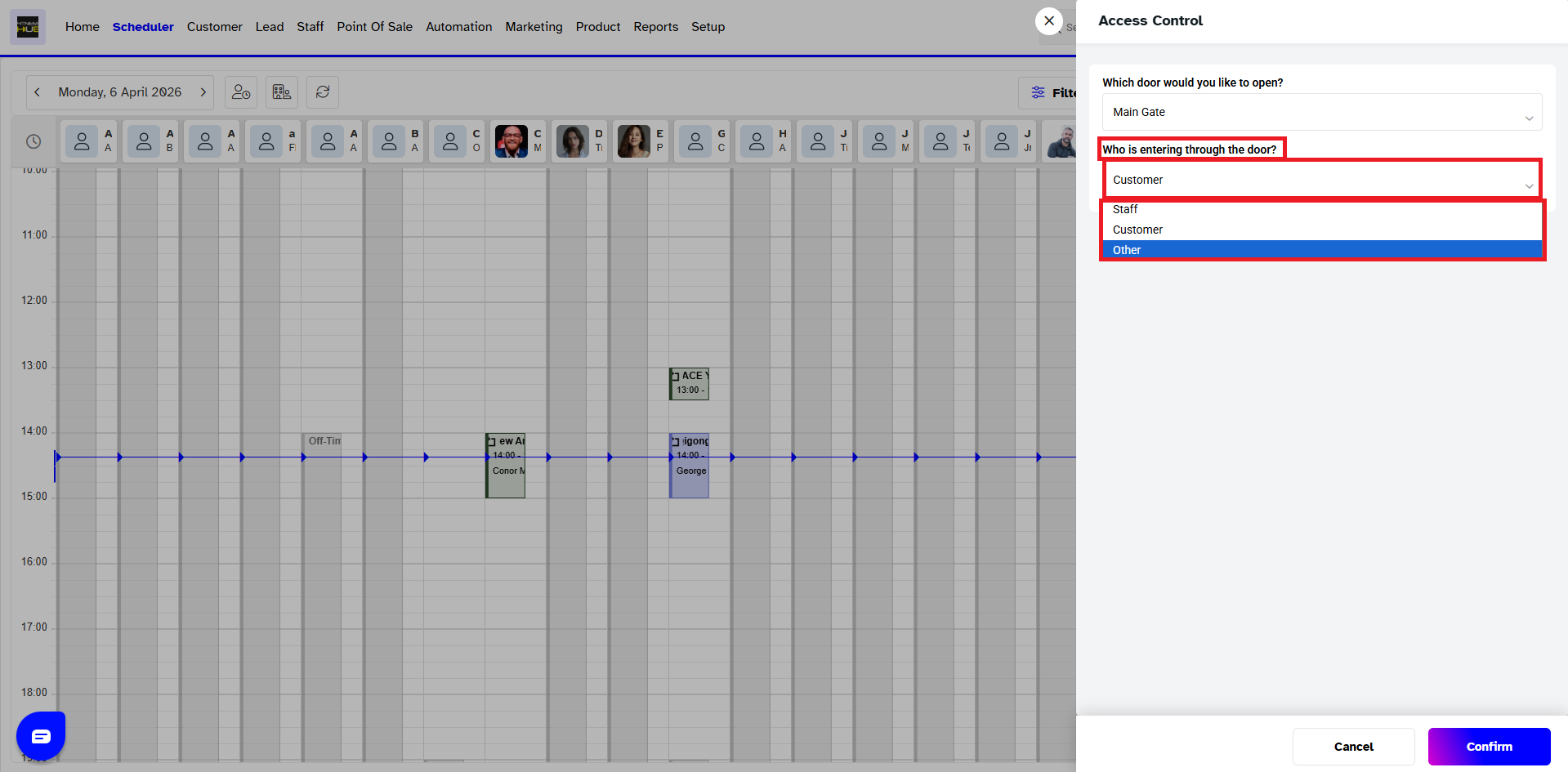
Once done, click on the Confirm Button.
Go to the Key Icon at the Top Menu Bar.
The Access Control Pop-up Box will appear on the screen.
Select the Door which you want to open.
Now, select Who is entering through the door from the drop-down menu.
Once done, click on the Confirm Button.
Did you find it helpful?




