TABLE OF CONTENTS
To configure Access Control for a Staff Member, follow the below steps.
After installing the Access Control Device, follow the below configuration steps.
How To Configure The Access Control Feature For A Staff Member In Core
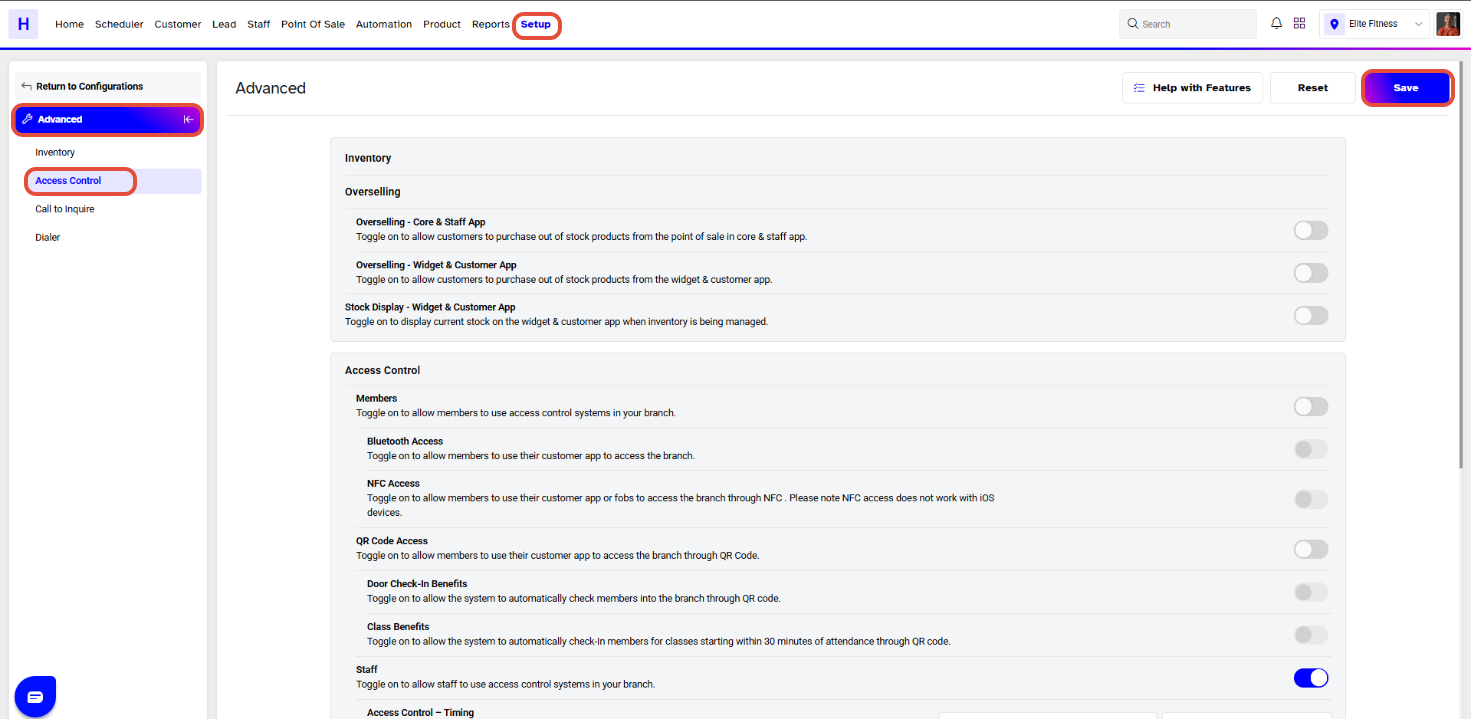
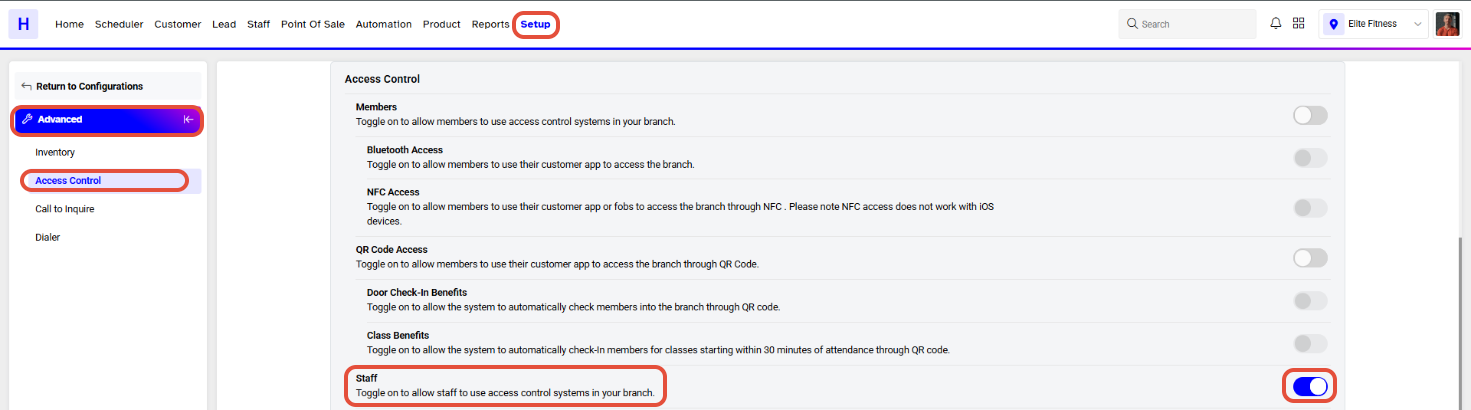
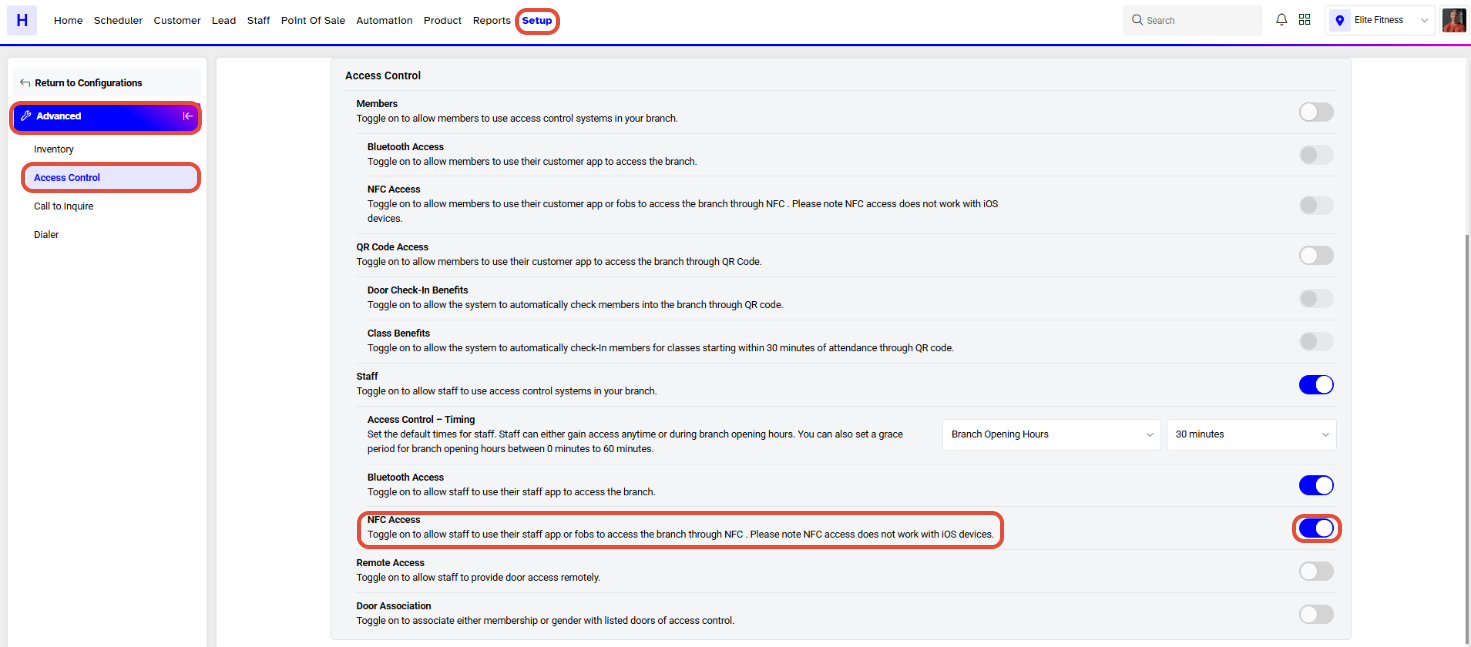
Go to the Setup Module.

Click on the Configurations Tab.
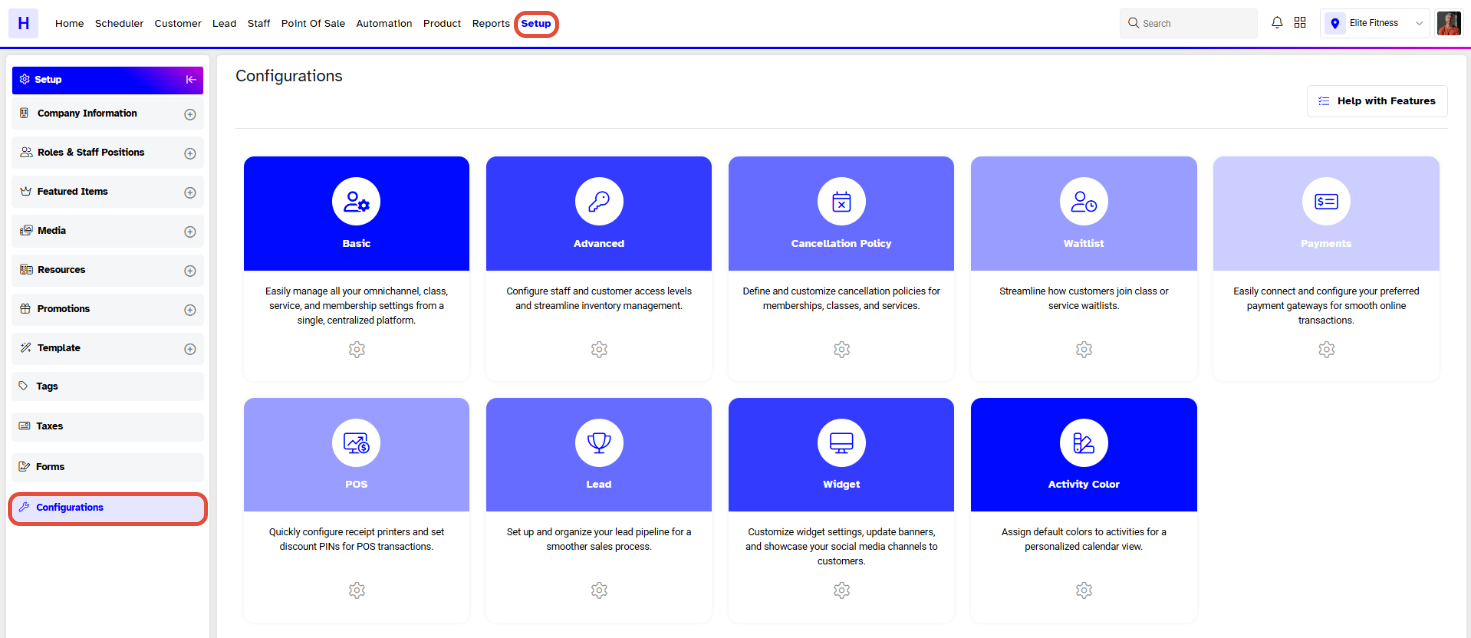
In Configurations, navigate to the Advanced Tab.
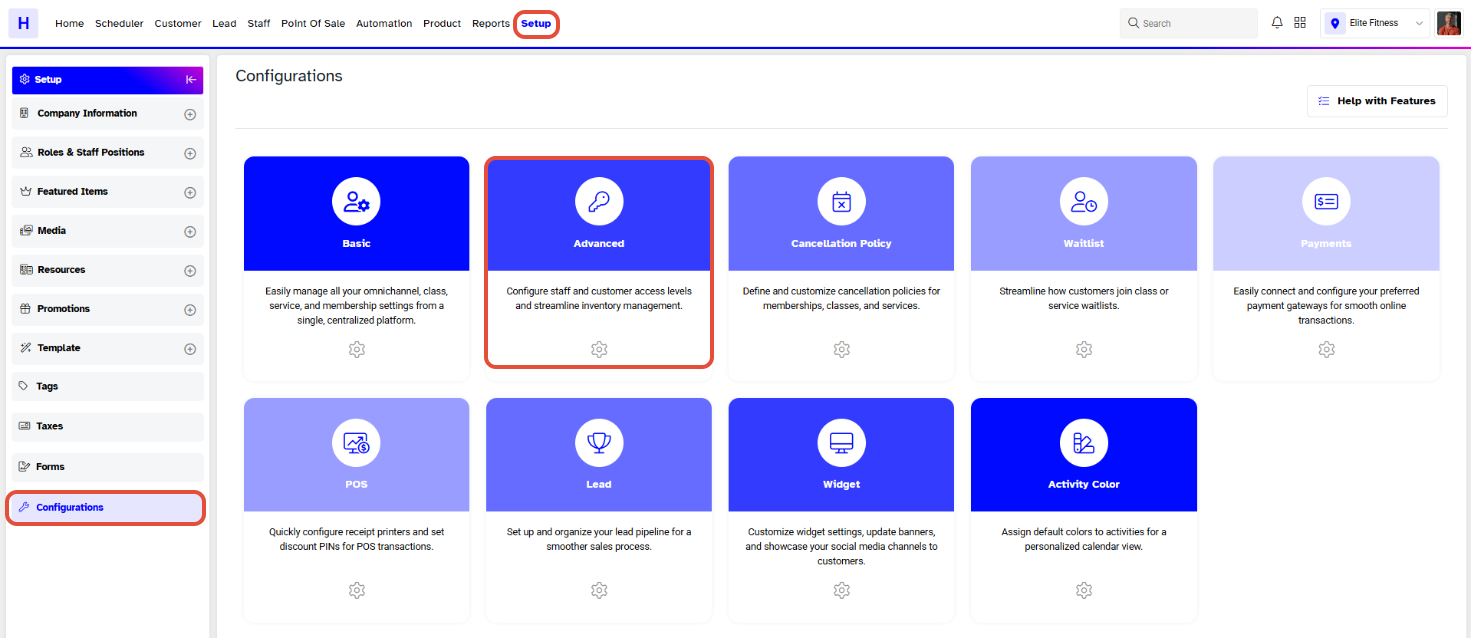
Scroll downward in Advanced to the Access Control Section.
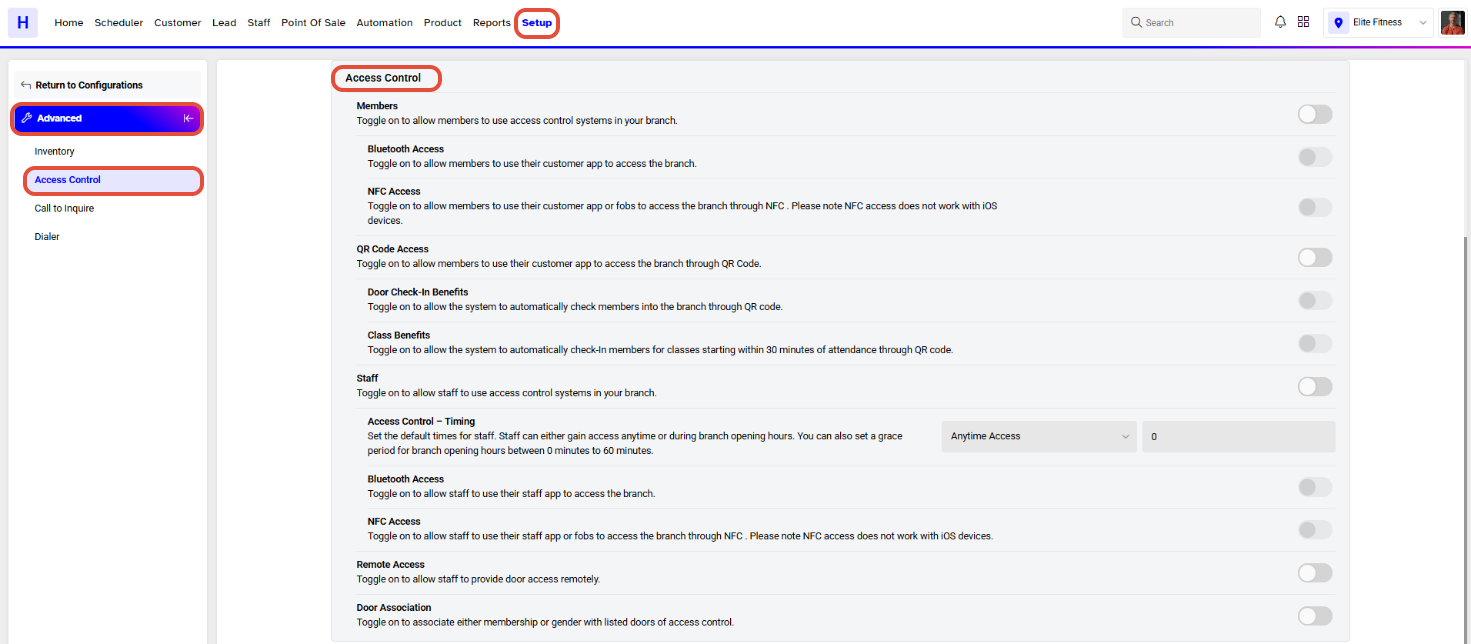
Now toggle on the Staff Access Control Button.
Select between Anytime Access and Branch Opening Hours for the Access Control Timing of the Staff Members.
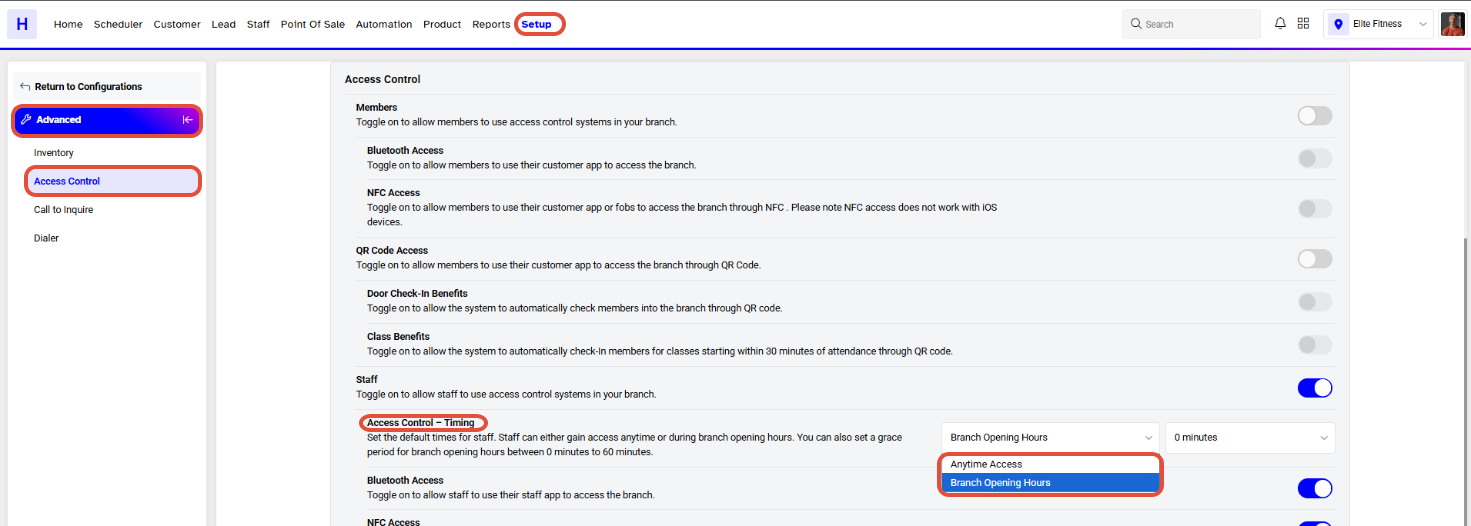
Anytime Access allows Staff Members to access the Branch at any time.
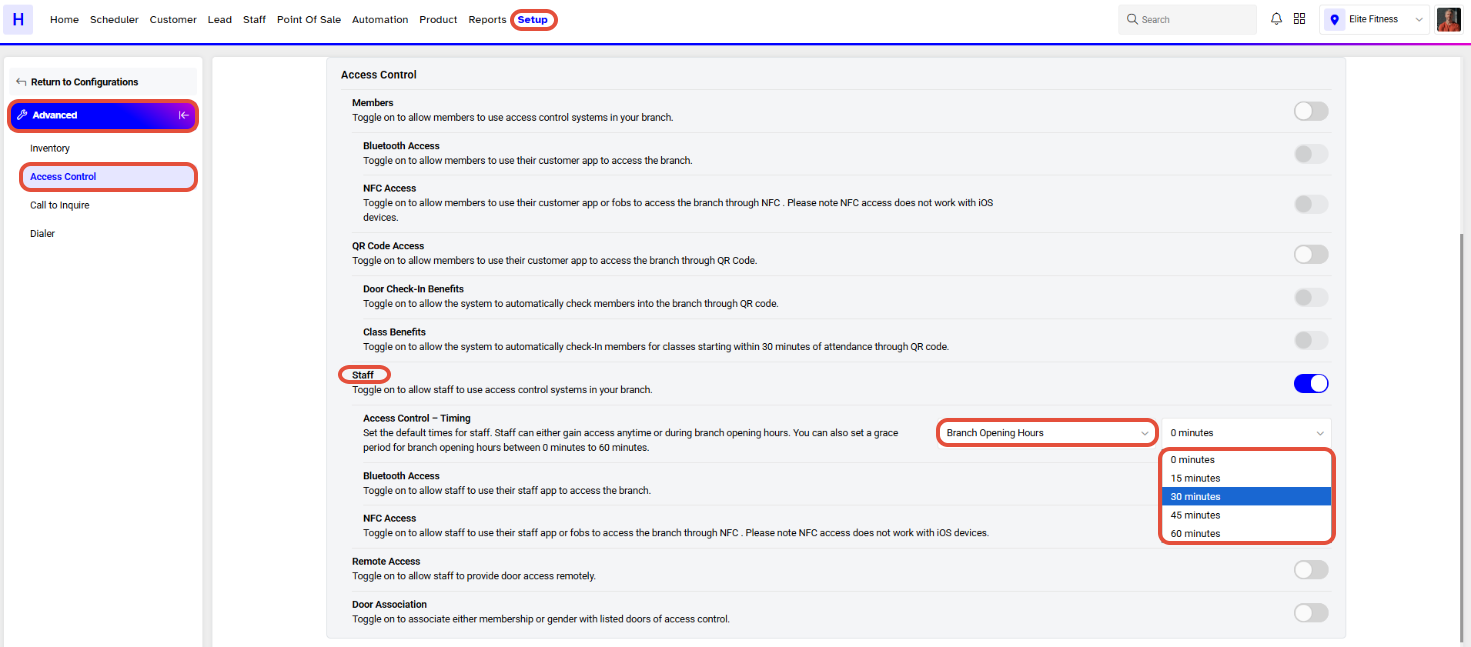
If Branch Opening Hours is selected then the Staff Members can access the Branch during the Branch Opening Hours only.
A Grace Period in Minutes can also be specified for Branch Opening Hours. Grace Period allows Staff Members to enter the Branch before the Branch Opening Time.
Toggle on the Bluetooth Access Button to allow Members to use Bluetooth to enter the Branch.
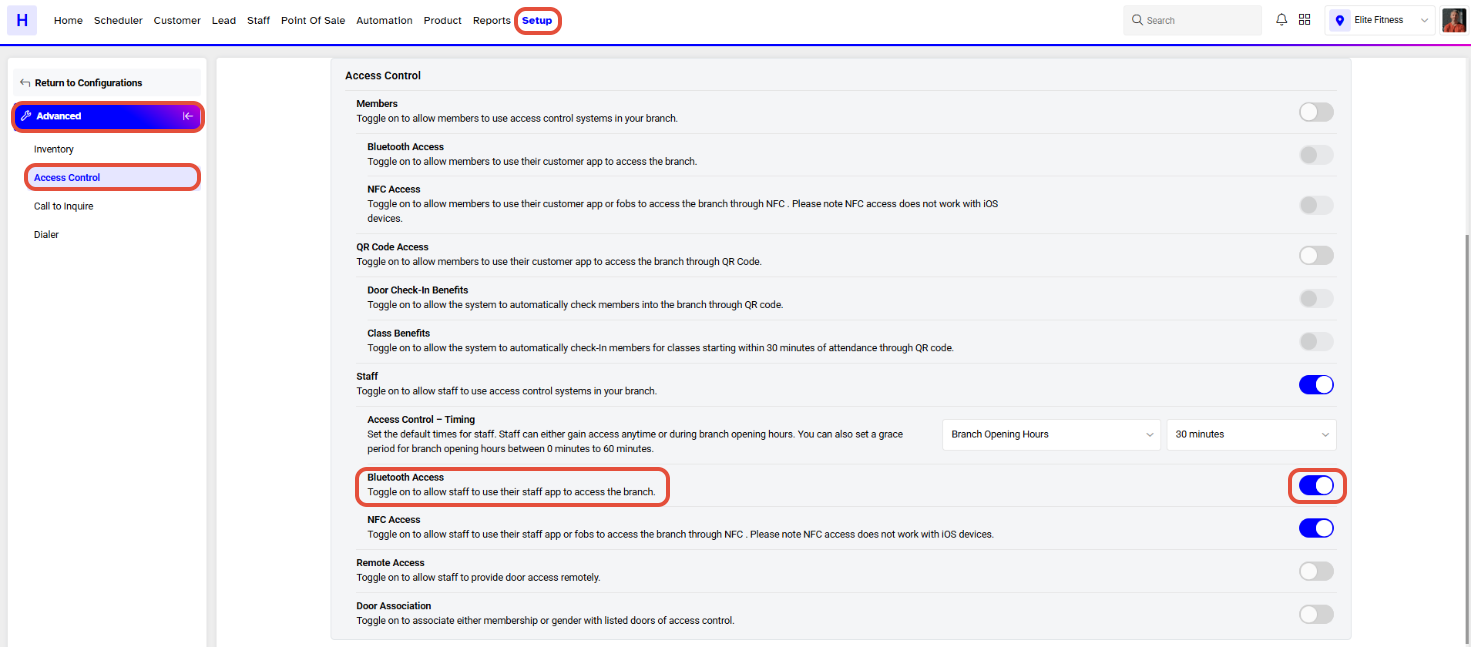
Toggle on the NFC Access Button to allow Members to enter the Branch using NFC.
Once done with the configurations, click on the Save Button to confirm them.