


How To Set Up Class-Based Access
Go to the Setup Module in Core.
- Go to Configurations
- Click Advanced
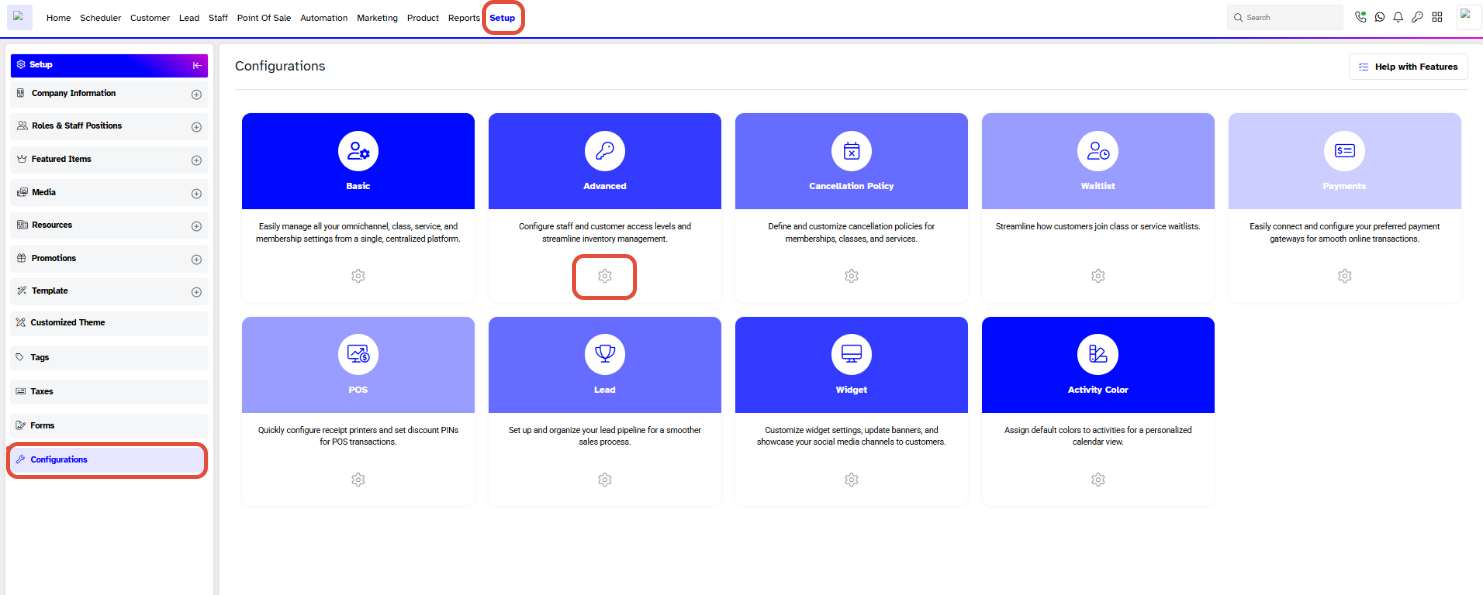
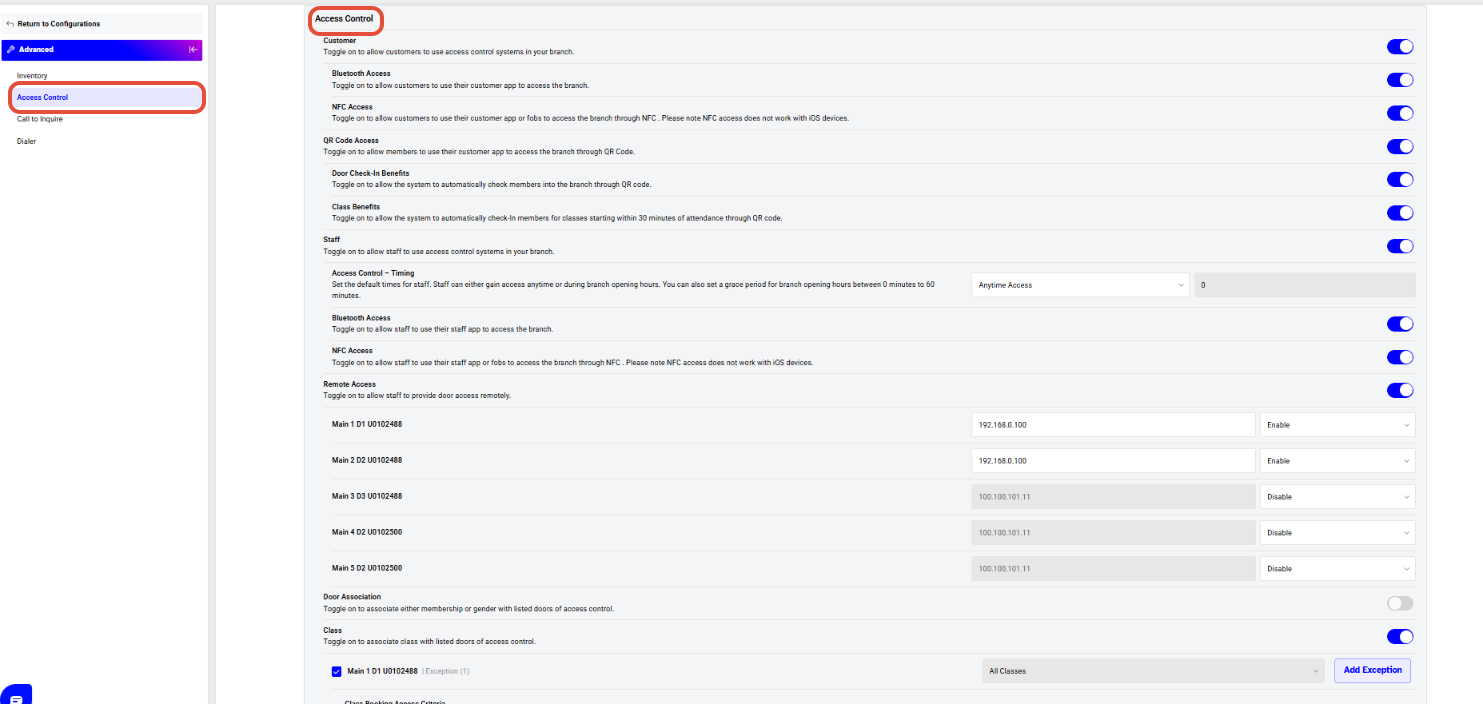
Scroll down in the Advanced Configuration to the access control
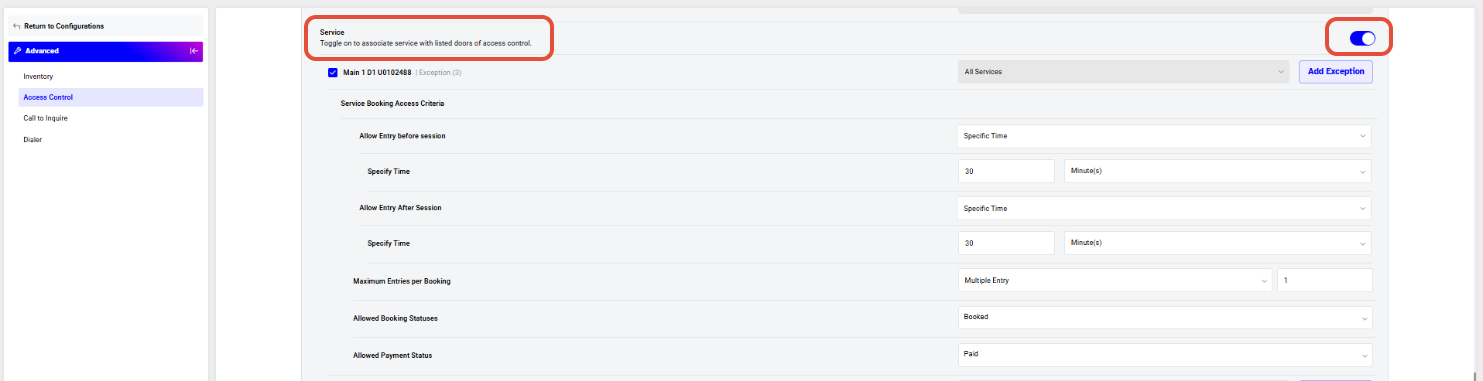
Enable Service-Based Access
This allows entry based on active or valid services.
Turn ON “Service”
- Enables service-based access rules across selected doors
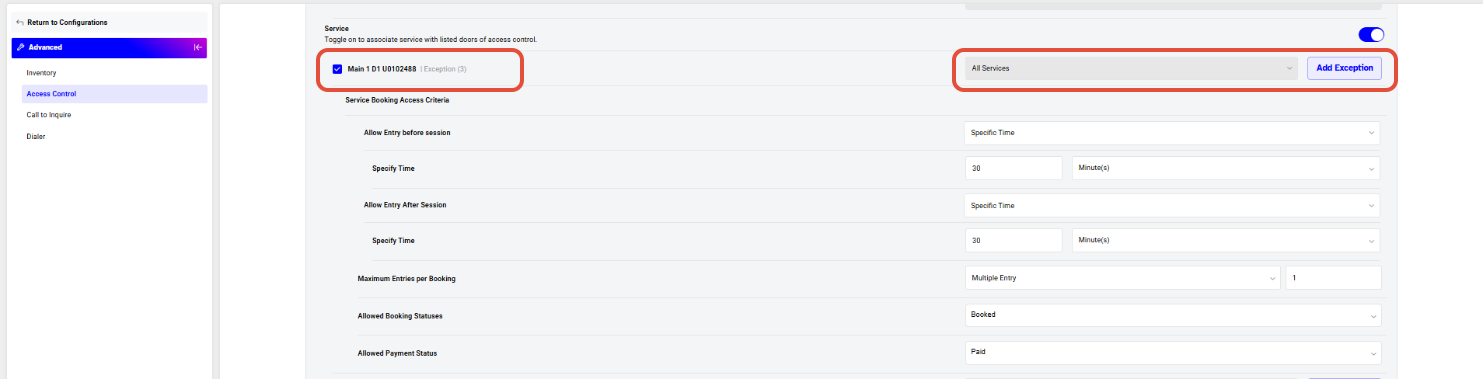
Assign Services
- Select:
- All Services, or
- Specific services
- Use Add Exception to exclude certain services if needed
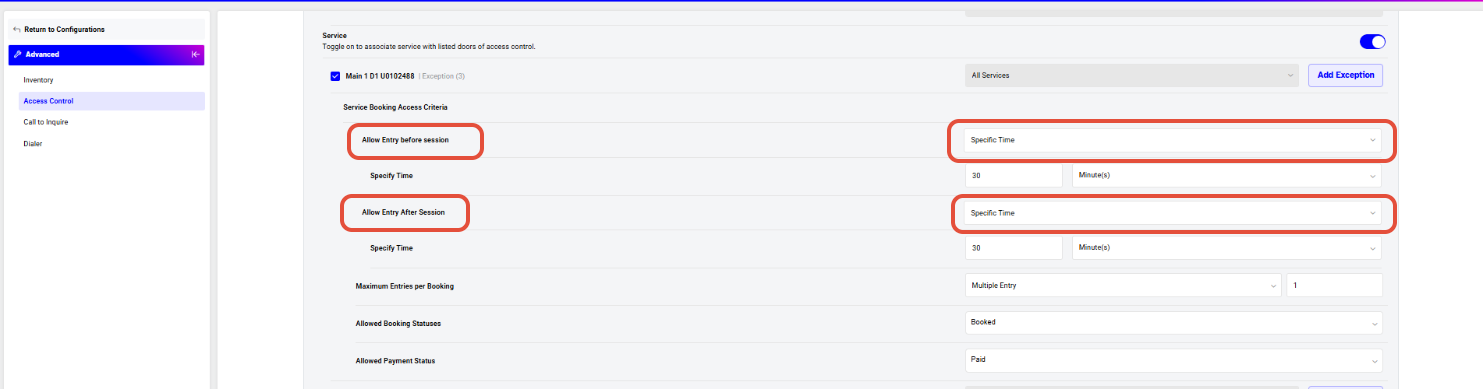
Define Entry Rules
Allow Entry Before Service (Optional)
- Set a time window before the service becomes valid
- Example: Allow entry 30 minutes before service start
Allow Entry After Service (Optional)
- Set a time window after the service
- Example: Allow exit or re-entry within 30–45 minutes
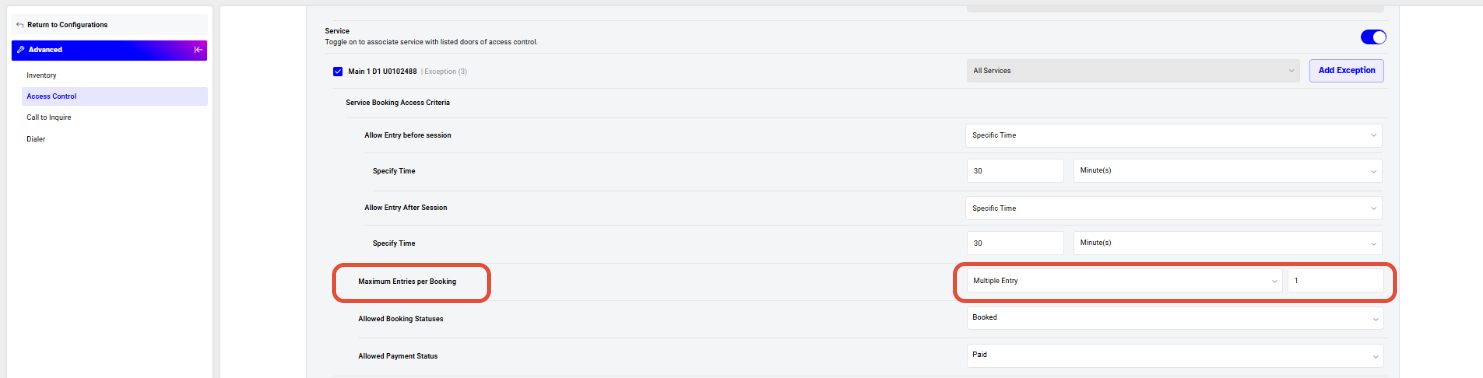
Set Usage Limits
Maximum Entries per Service
- Unlimited Entry – No restriction
- Or limit number of entries per service usage
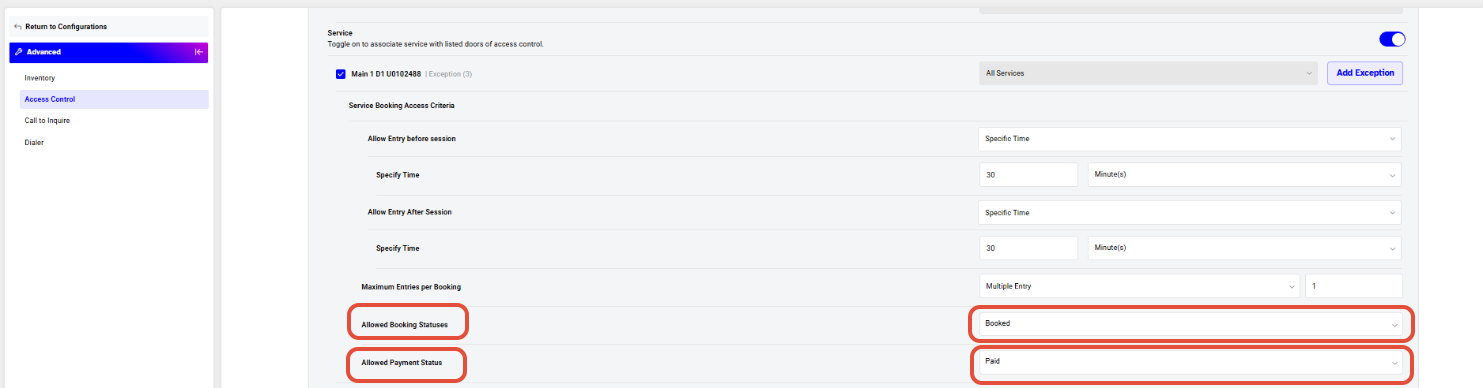
Restrict by Service Status
Allowed Service Status
- Example:
- Booked
- Cancelled
- Prevents access for expired or inactive services
Restrict by Payment Status
Allowed Payment Status
- Example:
- Paid
- Unpaid
- Ensures only eligible users can access
Once done, click on the Save Button.





