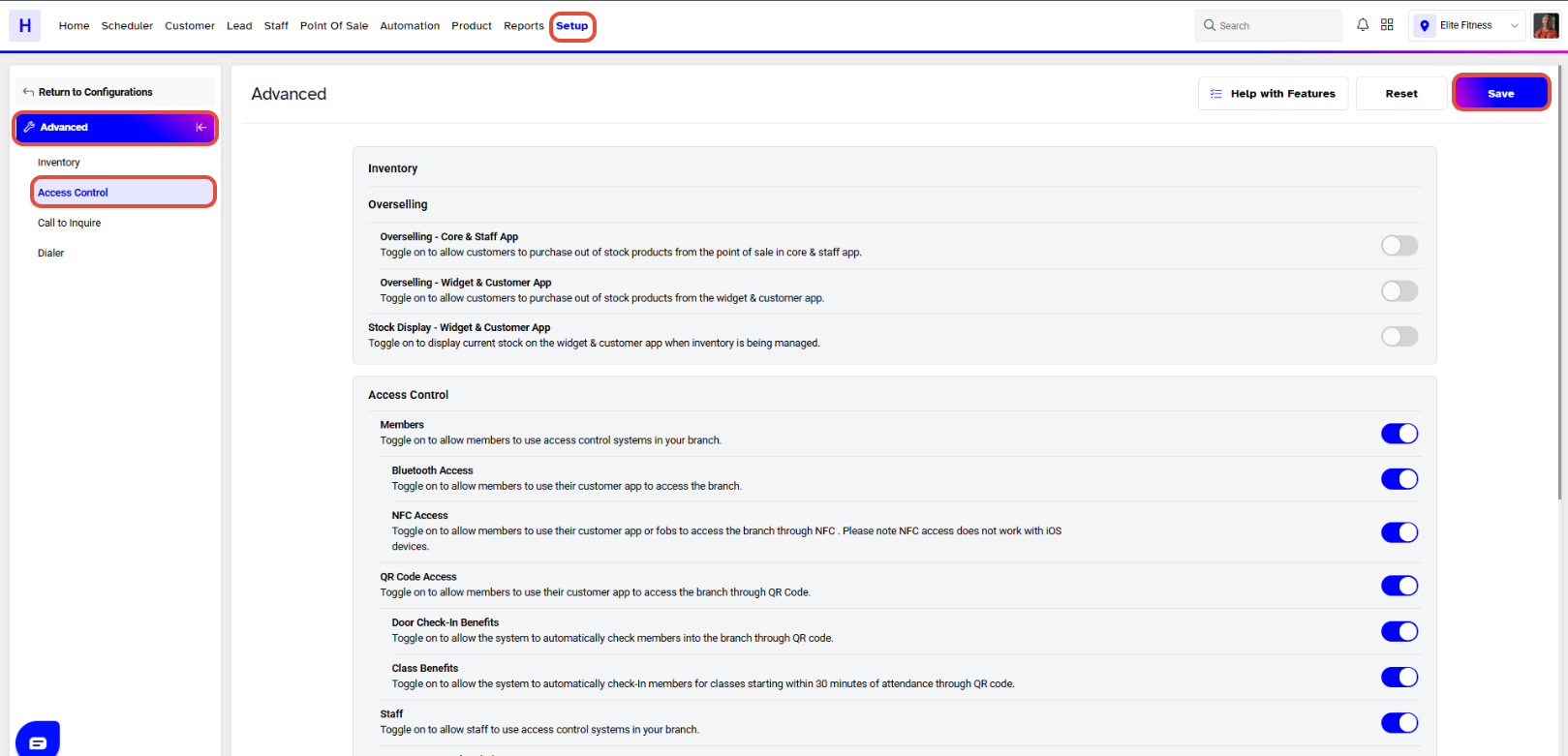
Remote Access allows Merchant to grant access to Staff or Customer through Access Control when the Merchant is present inside Facility. The Doors can be remotely opened either through Core or Staff App.
TABLE OF CONTENTS
To configure the Remote Access Functionality for Staff Members, follow the steps below:
How To Configure The Remote Access Functionality For Staff Members In Core
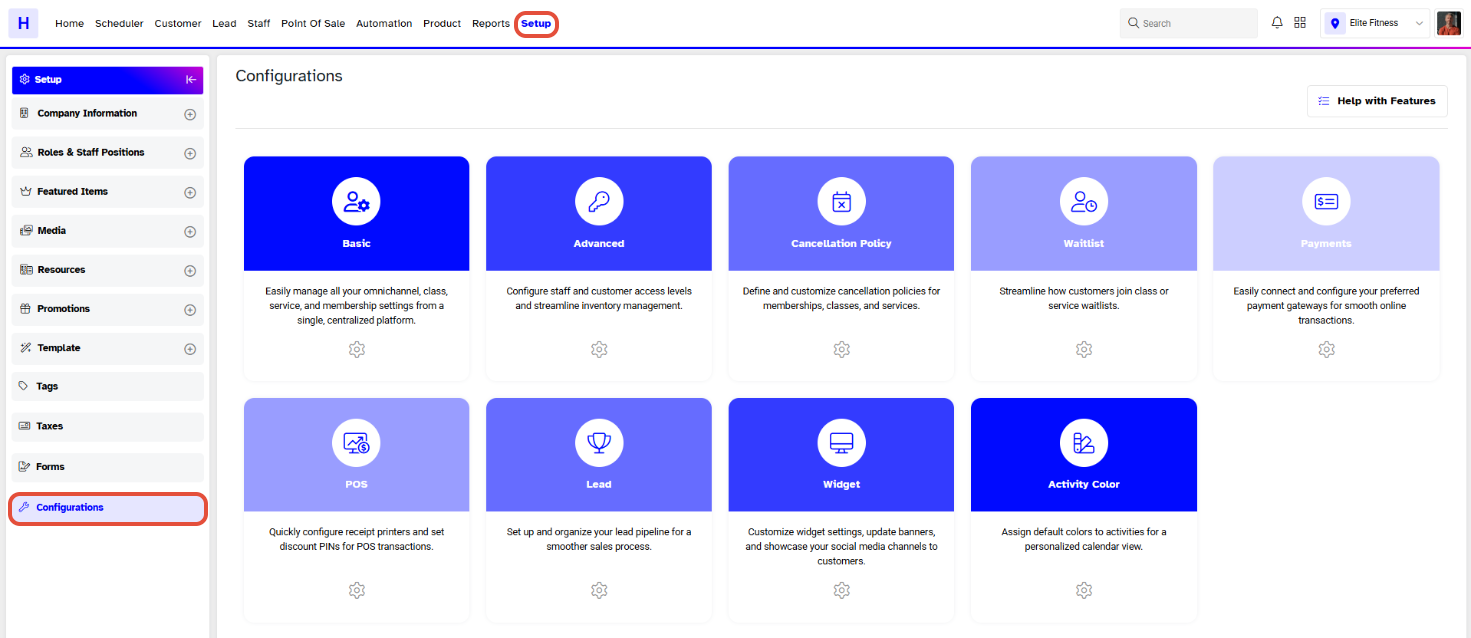
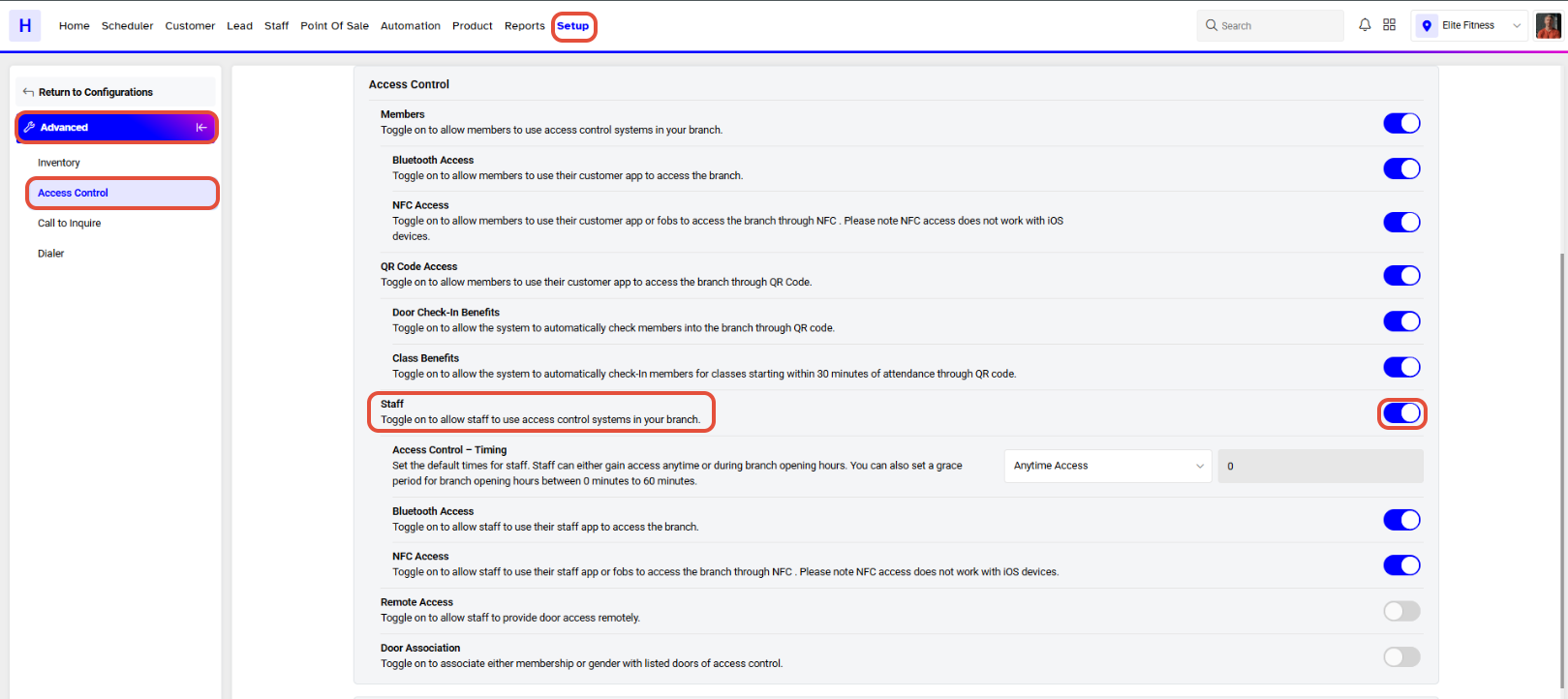
Go to the Setup Module in Core.

Click on the Configurations Tab.
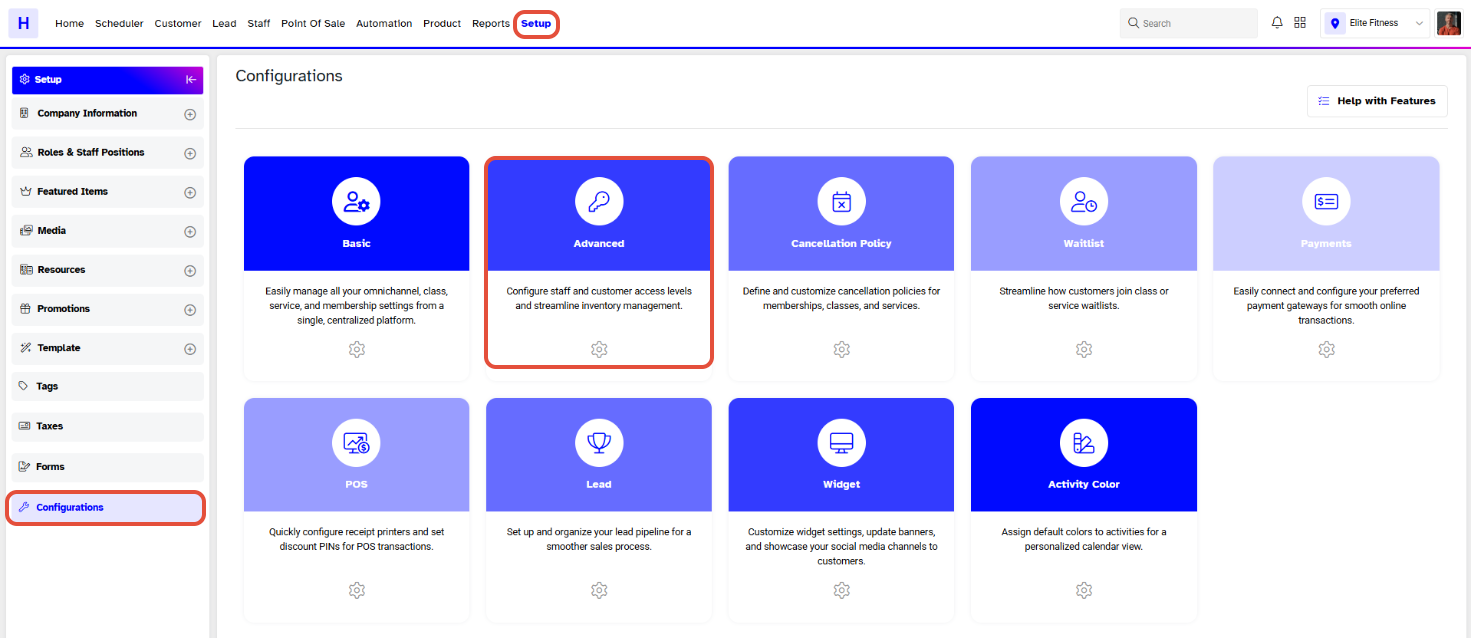
In the Configurations Tab, navigate to the Advanced Button.
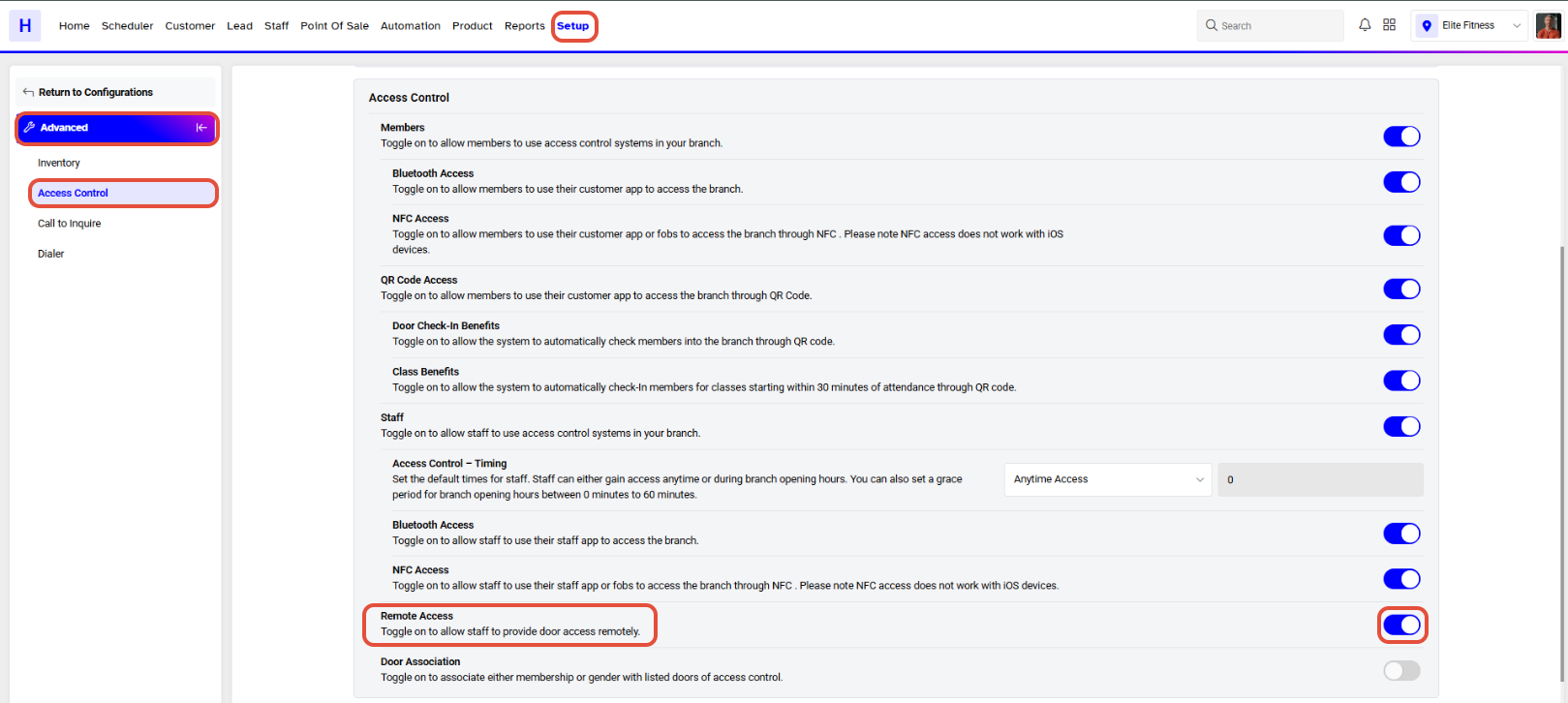
Scroll down to the Access Control Section.
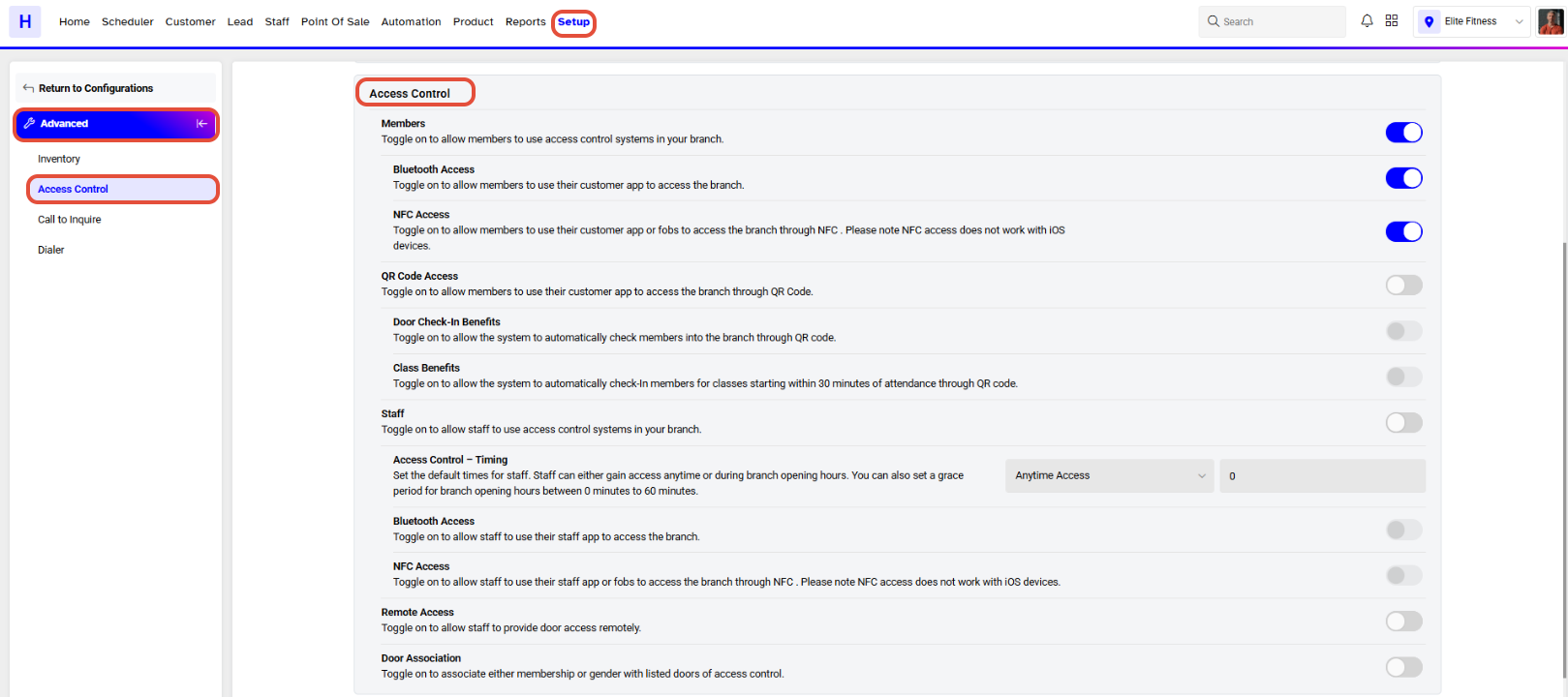
Toggle on the Remote Access Button to allow Staff Members to provide Door Access Remotely.
Once Toggle on the Remotely Access. now configure the Doors IPs in Core.
Door IP configuration will be done by the Merchant.
Once all is done, click on the Save Button.