TABLE OF CONTENTS
To create an Automation Rule for All Benefits Consumed by a Member in Core, follow the steps below:
How To Create An Automation Rule For All Benefits Consumed Of A Member In Core
This Automation Triggers when the Benefit limit for a specific Item type or the overall limit for that type is reached, as well as when Benefits are Manually Utilized.
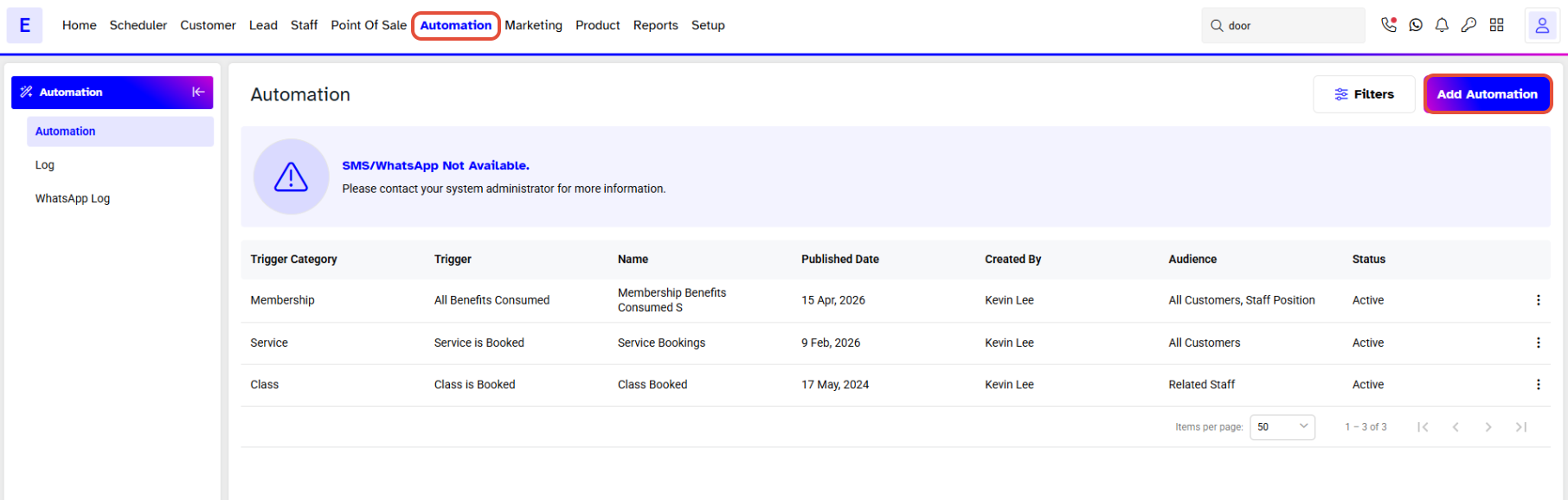
Go to the Automation Module and click on Add Automation Button.
Toggle on the Active Button to Activate the Automation in the Branch.
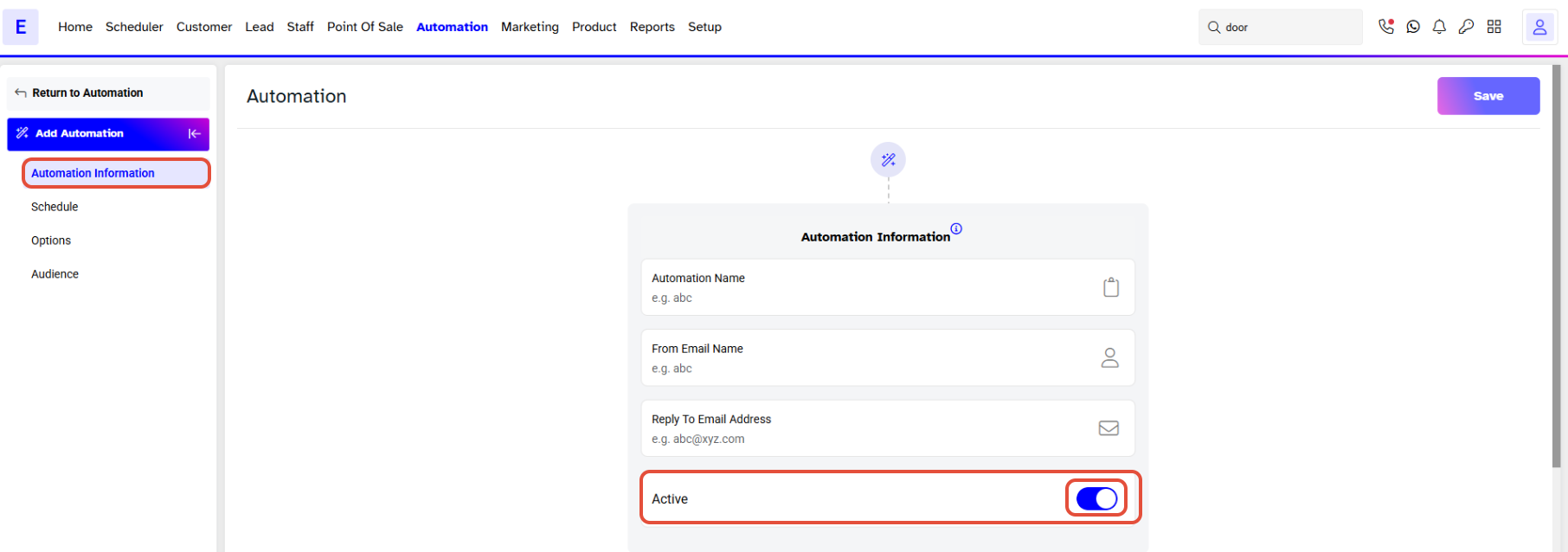
There are the following sections adding Automation:
Add Automation
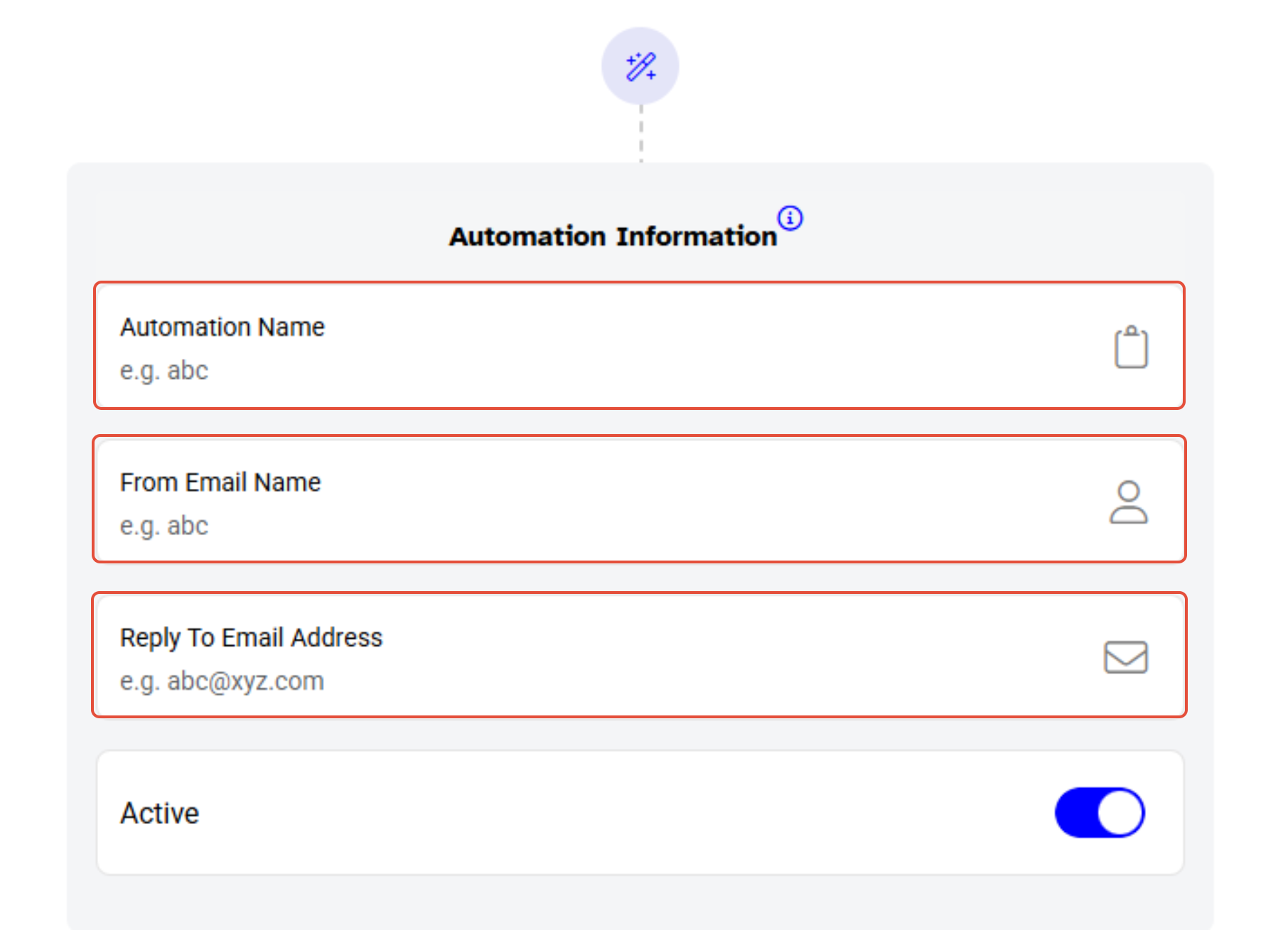
- Automation Name - allocate a name for the Automation.
- From Email Name - enter a name for the email that will appear to the recipients when they will receive it.
- Reply Email Address - enter the Email address that your recipients can respond to.
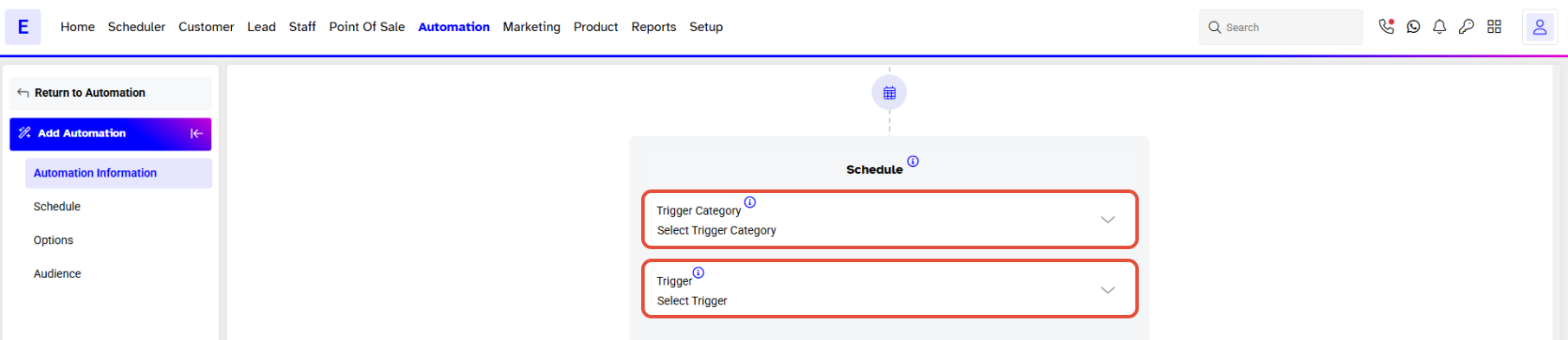
Schedule
- Trigger Category - select Membership from the dropdown menu.
- Trigger - select All Benefits Consumed from the dropdown menu.
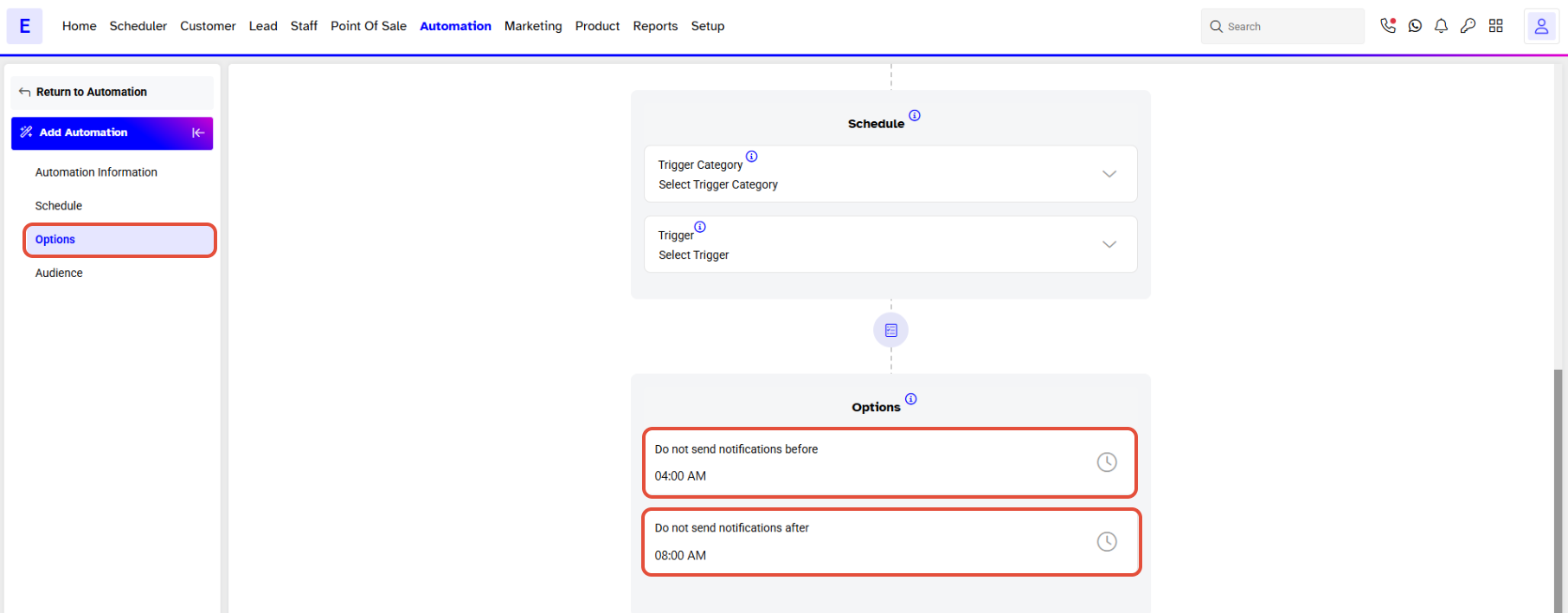
Options
- Do not send notifications before - from the dropdown menu merchants will select a time slot before which the notification will not be sent to the customer.
- Do not send notifications after - from the dropdown menu merchants will select a time slot after which the notification will not be sent to the customer.
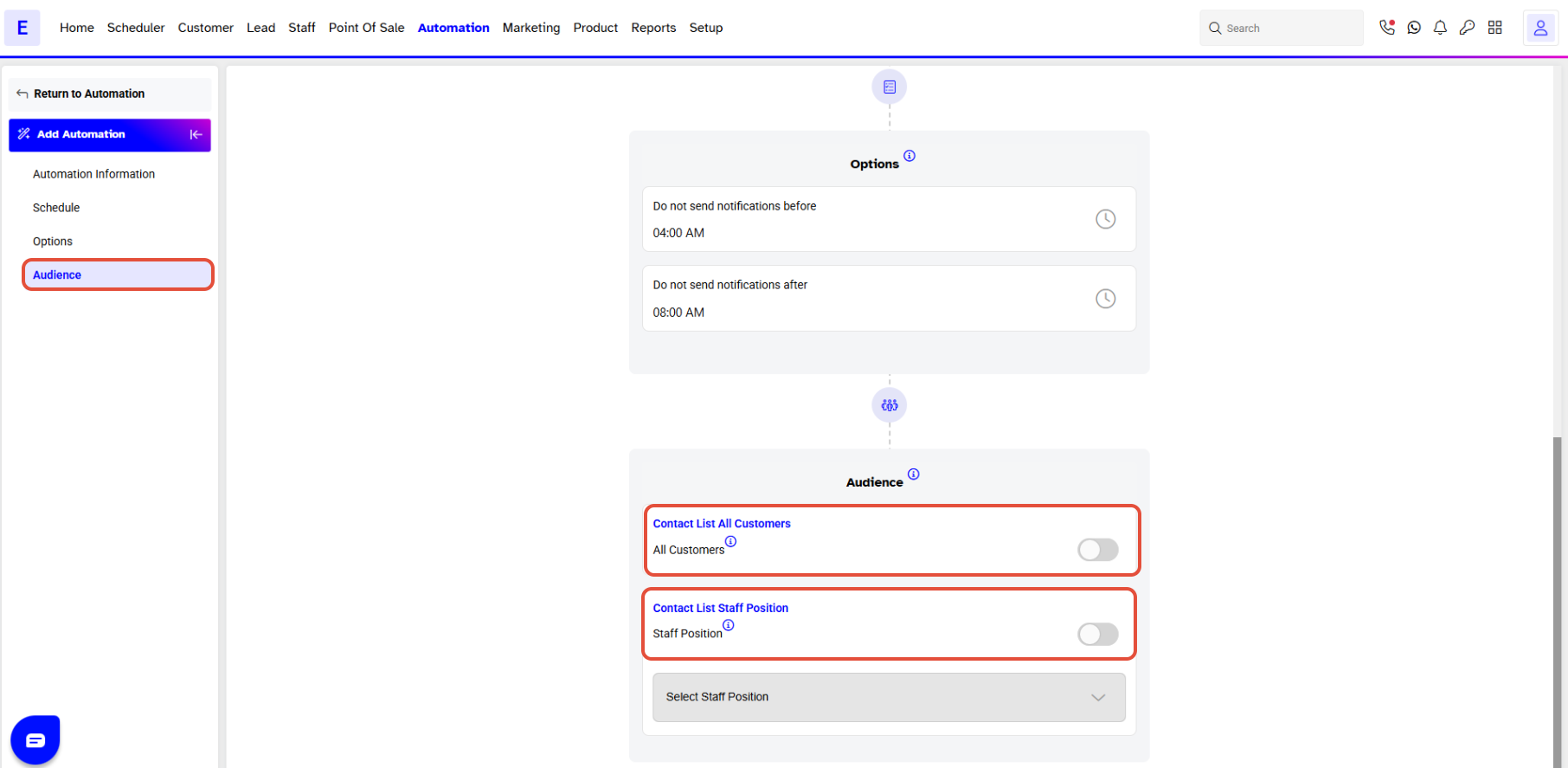
Audience
Select the recipients of this Automation Template from between Customers or Staff Positions.
Template
The Merchants will toggle on the medium they choose through which they wish to send the Automation.
- SMS
- Notification
Since both Customers and Staff were selected in the Audience section, Merchants will see dropdown menus next to each medium from which Merchants can choose predefined Automation Templates.
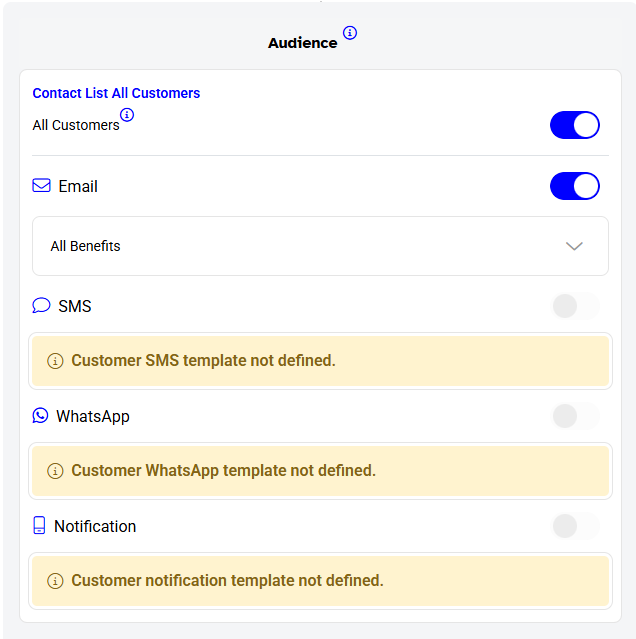
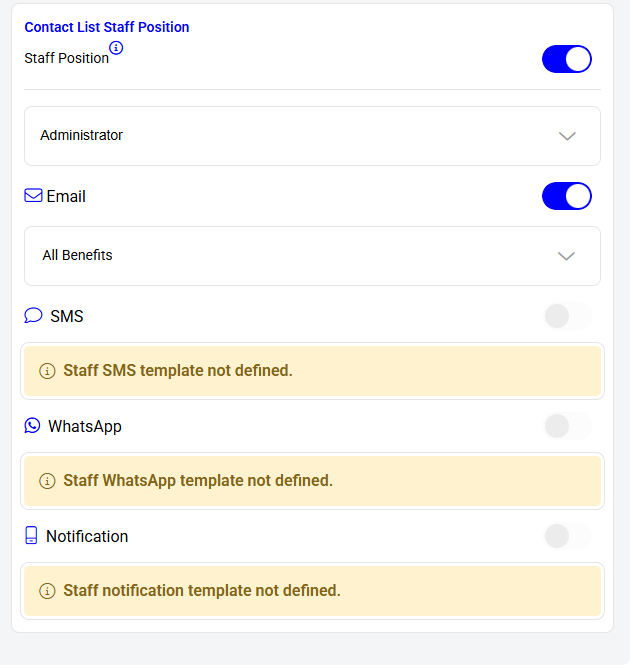
If no Automation Template has previously been created, then Merchants will receive a message of that medium Template not being defined.
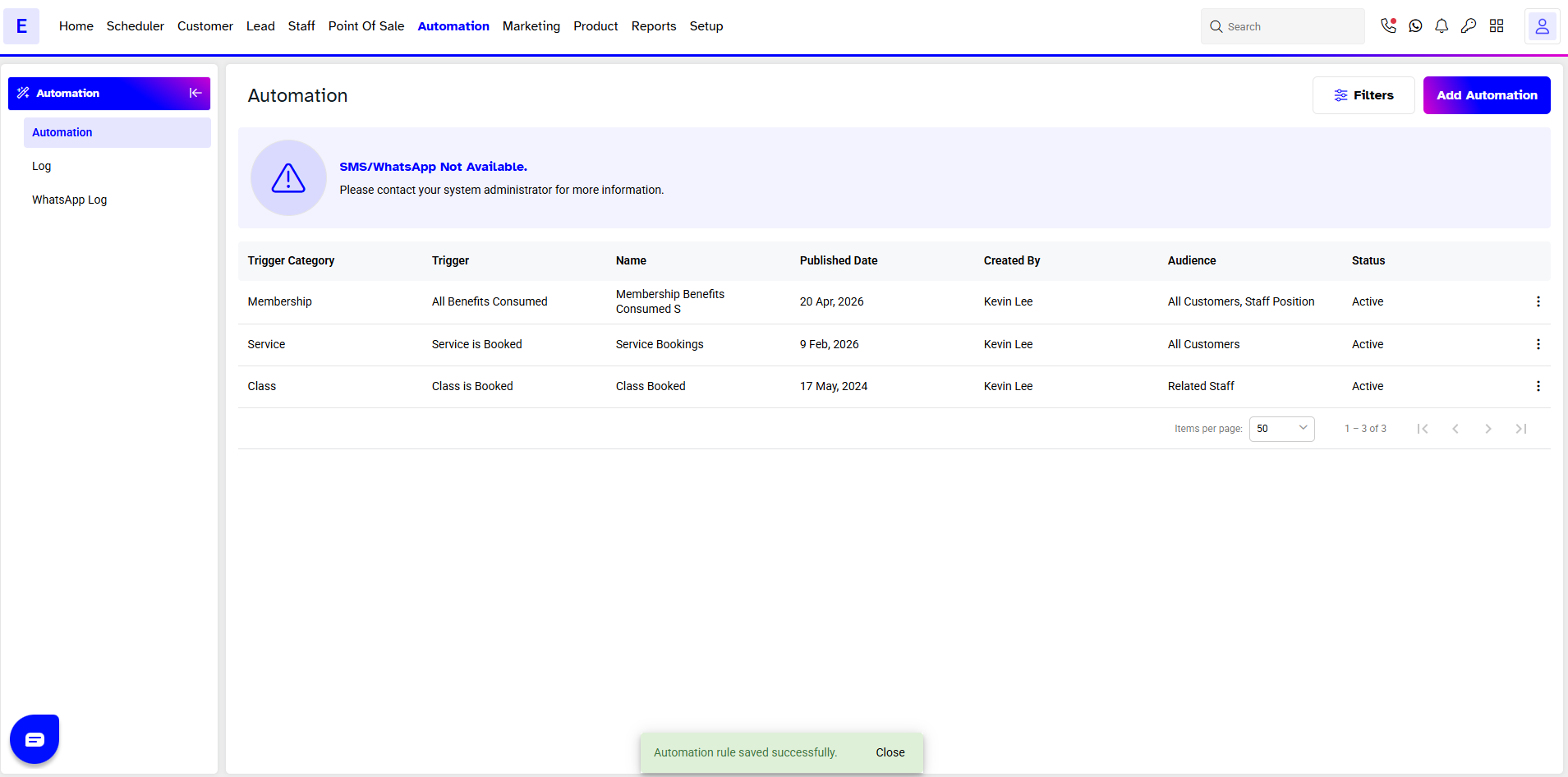
Once done, click on the Save Button.
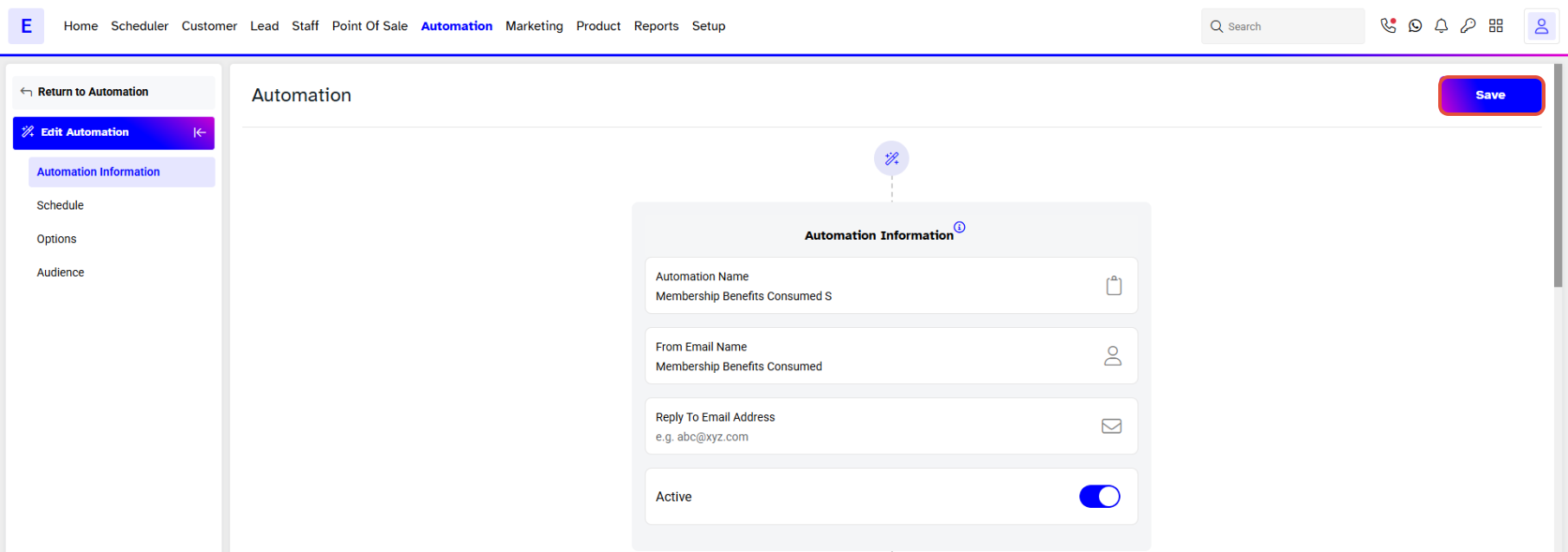
An Automation Rule Saved Successfully message will appear and the new Automation can be seen under the main Automation page.