
TABLE OF CONTENTS
- Step 1: Navigate to Classes
- Step 2: Select the Class
- Step 3: Enable Recurring Bookings
- Step 4: Save the Class
Overview
This guide explains how to enable recurring bookings for a Class in Core. By following this guide, merchants can allow customers to book recurring sessions for specific classes online.
Step 1: Navigate to Classes
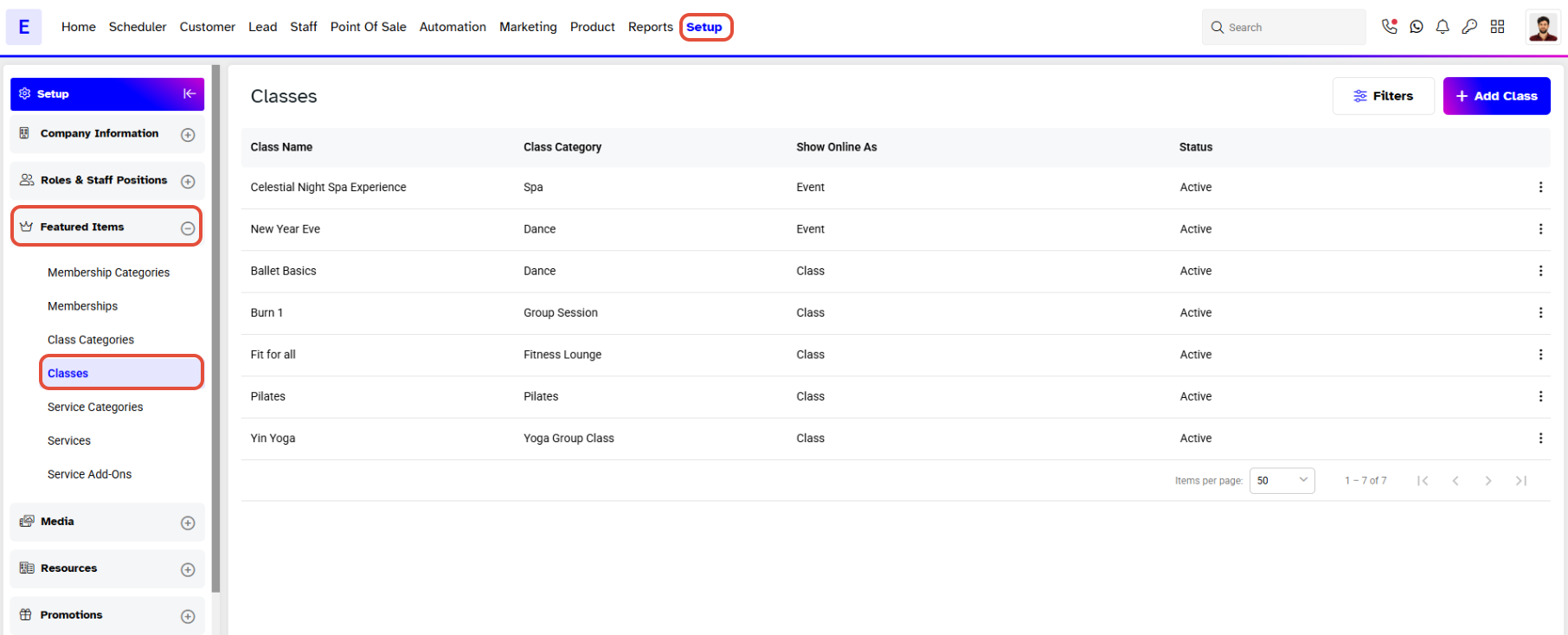
- Go to the Setup module in Core.
- Click on the Featured Items tab.
- Click on the Classes tab.
Step 2: Select the Class
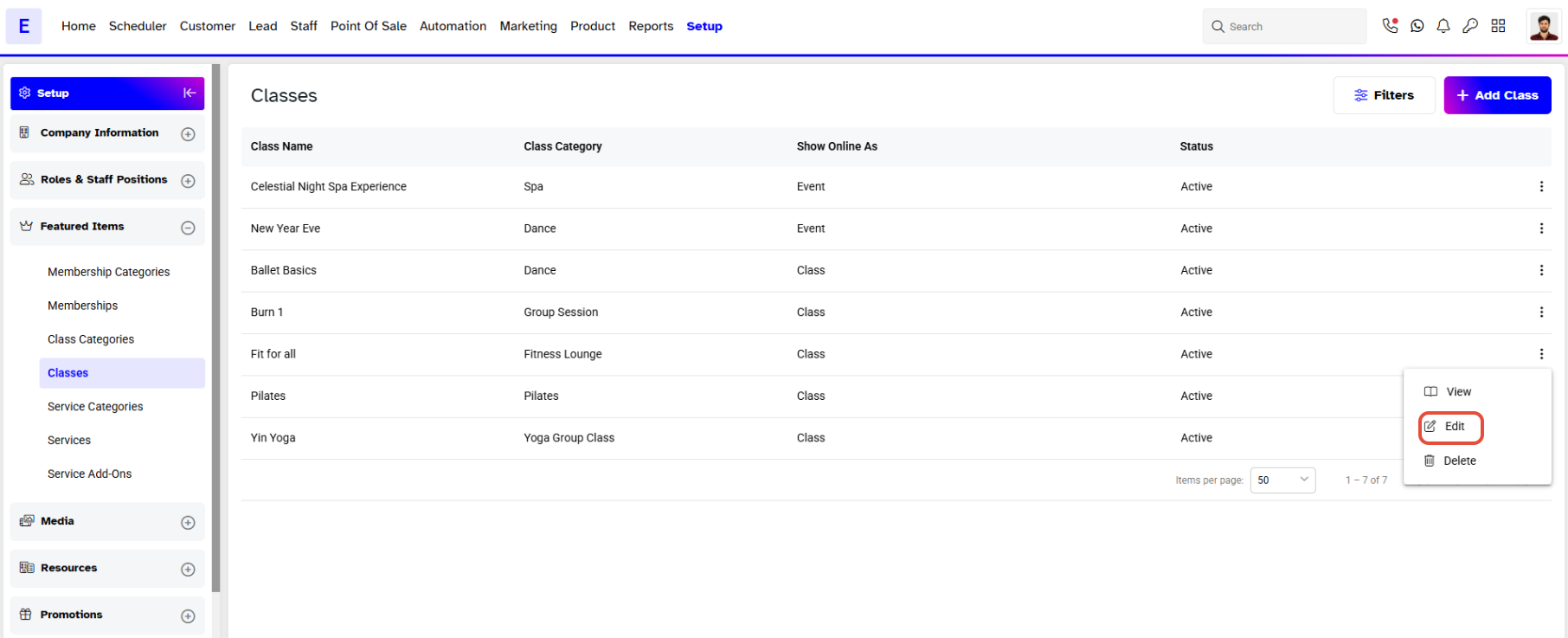
- Locate the Specific Class you wish to update.
- Click on the Edit button against the name of that Class.
- The Class Information will appear on the screen.
Step 3: Enable Recurring Bookings
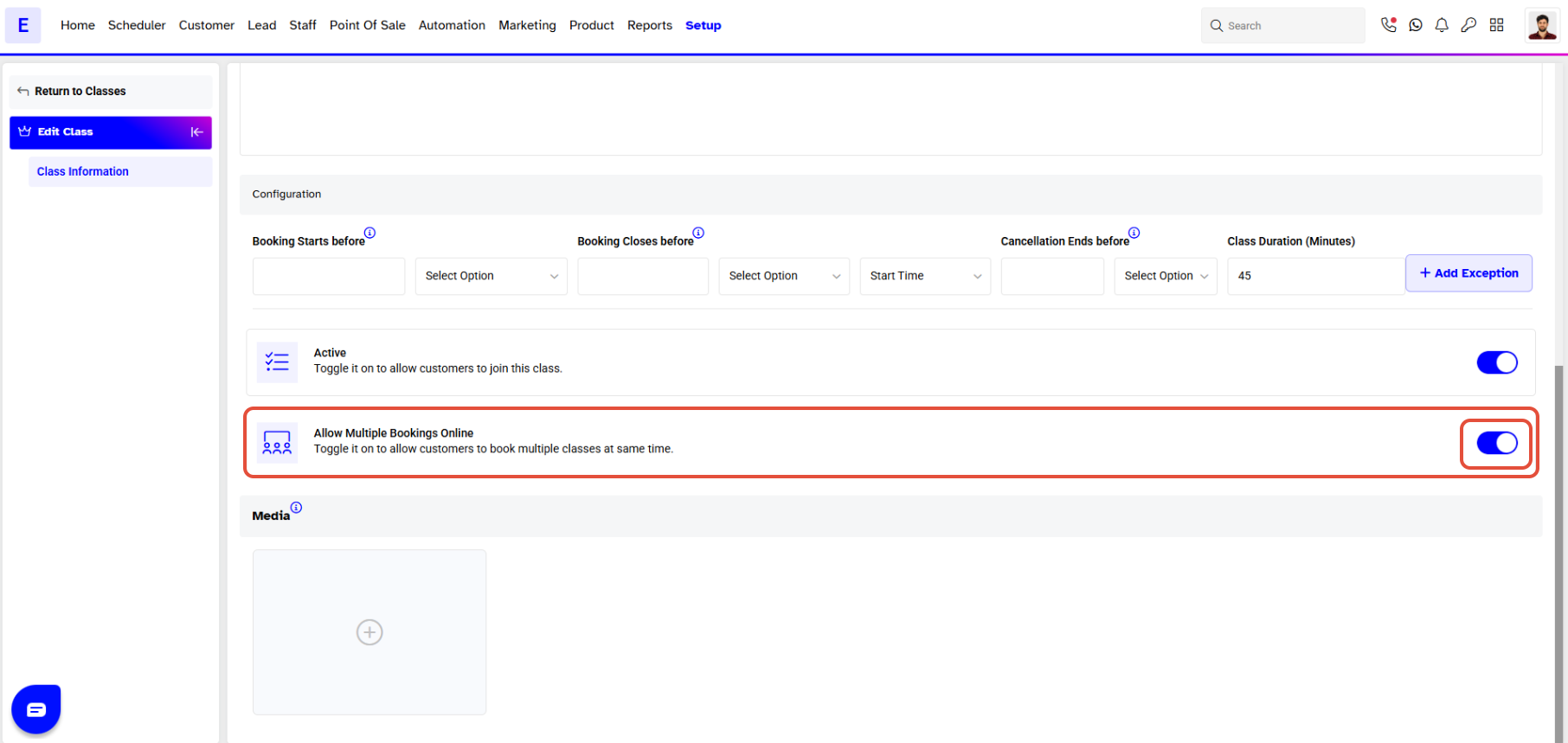
- In the Class Configuration section, locate the Allow Multiple Bookings Online option.
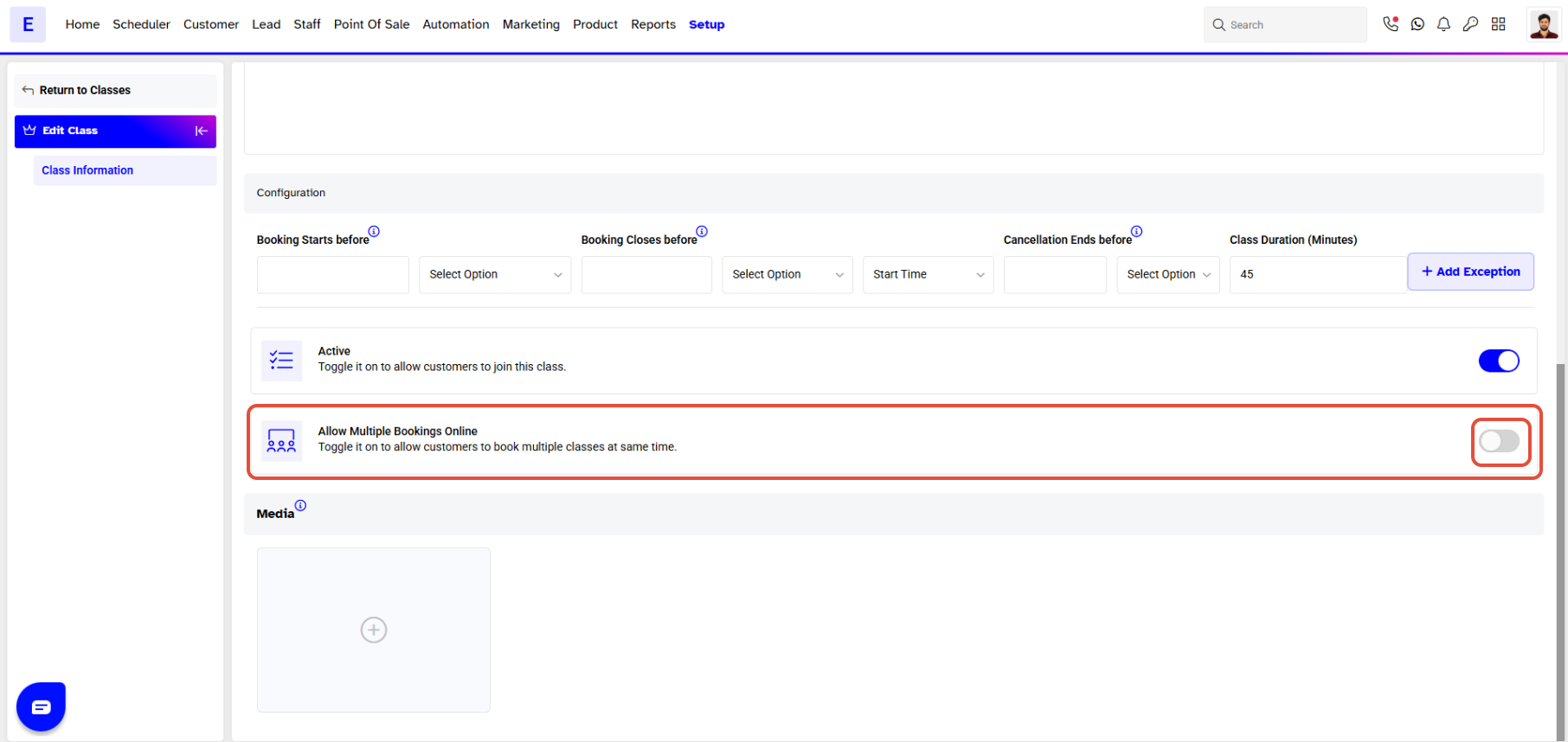
- Toggle this option ON to allow customers to book recurring classes online.
Step 4: Save the Class
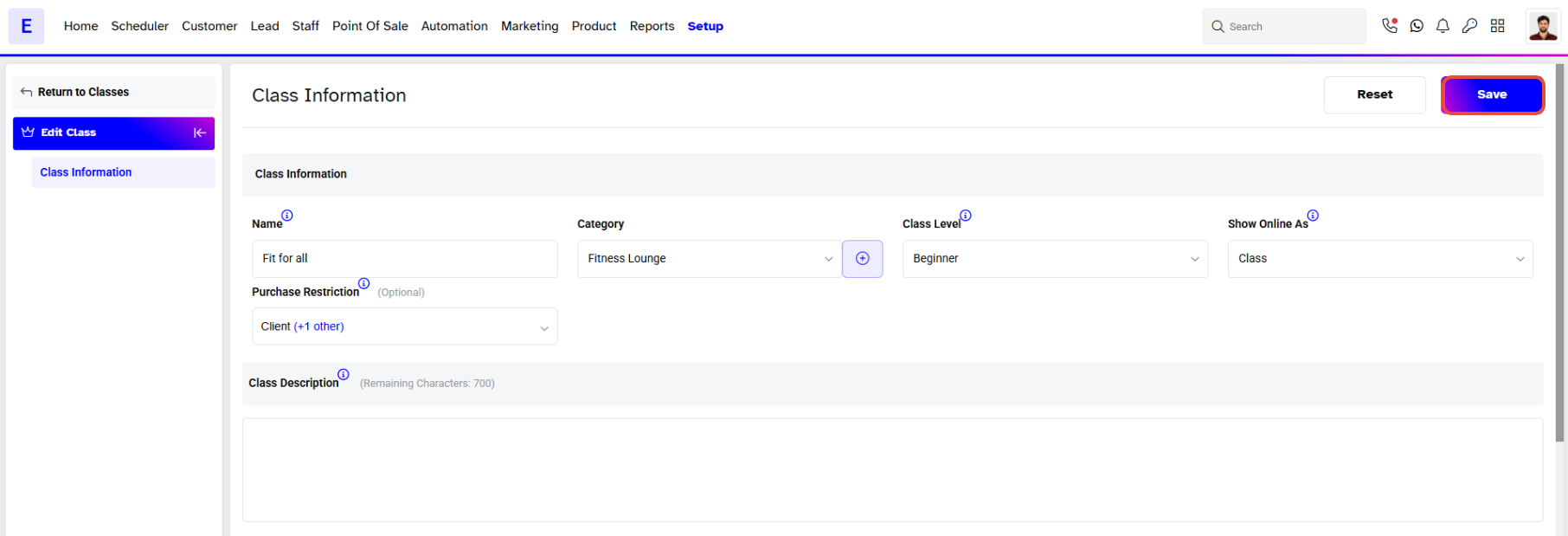
- Click on the Save button to apply your changes.