


TABLE OF CONTENTS
- Step 1: Navigate to Classes
- Step 2: Edit Class Settings
- Step 3: Remove Purchase Restrictions
- Step 4: Save the Class
Overview
This guide explains how to remove purchase restrictions from an existing Class in Core. By following these steps, merchants can update their class settings to ensure all customers are able to book the class.
Step 1: Navigate to Classes
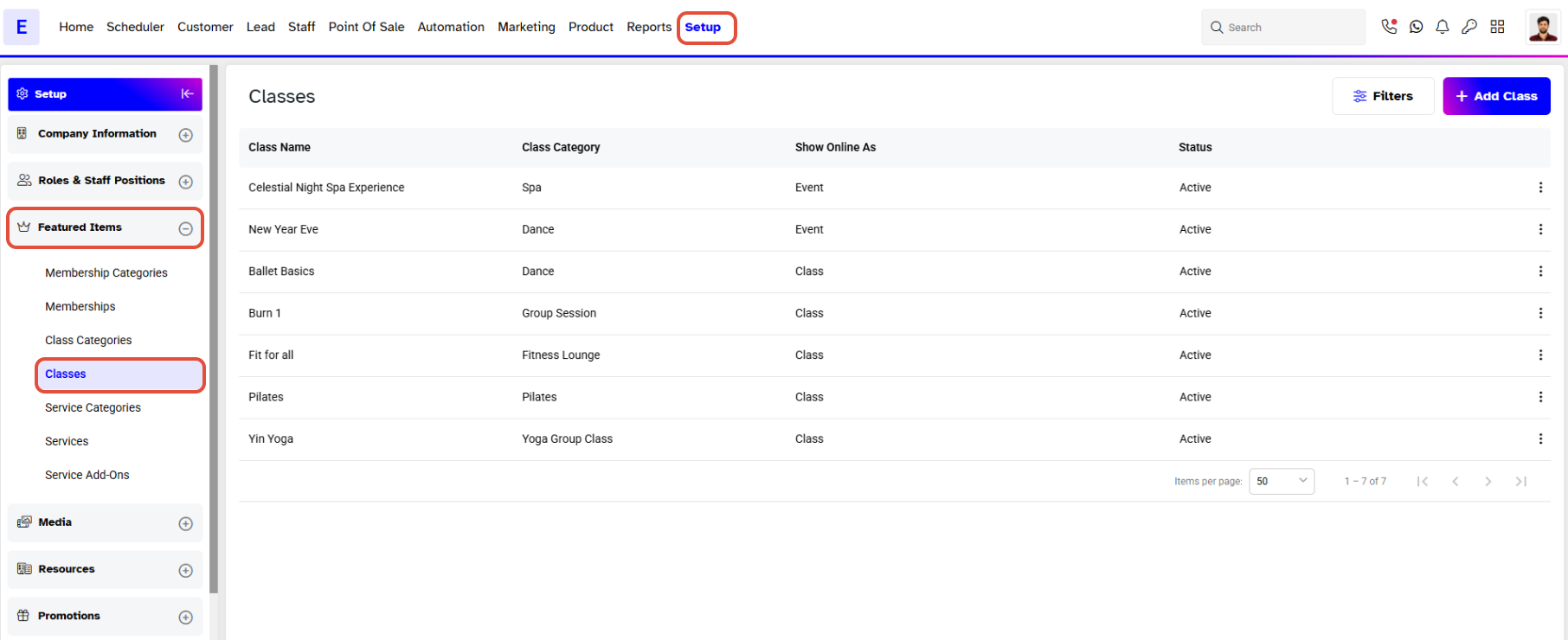
- Go to the Setup module in Core.
- Click on the Featured Items tab.
- Select Classes from the Featured Items tab
Step 2: Edit Class Settings
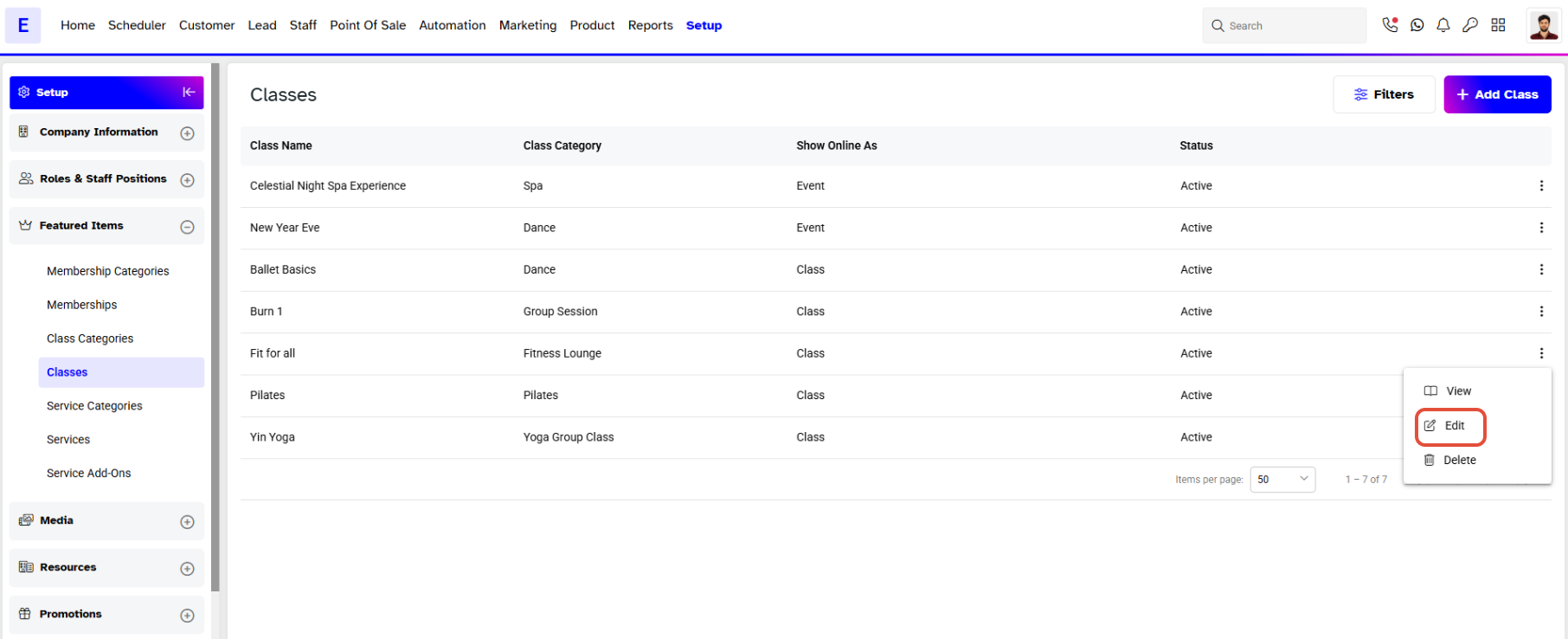
- While in the Classes list, click on the Edit icon against the Specific Class you wish to modify.
Step 3: Remove Purchase Restrictions
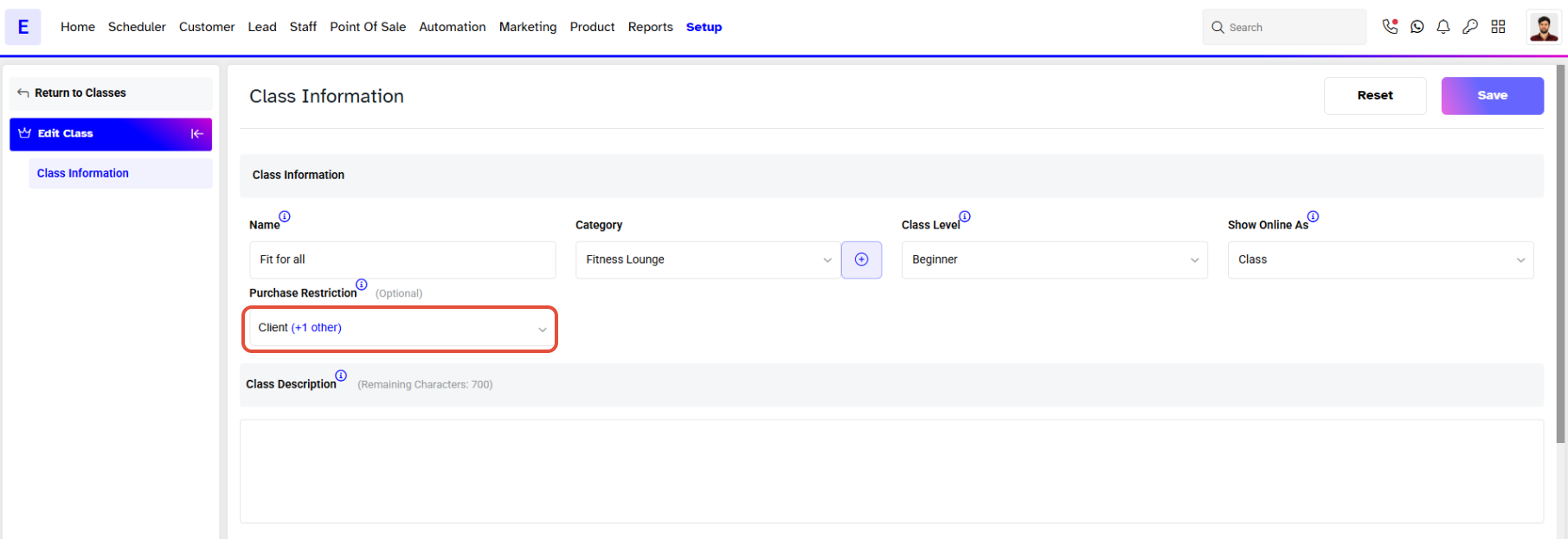
- Click on the Purchase Restriction dropdown menu.
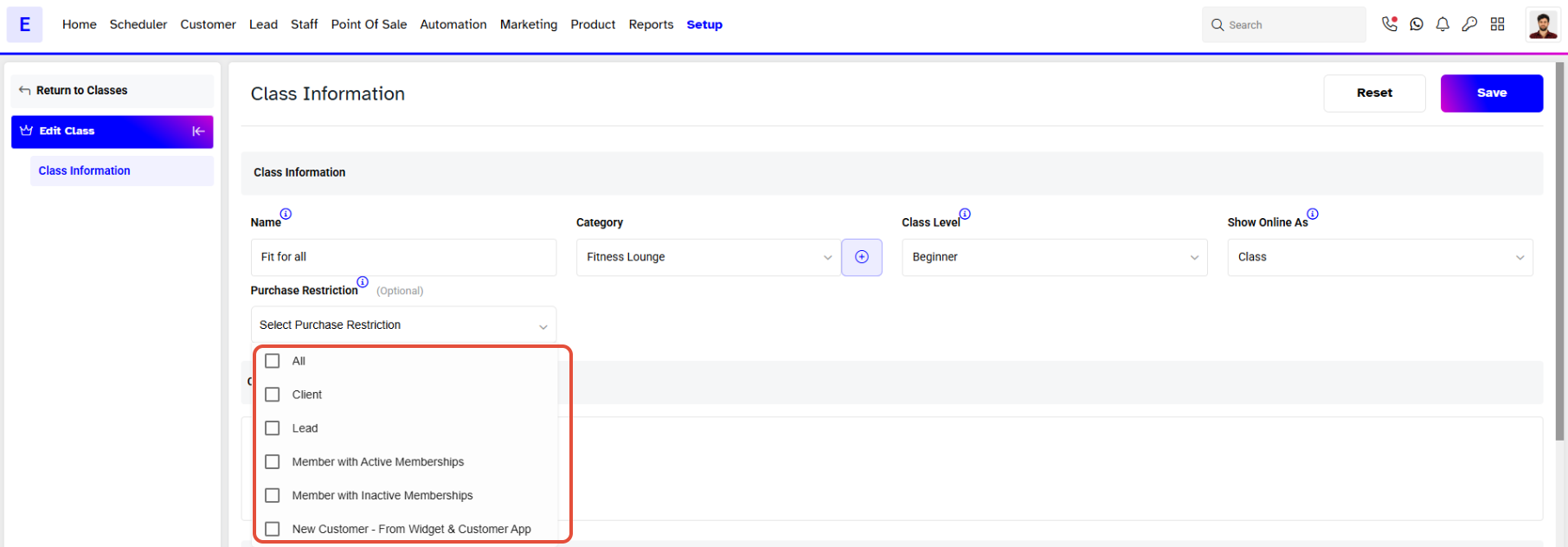
- From the Purchase Restriction Dropdown,Uncheck the selected Customer Types from the list.
Step 4: Save the Class
- Once you have made the changes, click on the Save button to confirm.
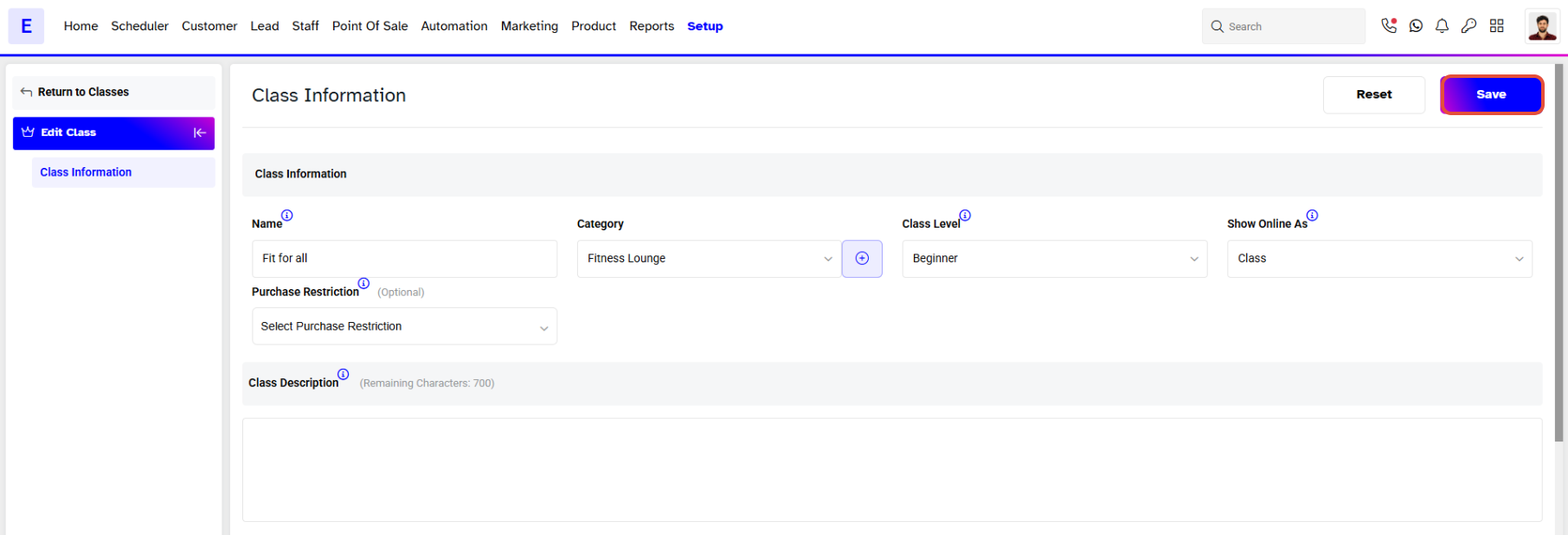
All Customers would be able to Book this Class.


