


TABLE OF CONTENTS
- Step 1: Navigate to the Scheduler & Access Class Settings
- Step 3: Enable Hide Price Online
- Step 4: Save Changes
Overview
This guide explains how to hide the price of a class on the Widget and Customer App. By following these steps, merchants can prevent customers from booking a class online when the Hide Price Online feature is active.
Step 1: Navigate to the Scheduler & Access Class Settings
- Click on the Scheduler Module.
- Access Class Settings.
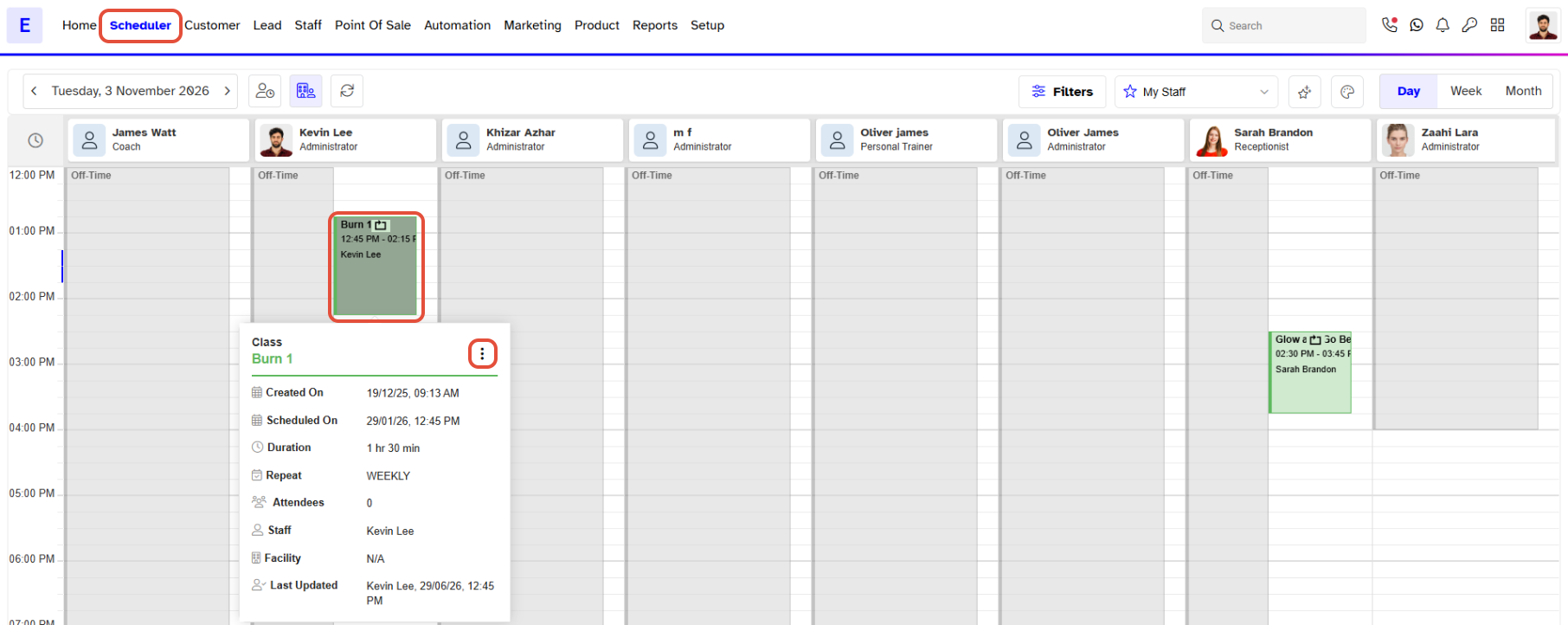
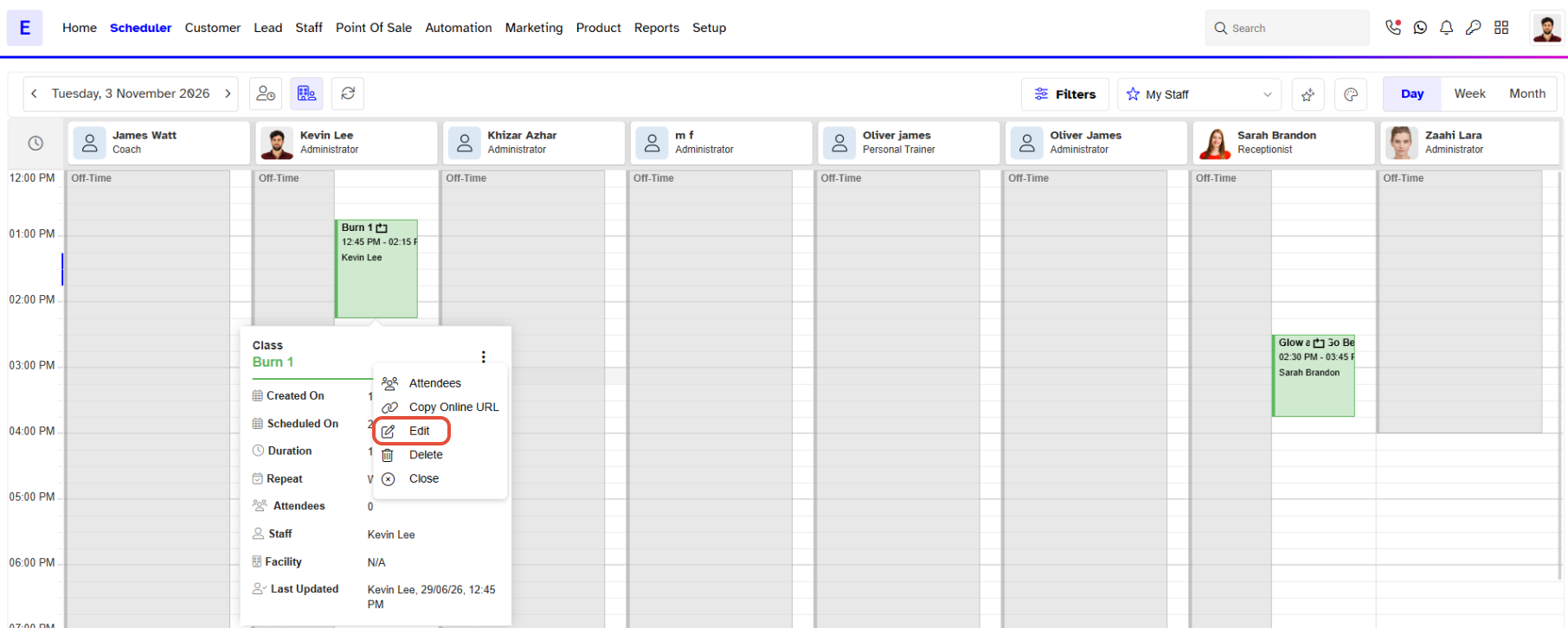
- Select Edit Class from the Edit Class pop-up box.
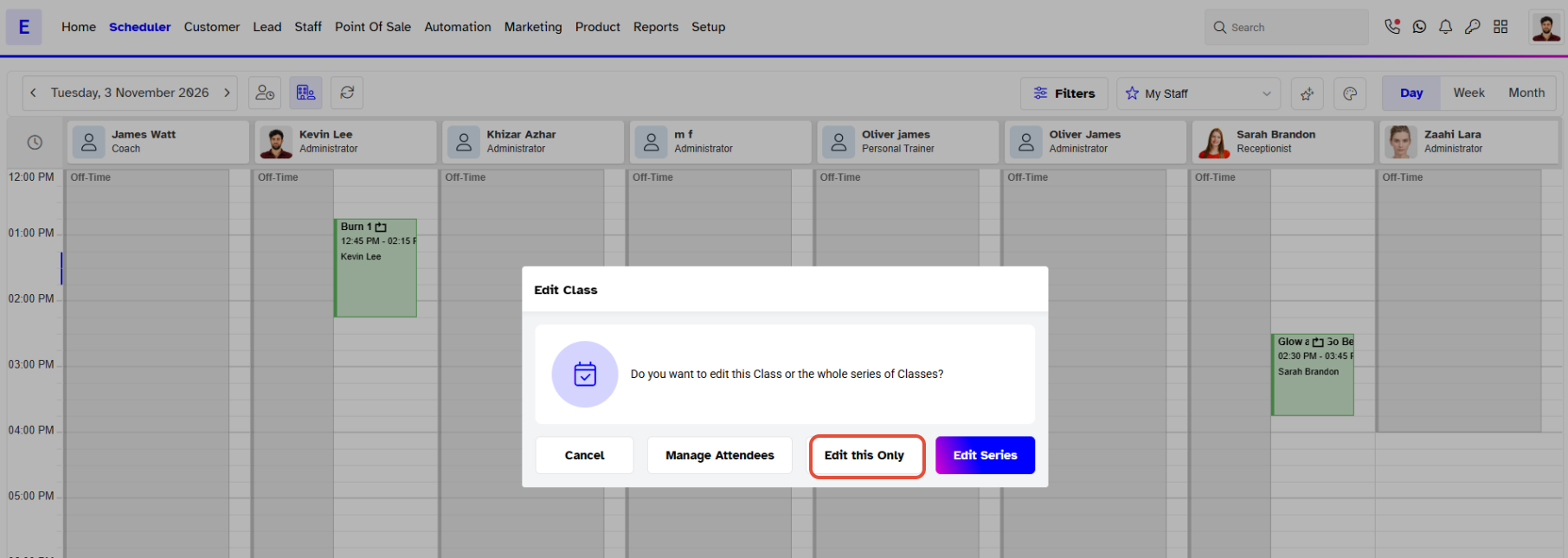
- Now pop up will be appear and click Edit this only.
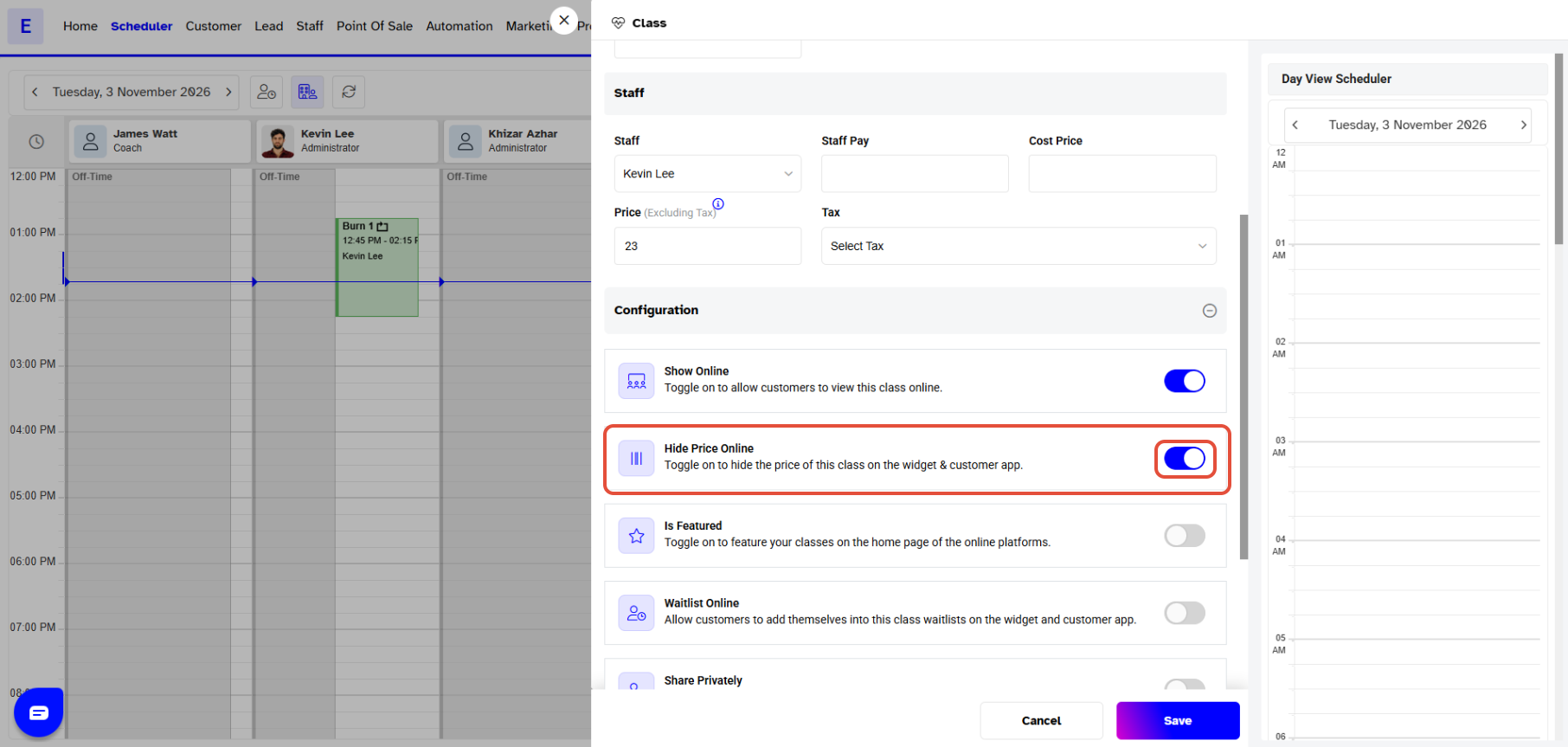
Step 3: Enable Hide Price Online
- Scroll down and click Cofiguration.
- Now Toggle On the Hide Price Online Button.
Step 4: Save Changes
- Once done making the change, click on the Save Button to confirm it.
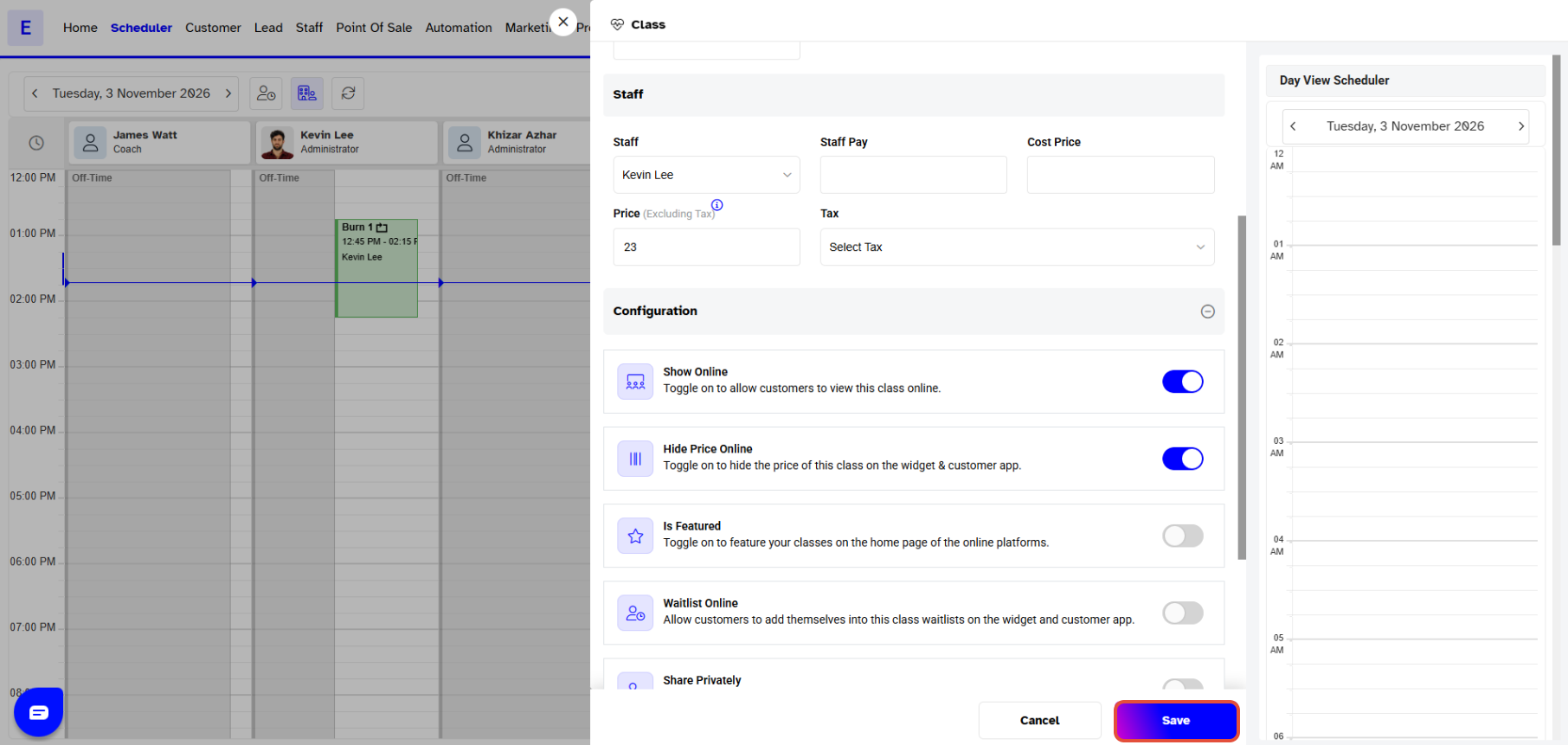
Customers will not be able to book that Class on the Widget and Customer App whose Hide Price Online Button has been toggled on.


