


TABLE OF CONTENTS
To restrict certain Customers from booking a Class, follow the steps.
How To Add a Purchase Restriction On A Class In Core
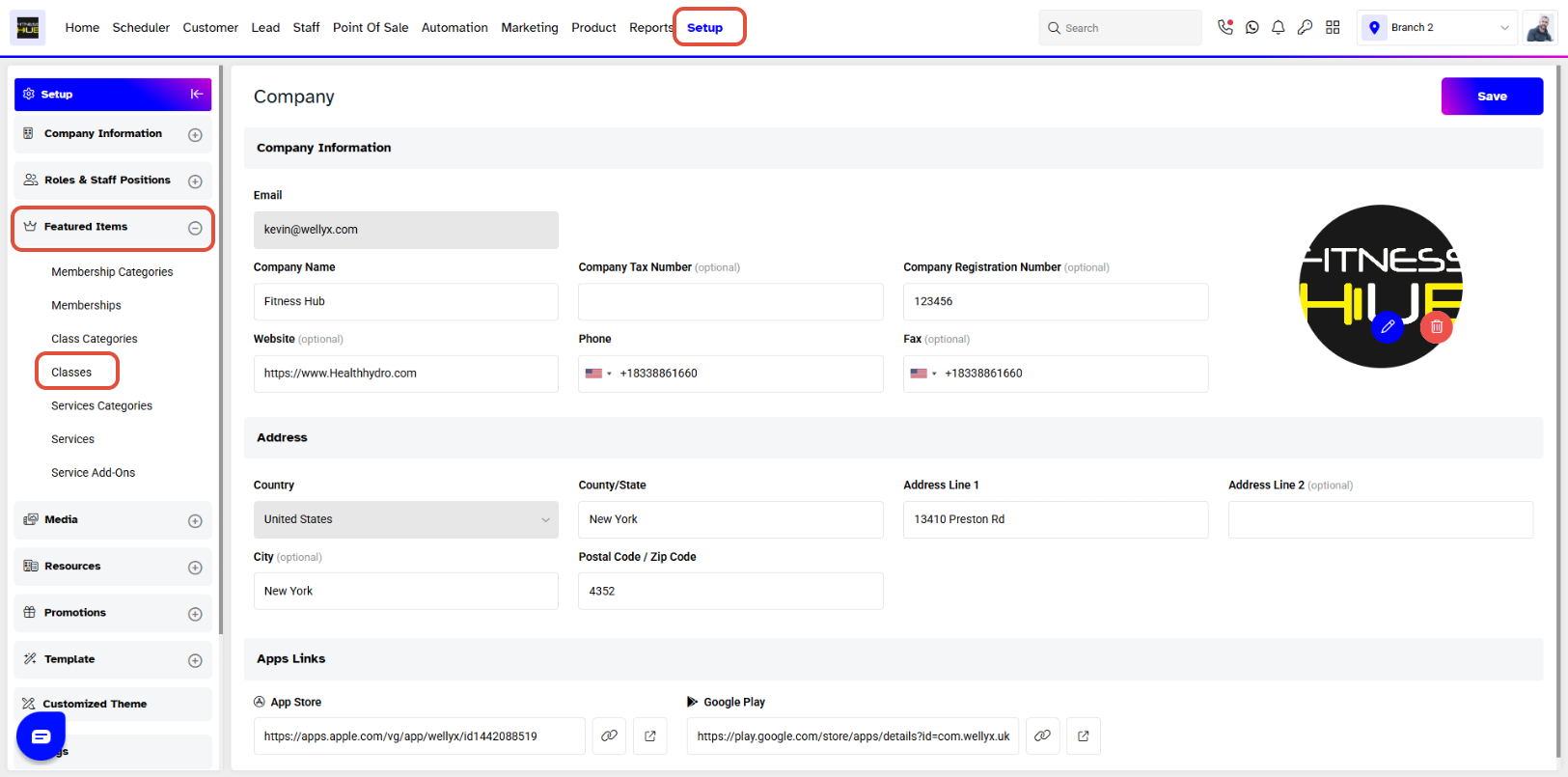
Go to the Setup Module.
Click on the Featured Items tab and select the Classes.
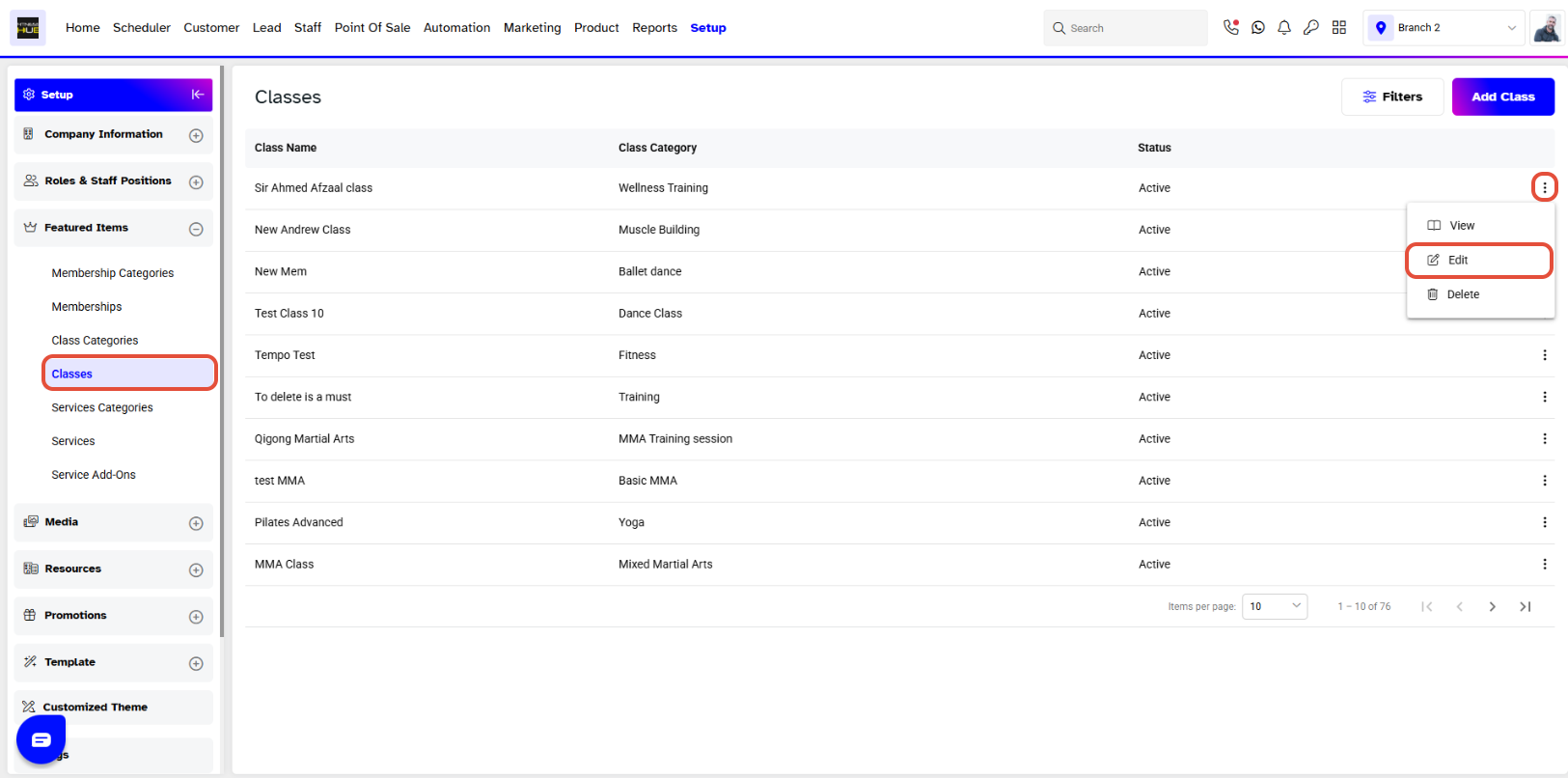
Whilst in Classes, click on the Edit Button against a Class.
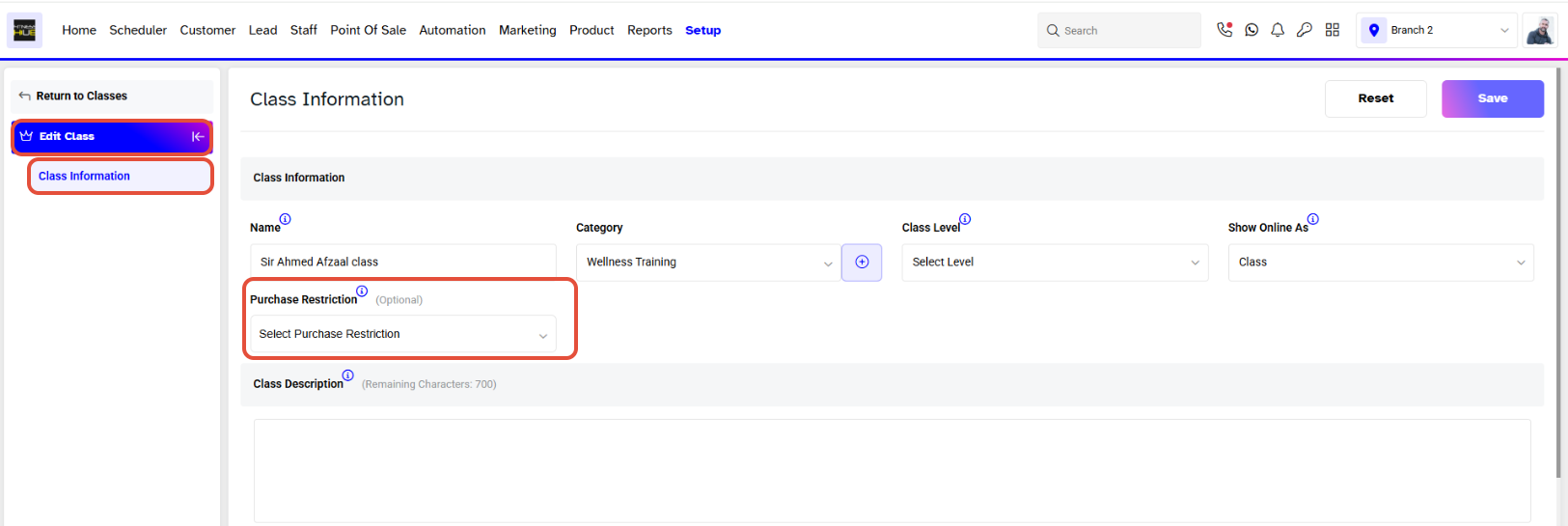
Now, click on the Purchase Restriction Dropdown.
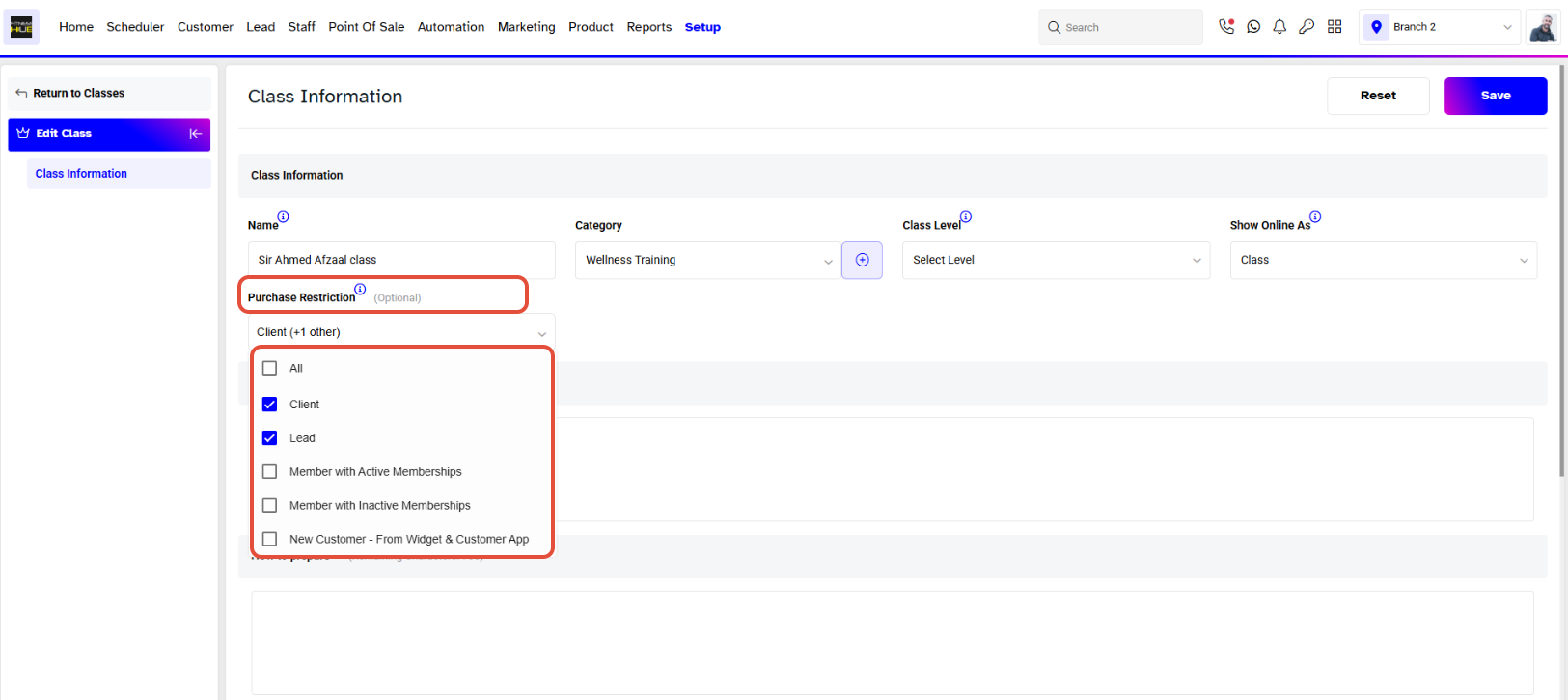
From the Purchase Restriction Dropdown, select the type of Customers that will be restricted from booking this Class.
Once done with the changes, click on the Save Button to confirm them.
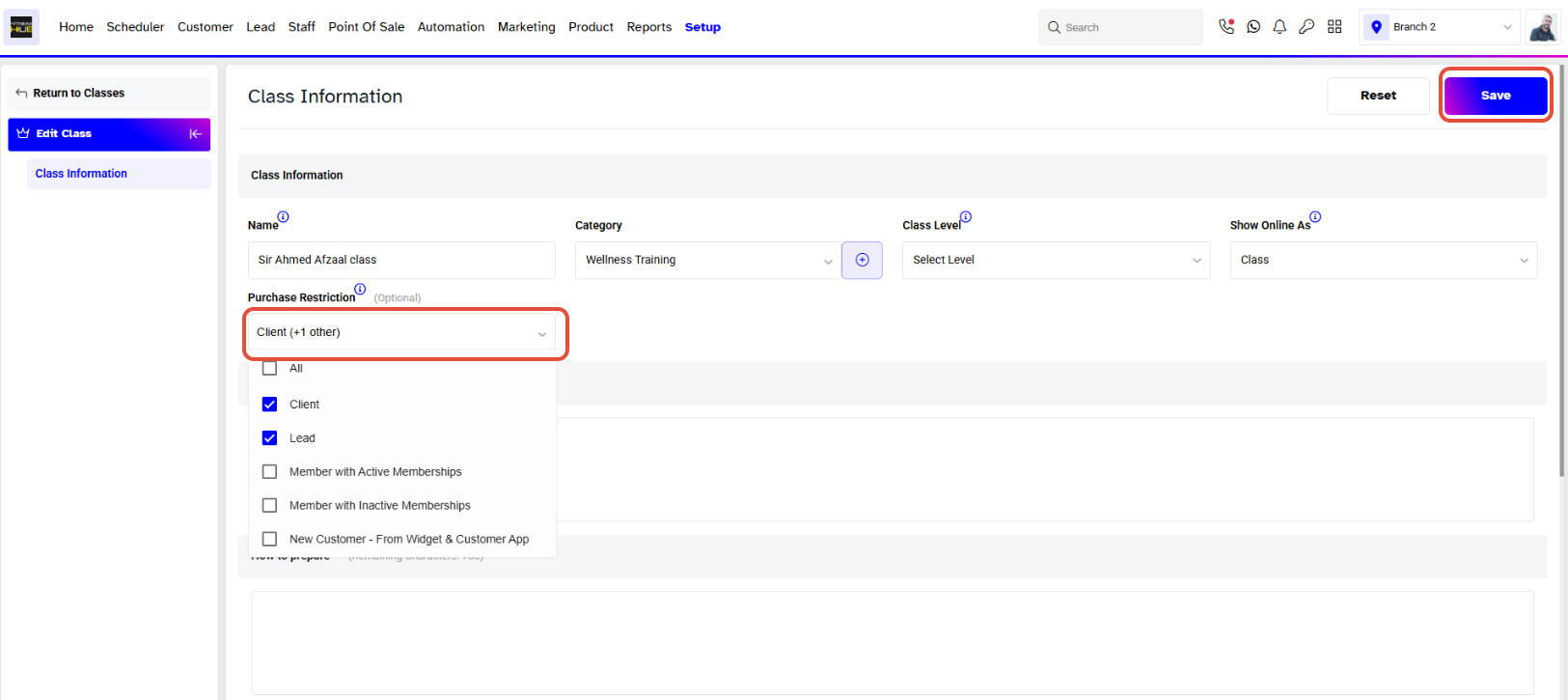
The Restricted Customer type would not be able to see the Class both on the Widget and Customer App.




