TABLE OF CONTENTS
A Member can manage the Membership Payments on the Widget, by following the steps below:
How Members Can Process The Membership Payments On The Widget
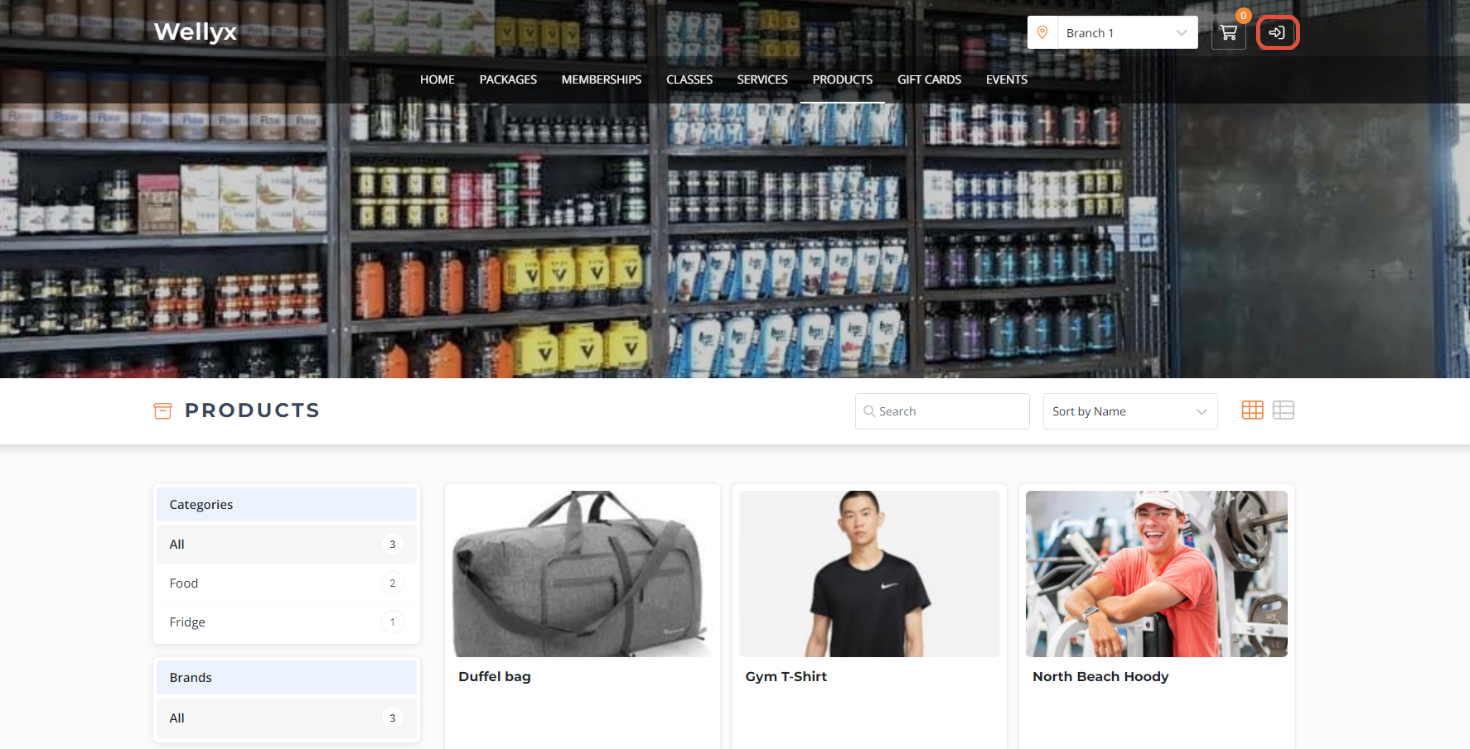
Click on the Login Icon located on the widget.
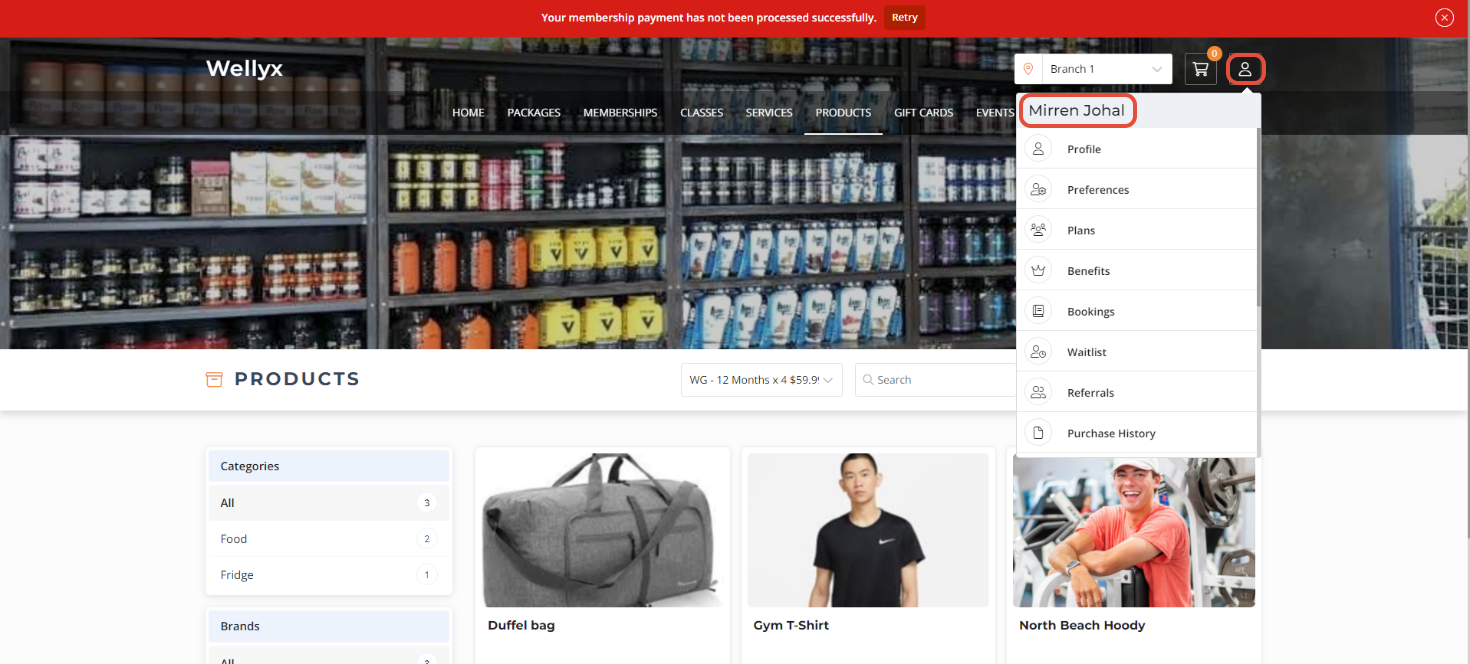
Login using a Member Profile.
Select the Plans option from the Members Profile side menu.
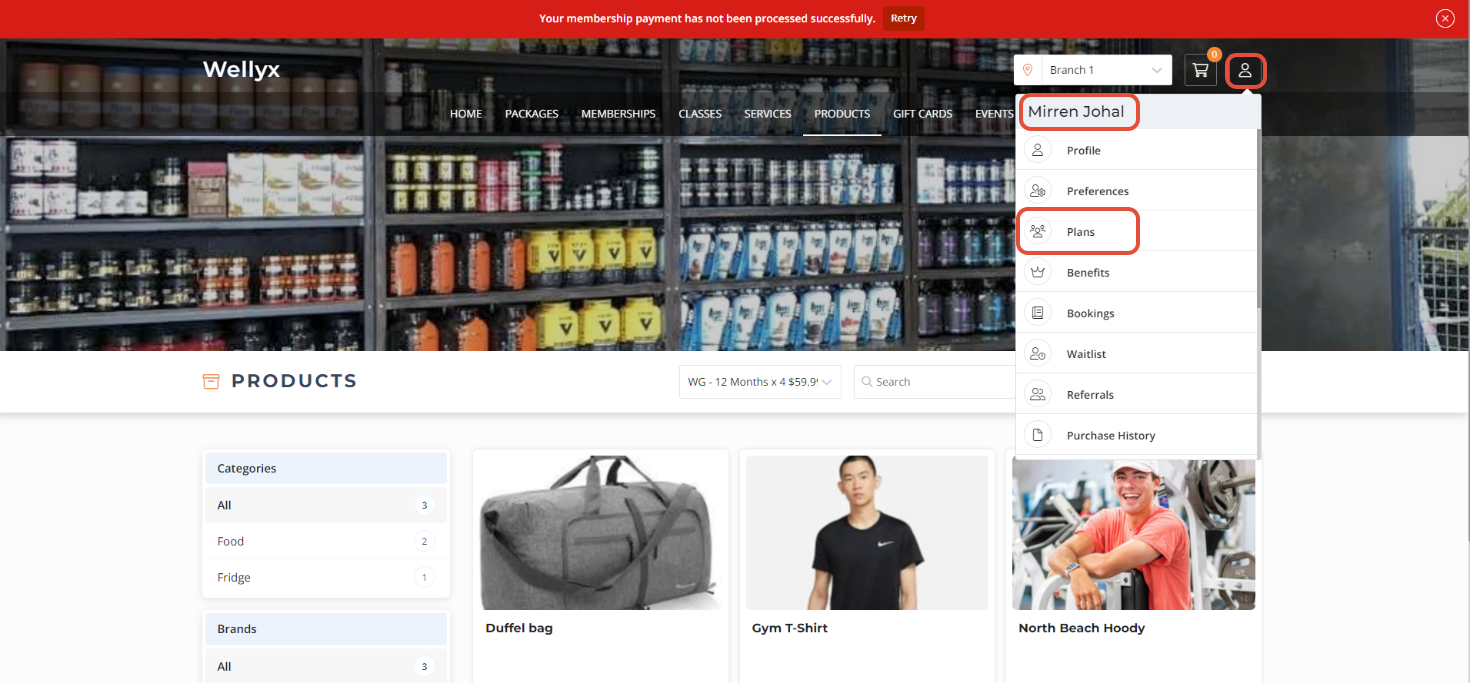
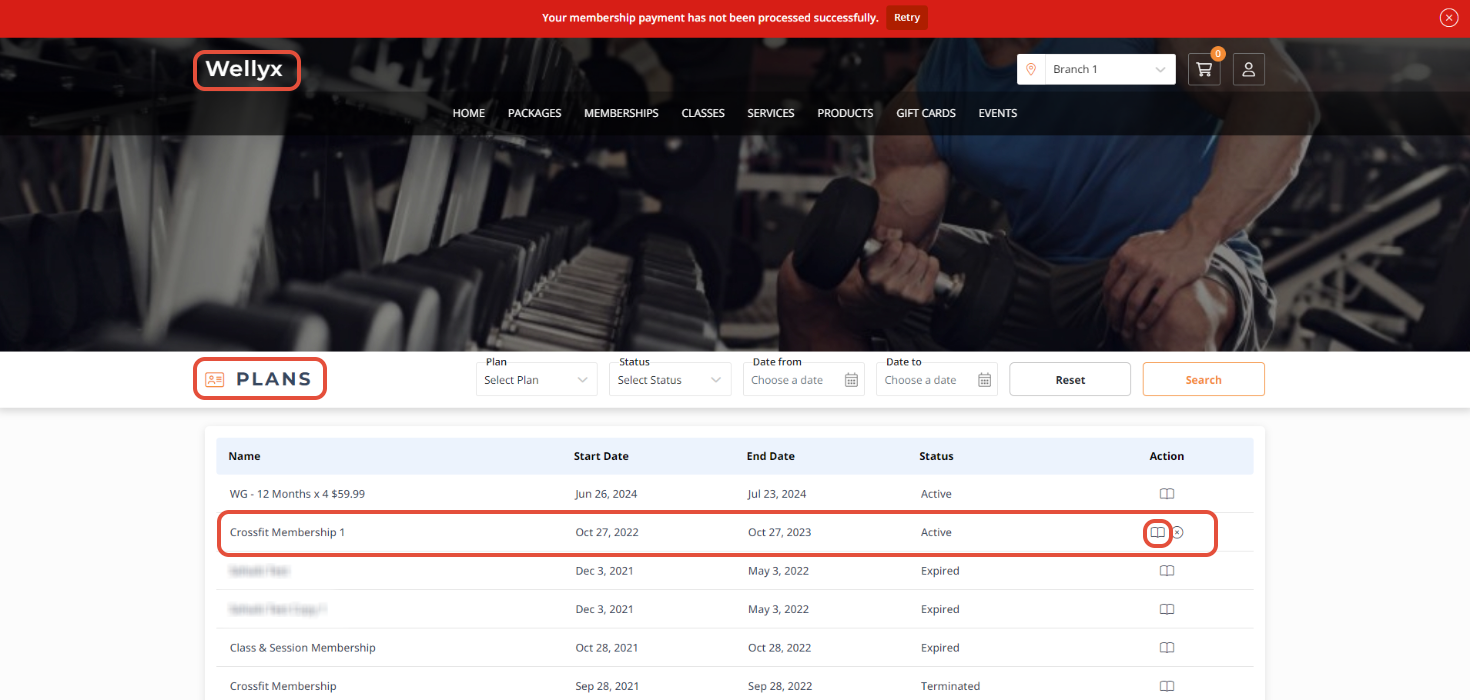
Members can also Retry their Payment through the Membership Payment Alert notification if their Payment fails.
Click on the View Icon against the Membership which Payments you want to Process.
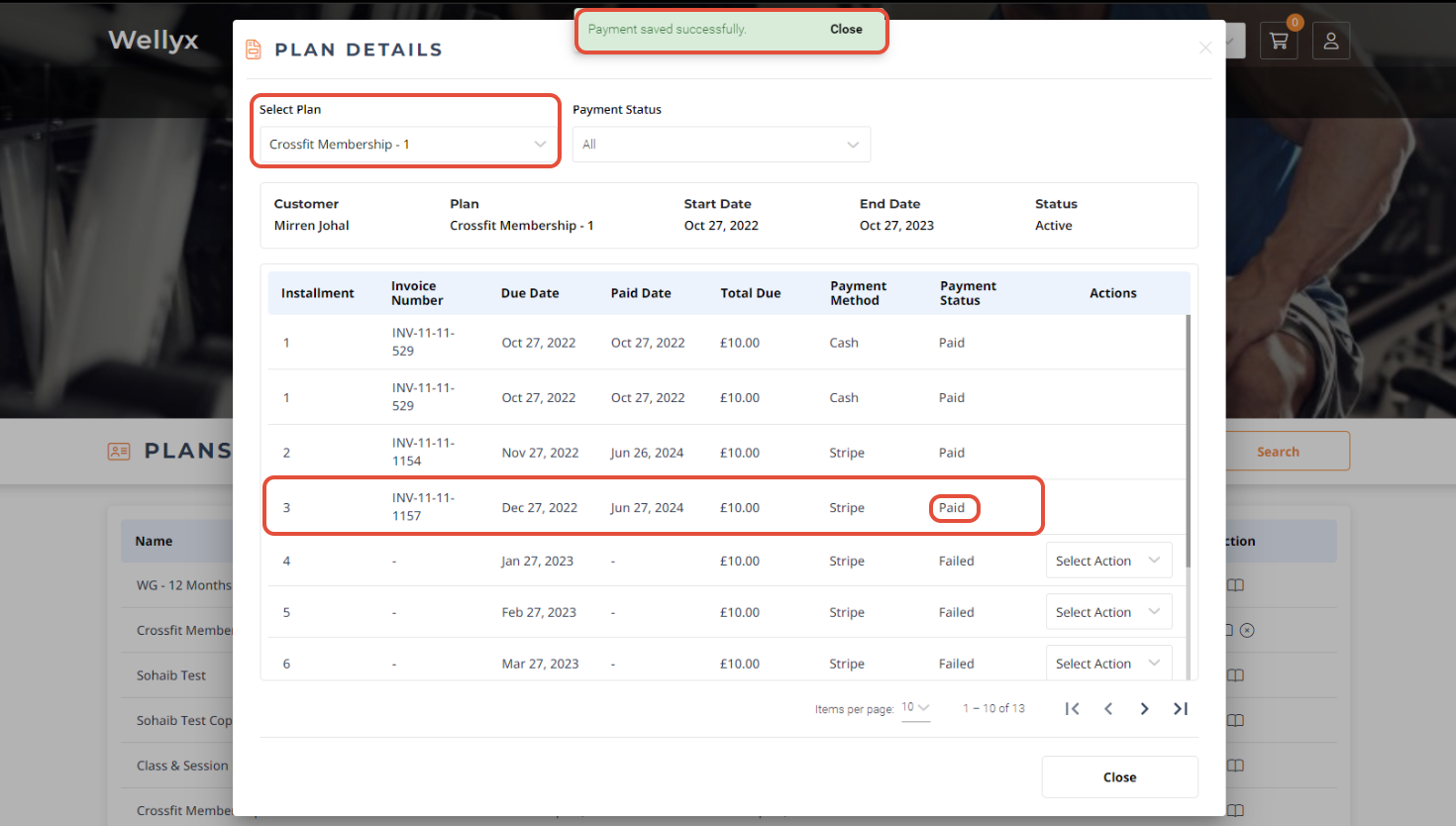
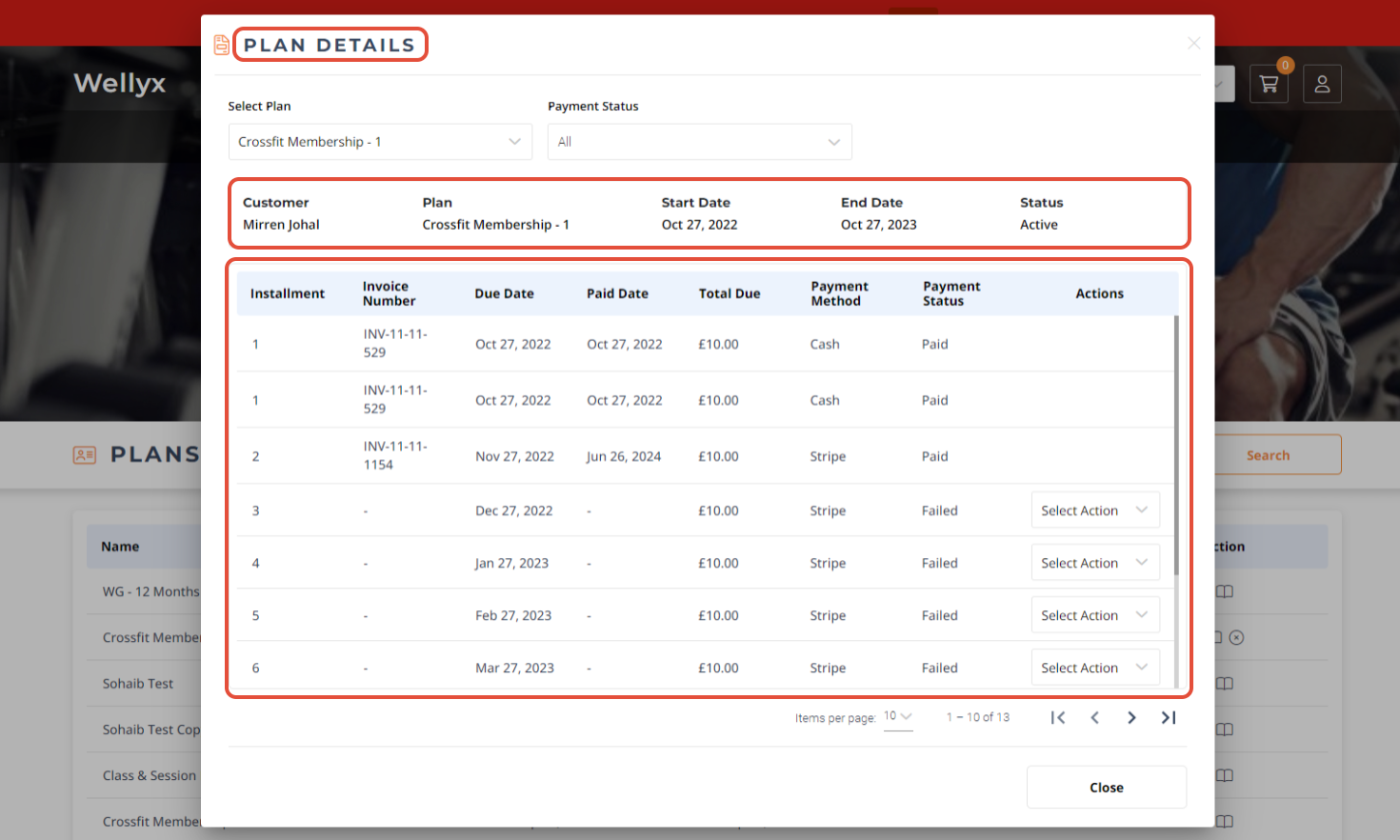
Once done, the Plan Details Popup Box will display all the Membership Payment Details and their Status.
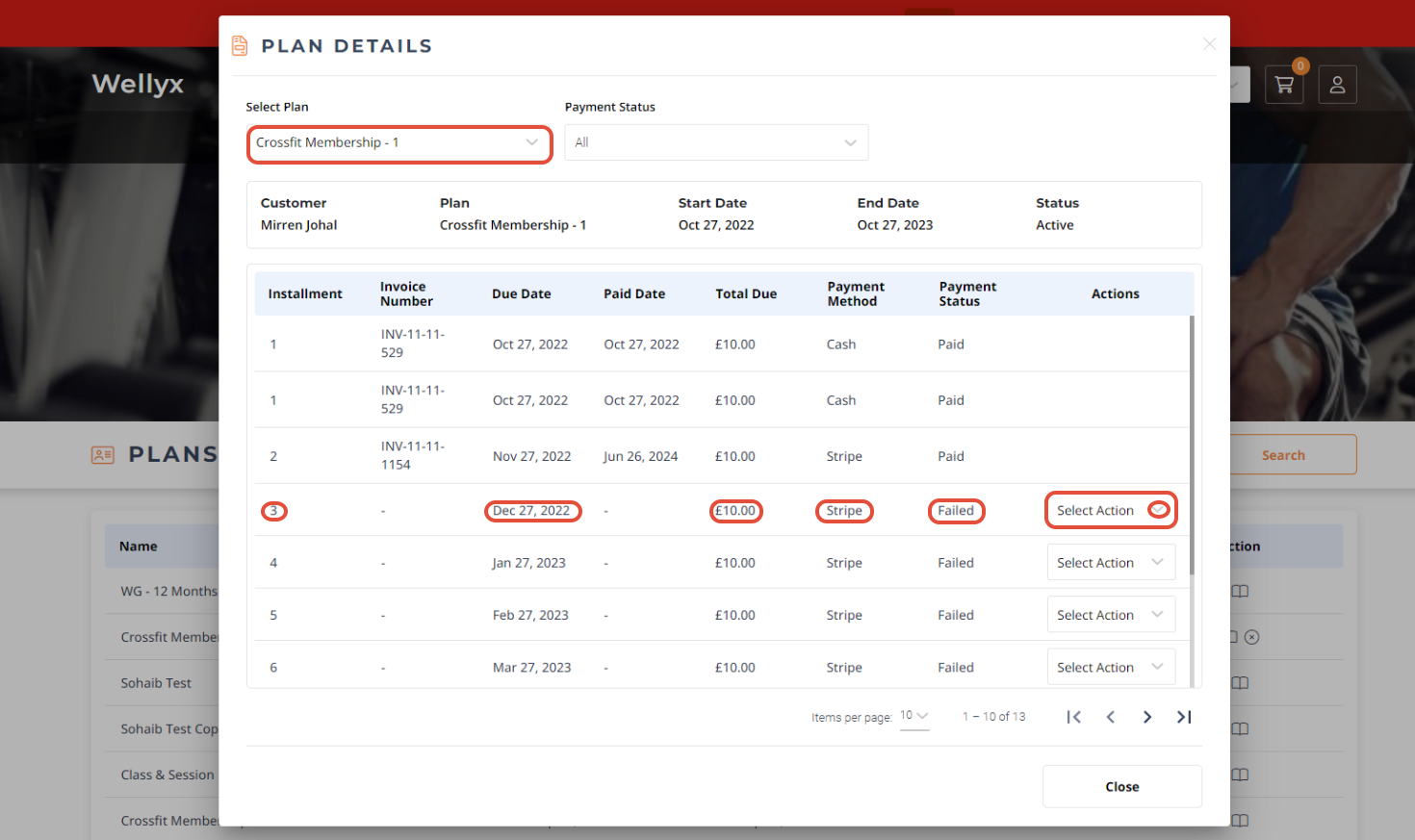
Click on the Action Button against the Failed or Unpaid Payment Status.
A dropdown will appear. Select "Retry" for the same payment method or "New Payment Method" for a New Payment Method.
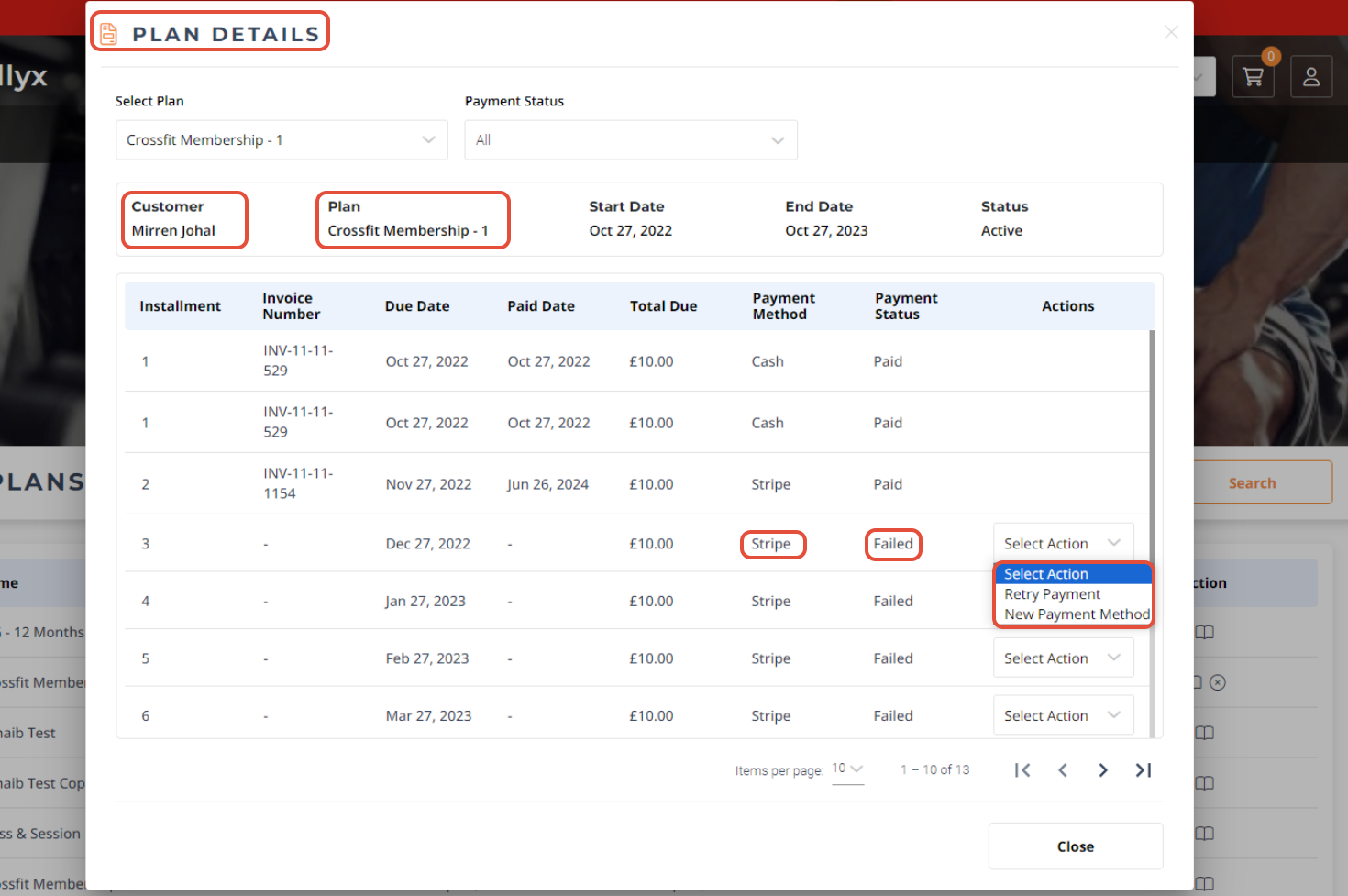
The Customers can cannot modify the due Date and Payment Date for the Membership Payments.
Now, the Process Payment Popup will open. review all the Payments details and click on the Pay Button.
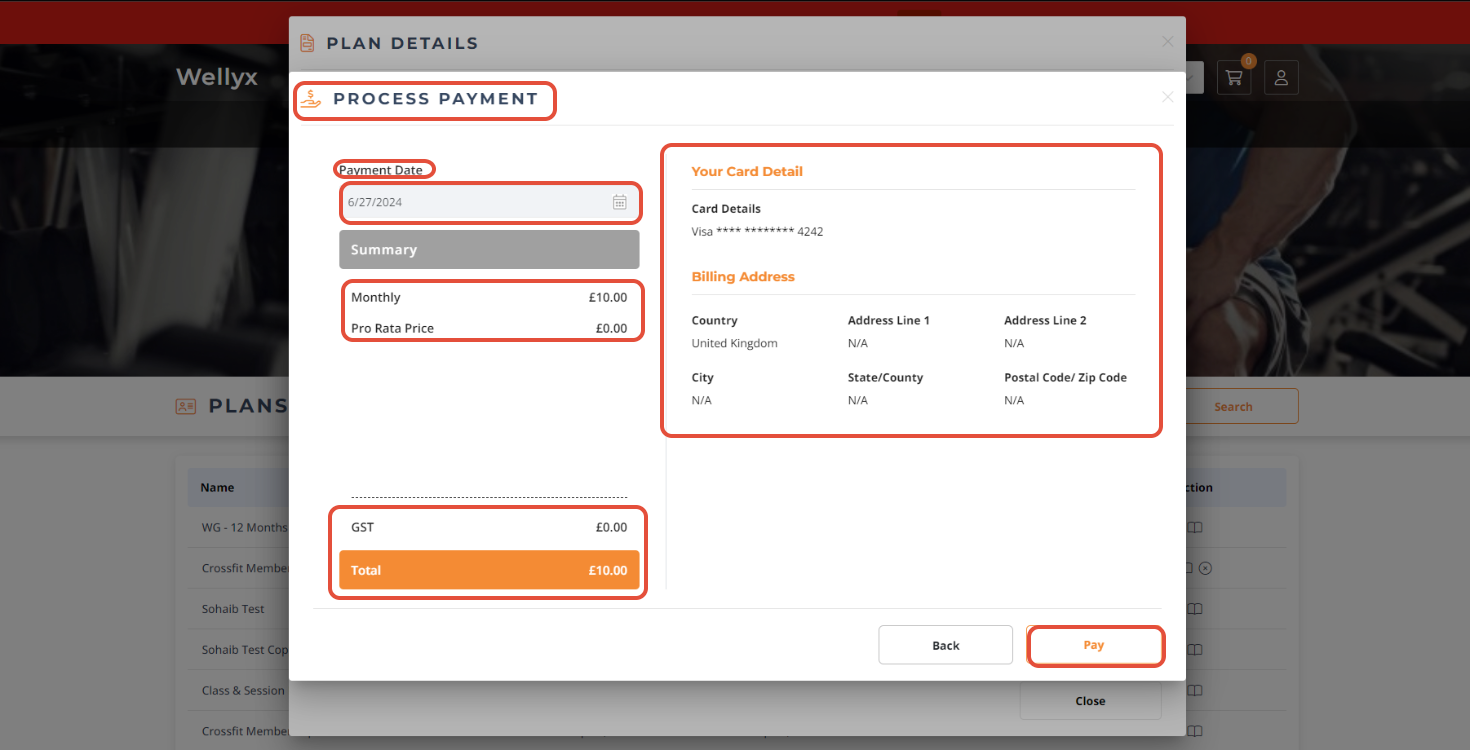
Once done, the Customer Payment has been paid successfully.