


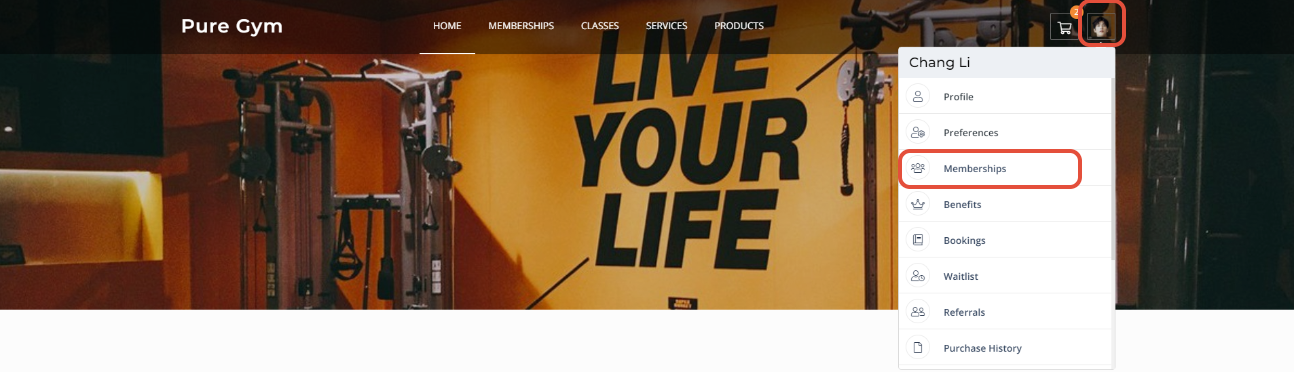
From the Homepage, Customers can click on their profile picture towards the rights of the screen.
A profile menu will pop up, click on Memberships.
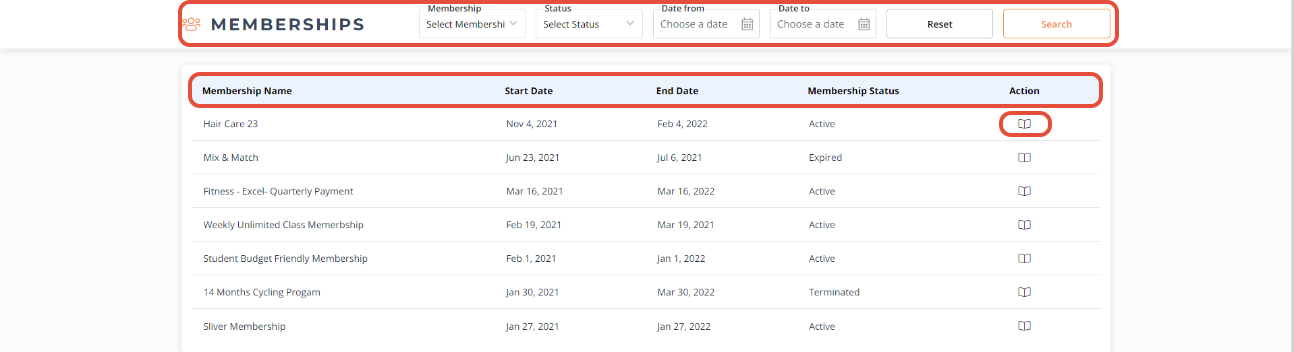
You will be taken to the Memberships Detail page.
Customers can use the Search Filter to narrow their search for a specific membership.
They can select Membership, Status, Date from, Date to from the drop down menu list and click on Search or click Reset to clear all fields
The Membership Details page will display the following:
- Membership Name
- Start Date
- End Date
- Membership Status
- Action
Customers can click View under Action to view the details of the desired membership.
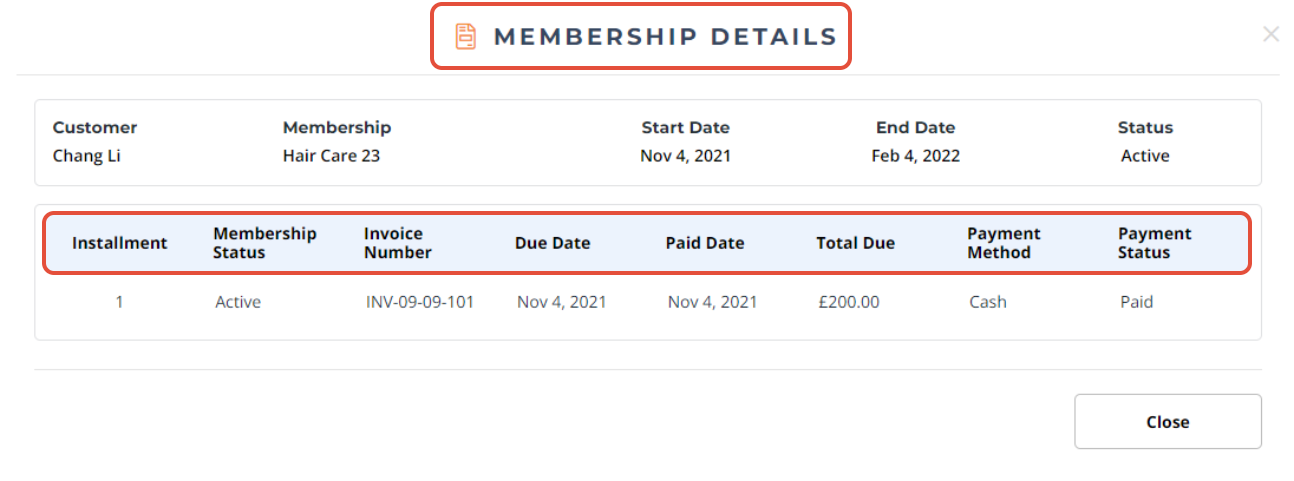
When you will click on View, A Membership Details window will pop and display the following details:
- Installment
- Membership Status
- Invoice Number
- Due Date
- Paid Date
- Total Due
- Payment Method
- Payment Status
For a list of terms used in the Wellyx application & across the support website, please consult our Glossary.




