


TABLE OF CONTENTS
To perform an Express Checkout, follow the steps below.
How To Perform Express Checkout When Purchasing A Product Through The Widget
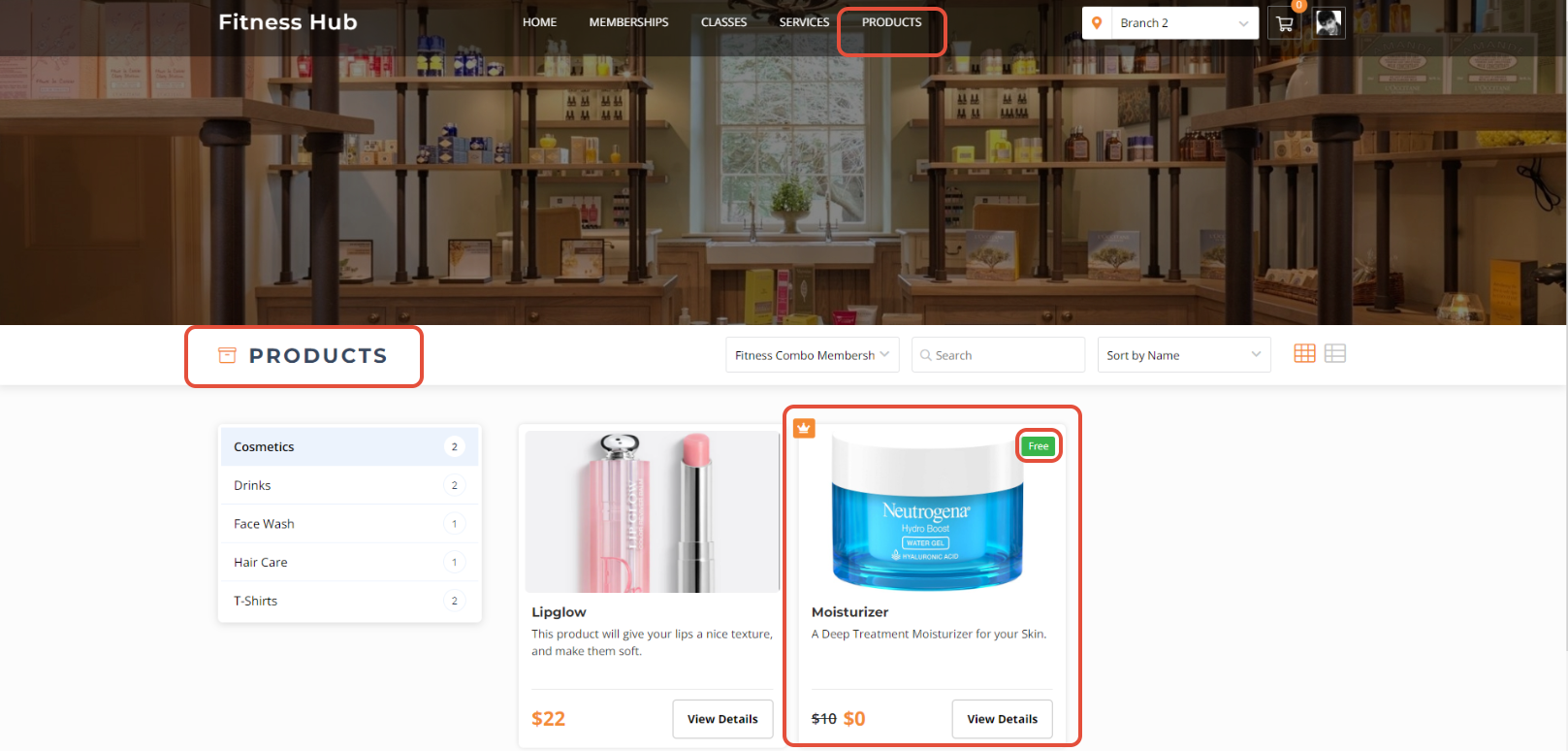
Go to the Products Tab and click on a Free Product.
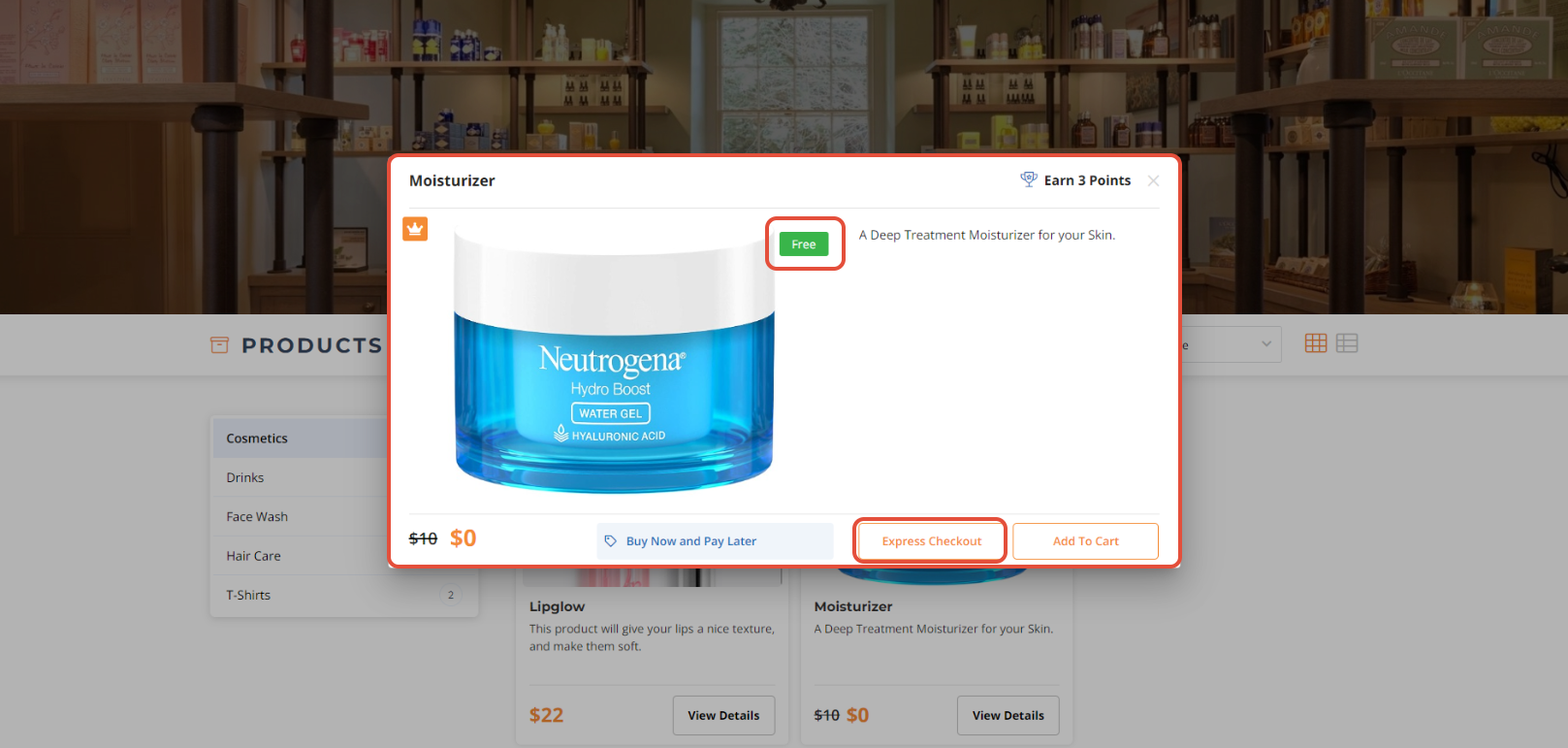
Click on the Express Checkout Button.
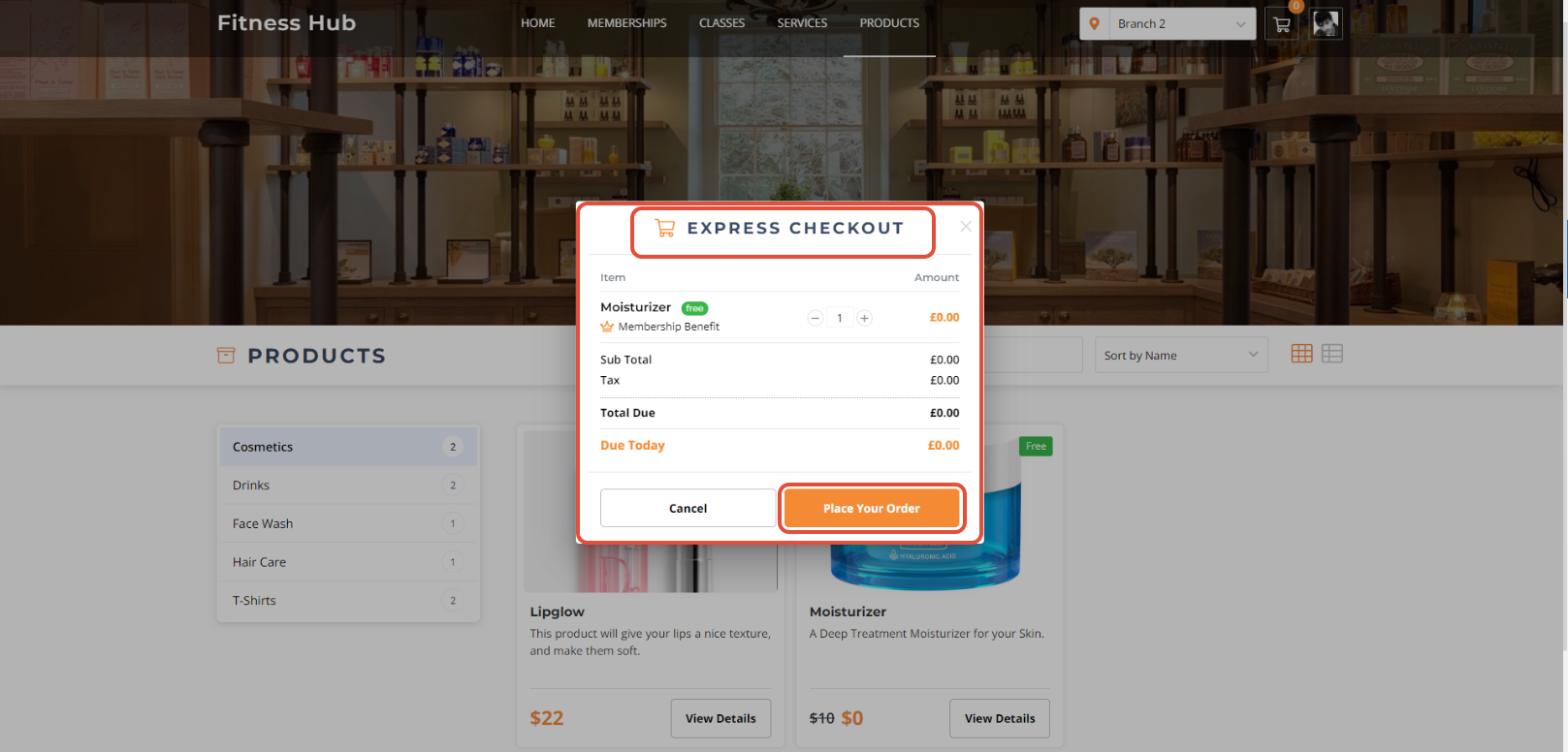
In the Express Checkout Screen, click on the Place Your Order Button.
Express Checkout can only be performed on a Free Class, Service and Product through the Widget and Customer App.




