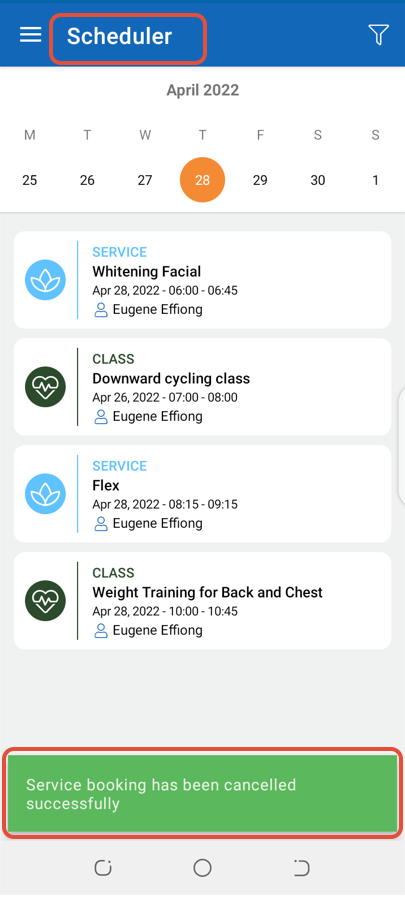
To Late Cancel a booked Service through the Staff App, follow the steps below.
How To Late Cancel A Booked Service Through The Staff App
Go to Scheduler and click on a Service.
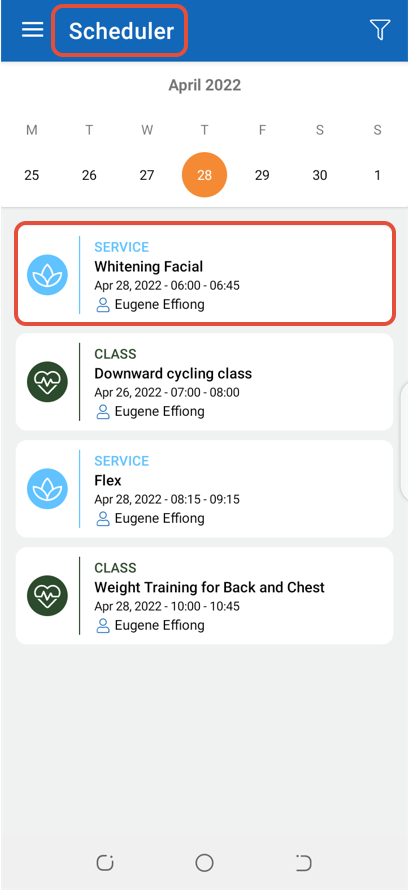
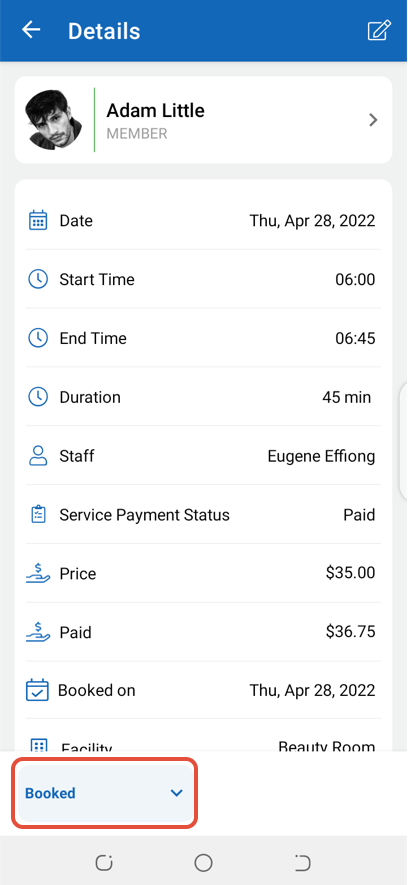
Click on the Booked Button.
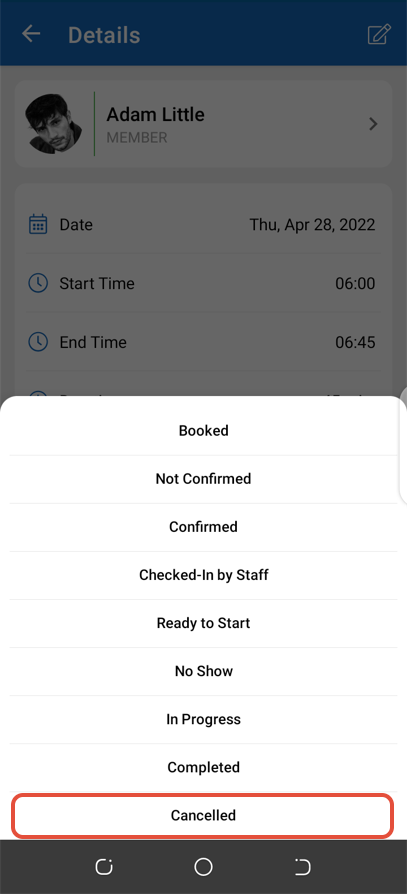
Select Cancelled from the list of options.
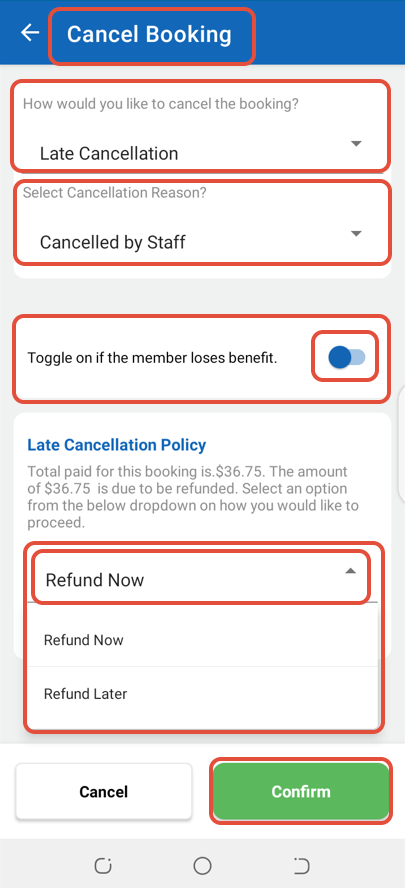
Now, select Late Cancellation and Refund Now from their respective dropdown menus. Once done, click on the Confirm Button to proceed to the next screen.
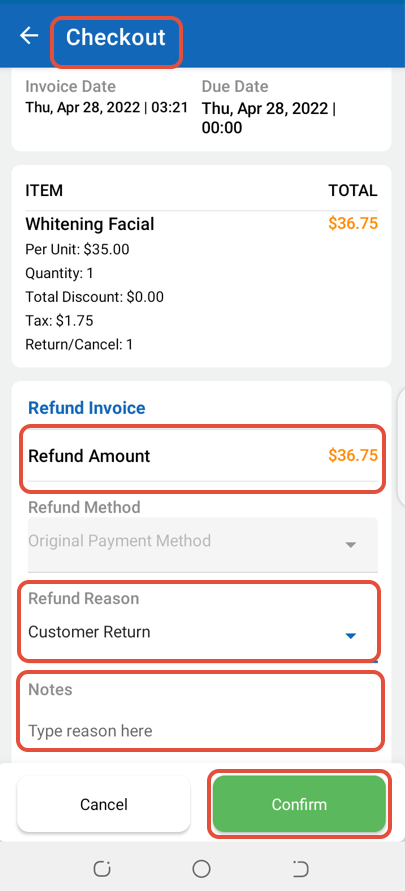
In Checkout, select a Refund Reason and then click on the Confirm Button.
The Service booking will be cancelled.