TABLE OF CONTENTS
To Reset the Customer's Password from Core, follow the steps below:
How To Reset The Customer's Password From Core
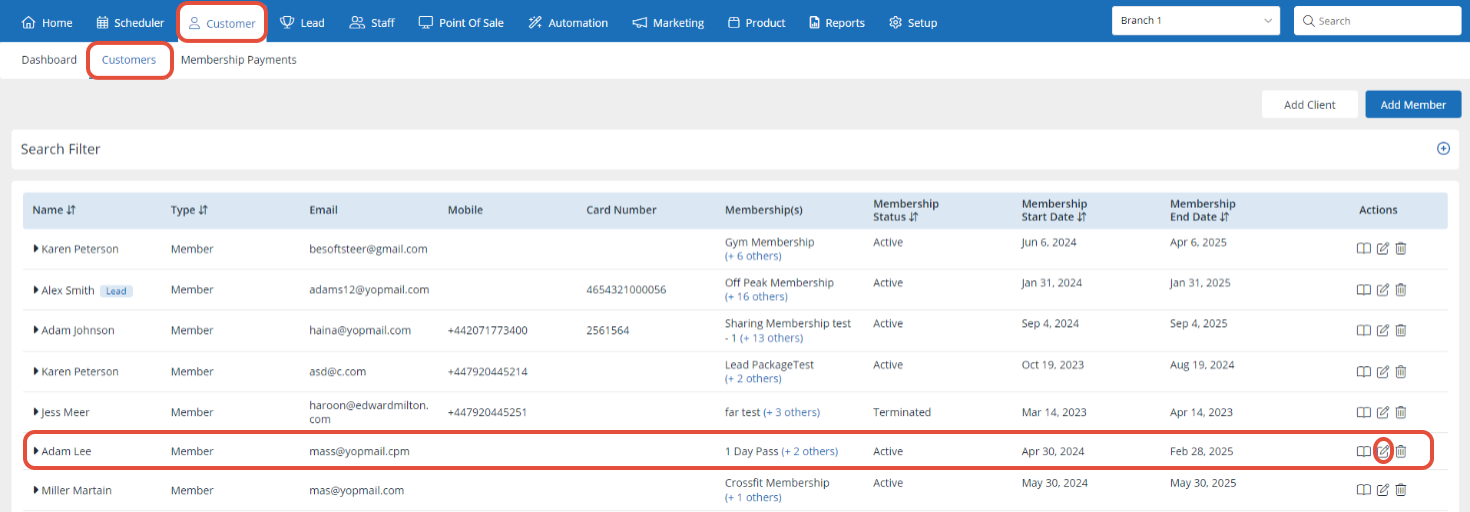
Go to the Customer Module in Core.

Click on the edit button next to the Customer for whom you want to Reset the Password.
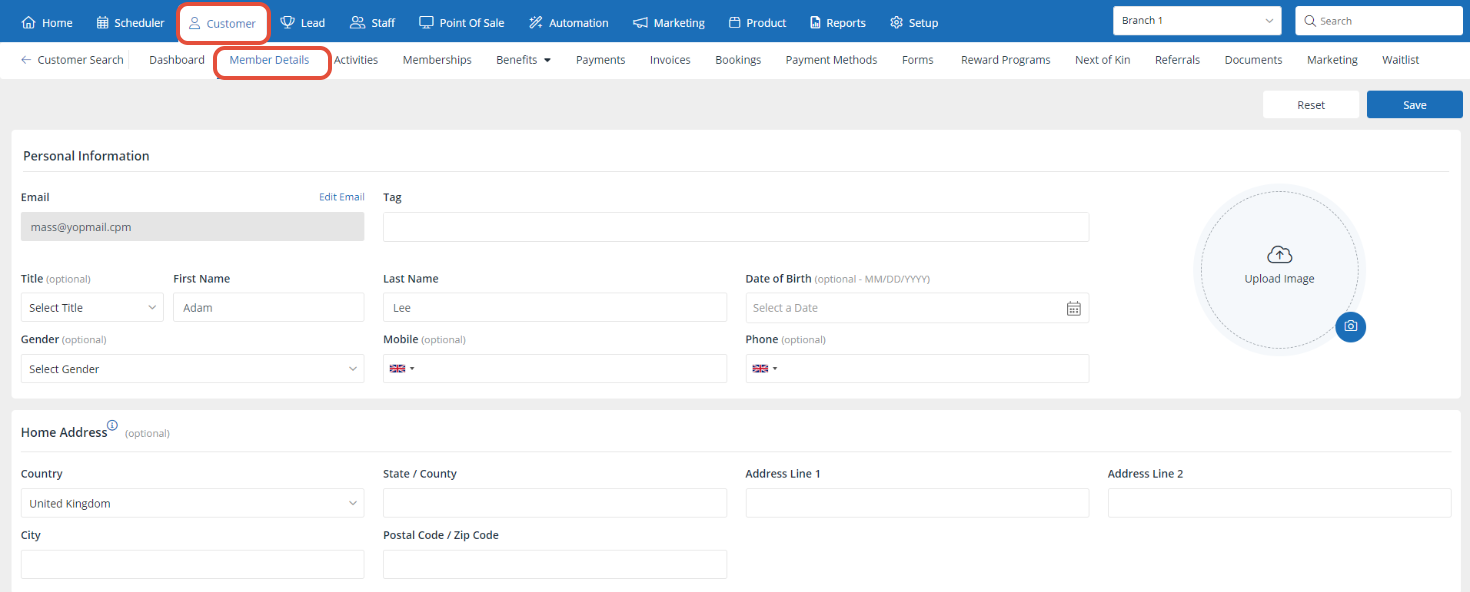
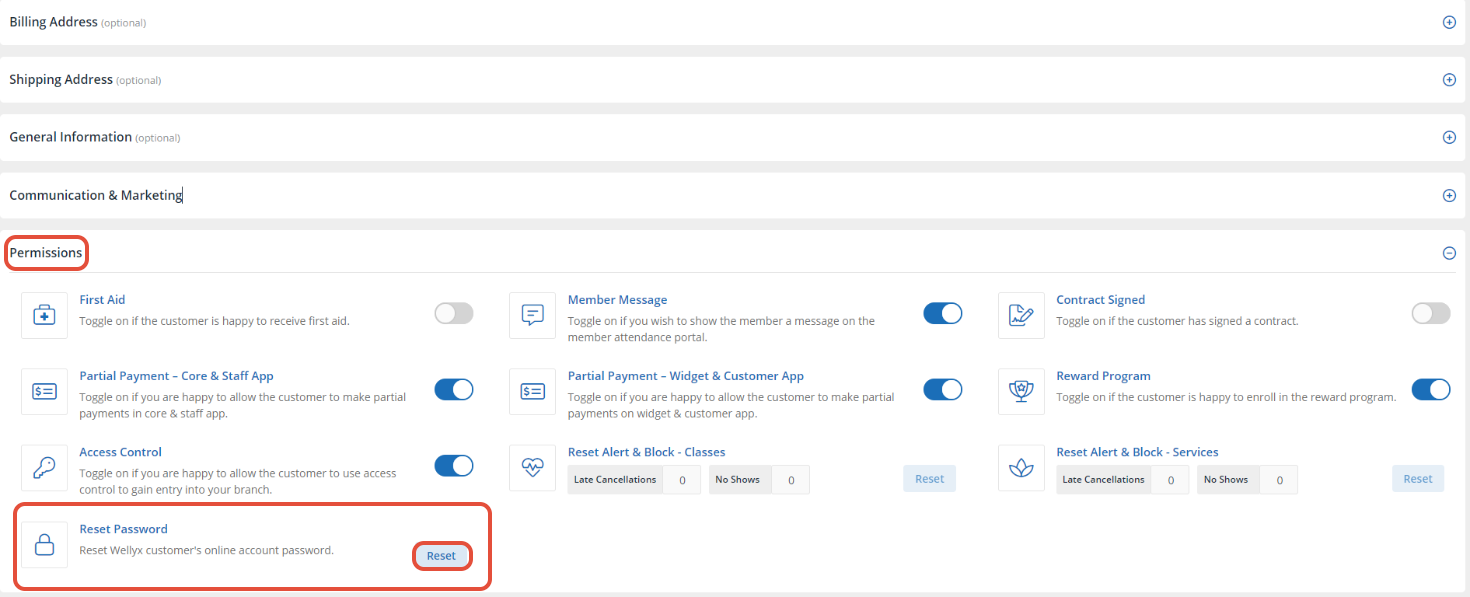
In the Customer Profile, scroll down to the Permission Section.
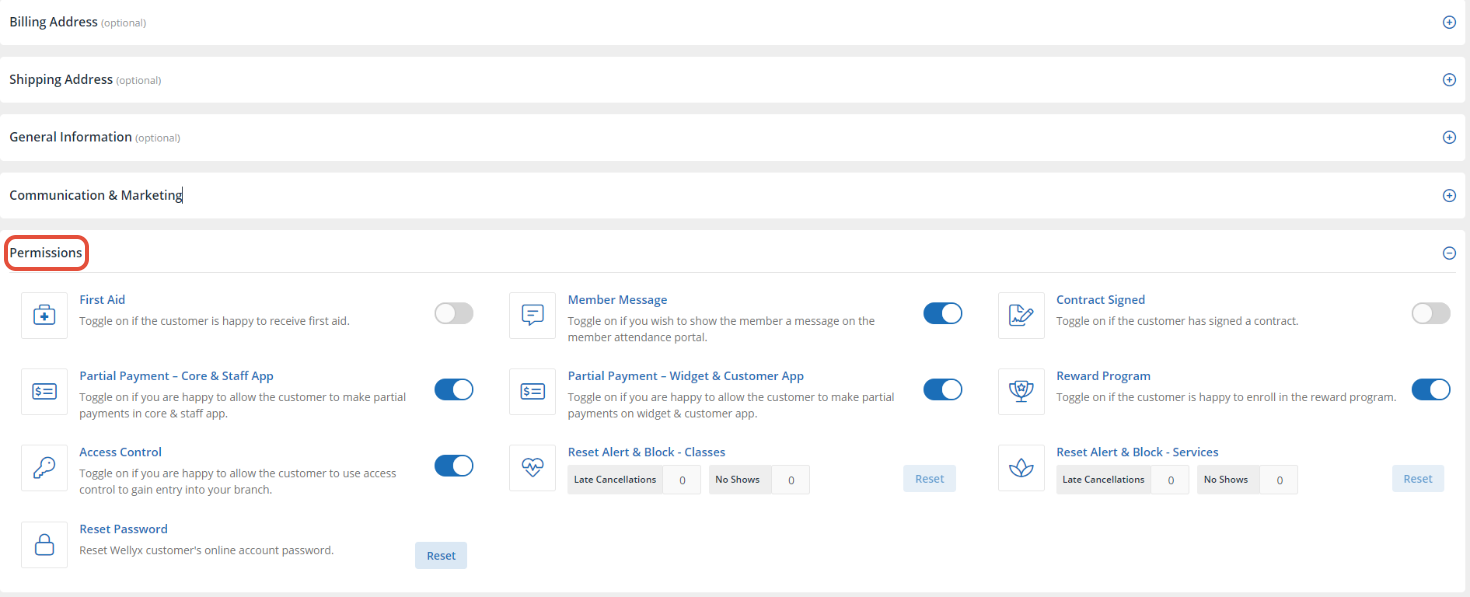
Navigate the Password Reset Option and click on the Reset Button.
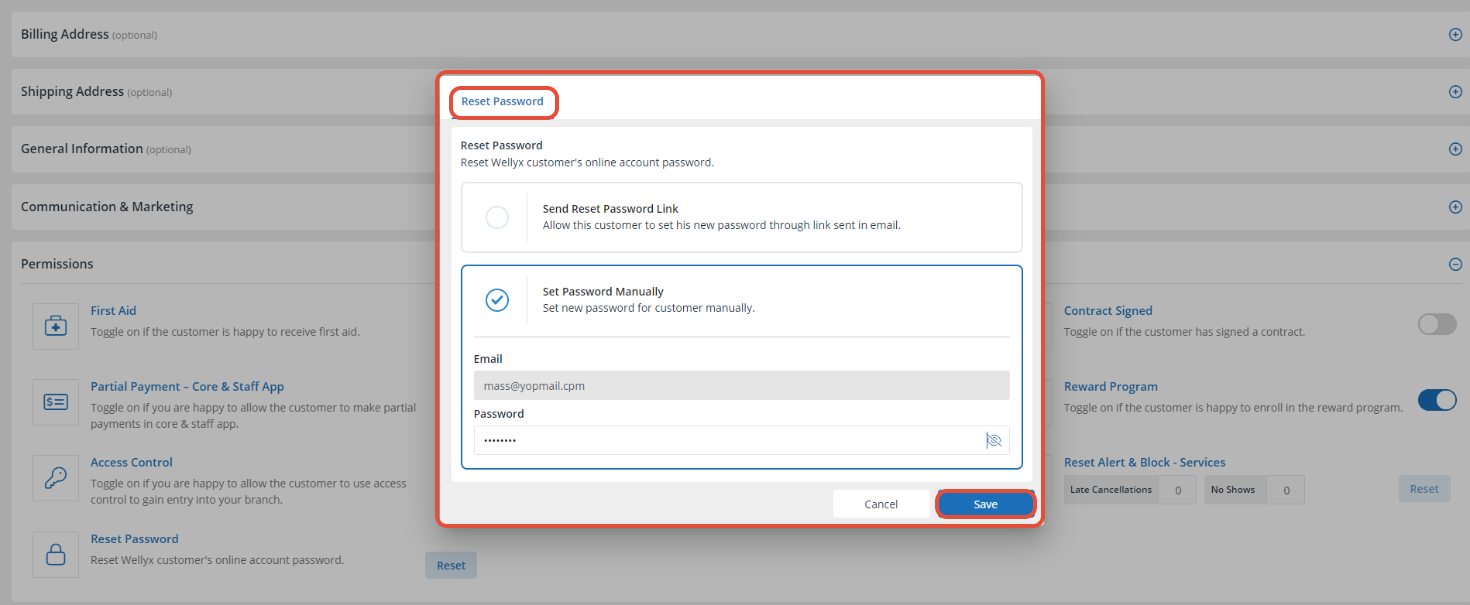
Now, the Password Reset Popup will open.
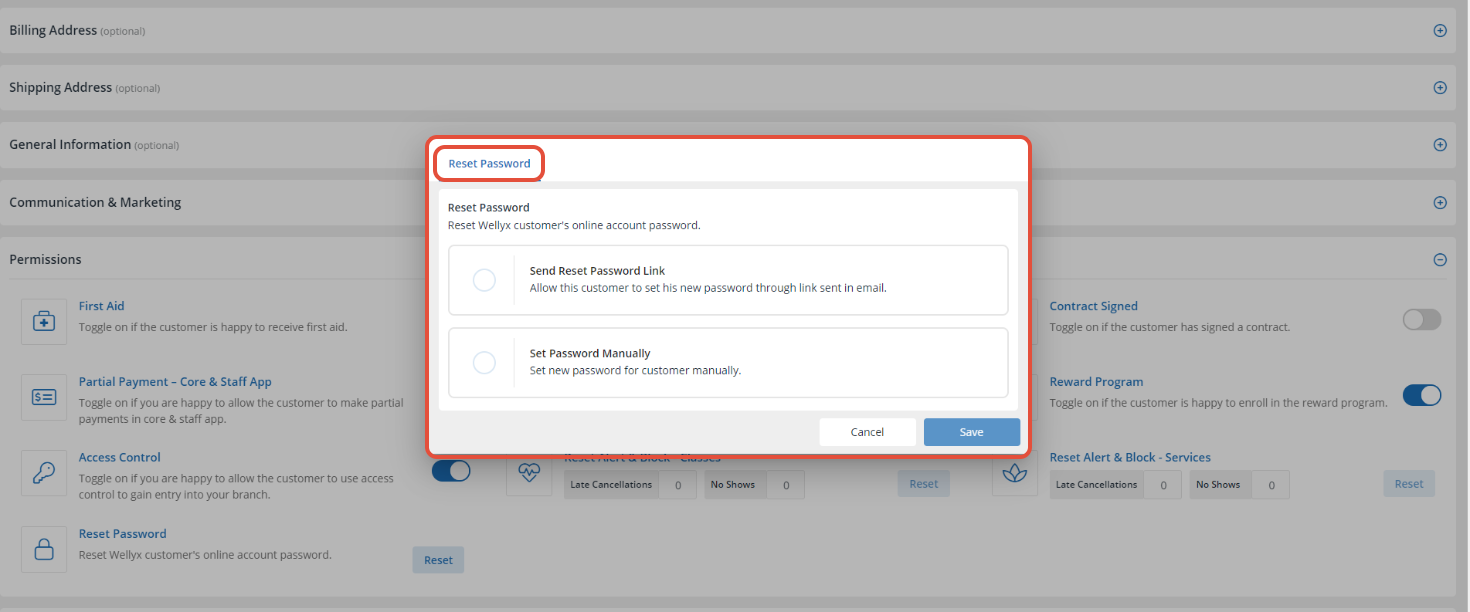
There are two ways to Reset the Customer's Password.
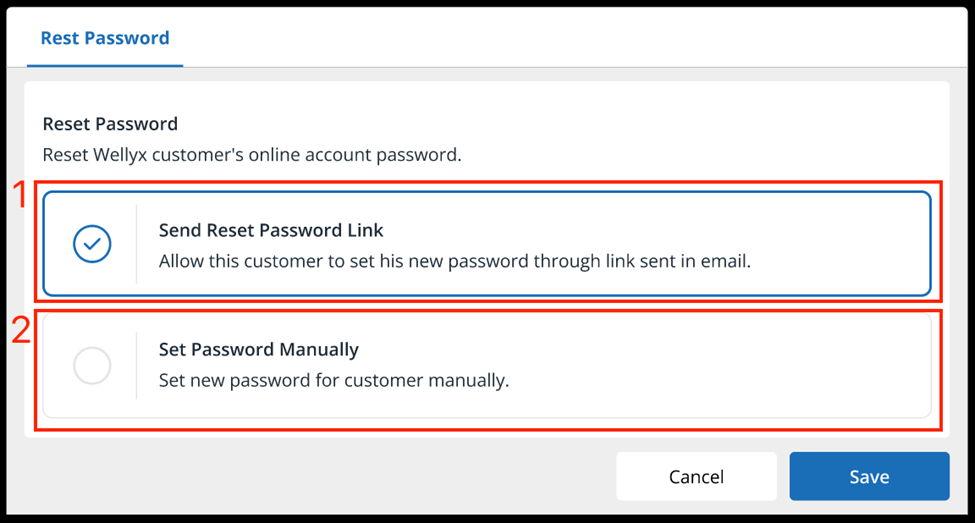
1. Reset Customer Password Via Link
The Merchant can send a password reset link to the Registered Email address of the Customer by selecting Send Password Link.
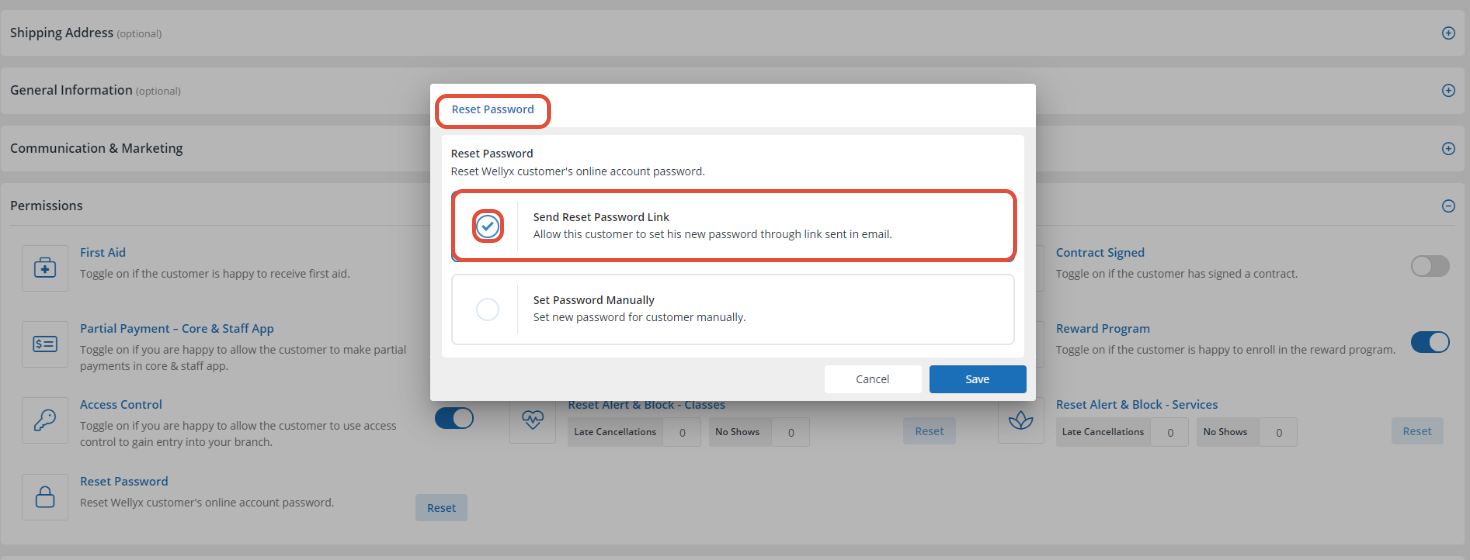
The Reset Password Link will function same way as the Forgot Password.
2. Set Password Manually
The Merchant can also set the Customer's Password manually from the Core by choosing Password Manually.
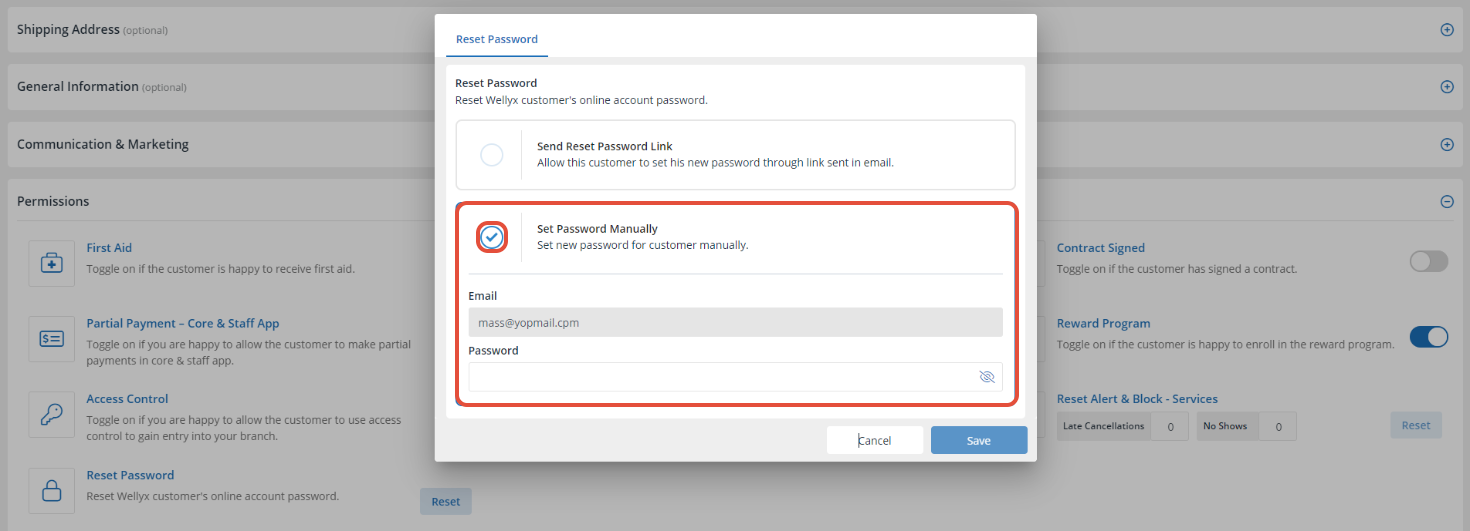
Set the new Alphanumeric Password.
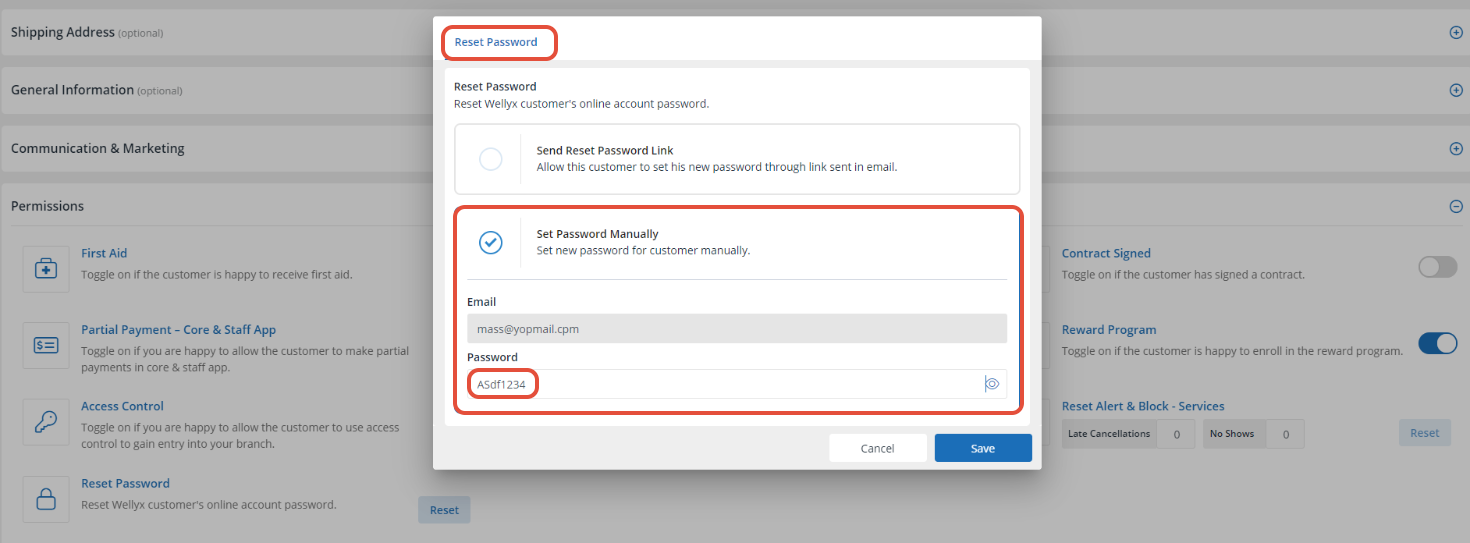
Once done, click on the Save Button.