TABLE OF CONTENTS
- Step 1: Navigate to the Customer Module
- Step 2: Open the Member Profile
- Step 3: Go to the Memberships Tab
- Step 4: Select the Membership to Cancel
- Step 5: Choose a Cancellation Method
- Step 6: Confirm the Cancellation
This guide explains how to cancel a Membership in Core. It walks you through the complete process from locating the member’s profile to selecting a cancellation option and confirming the action. By following these steps, merchants can easily cancel a membership immediately or schedule it for a future date.
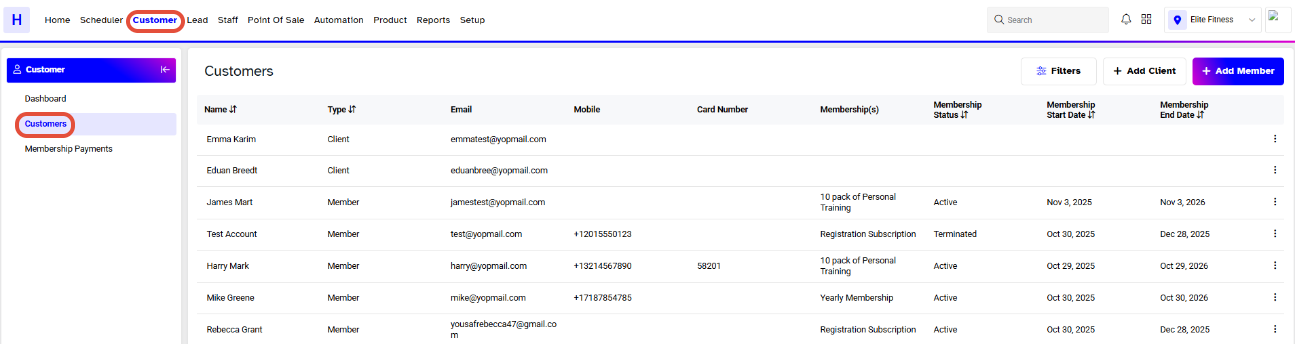
Step 1: Navigate to the Customer Module
Go to the Customer Module in Core.
Step 2: Open the Member Profile
Click on the Three Dots Button next to the member whose membership you want to cancel.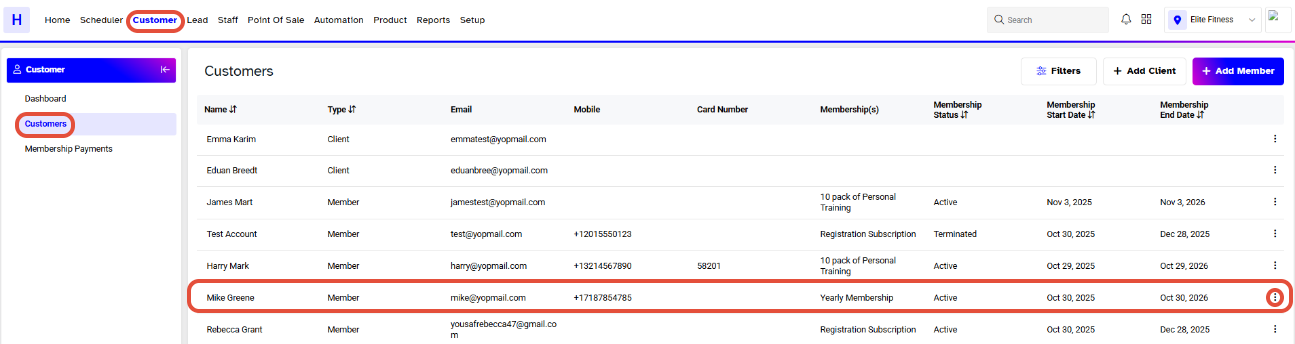
Step 3: Go to the Memberships Tab
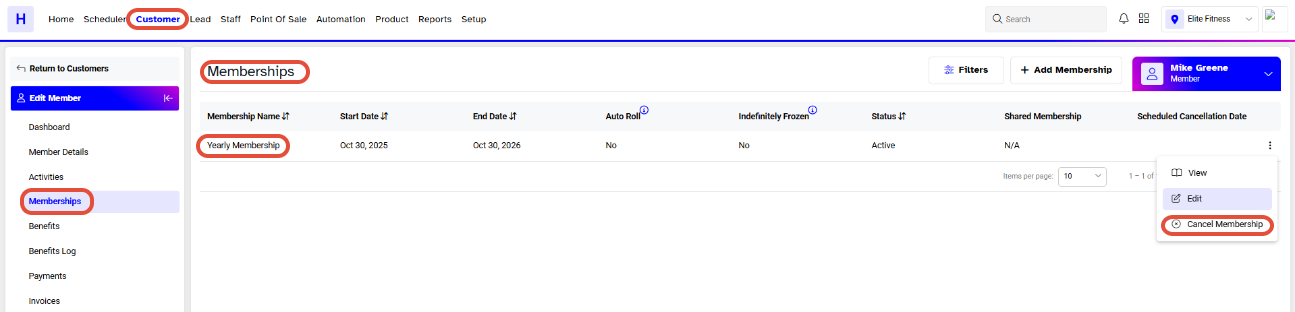
Click on the Memberships tab.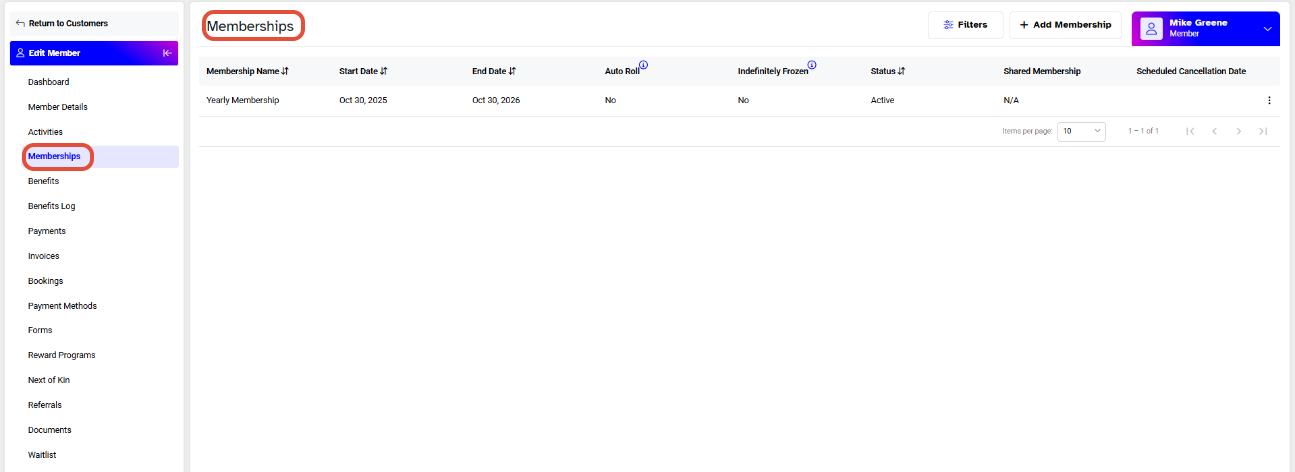
Step 4: Select the Membership to Cancel
Click on the Cancel Icon in front of the membership name.
Step 5: Choose a Cancellation Method
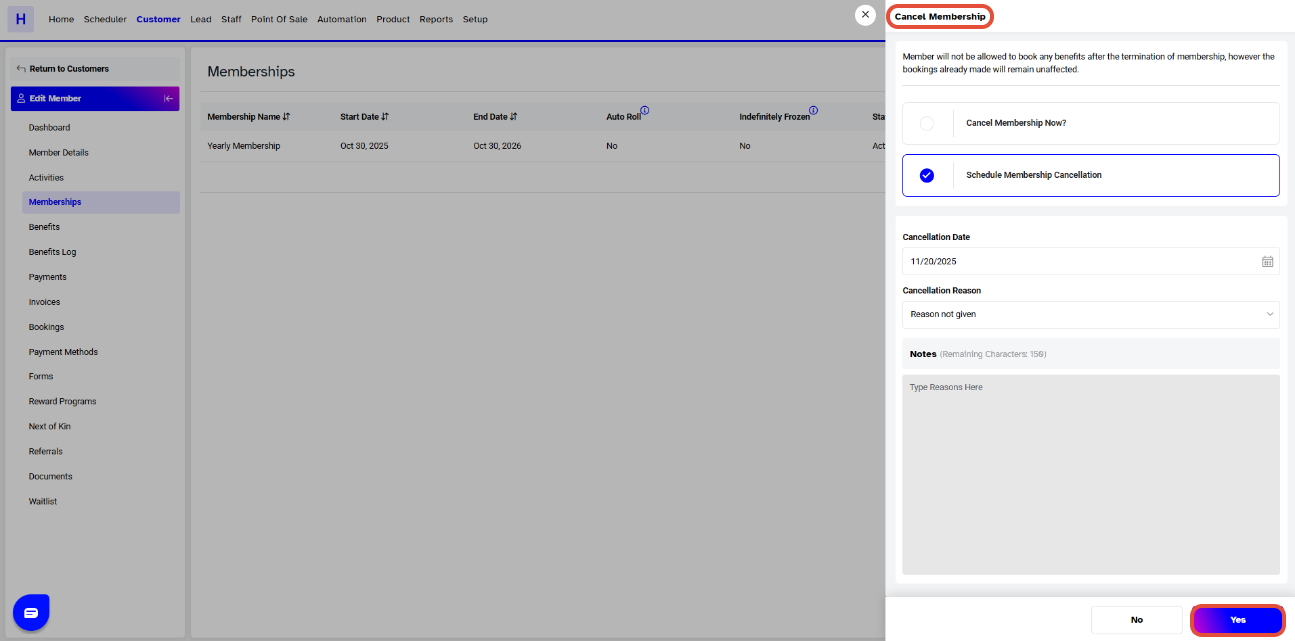
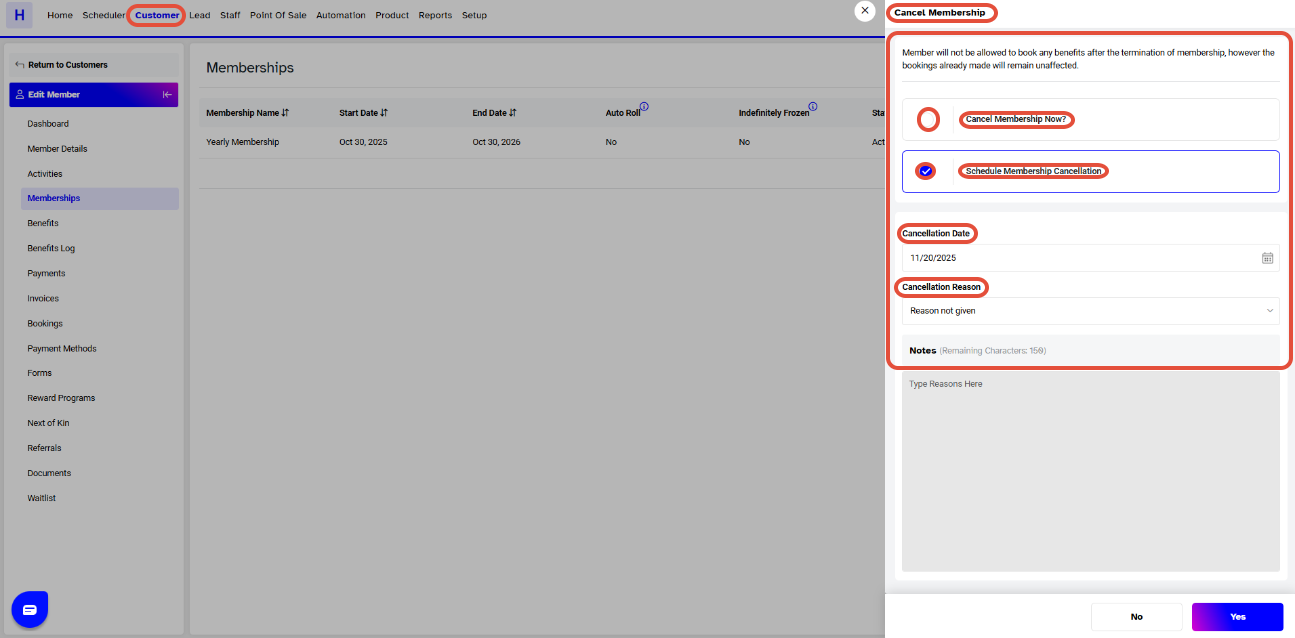
The Membership Cancellation popup box will appear.
You can cancel the membership in two ways:
Cancel Membership Now
Check this option to cancel the membership immediately.
Schedule Membership Cancellation
Check this option to cancel the membership on a later date.
Select the Cancellation Date and Cancel Reason from the dropdown menu.
Step 6: Confirm the Cancellation
Click on the Yes button to confirm.
A "Membership Cancelled Successfully" message will appear at the bottom-right of the screen.