TABLE OF CONTENTS
- Overview
- Step 1: Access the Member's Benefits
- Step 2: Select the Membership
- Step 3: Enter Consumed Benefits
- Step 4: Save the Changes
Overview
This guide explains how to manually consume a membership benefit for a member.
Step 1: Access the Member's Benefits
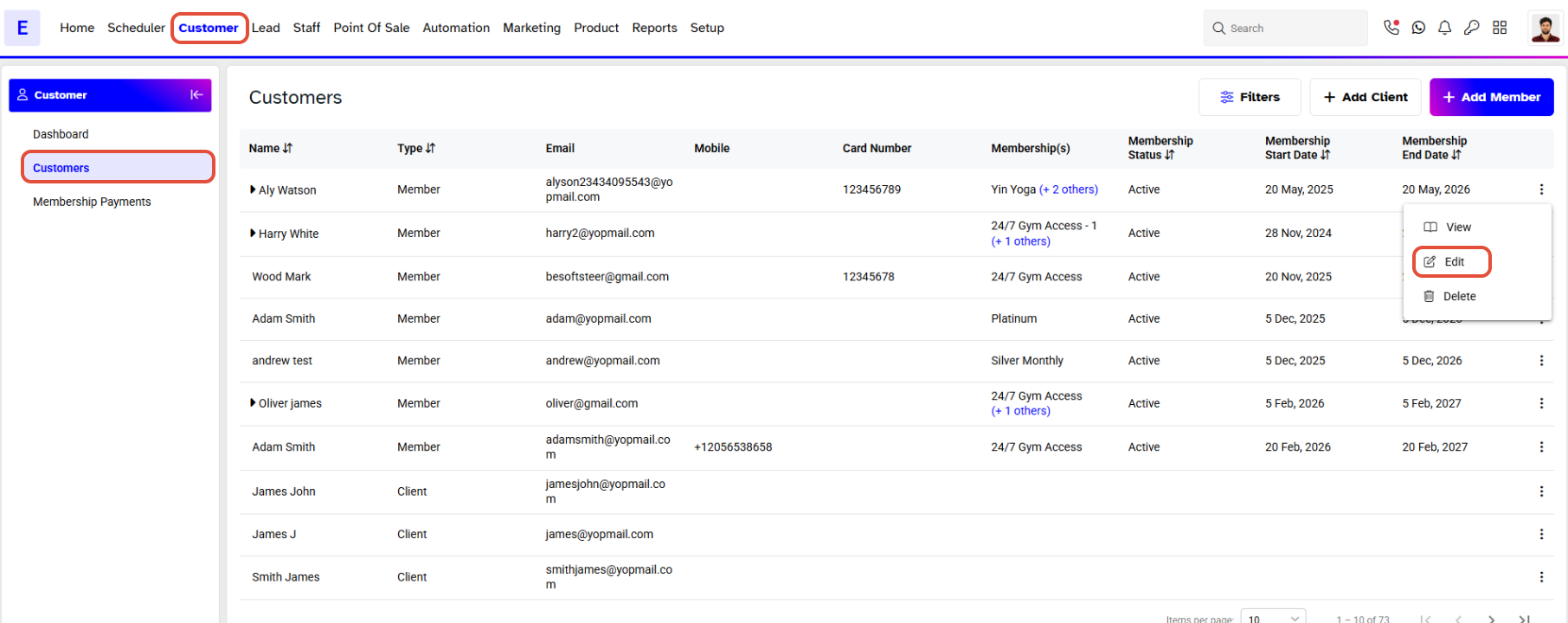
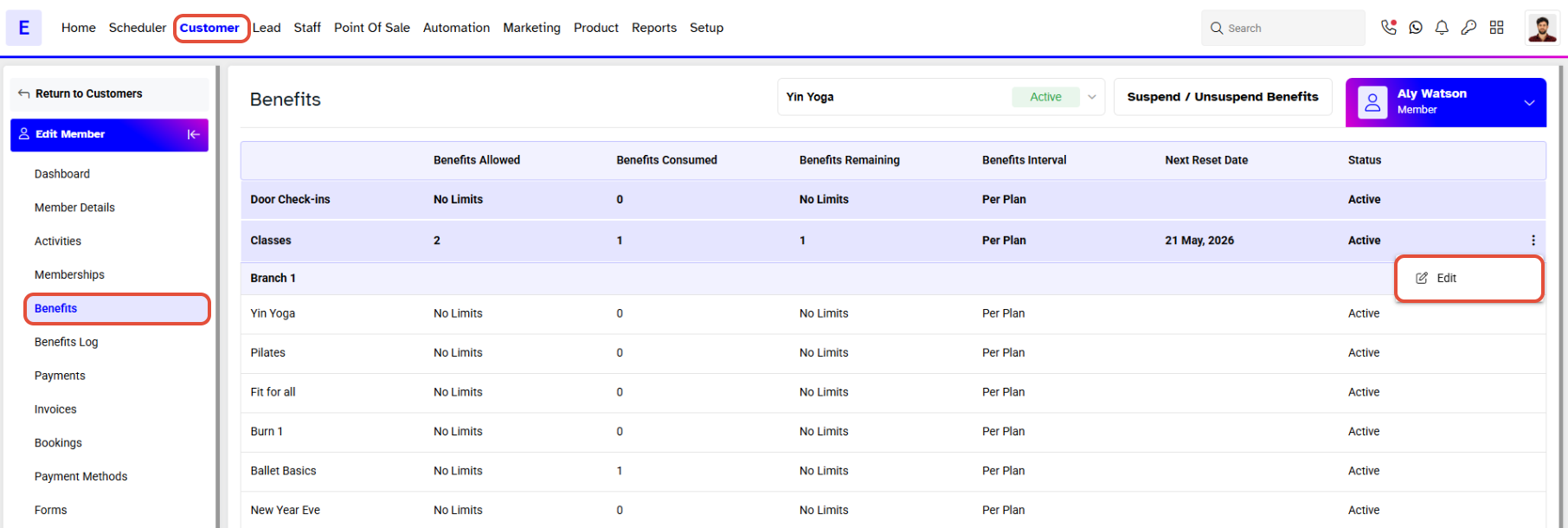
- Go to the Customer Module.
- Click on the Edit Icon.
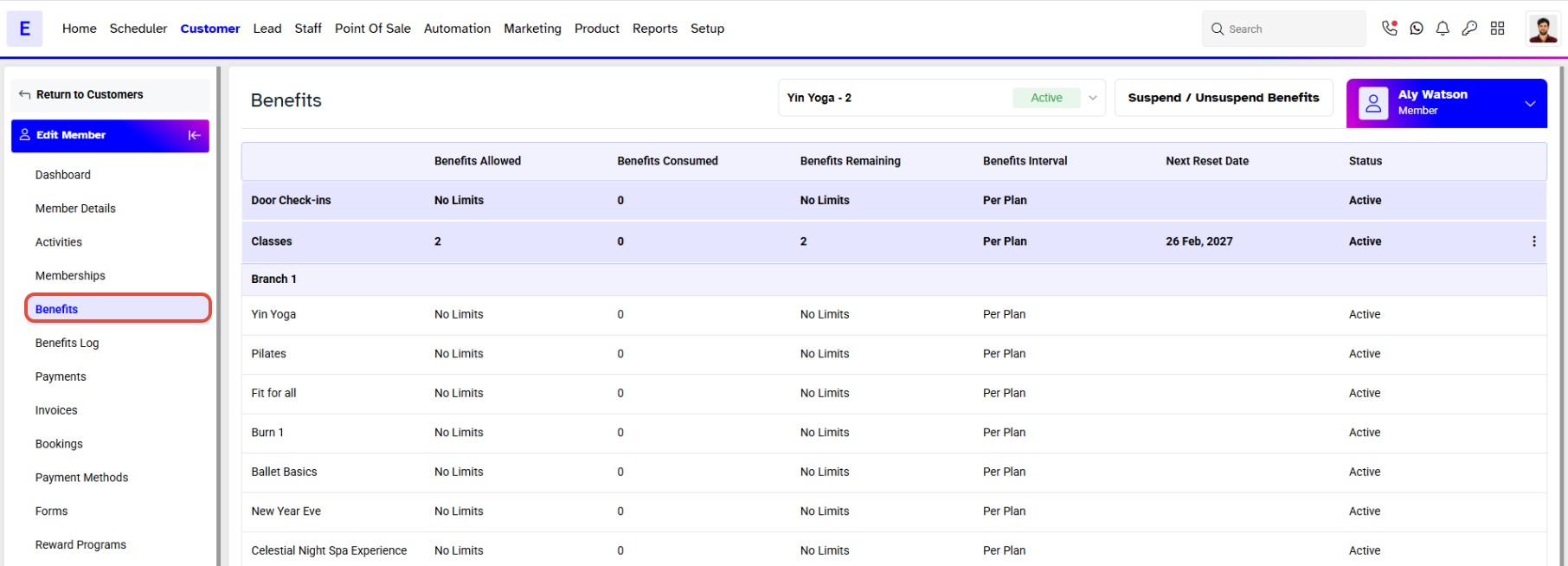
- Click on the Benefits Section to go to the Benefits Screen against the Member.
Step 2: Select the Membership
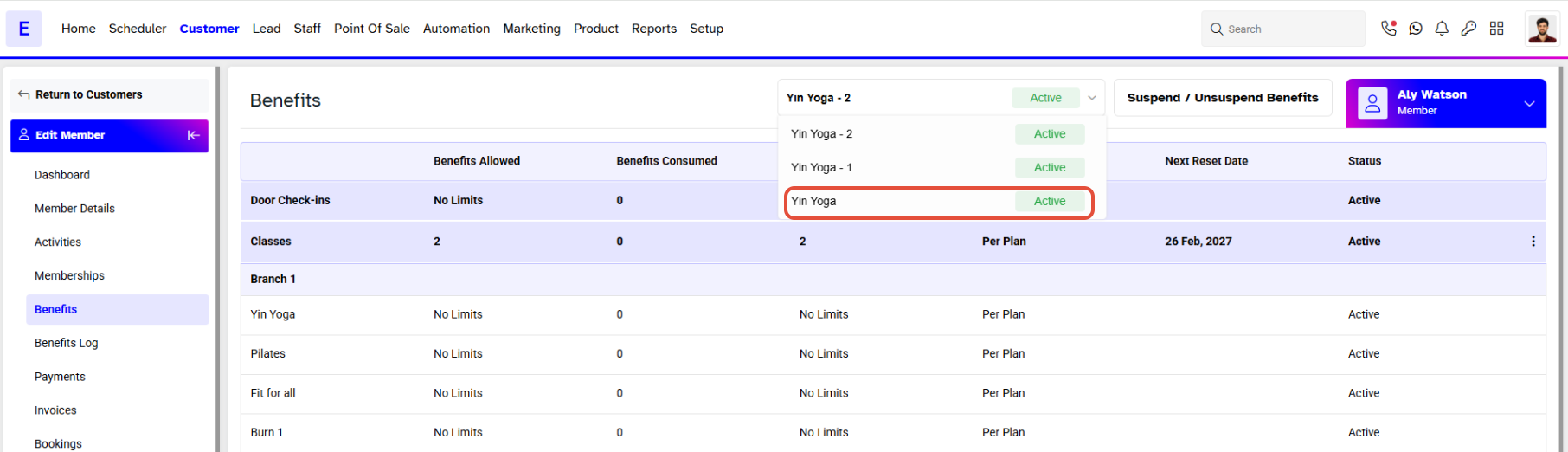
- Click on the Dropdown Box.
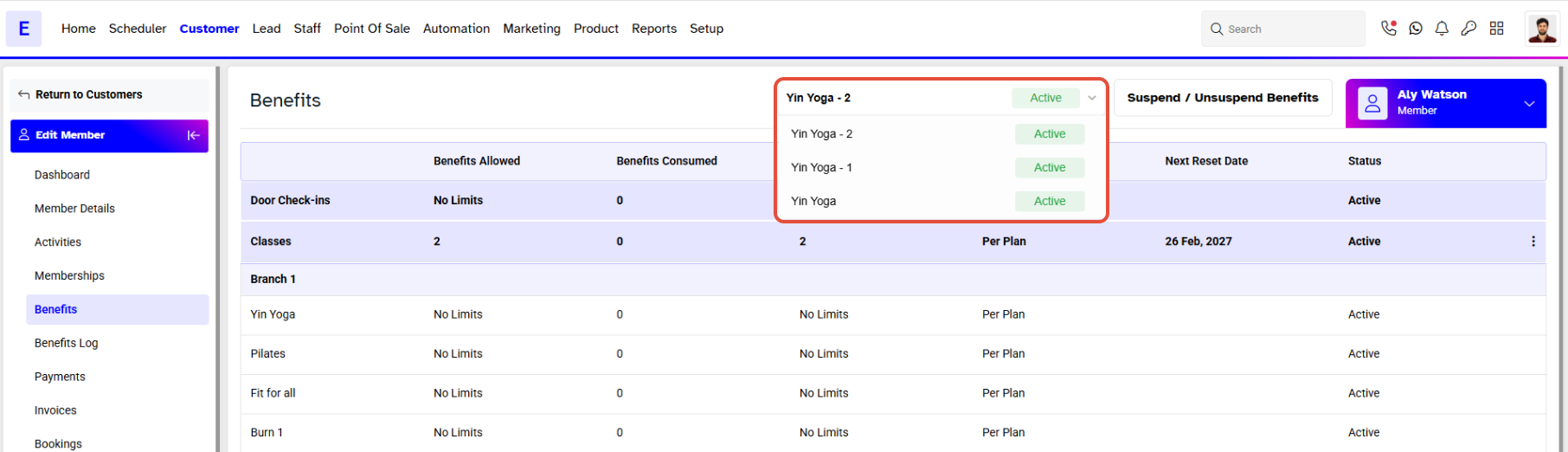
- Select a Membership from the Dropdown Box.
Step 3: Enter Consumed Benefits
- Click on the Edit Icon to manually consume the Membership Benefit.
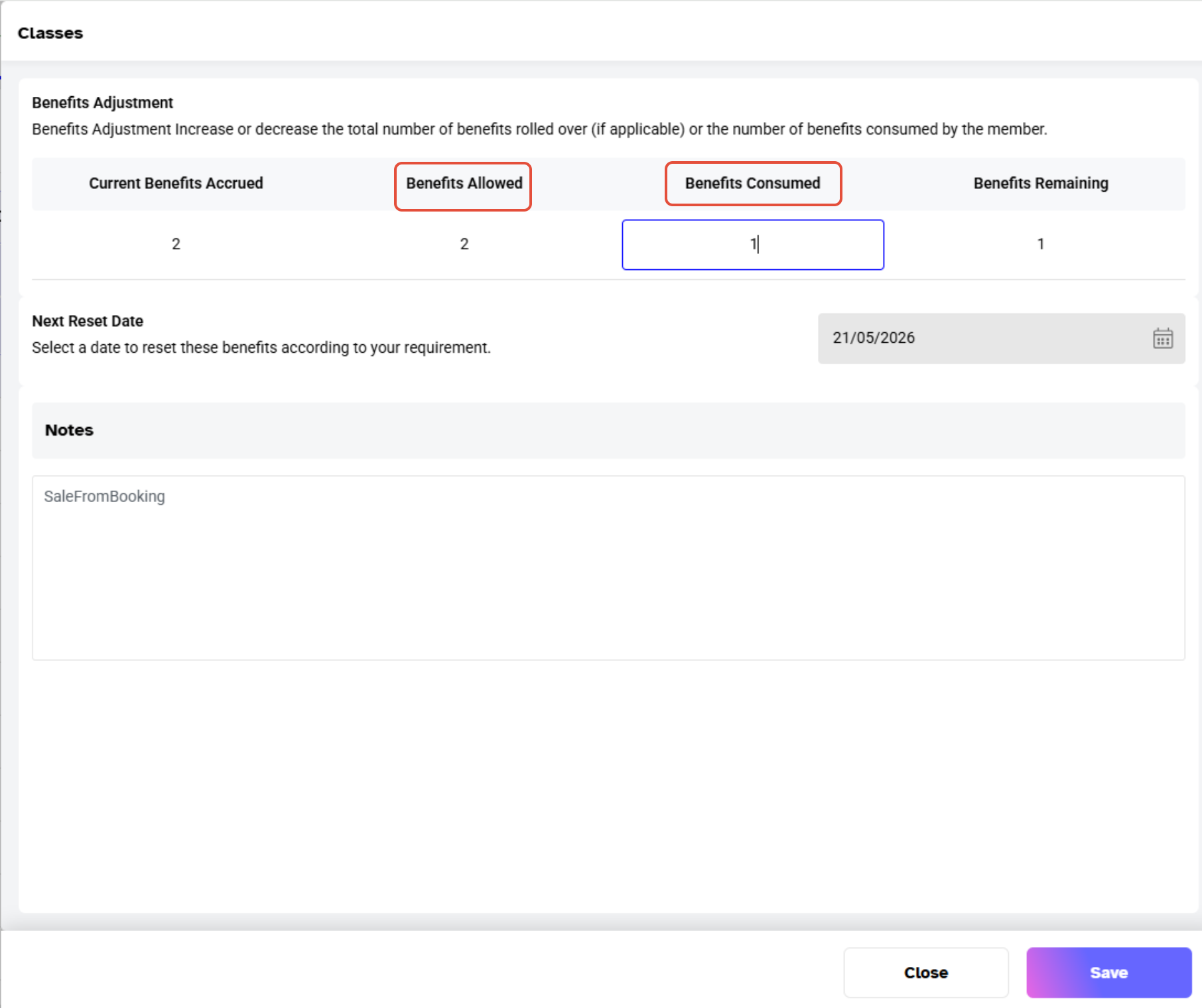
- Now Add in the Consumed Benefits against the Class.
Step 4: Save the Changes
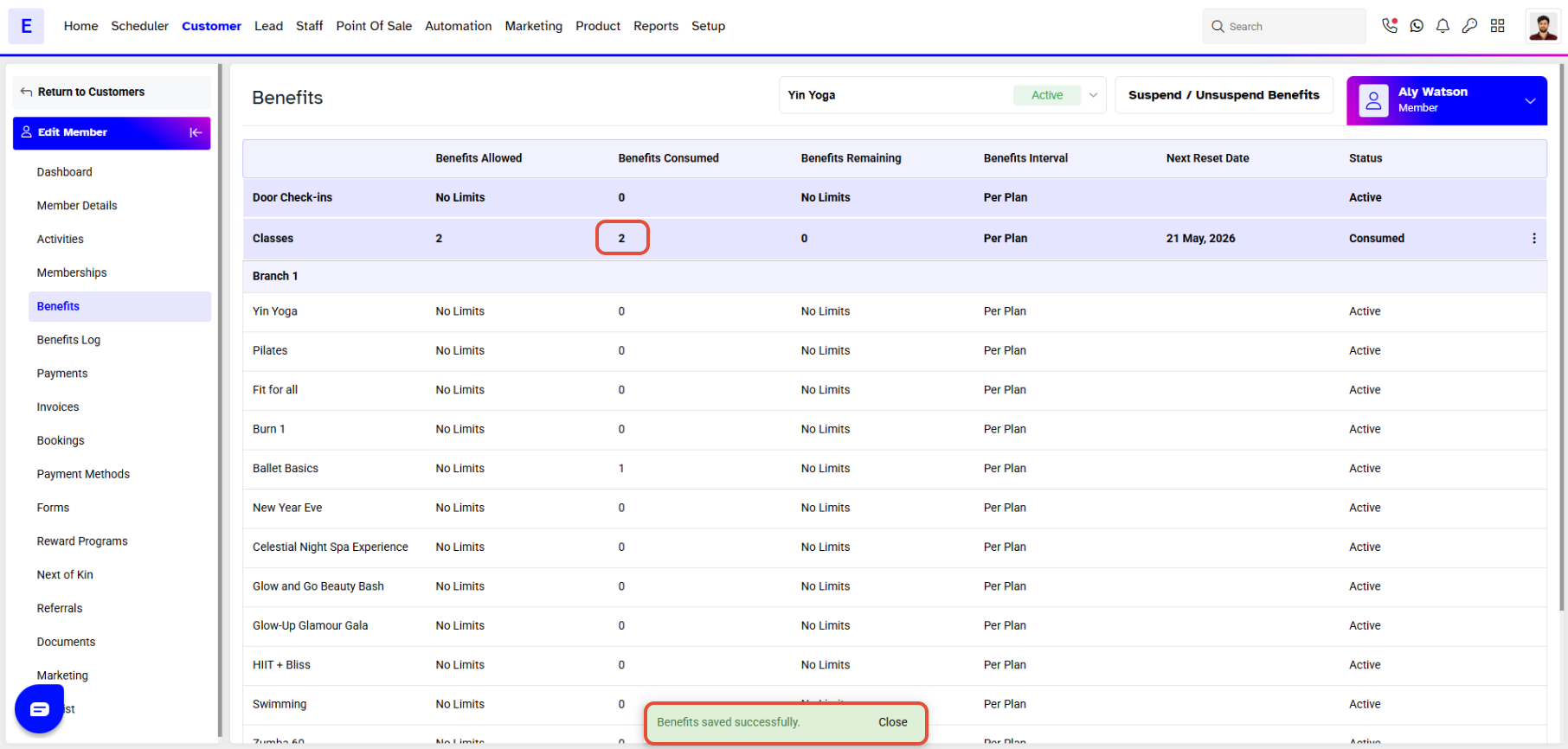
- Click on the Save Button.
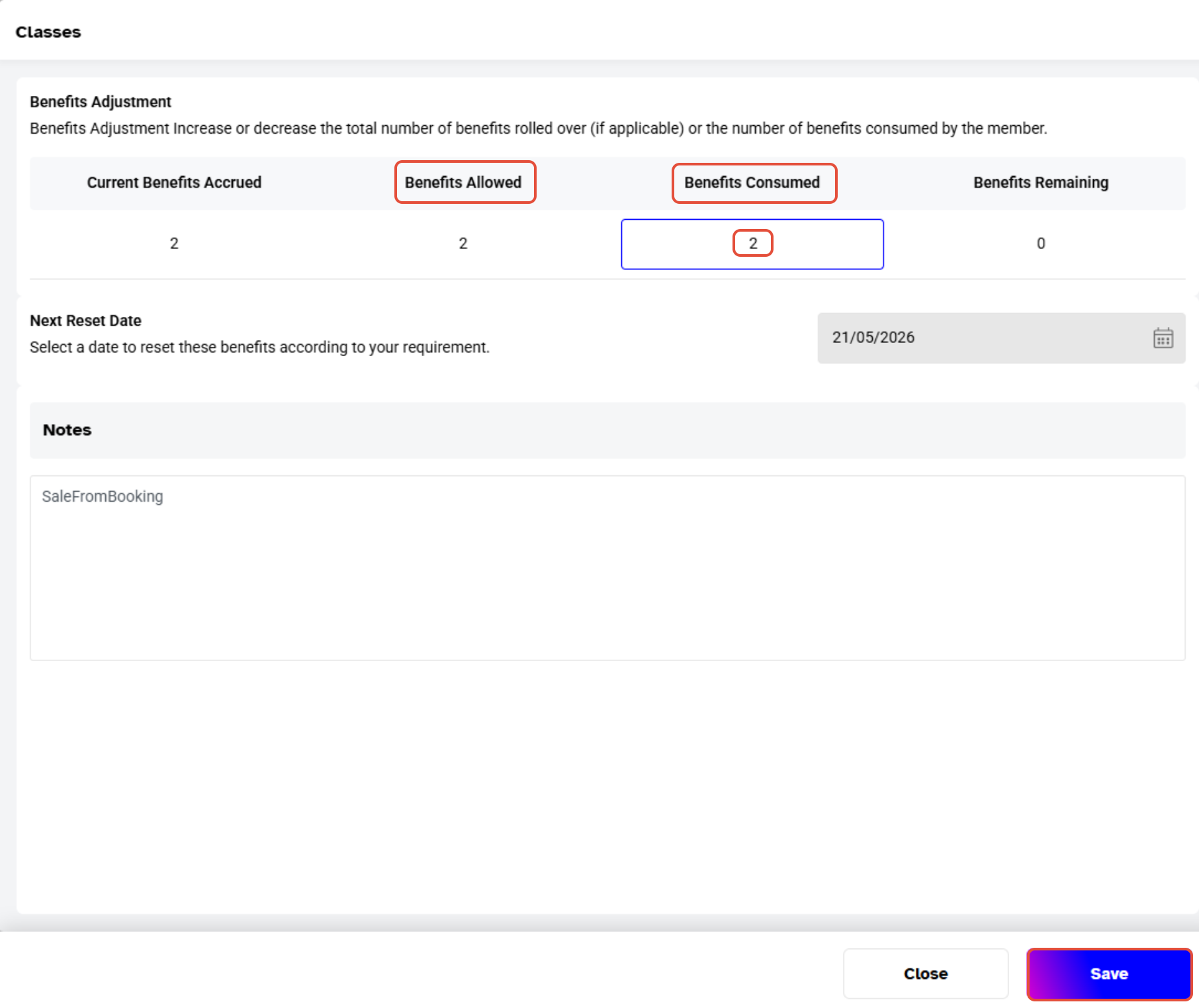
- Once Saved, all of the Consumed Benefits will be Visible.