

TABLE OF CONTENTS
Overview
This guide explains how to delete an event in Core. By following this guide, merchants can remove unnecessary events from the log.
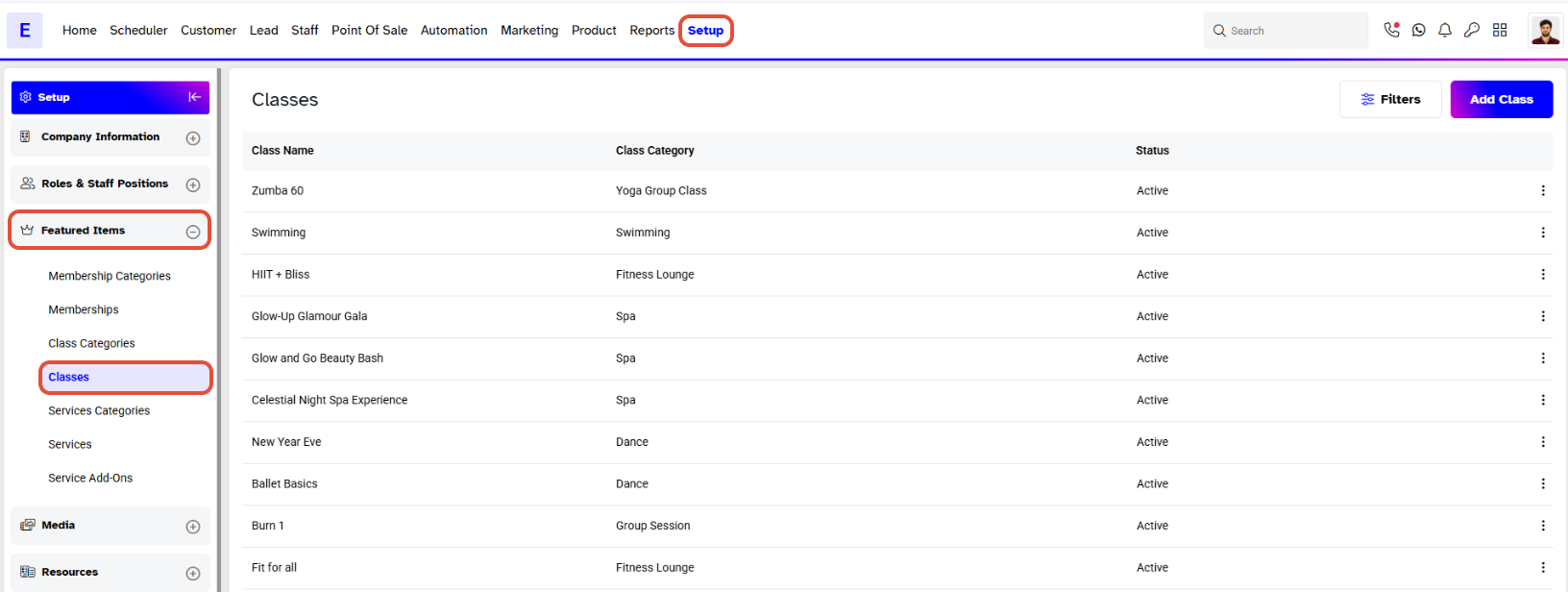
Step 1: Navigate to Classes
- Go to the SetupModule.
- Select Classes from the Featured Items Tab.
Step 2: Delete the Event
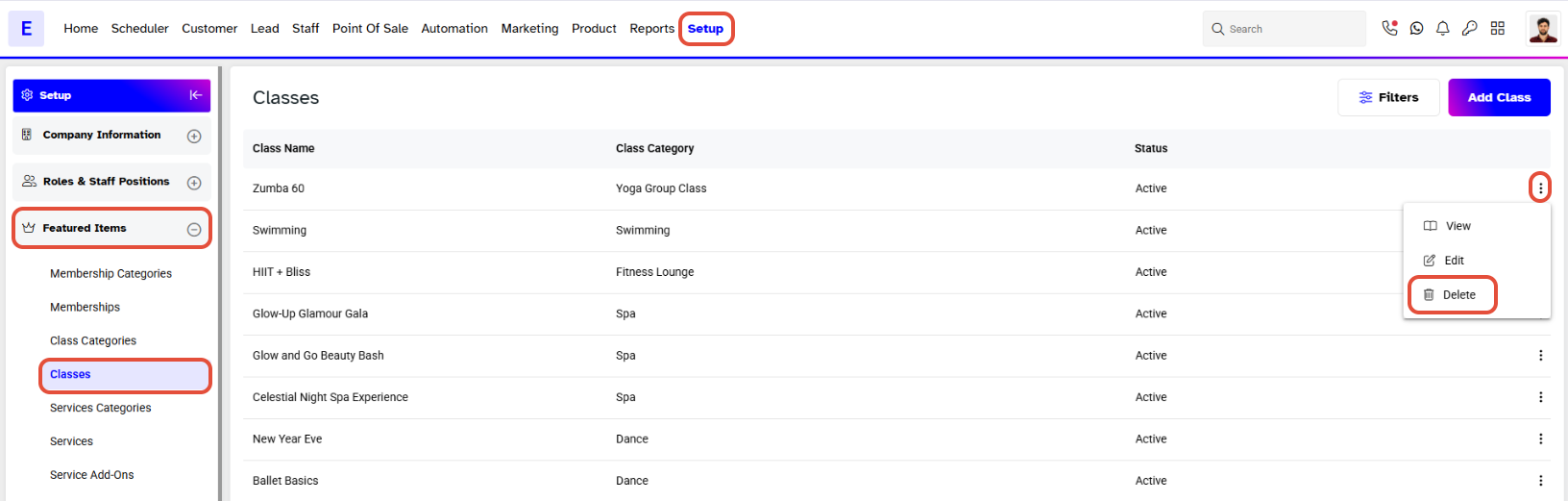
- Click on the Delete Icon against the Event.
- In Confirm Delete Box, click on the Yes, Delete Button.
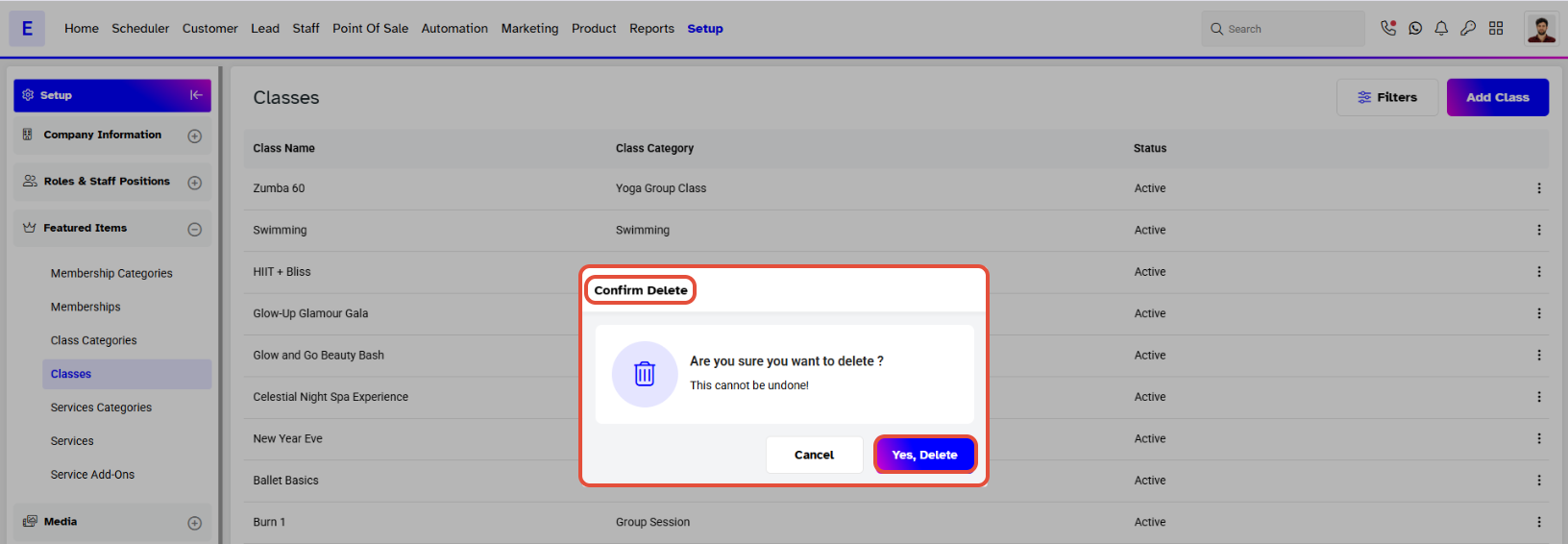
- The Event will be removed from the log.
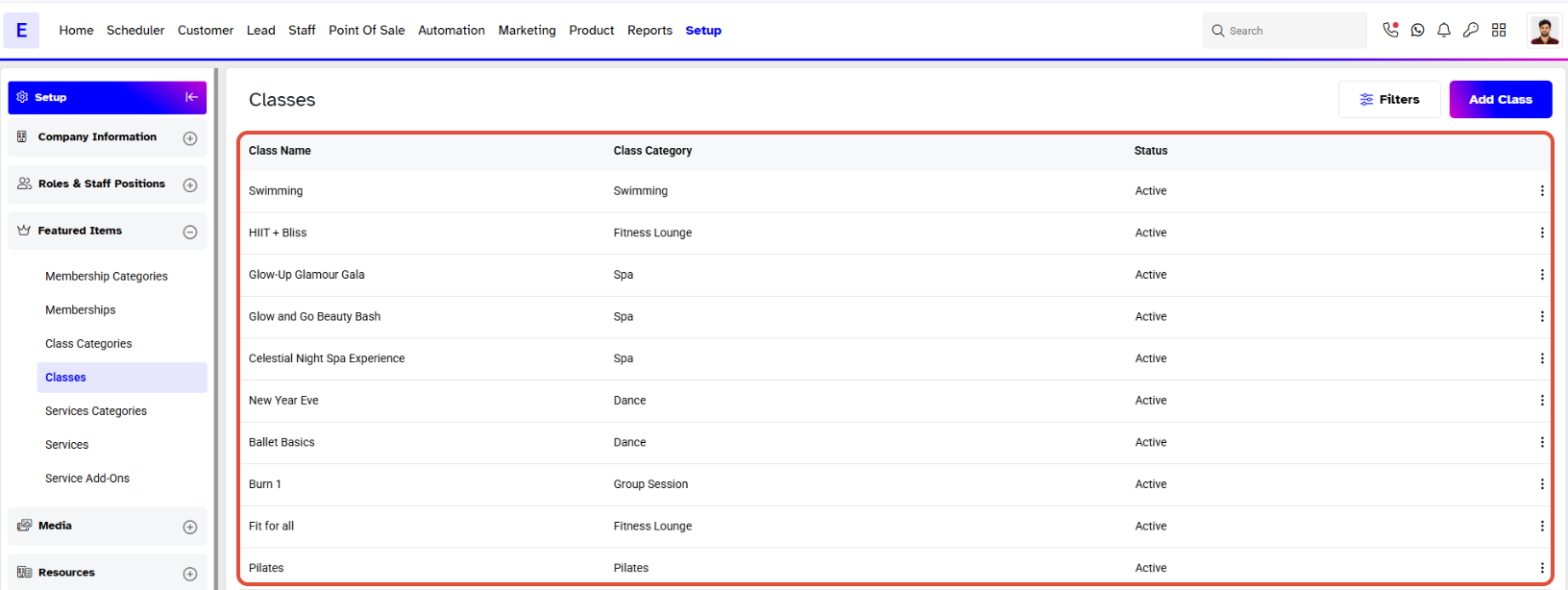
Event is shown as a Class in Core. However, it is displayed as an Event on the Widget and Customer App.


