
TABLE OF CONTENTS
- Overview
- Step 1: Navigate to Setup
- Step 2: Access Roles
- Step 3: Enable Show My Schedule
- Step 4: View Schedule
Overview
This guide explains how to show only your own schedule within the Scheduler in Core. This feature allows staff members to filter the Scheduler view to display only their assigned appointments and tasks. Note that this feature is intended for staff members and cannot be used by administrators.
Step 1: Navigate to Setup
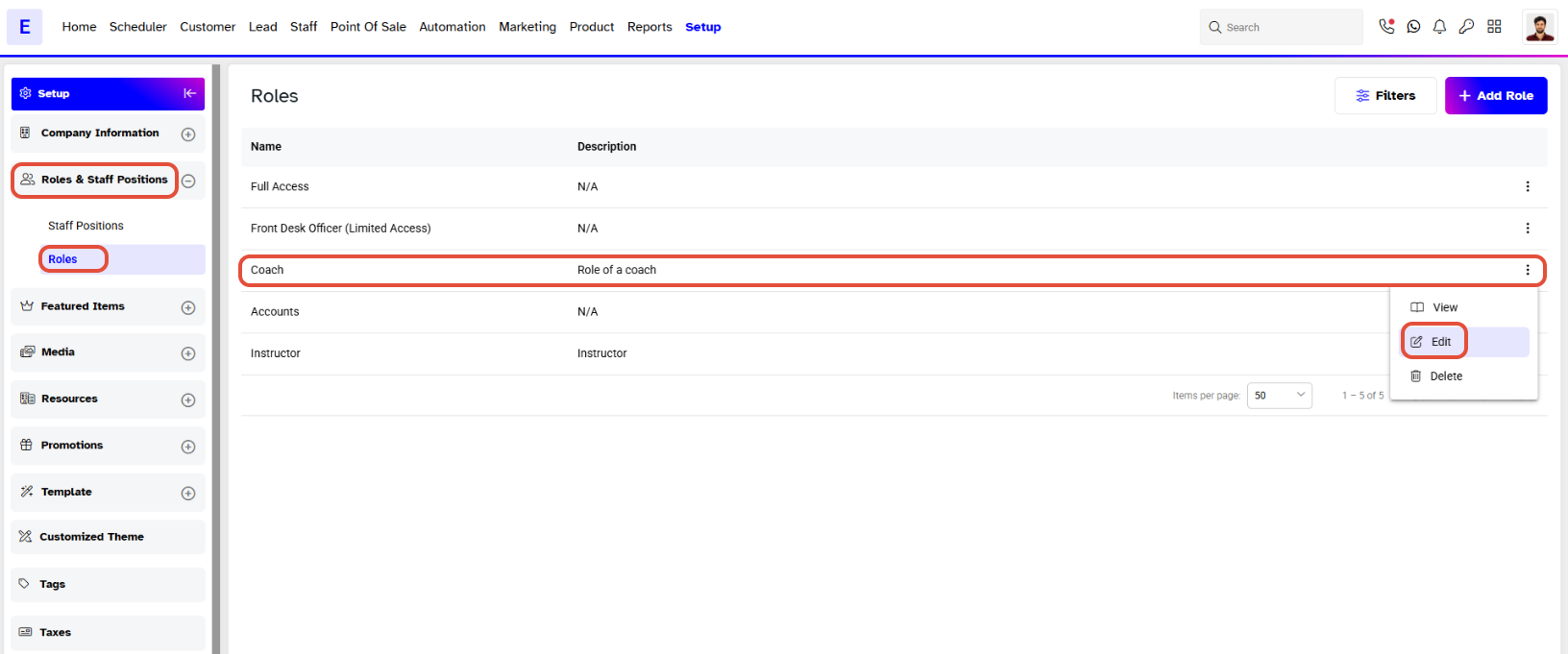
- Go to Setup in Core.

Step 2: Access Roles
- Click on Roles in the Setup menu.
- Select the desired Role and click the Edit icon under Actions.
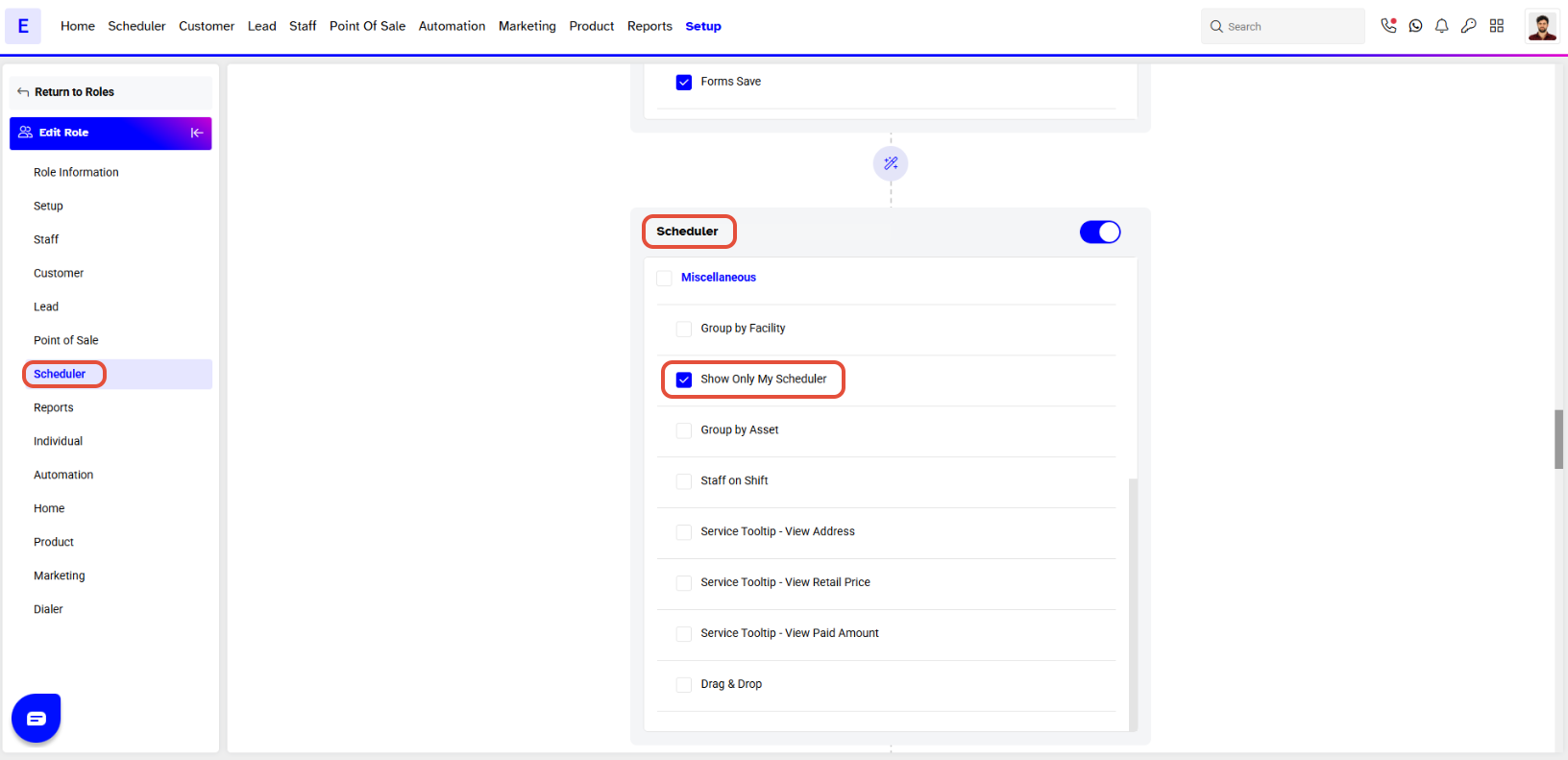
In the Role Edit menu, locate the Scheduler dropdown options.
Step 3: Enable Show My Schedule
- Check the box for Show Only My Schedule.
- By default, this option is not checked.
Step 4: View Schedule
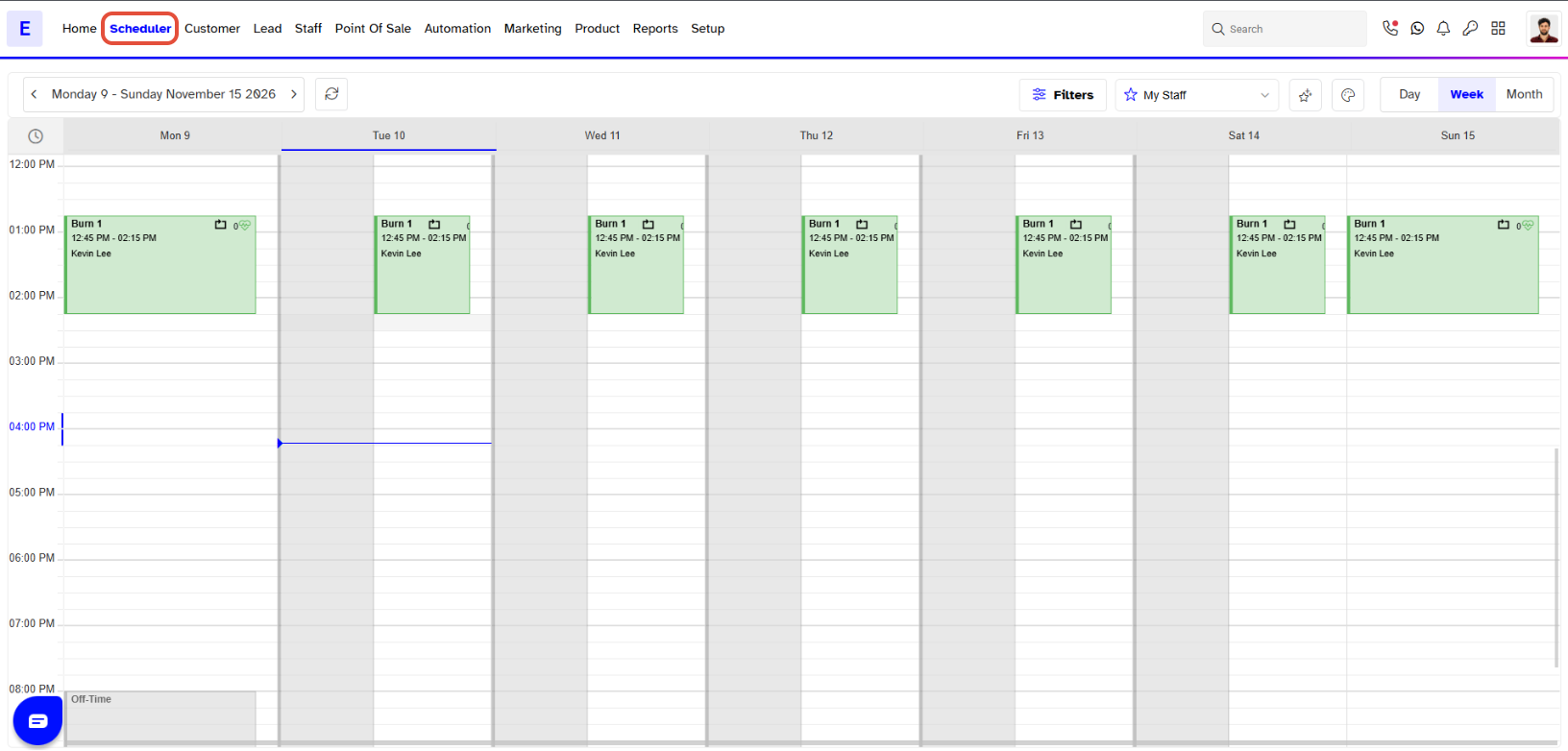
- Navigate to the Scheduler module.
- Your view will now be filtered to show only your schedule.