
TABLE OF CONTENTS
Overview
This guide explains how to delete a Package in Core. It covers navigating to Memberships, selecting the package for deletion, and confirming the action.
Step 1: Navigate to Memberships
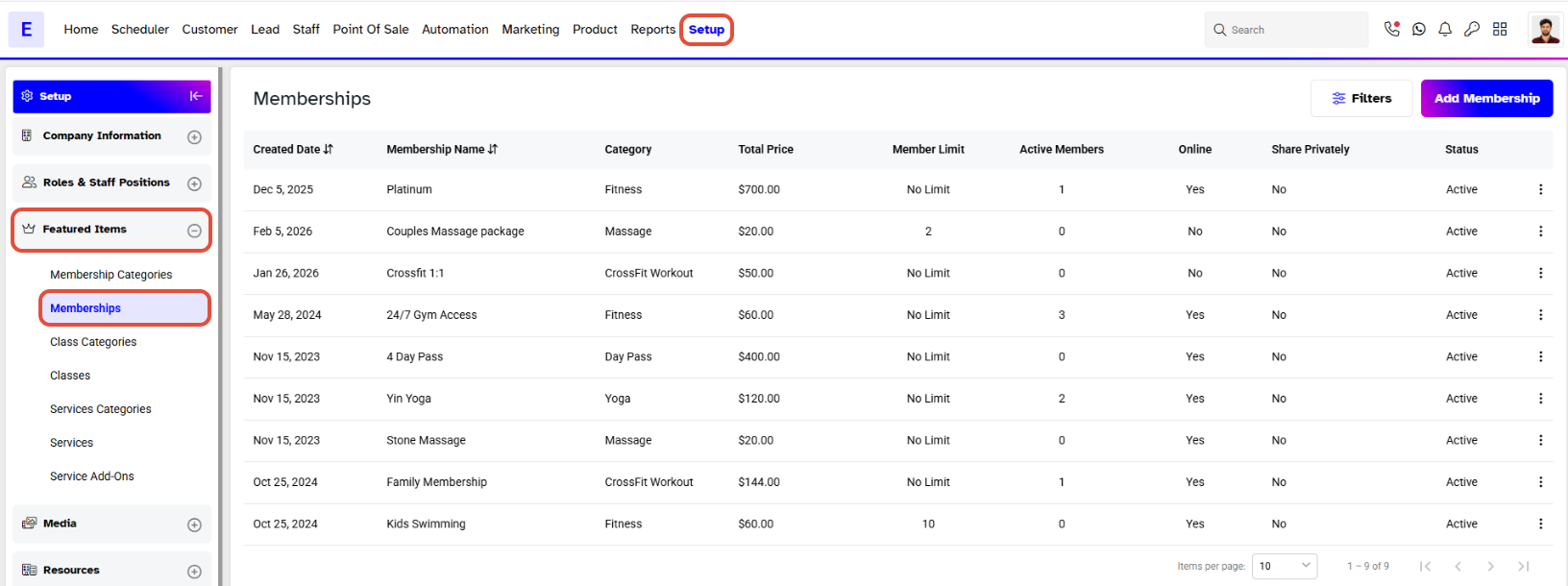
Go to the Setup Module in Core.
Select Memberships from the Featured Items.
Step 2: Delete the Package
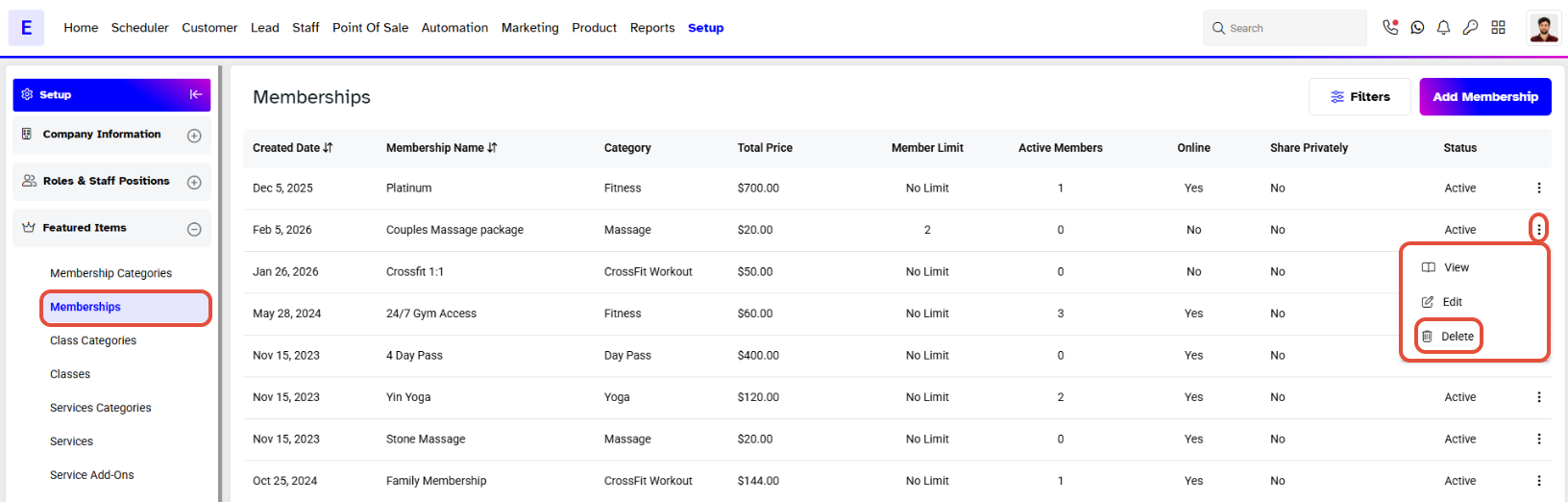
Locate the Package you want to delete.
Click on the Bin Icon next to the package.
Step 3: Confirm Deletion
Click on Yes Delete to confirm.
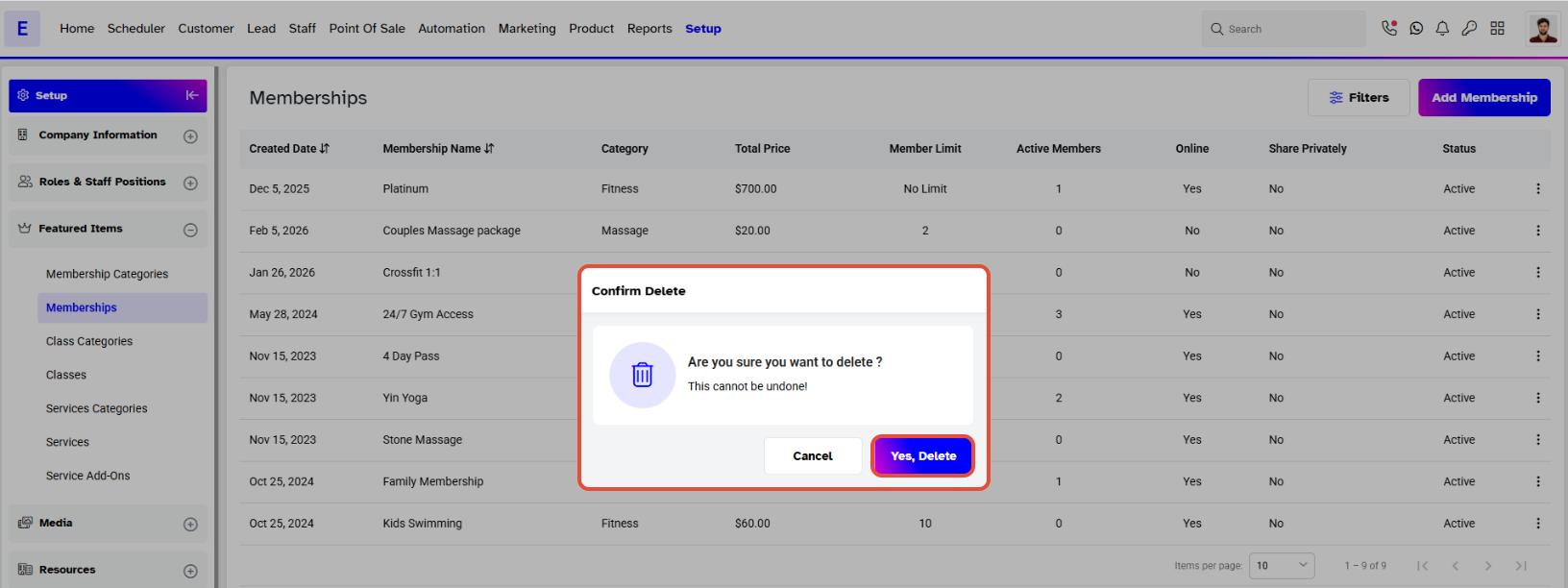
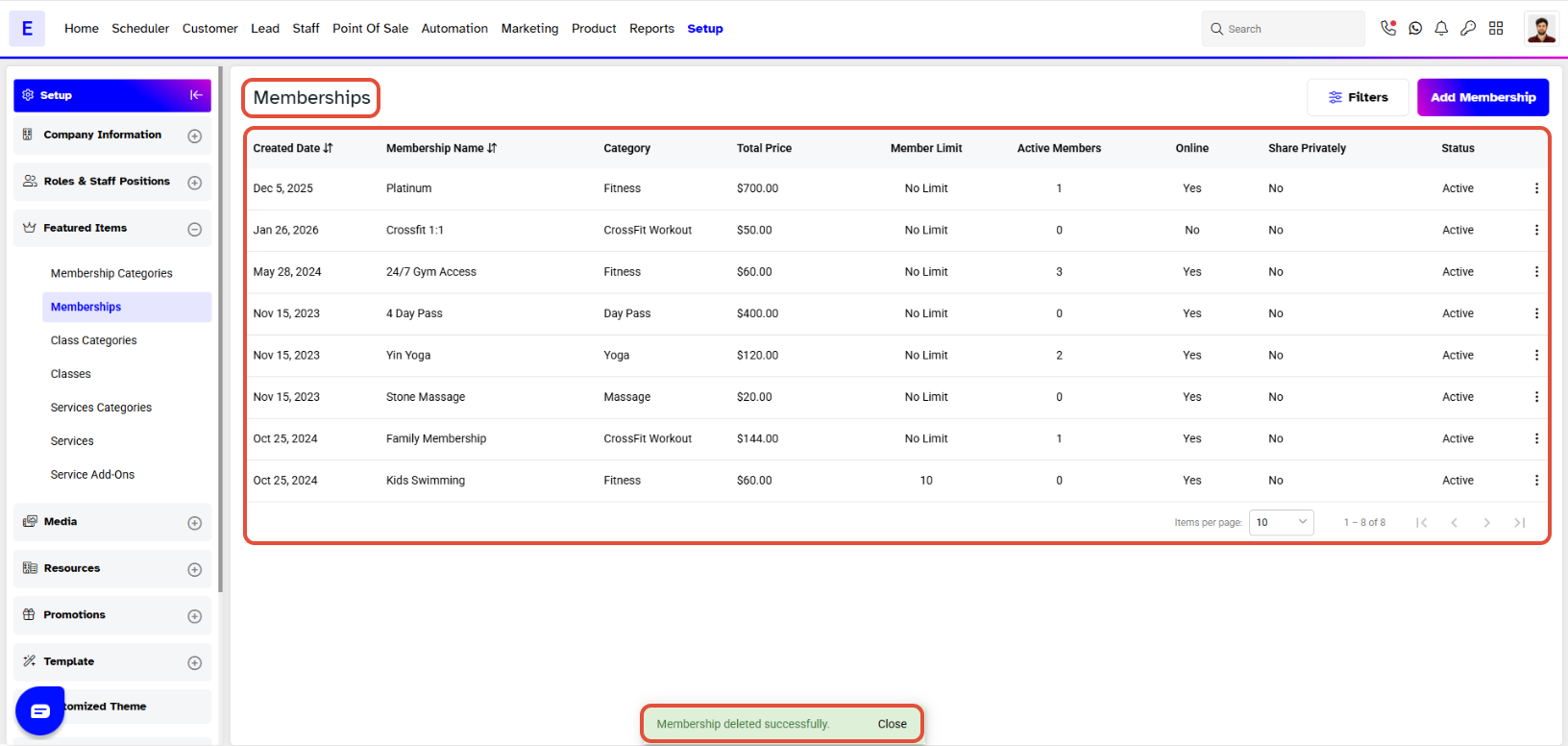
- The Package will be deleted successfully.