


TABLE OF CONTENTS
To Delete an Event in Core, follow the below steps.
How To Delete An Event
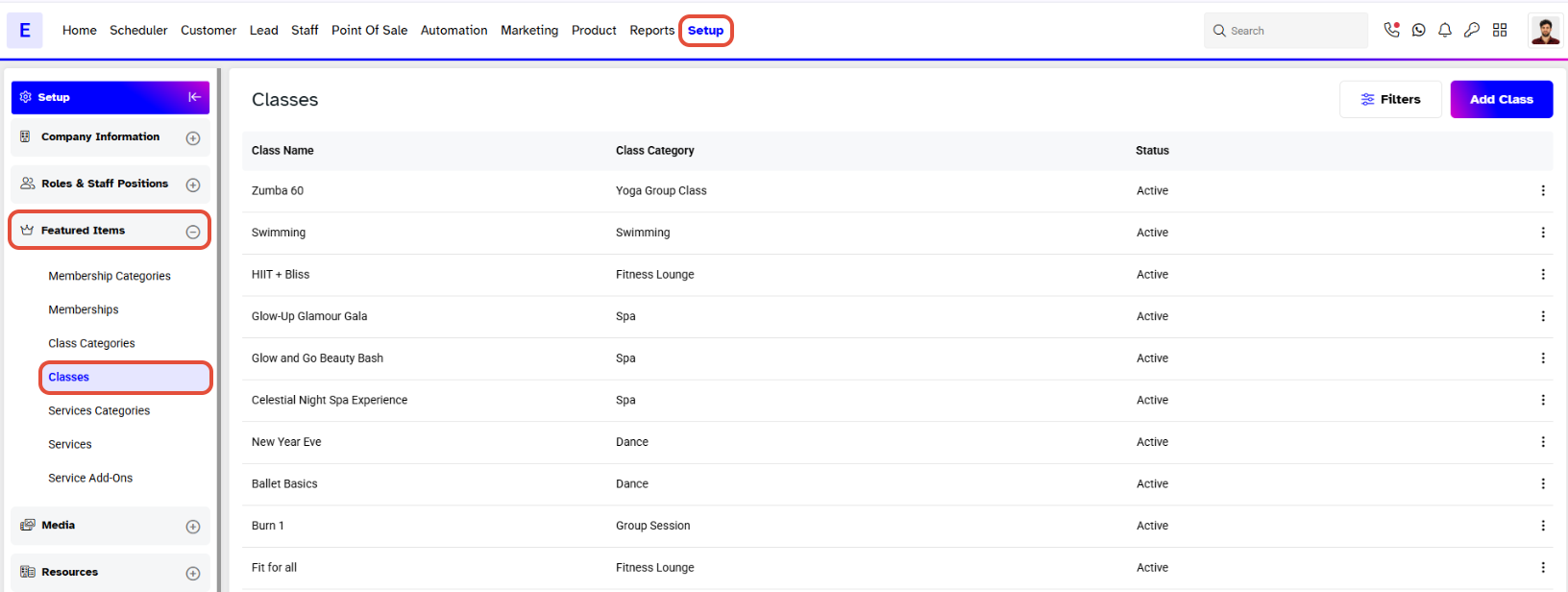
Go to the Setup Module.
Select Classes from the Featured Items Tab.
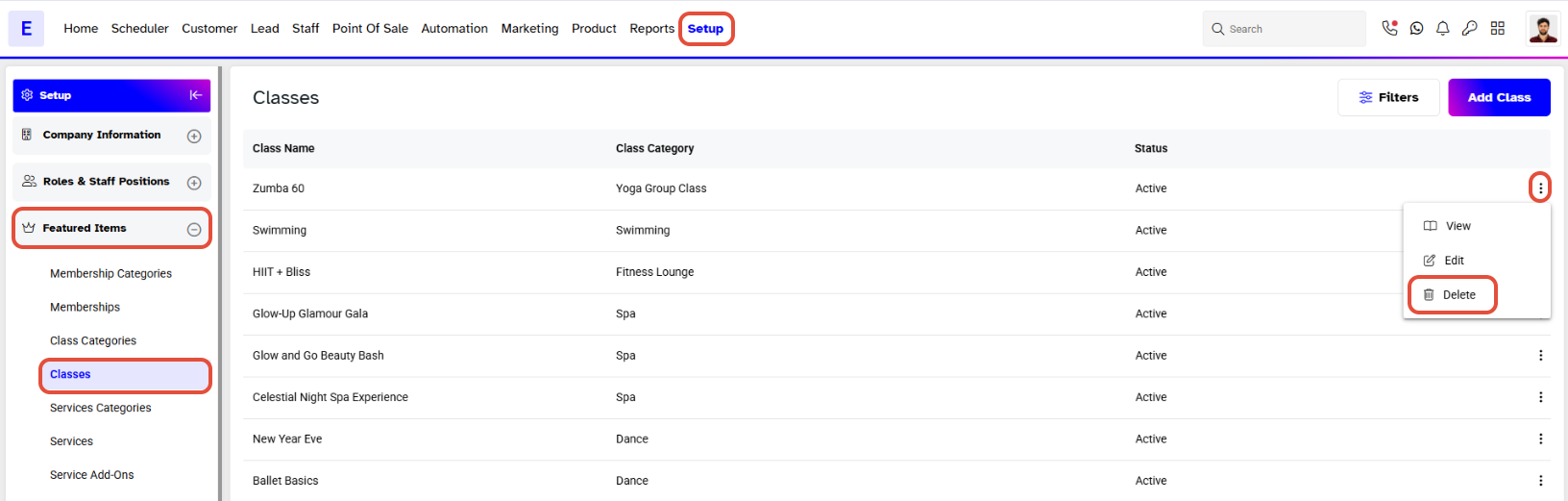
Click on the Delete Icon against the Event.
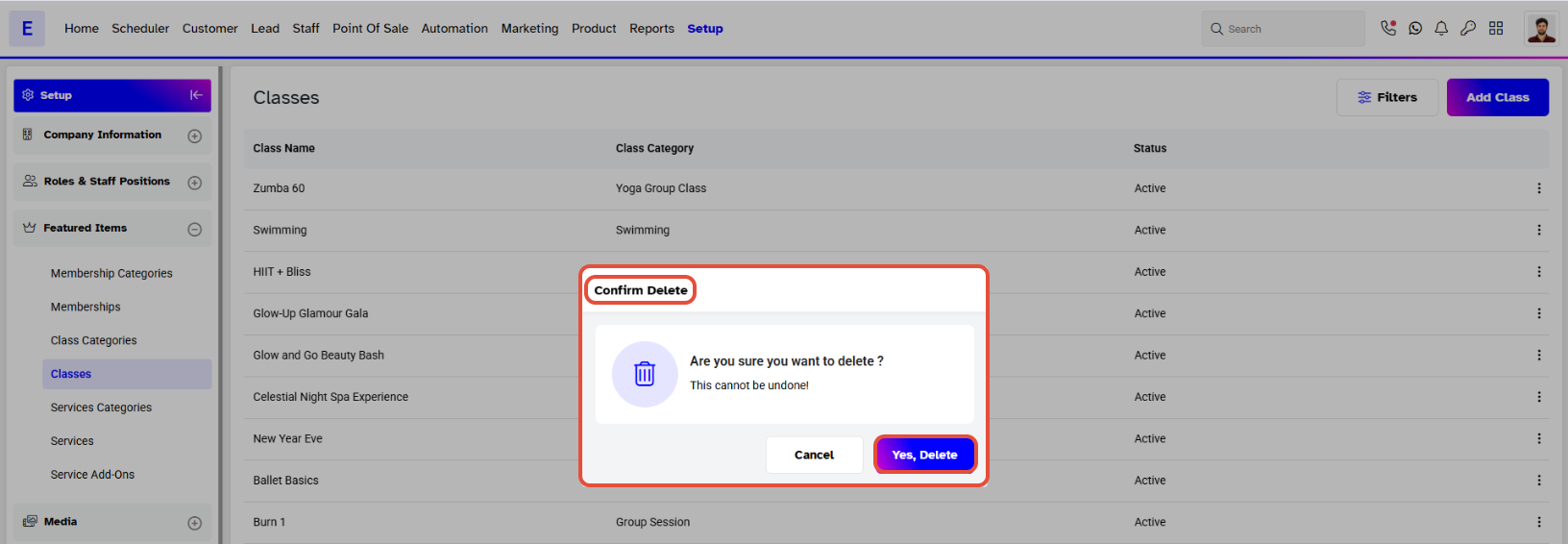
In Confirm Delete Box, click on the Yes, Delete Button.
The Event will be removed from the log.
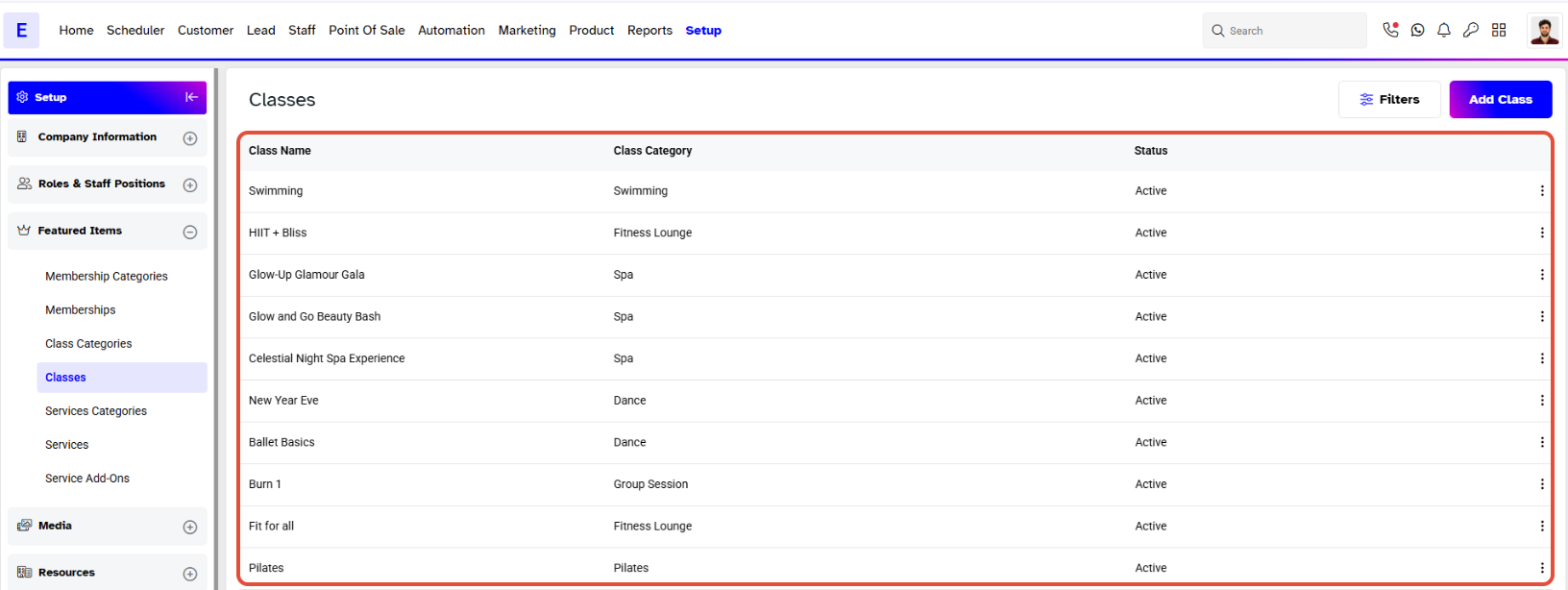
Event is shown as a Class in Core. However, it is displayed as an Event on the Widget and Customer App.




