TABLE OF CONTENTS
- Overview
- Step 1: Navigate to the Reports Module
- Step 2: Access the Customer Tab
- Step 3: Locate the Customer Details Report
- Step 4: Generate the Report
Overview
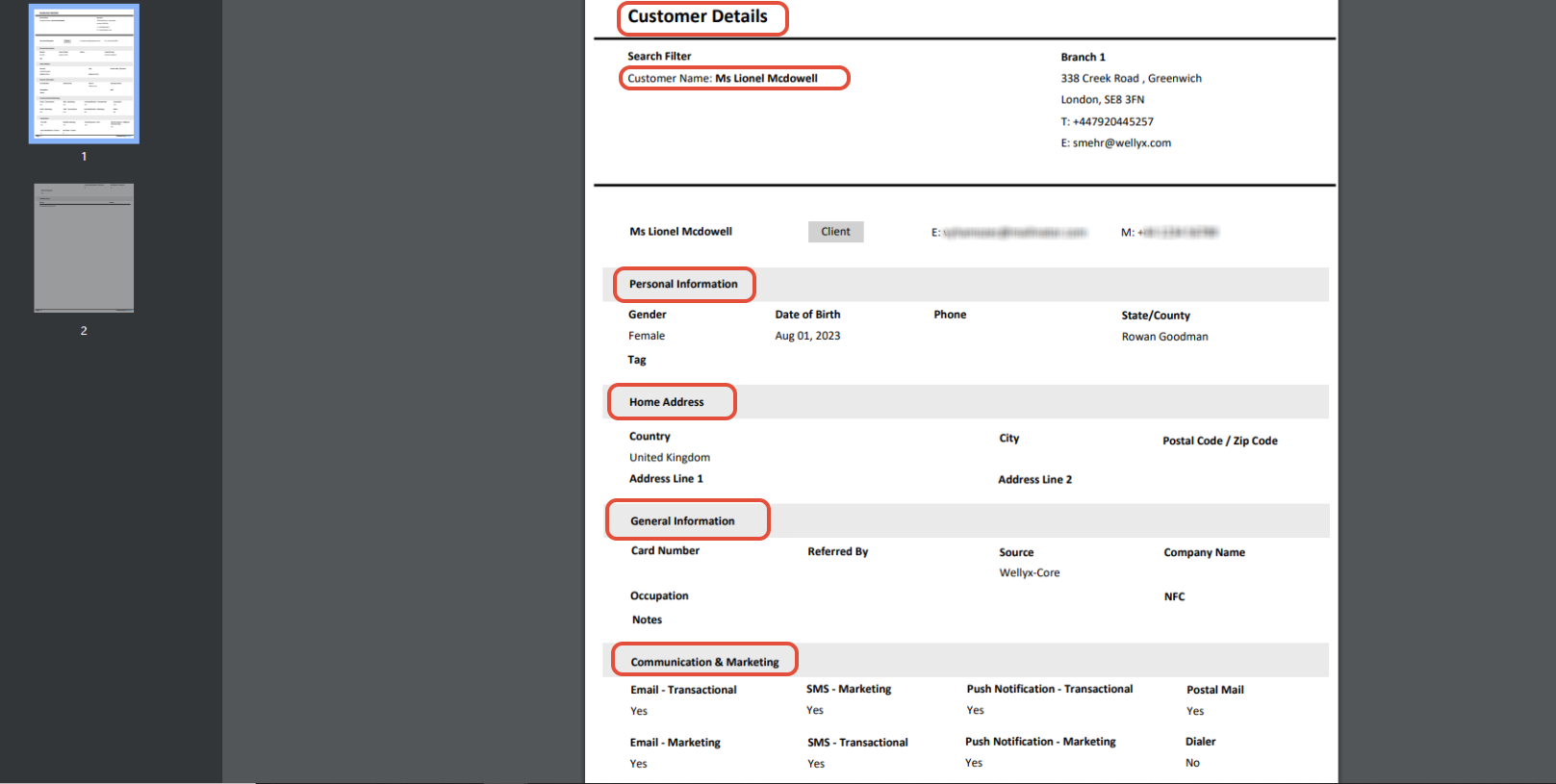
This guide explains how to view a report on a customer's details step by step.
Step 1: Navigate to the Reports Module
- Go to the Reports Module.

Step 2: Access the Customer Tab
- Click on the Customer Tab.
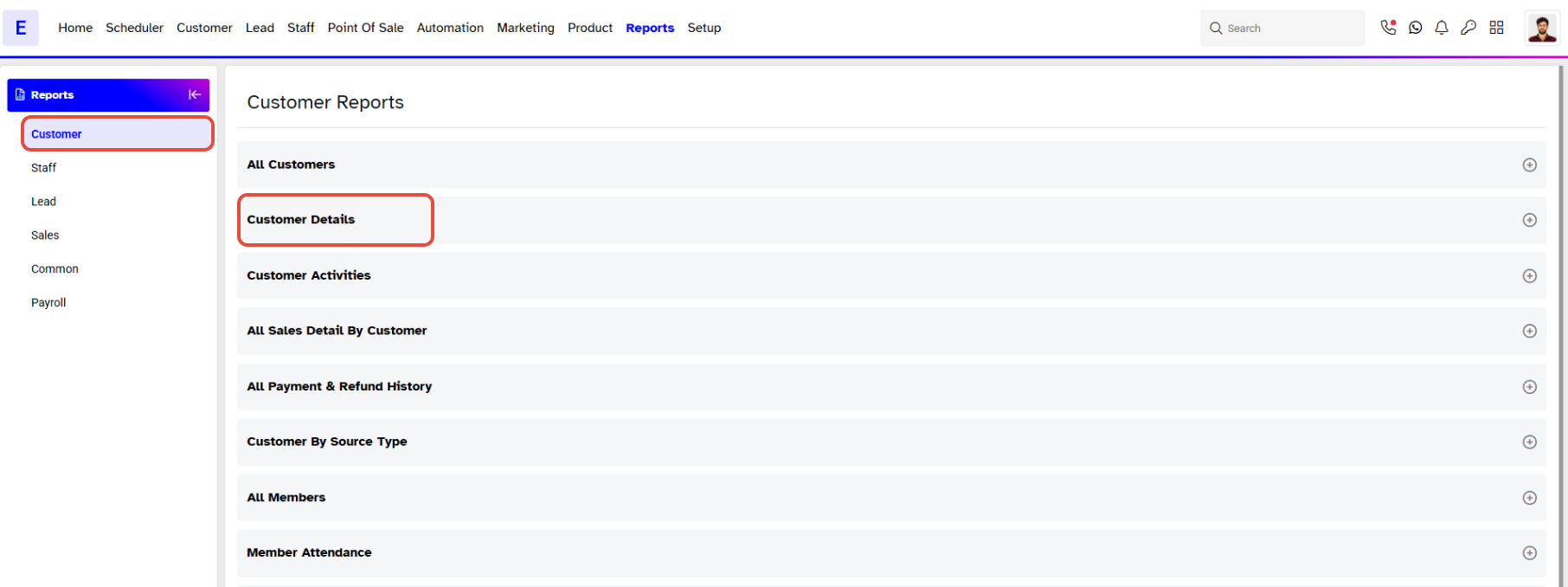
Step 3: Locate the Customer Details Report
- Scroll down to the Customer Details Report.
- Type the Name of the Customer whom you want to View the Details.
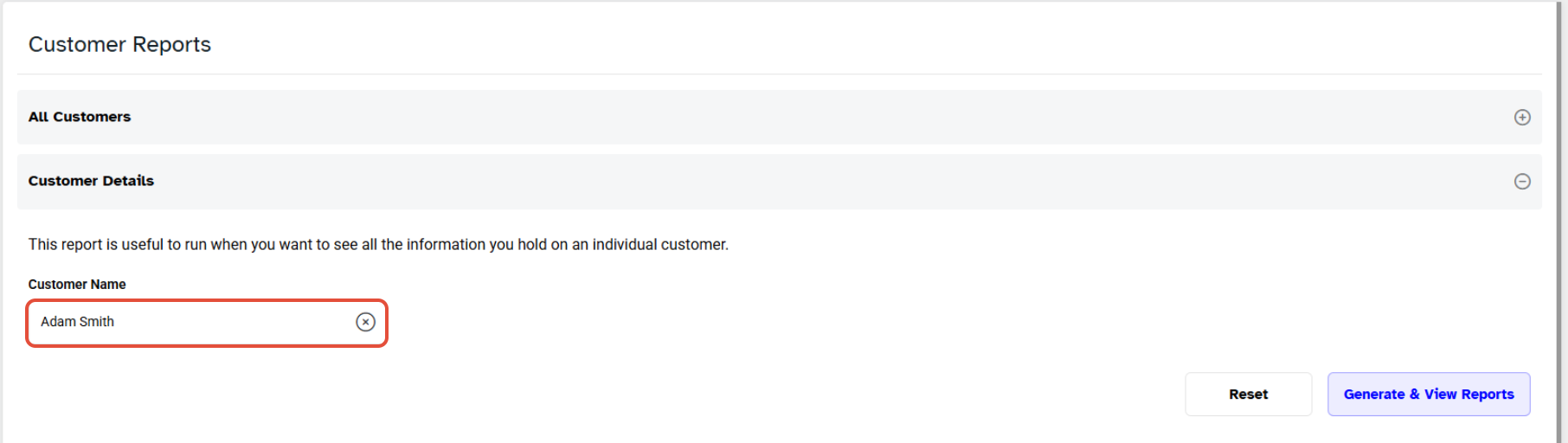
Step 4: Generate the Report
- Click on the Generate & View Reports.
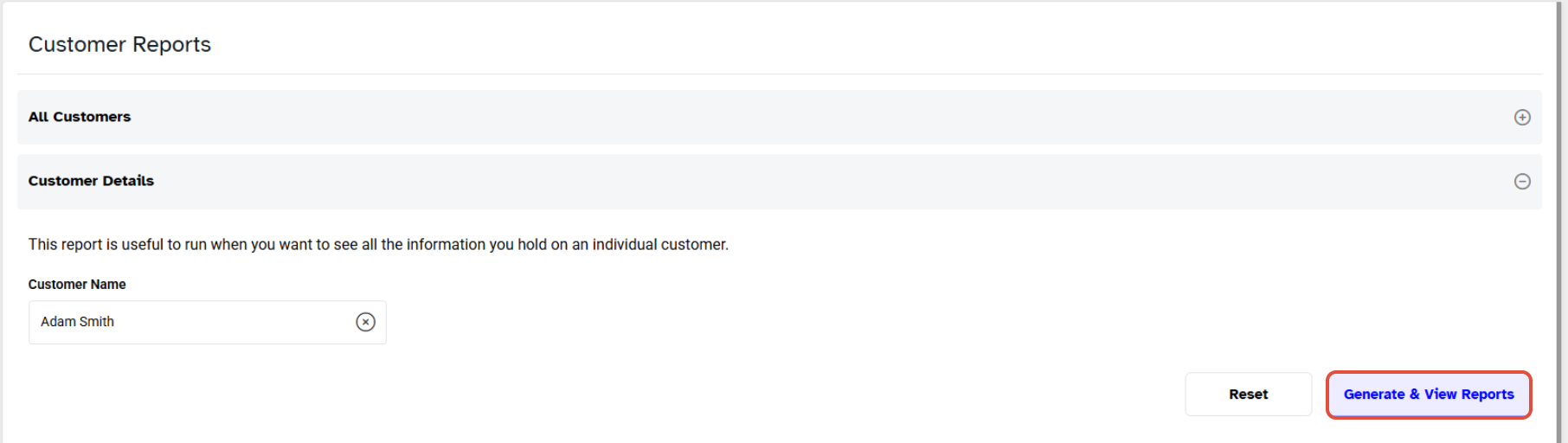
- Select the PDF File as a Download Format.
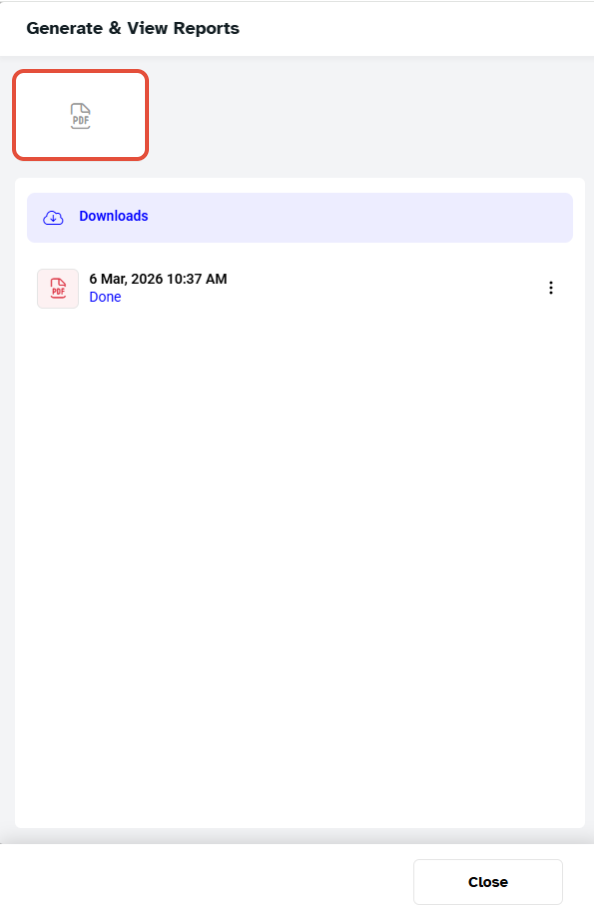
- After generating the Report, you can download it by clicking on the Download Icon.
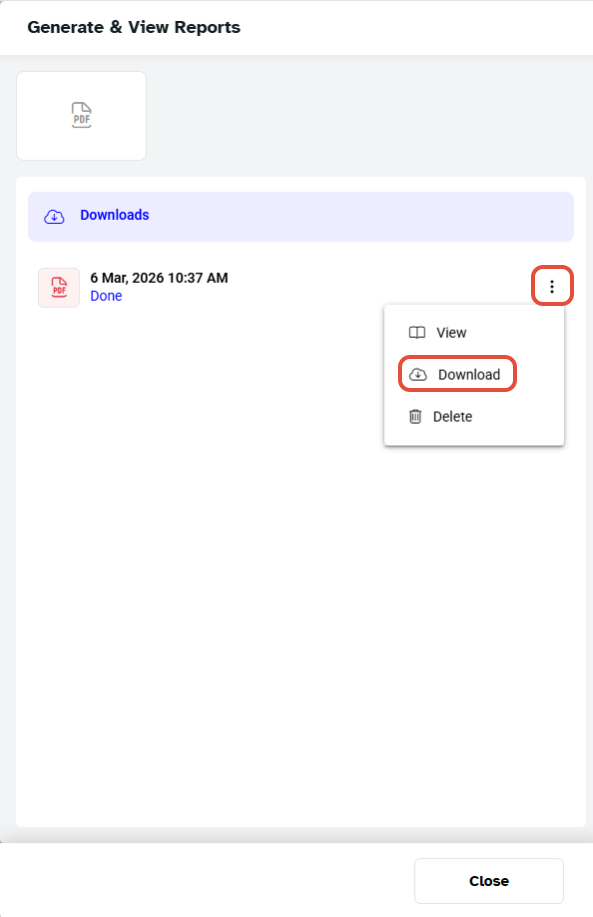
The Merchant can only download the Customer's Detail Report in PDF File.
- The Merchant can download the Report in PDF format by clicking on the PDF File Icon.